Knowledge base
1000 FAQs, 500 tutorials and instructional videos. Here, there are only solutions!
Display the DNS records for a domain name
This guide explains how to find and display DNS information for any domain name registered with Infomaniak (or elsewhere).
Domain with Infomaniak
To access your domain names and view the DNS servers configured:
- Click here to access the domain management section in your Infomaniak Manager (❓: help).
- Click on the name of the domain in question.
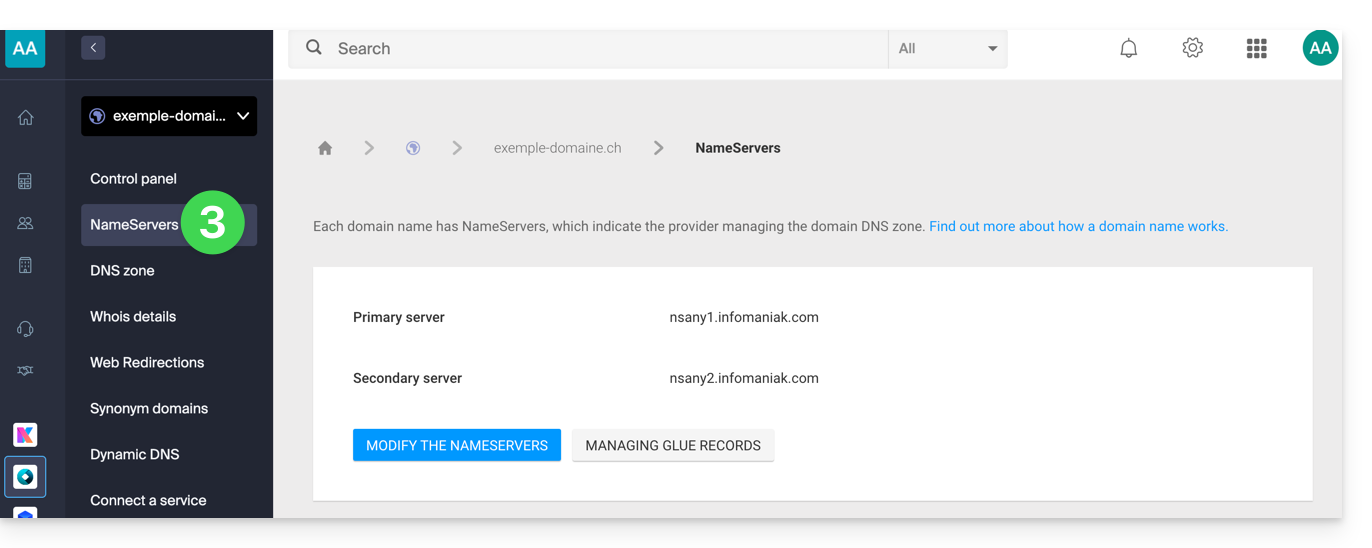
- Click on DNS Servers in the left-hand menu:
WHOIS Search
To view the DNS information of another domain name, use a WHOIS service such as https://whois.infomaniak.com/, for example, or https://who.is (be aware of the advertisements on all these third-party services).
This will provide you with a clear overview of a domain name's DNS status at a specific point in time.
DNS servers are often displayed in pairs and begin with ns..., followed by numbers and the name of the registrar or hosting provider.
Please note that the DNS records displayed may not necessarily be the ones most recently selected by the domain manager. This is because there is a propagation time that may need to be taken into account if changes are currently being made to the domain.
Link to this FAQ: https://faq.infomaniak.com/189
Has this FAQ been helpful?