Knowledge base
1000 FAQs, 500 tutorials and instructional videos. Here, there are only solutions!
Secure videos by restricting access based on GeoIP
This guide explains how to restrict access to videos uploaded to an Infomaniak VOD service based on geographical criteria and/or IP addresses.
Introduction
- Please note that protection is only effective in the case of standard iframe integration and therefore through the use of the Infomaniak Player.
- Other access restrictions can be enabled and concern access to the file: token | password
- You can manage the preview images used when restricting access.
Restrict Access via GeoIP
Geographical and IP-based restrictions are configured at the import folder level and will protect all videos in the folder. To configure this folder:
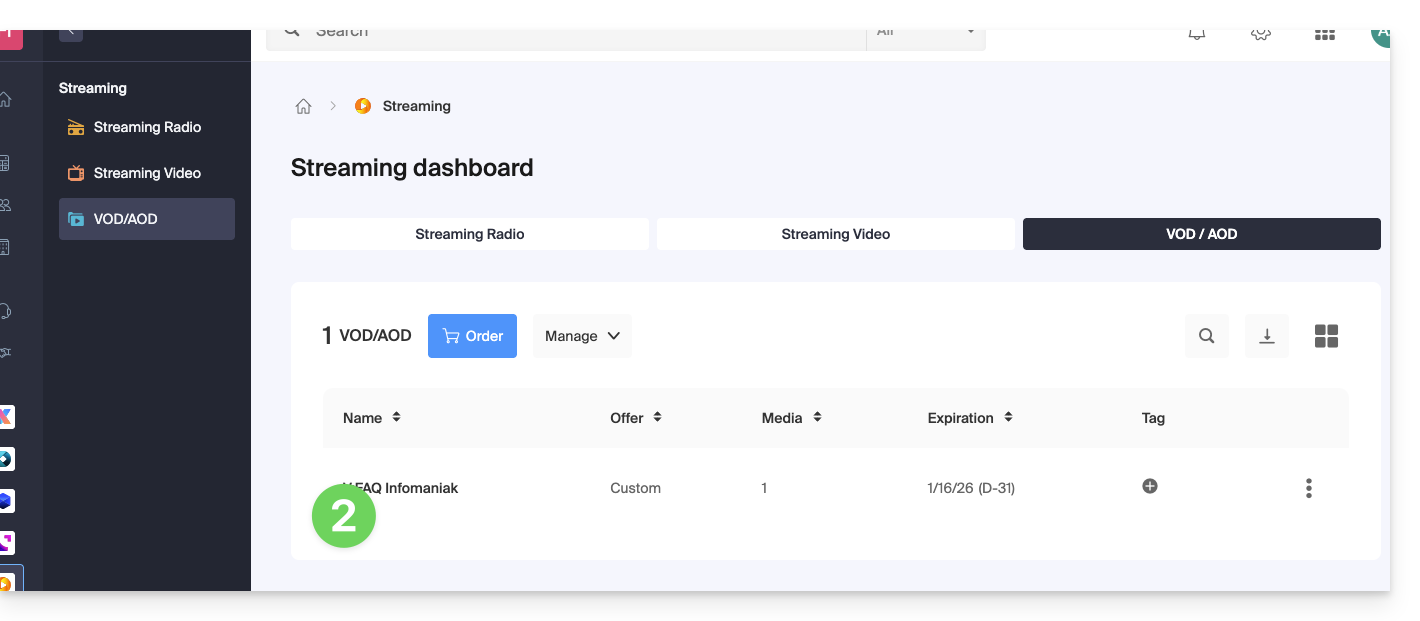
- Click here to access the management of your VOD/AOD on the Infomaniak Manager (need help?).
- Click directly on the name assigned to the product in question:
- Click on Media in the left-hand menu.
- Click on Media Management in the left-hand menu.
- Click on the icon to create a New folder:
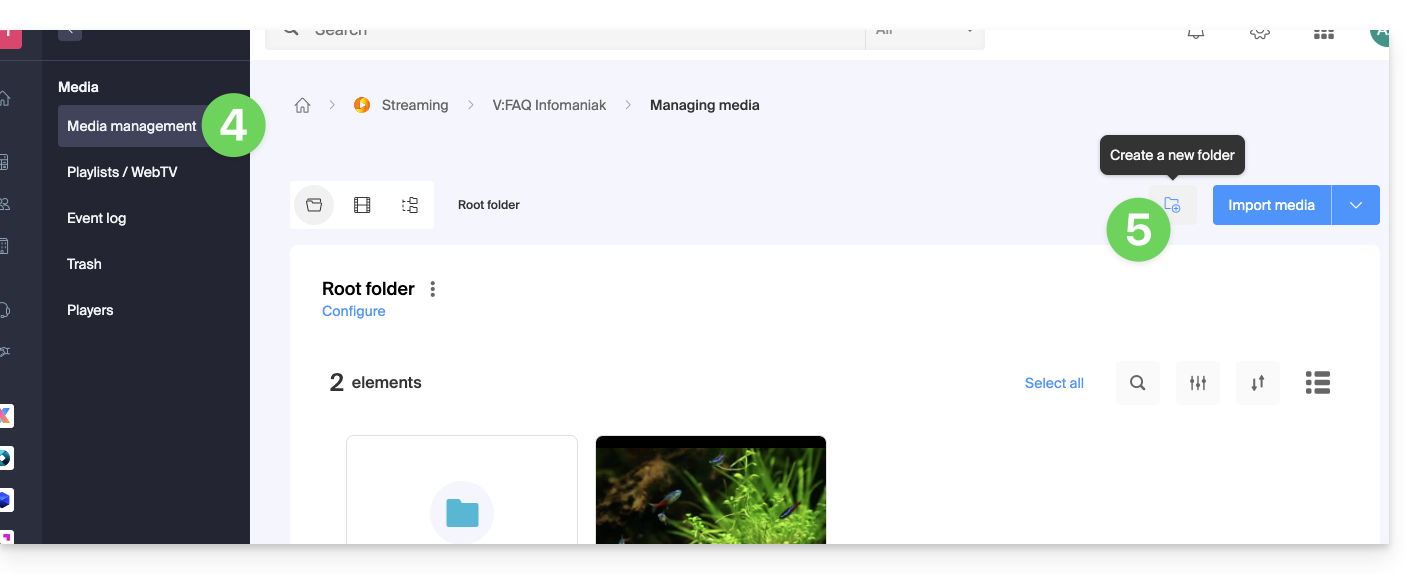
- Give the folder a name.
- Click on the blue button to Create the folder.
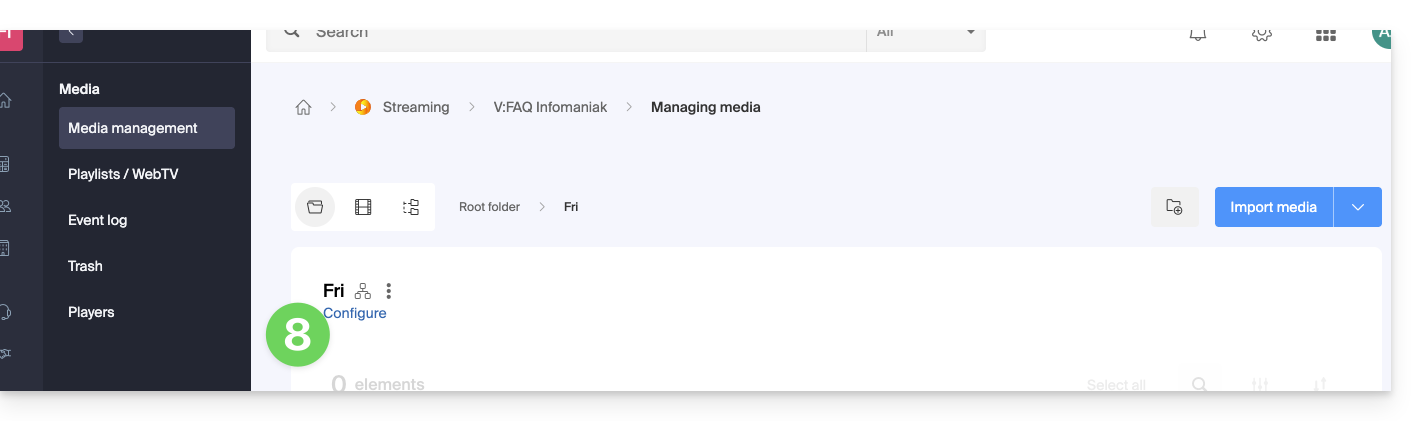
- Click on Configuration:
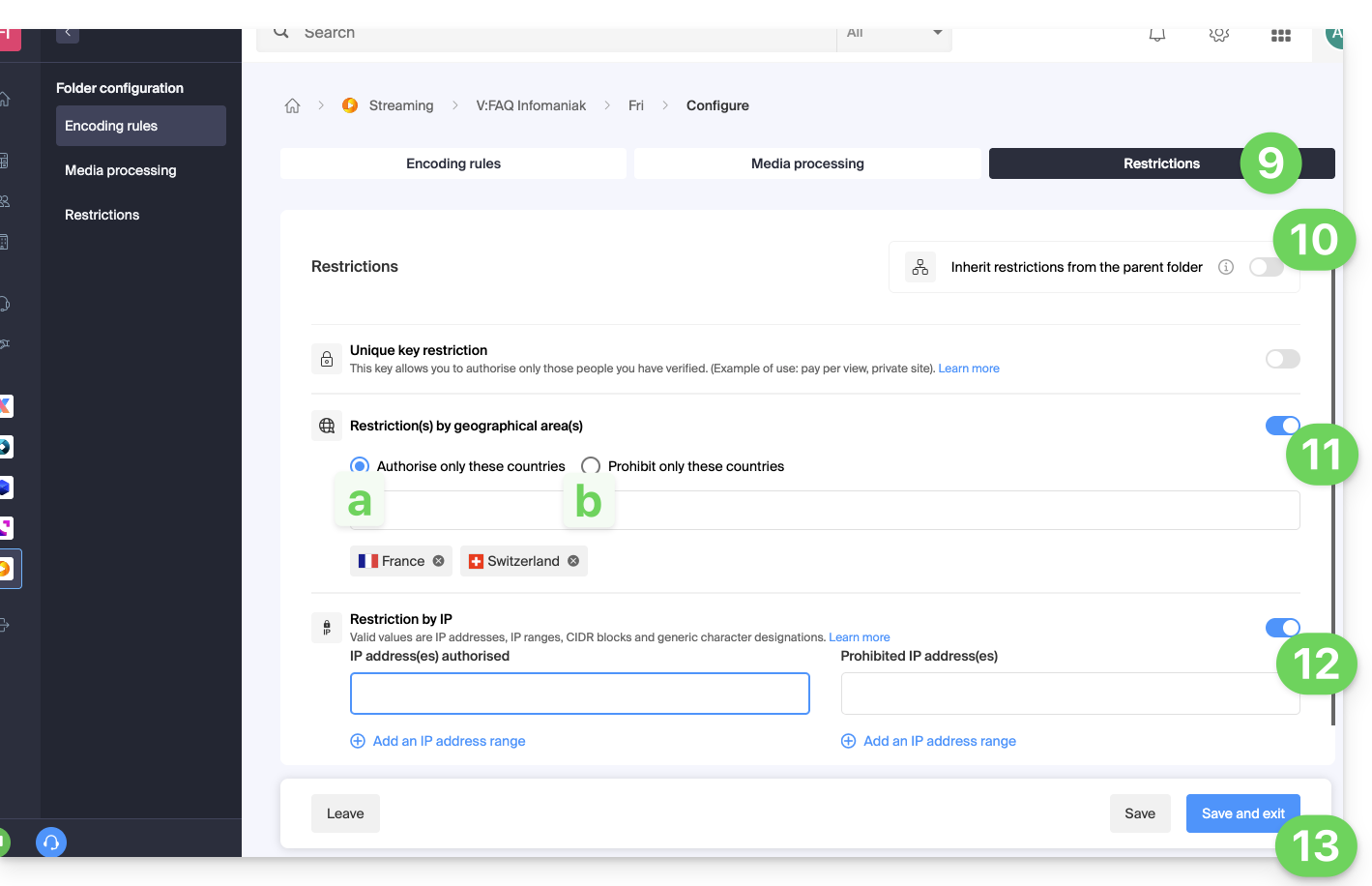
- Click on the Restrictions tab.
- If necessary, disable the toggle switch to remove the inheritance from the parent folder, so that you can configure your own rules for this specific folder.
- Enable the toggle switch to define a list of countries and what should be done with them:
- Only allow countries from the list to access the media (everything else is blocked).
- Allow the entire world except for the countries on the list, which will be blocked.
- Enable the toggle switch to define a list of IPs or IP ranges that should be allowed or blocked (the
*character is allowed). - Click on Save once the desired restrictions have been configured:
- Upload new videos to this folder so that they are restricted according to your strict rules when played.
Link to this FAQ: https://faq.infomaniak.com/1881
Has this FAQ been helpful?