Knowledge base
1000 FAQs, 500 tutorials and instructional videos. Here, there are only solutions!
Renew or restore a domain name
Update 10/05/2026
This guide explains how to renew or restore a domain name registered with Infomaniak.
Introduction
- You will automatically receive an email notification (at the address you provided) when one of your domain names is about to expire.
- If this domain name is not renewed before its expiration date, it enters a redemption period during which it is still possible to recover/restore it.
- The restoration fees and the duration of the redemption period are variable depending on the extension in question.
- Once the redemption period has expired, the domain name is free and can be registered again by anyone.
- If your domain is important for your business, Renewal Warranty offers you the assurance of never losing it: Infomaniak will do everything in its power to ensure that you can keep it, even if you do not provide timely notice before its expiration.
Renew a domain name before it expires
Renewing one or more domain names is done in exactly the same way as any other Infomaniak service renewal. Refer to this other guide if you are looking for information on how to renew the product in question.
Restore a domain name after expiration
To restore a domain during its redemption period:
- Click here to access the domain management section in your Infomaniak Manager (❓: help).
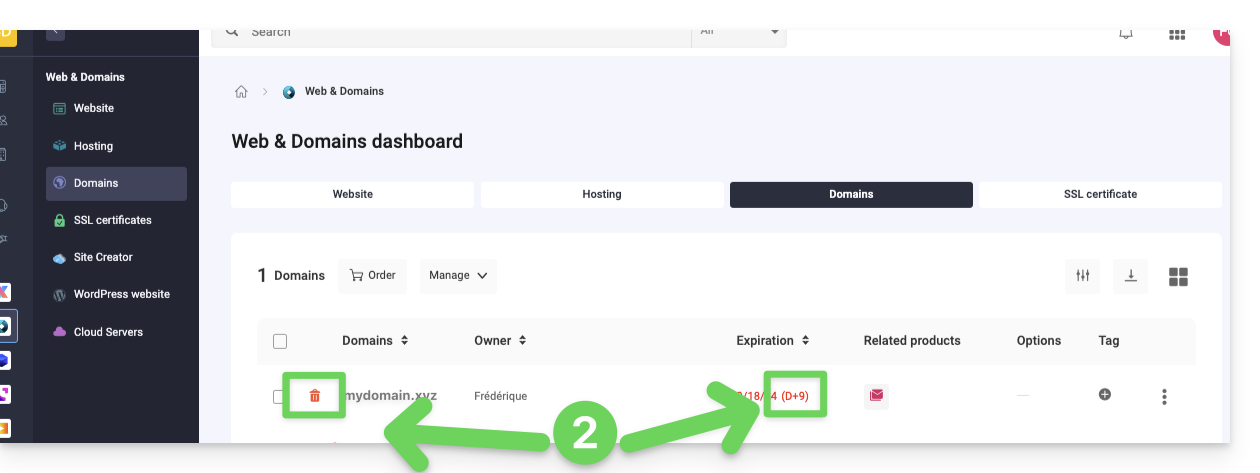
- An expired domain is indicated as such:
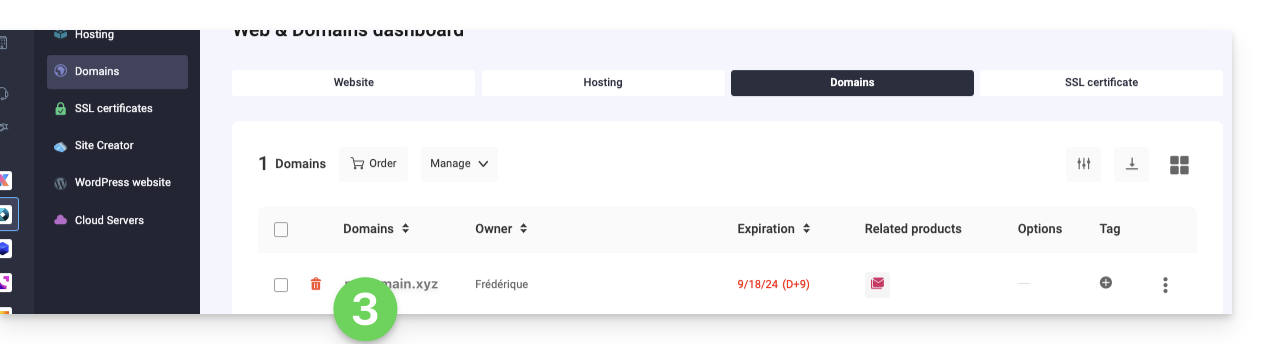
- Click on the name of the domain in question:
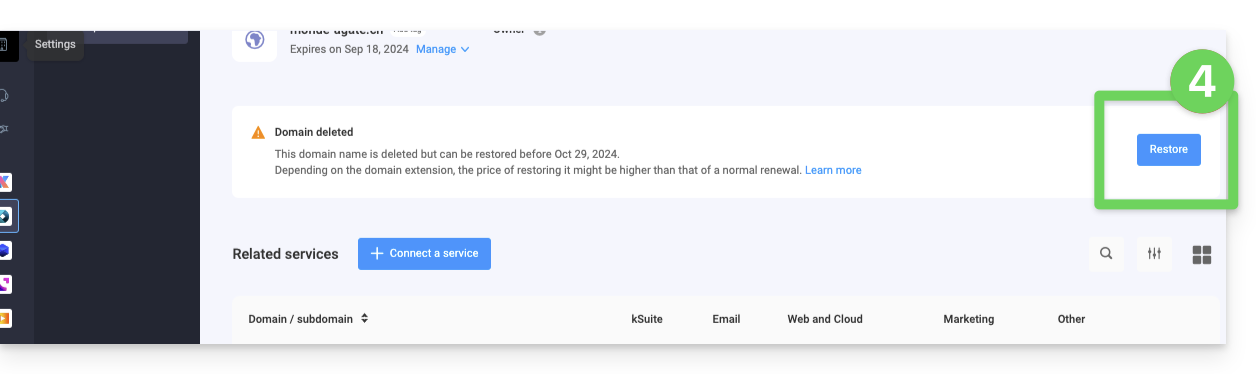
- Click on the Restore button:
- Follow the restoration steps until the end.
Troubleshooting
What to do if the domain does not appear in your account?
- Make sure you are logged in with the correct Infomaniak account (user account), and that you are viewing the correct Organization if you are associated with multiple entities.
- Go to the DOMAIN section of the Managerand not to a section of products to be billed or renewed.
- Repurchase the domain name if it has not been reserved in the meantime.
Link to this FAQ: https://faq.infomaniak.com/1825
Has this FAQ been helpful?