Knowledge base
1000 FAQs, 500 tutorials and instructional videos. Here, there are only solutions!
Edit domain name DNS records
This guide explains how to modify the DNS (Name Servers) of a domain registered with Infomaniak.
Prerequisites
- Own a domain name with Infomaniak or at least have a DNS zone.
- Understand:
- how a domain and a DNS zone work before modifying the latter.
- that any DNS addition/modification may take up to 48 hours to propagate.
DNS Modification
To modify the DNS settings of a domain name managed by Infomaniak,control the direction that web and email traffic should take:
- Click here to access your domain management in the Infomaniak Manager (need help?).
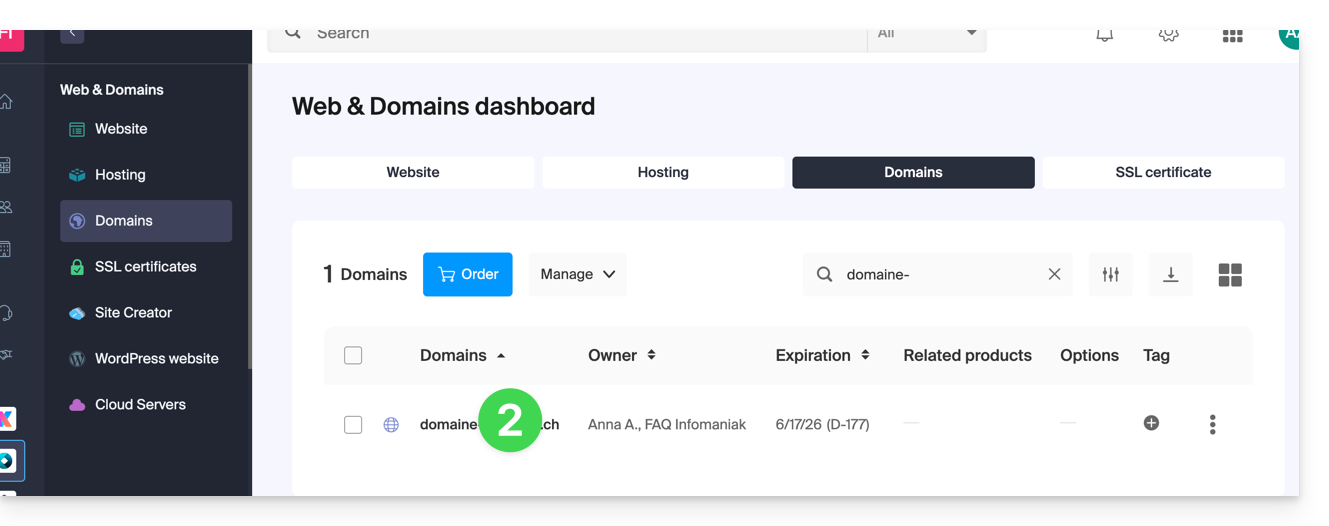
- Click directly on the name assigned to the domain in question:
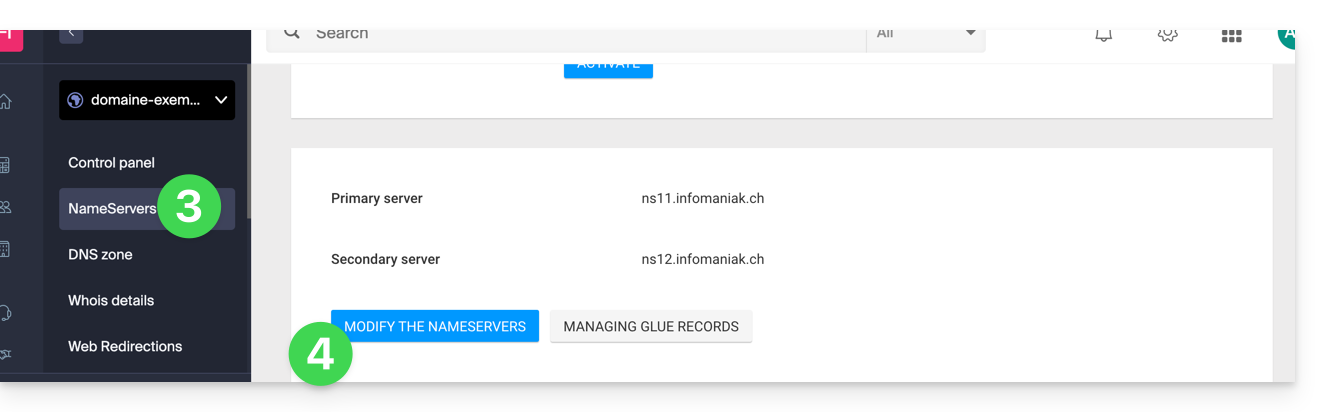
- Click on DNS Servers from the left-hand menu.
- Click on the blue Edit DNS servers button:
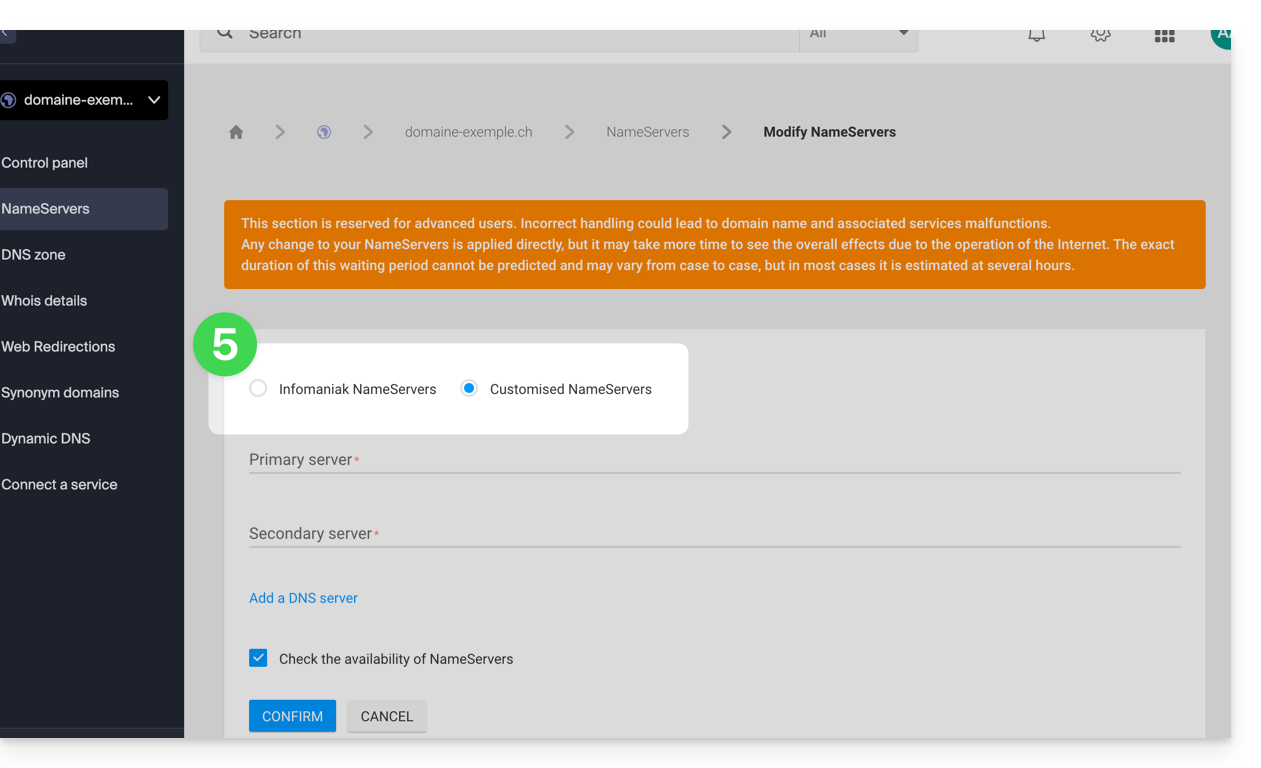
- If your website is hosted with Infomaniak, check Infomaniak name servers…
- Otherwise, check Custom name servers to enter the server names below and validate at the bottom of the page.
- Otherwise, check Custom name servers to enter the server names below and validate at the bottom of the page.
Batch Modification
To modify the DNS records of multiple domain names in bulk:
- Click here to access the domain management section in the Infomaniak Manager (need help?).
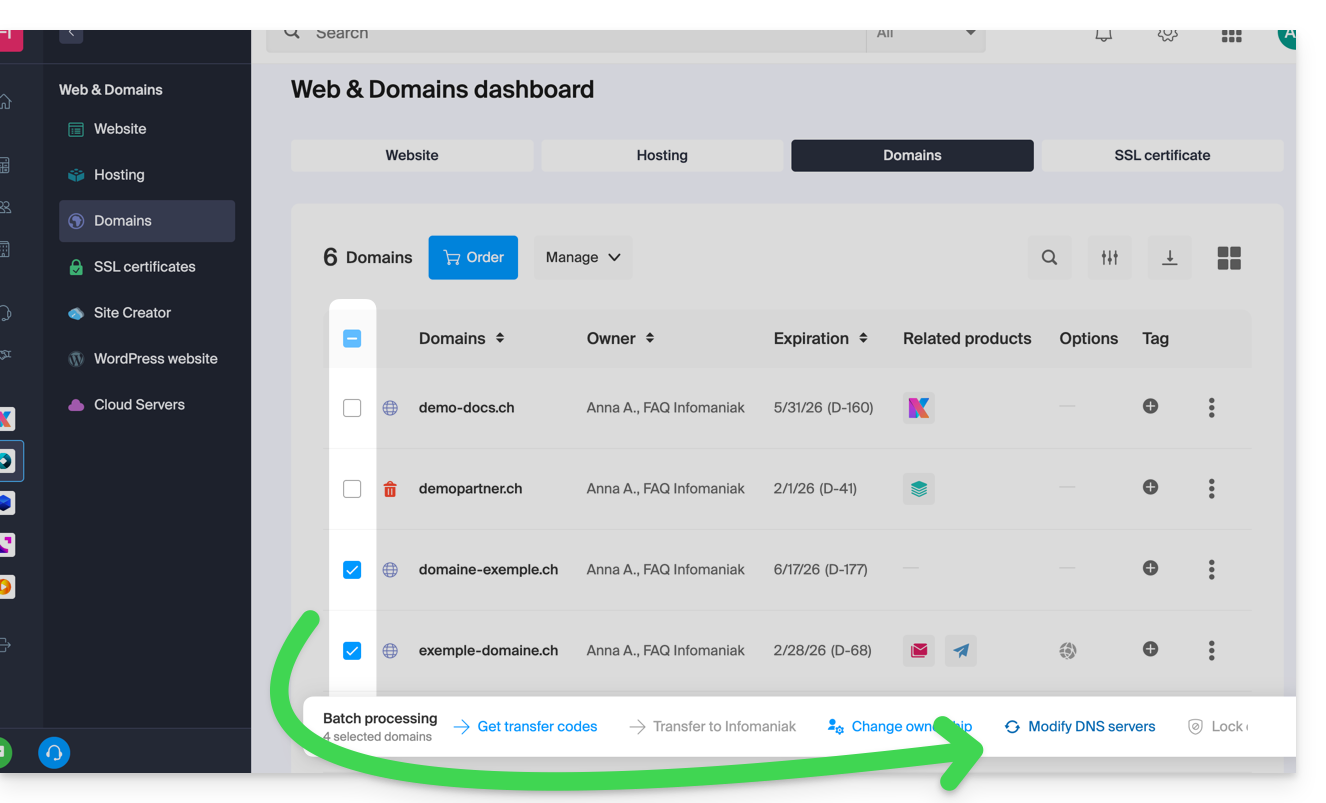
- Select the relevant domain names.
- Click on ⋮ at the bottom of the screen if necessary.
- Click on Edit DNS servers:
If you would prefer to modify the contents of the DNS zone and therefore change the various DNS records contained within it, please refer to this other guide.
Link to this FAQ: https://faq.infomaniak.com/1798
Has this FAQ been helpful?