Knowledge base
1000 FAQs, 500 tutorials and instructional videos. Here, there are only solutions!
Edit domain name DNS records
Update 10/05/2026
This guide explains how to modify the DNS (Name Servers) of a domain registered with Infomaniak.
Prerequisites
- Own a domain name with Infomaniak or at least have a DNS zone (❓: help).
- Understand:
DNS Modification
To modify the DNS settings of a domain name managed by Infomaniak,control the direction that web and email traffic should take:
- Click here to access the domain management section in your Infomaniak Manager (❓: help).
- Click on the name of the domain in question.
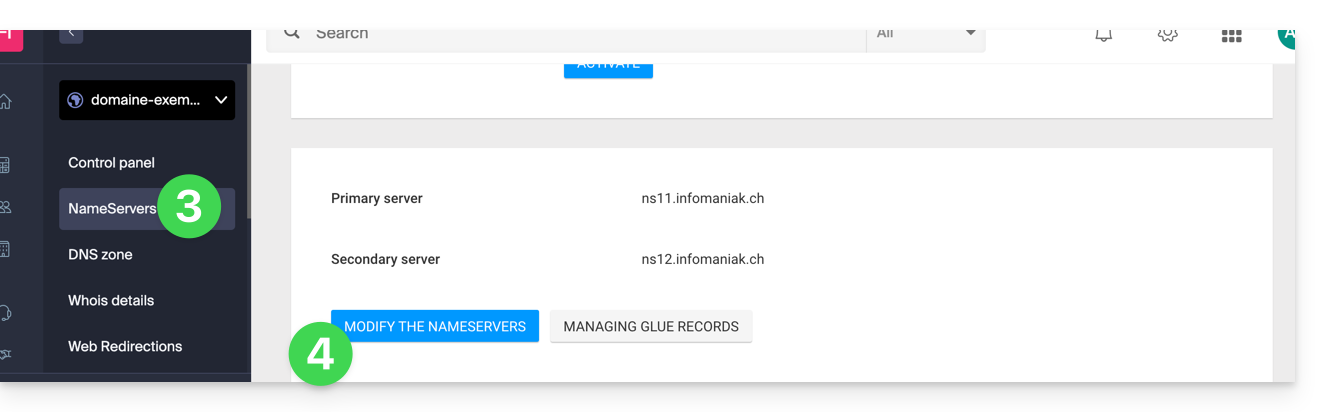
- Click on DNS Servers from the left-hand menu.
- Click on the blue Edit DNS servers button:
- If your website is hosted with Infomaniak, check Infomaniak nameservers…
- Otherwise, check Custom nameservers to enter the nameservers below and validate at the bottom of the page.
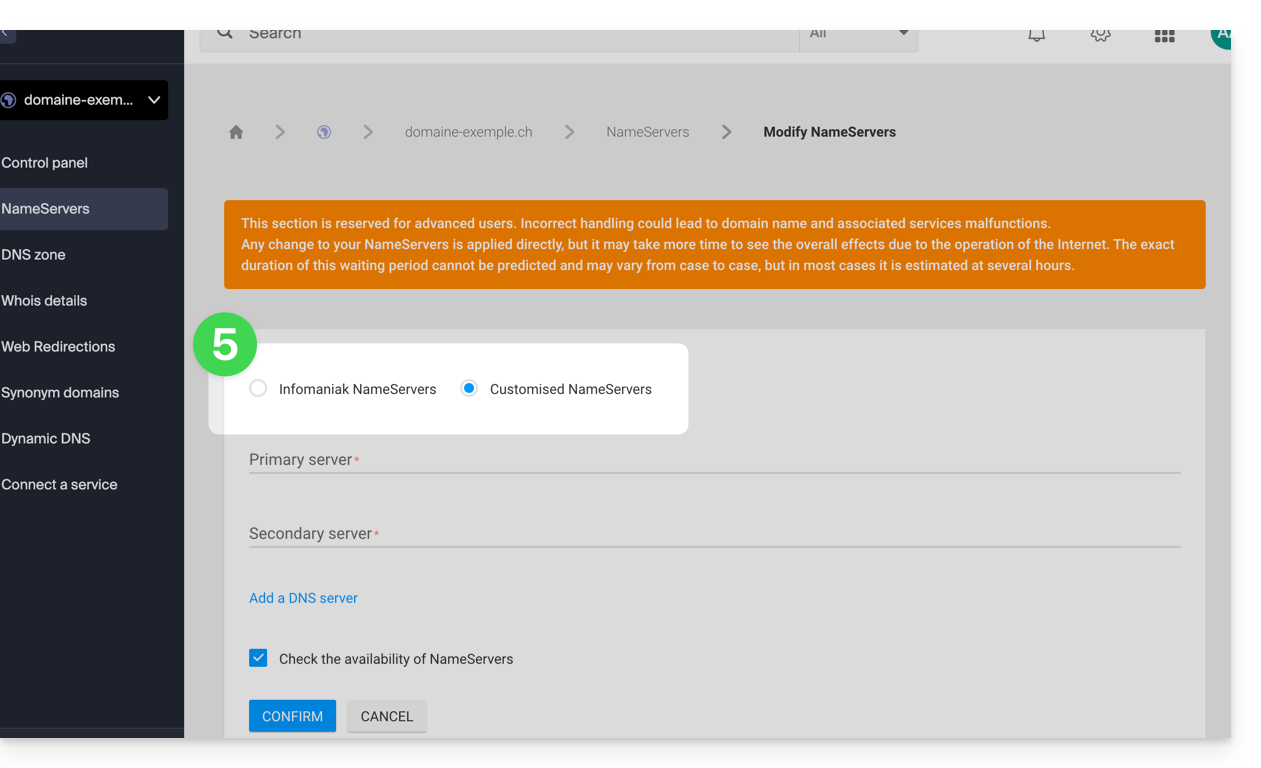
- Otherwise, check Custom nameservers to enter the nameservers below and validate at the bottom of the page.
Batch Modification
To modify the DNS records of multiple domain names in bulk:
- Click here to access the domain management section in your Infomaniak Manager (❓: help).
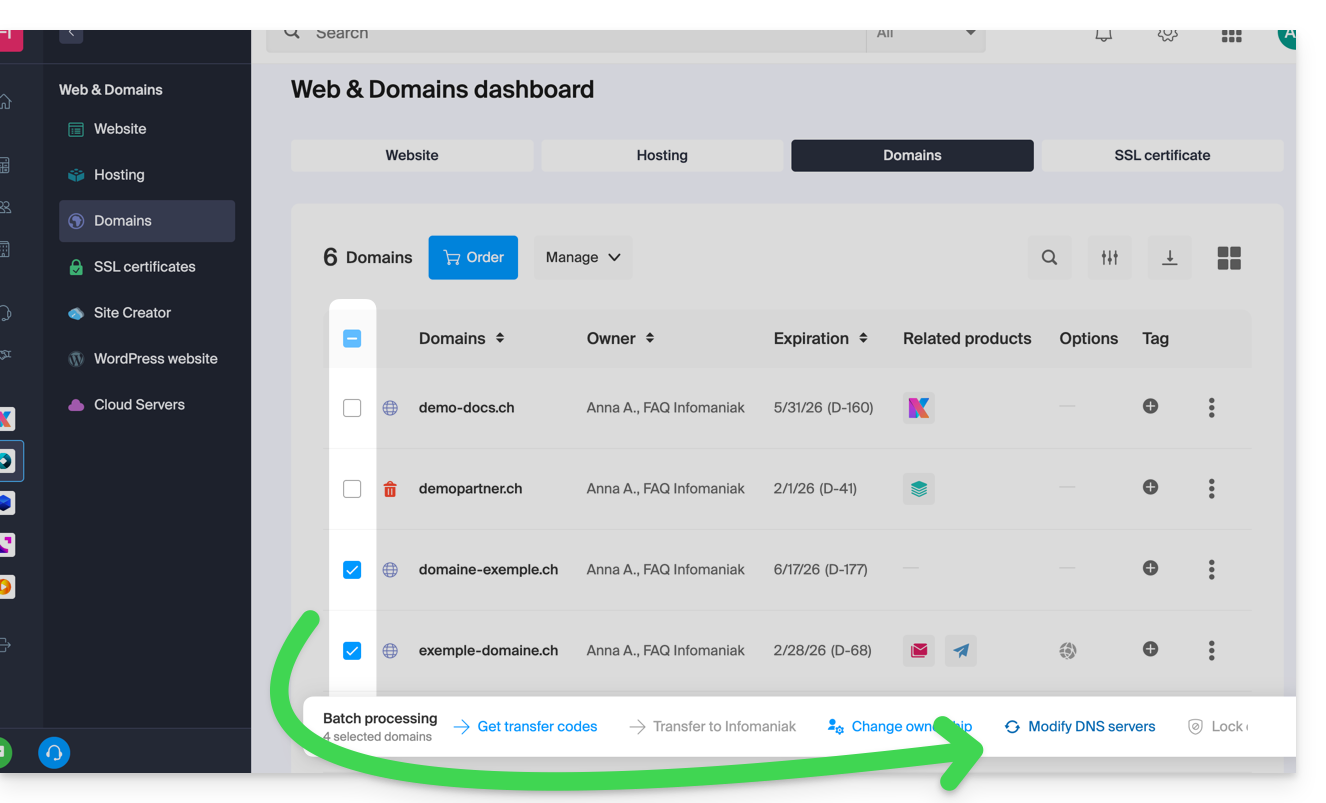
- Click on the name of the domains in question.
- Click on ⋮ at the bottom of the screen if necessary.
- Click on Edit DNS servers:
If you would rather modify the contents of the DNS zone and therefore change the various DNS records contained within it, please refer to this other guide.
Link to this FAQ: https://faq.infomaniak.com/1798
Has this FAQ been helpful?