Knowledge base
1000 FAQs, 500 tutorials and instructional videos. Here, there are only solutions!
Create a video streaming player
Update 10/06/2026
A Player (i.e., a media player) allows you to stream your Infomaniak video stream.
Create a Player
To obtain a Player to view the video stream, embed it on an HTML page, etc.:
- Click here to access the management interface for your product on the Infomaniak Manager (need help?).
- Click directly on the name assigned to the product in question:
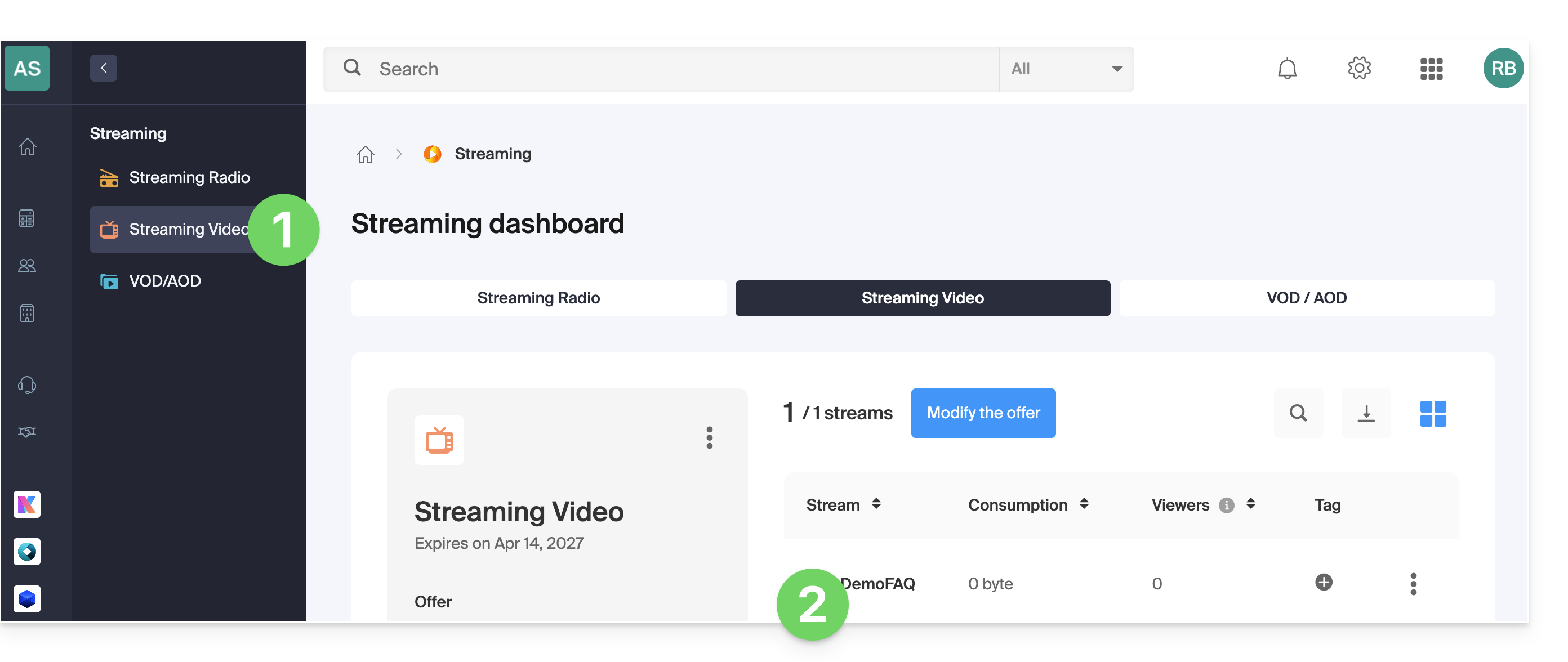
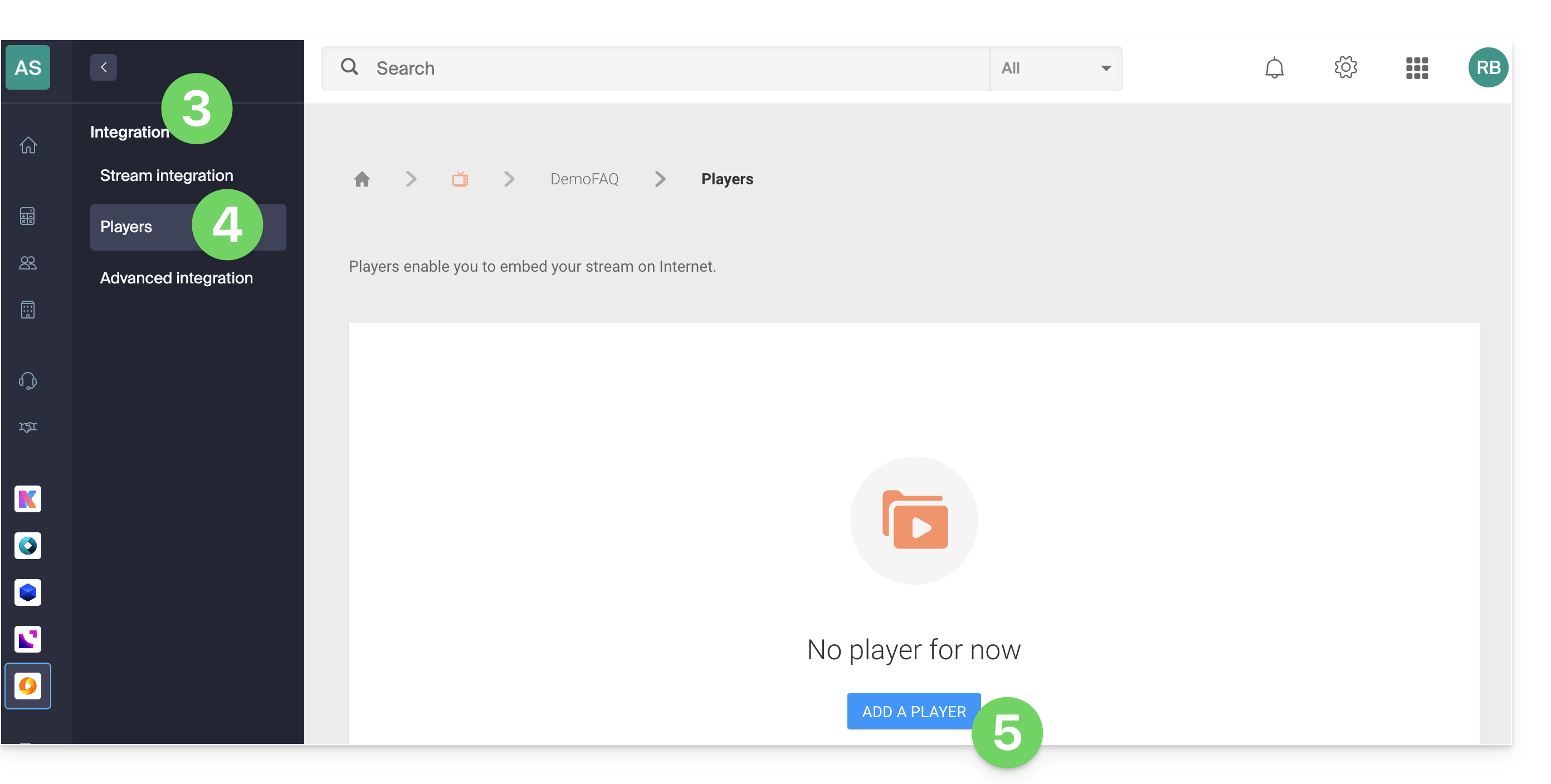
- Click on Integration in the left-hand menu.
- Click on Players in the left-hand menu.
- Click on the button to add a player:
Pre-roll and mid-roll ads are managed within the Player. Please refer to this other guide for more information.
Link to this FAQ: https://faq.infomaniak.com/1754
Has this FAQ been helpful?