Knowledge base
1000 FAQs, 500 tutorials and instructional videos. Here, there are only solutions!
Manage advanced PHP functions for a web hosting account
Update 10/13/2026
This guide explains how to enable the following functions on Web Hosting (in italics, Cloud Server only):
proc_openpopenexec()shell_exec()set_time_limitpassthrusystem
These functions are disabled by default because they pose a significant security risk if a website is hacked. Only enable them if absolutely necessary (for a script or CMS such as ImageMagick, Typo3, CraftCMS, etc.).
Enable PHP functions
To access website management:
- Click here to access the hosting & website management section in your Infomaniak Manager (❓: help).
- Click on the name of the website in question.
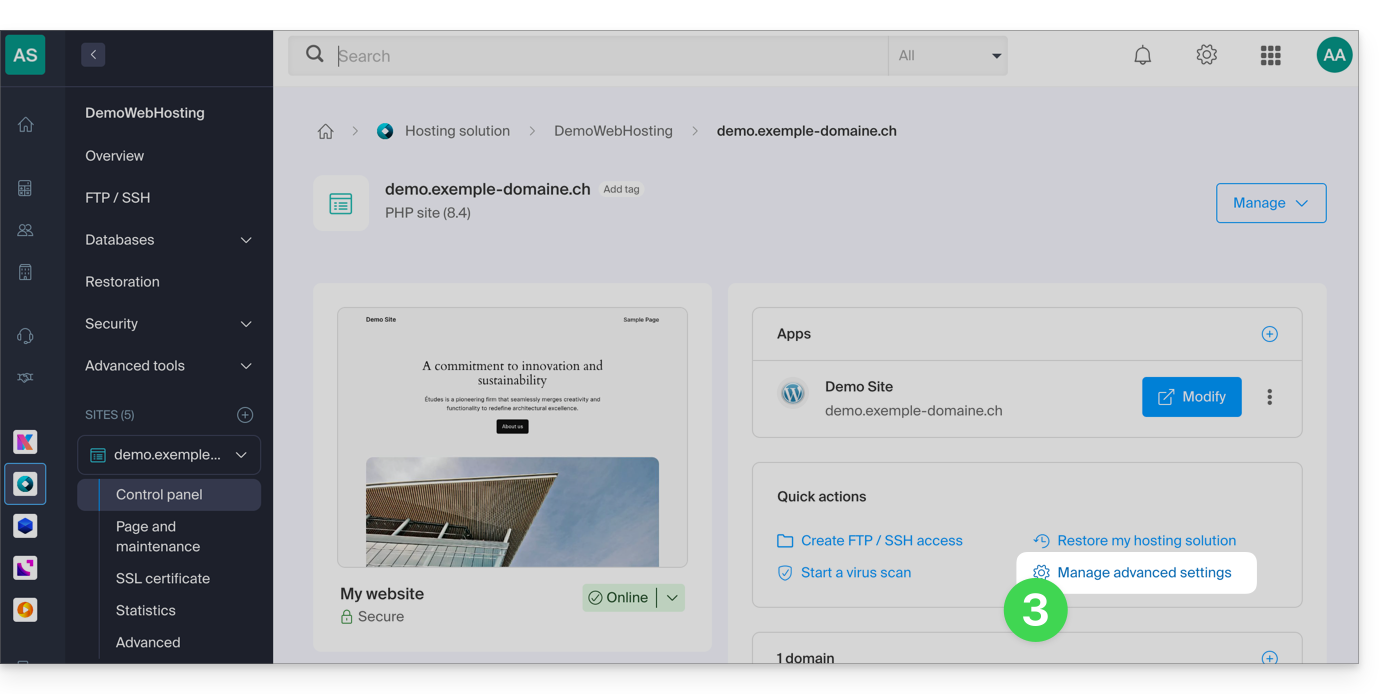
- Click on Manage advanced settings:
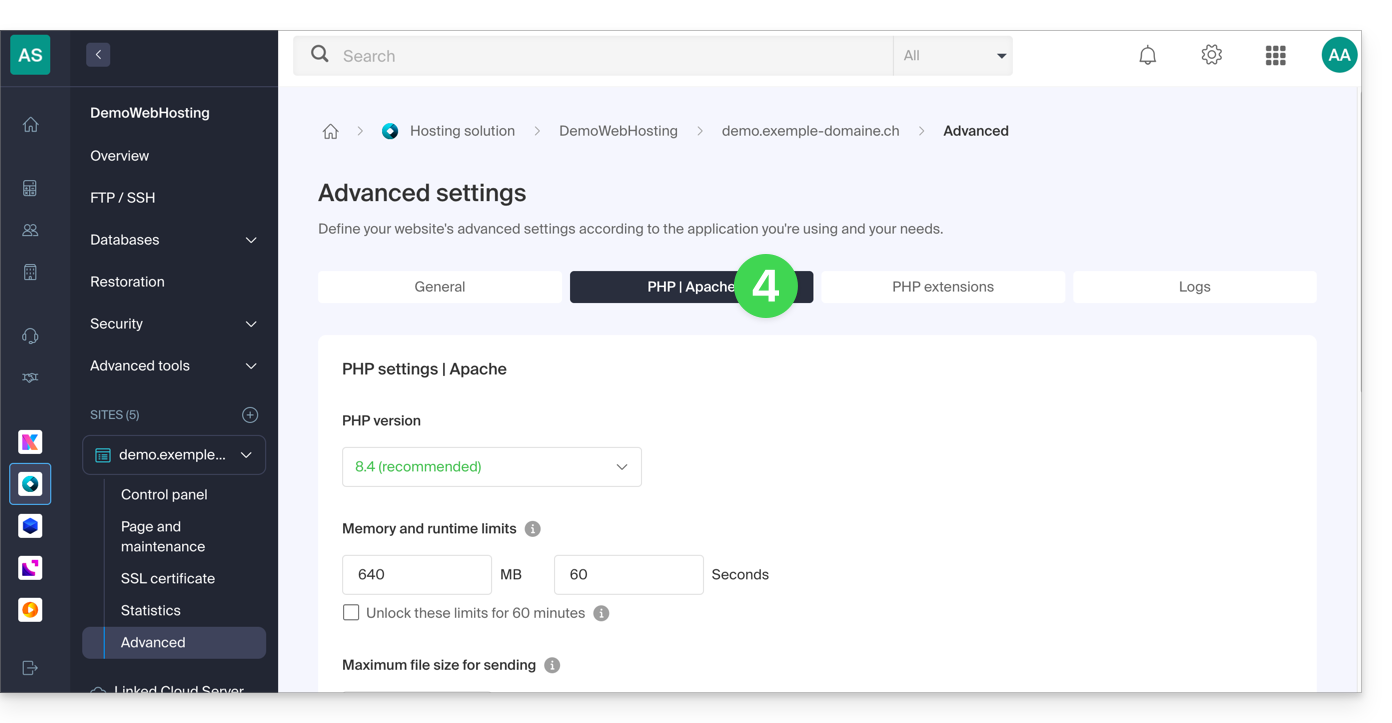
- Click on the PHP / Apache tab:
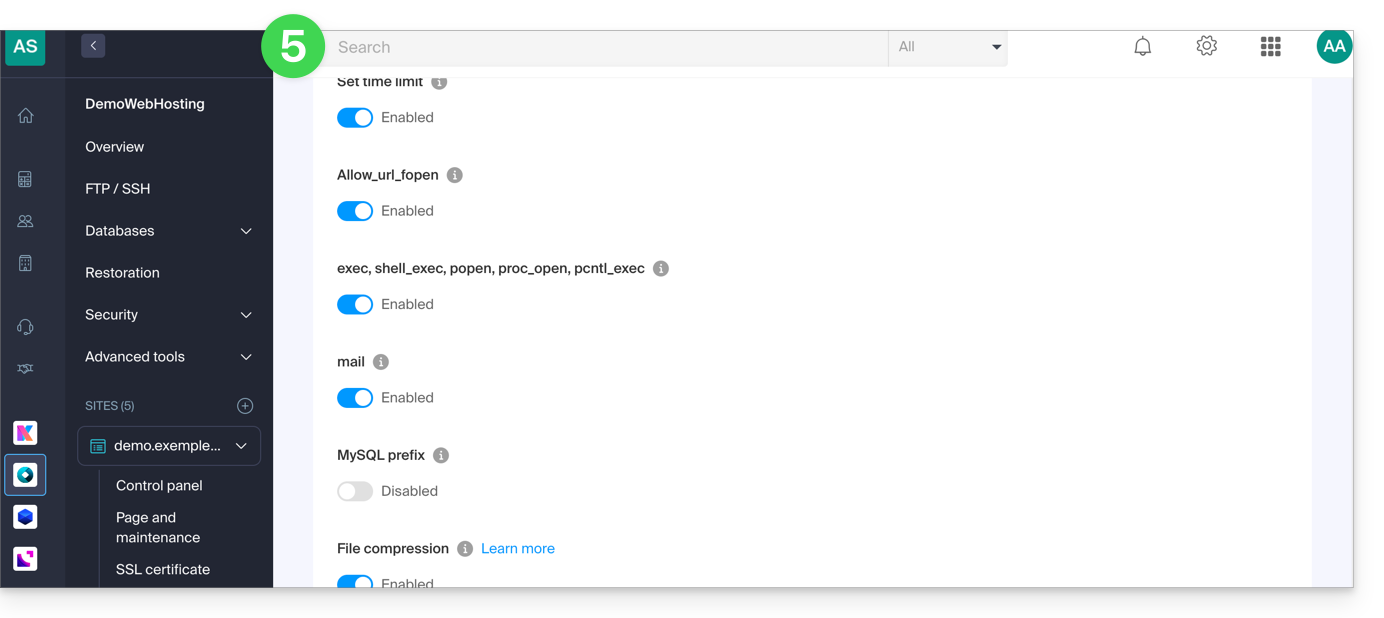
- Click on the On/Off toggle buttons as desired:
- Click the Save button at the bottom of the page to apply the changes.
Link to this FAQ: https://faq.infomaniak.com/173
Has this FAQ been helpful?