Knowledge base
1000 FAQs, 500 tutorials and instructional videos. Here, there are only solutions!
Create a kChat message reminder
Update 09/22/2026
This guide explains how to receive a notification to review a specific kChat message at a set time/customizable time (depending on the plan, see below) in 30-minute increments.
✘ UNAVAILABLE with
my kSuite / my kSuite+ (ik.me, etik.com, ikmail.com)
kSuite Free does not allow you to customize the schedule when planning.
Schedule a kChat message to be sent at a specific time
To review a message later using a notification:
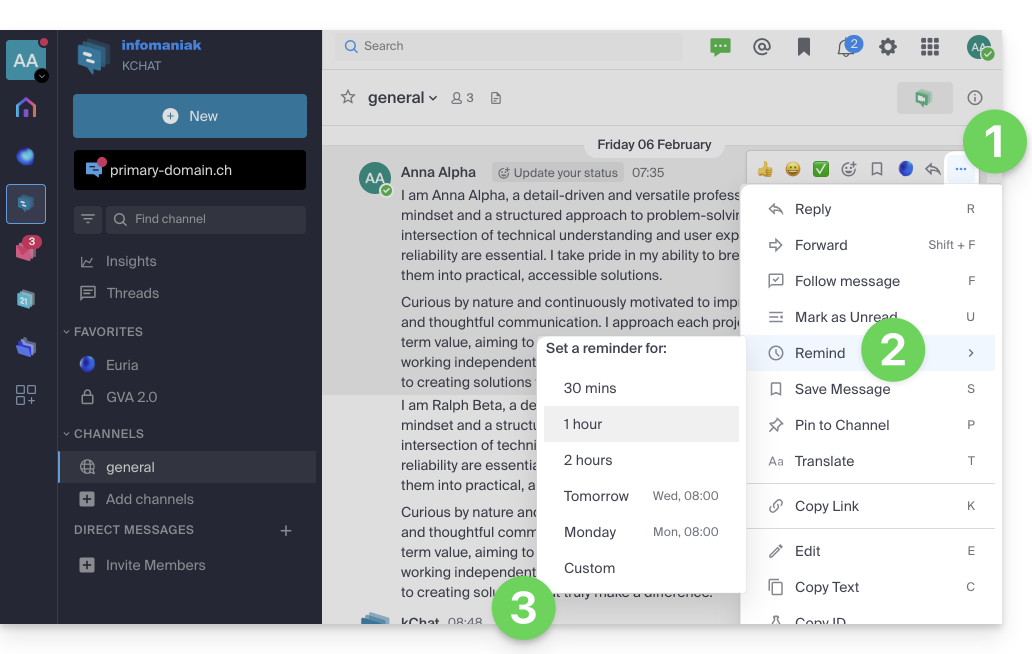
- Hover over the message you want to be reminded about and select the additional actions icon ••• in the upper right corner.
- Click on Reminder.
- Choose the time you want to be notified:
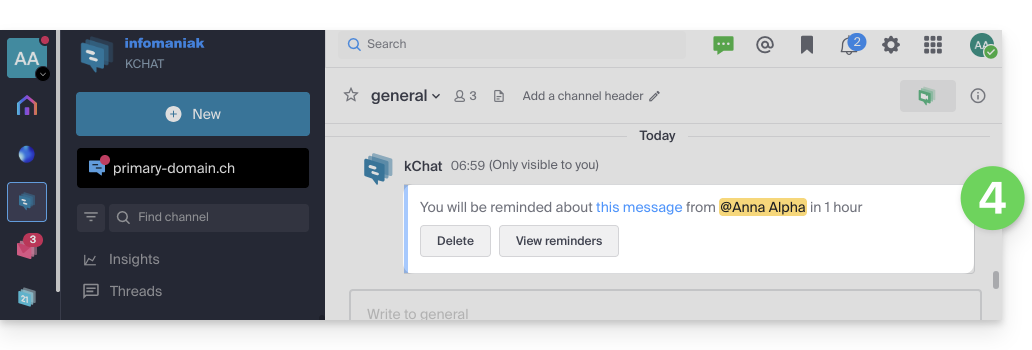
- A notification in the channel (visible only to you) indicates the upcoming message reminder:
- You will then receive a notification from the Euria channel in the left-hand menu at the chosen time, leading to the reminder containing a quote from the message, as well as the necessary information to view the message, reschedule a reminder for later, cancel any other reminders, etc.
- Scheduled reminders can be viewed at any time by typing the slash command (❓: help) “
/reminders” in the text field of any channel: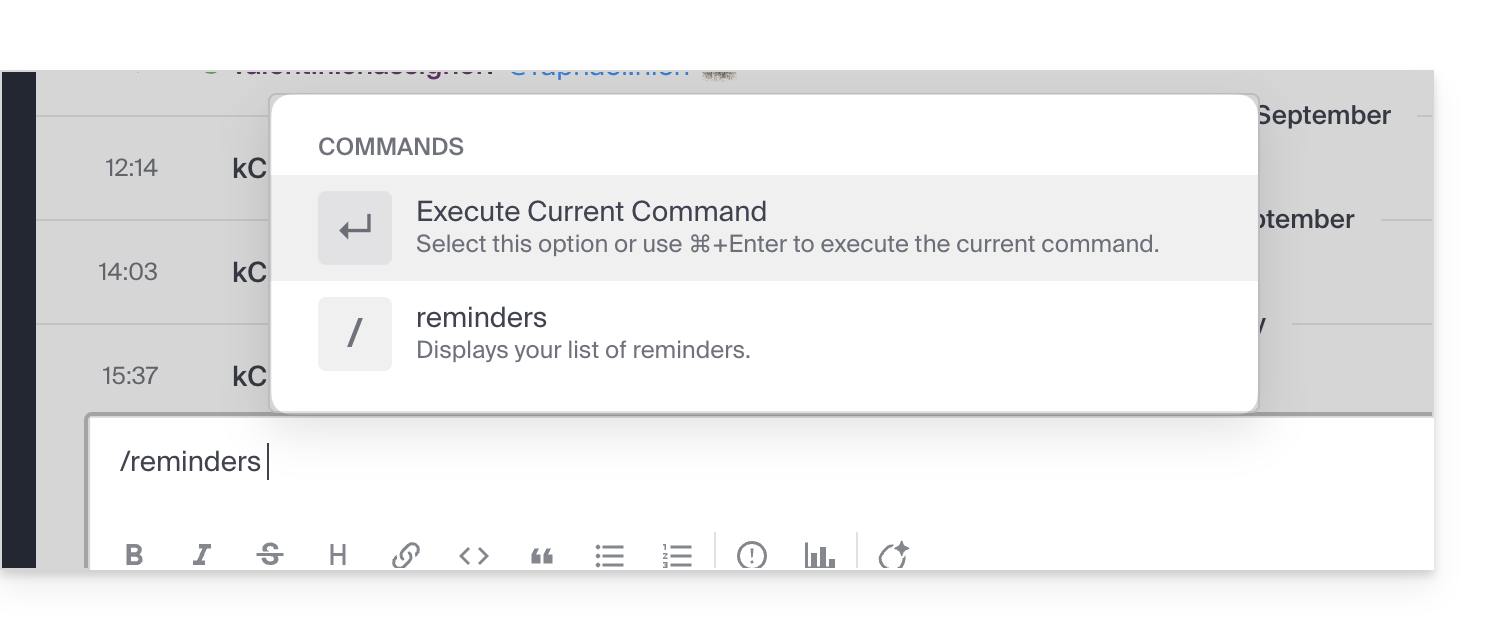
Link to this FAQ: https://faq.infomaniak.com/1664
Has this FAQ been helpful?