Knowledge base
1000 FAQs, 500 tutorials and instructional videos. Here, there are only solutions!
Generate images with AI Services
This guide details how to create illustrations within Infomaniak's AI Services.
Introduction
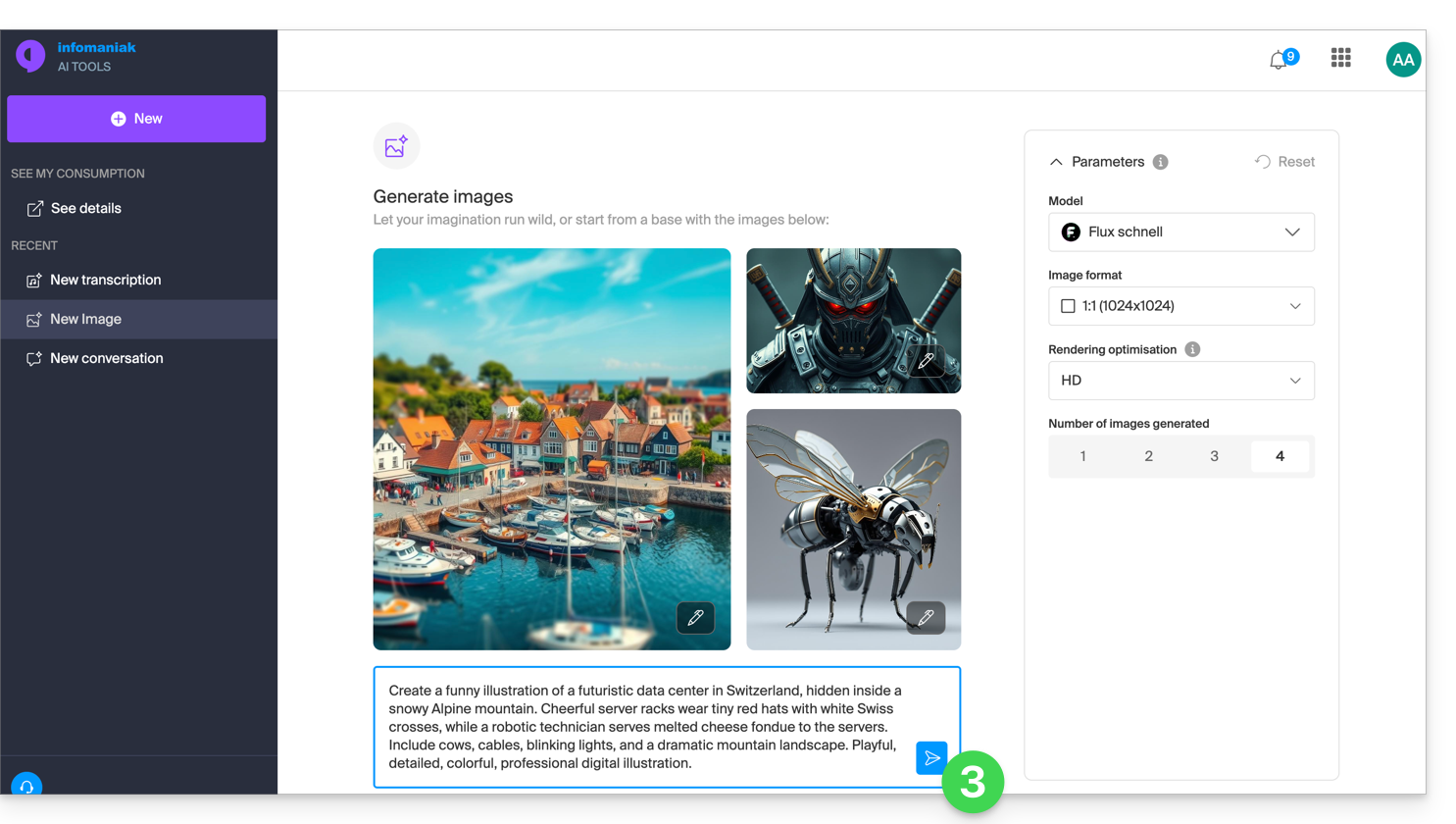
- The homepage displays example images that you can use for inspiration.
- Generated images are available for 30 days in the history.
- The public API of AI Services is used with the
fluxmodel.
Generate an image with AI Services
To access the artificial image generation tool:
- Click here to access image management in AI Tools (need help?).
- Manage the desired parameters: model according to availability, format (square, portrait, landscape), rendering (more or less detail), number of images generated from 1 to 4.
- Write the prompt needed to model your idea, then click on the icon:
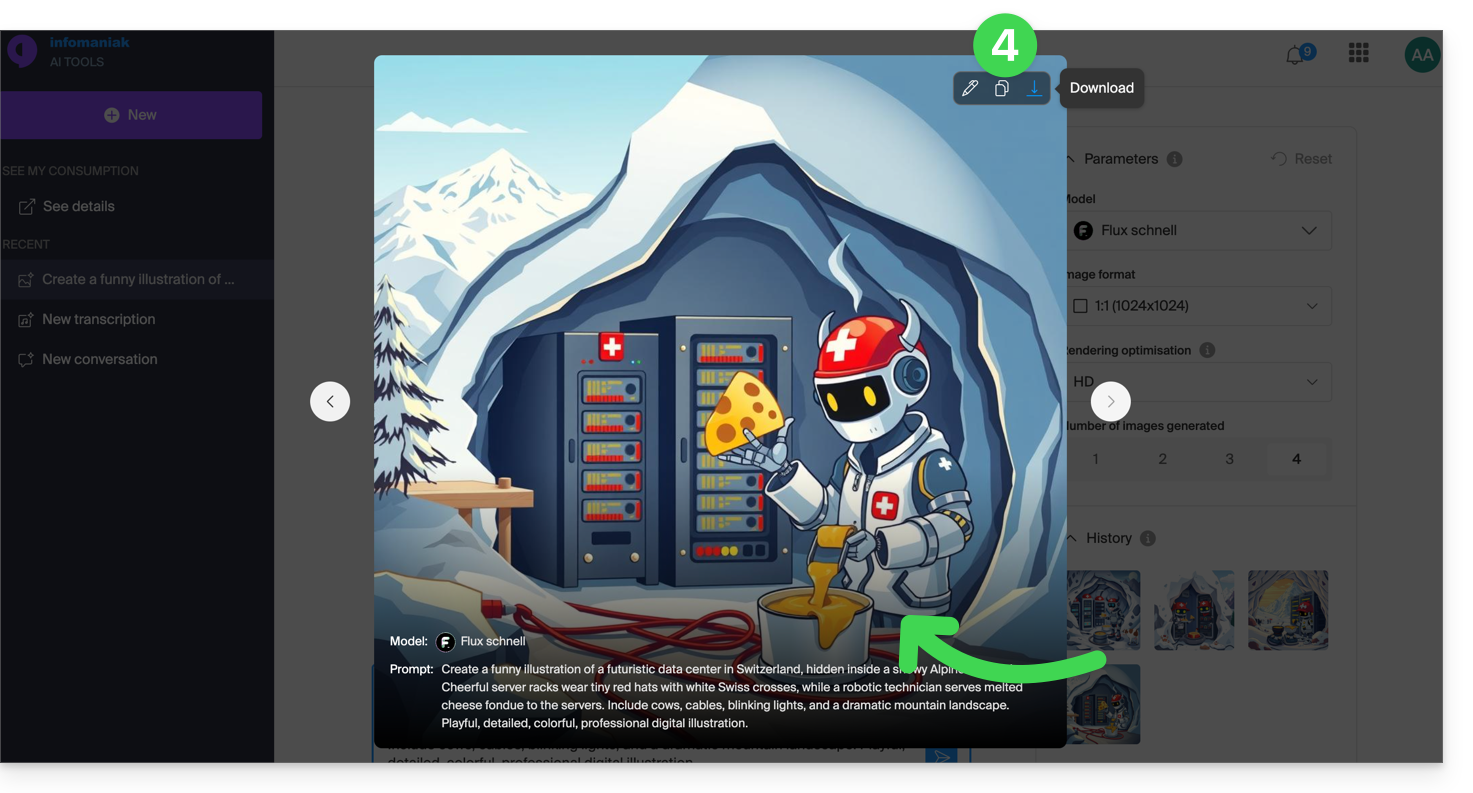
- The results and history can be enlarged, used to reconfigure the parameters identically, copied to the clipboard, or downloaded to your device:
Link to this FAQ: https://faq.infomaniak.com/1632
Has this FAQ been helpful?