Knowledge base
1000 FAQs, 500 tutorials and instructional videos. Here, there are only solutions!
Troubleshooting Soft Bounce/Hard Bounce Errors
This guide explains how to manage Soft Bounce and Hard Bounce errors that can occur when sending emails, particularly when using the Infomaniak Newsletter.
Hard Bounce
A hard bounce is an email that cannot be delivered for permanent reasons.
- email sent to a non-existent address
- recipient's email domain which is not a valid domain
- recipient's server that does not accept emails
- etc.
Soft Bounce
A soft bounce is an error message indicating that the email was not delivered to its recipient and corresponds to a temporary delivery issue: the email address is valid, and the sender can resend the email.
Several reasons can explain a soft bounce, meaning that the recipient's server is temporarily refusing the email:
- the recipient's inbox is full: due to insufficient storage capacity, the recipient no longer receives messages
- an issue occurs with the recipient's mail server: the server is temporarily unavailable or down, or the user has unintentionally configured filters that prevent the receipt of certain messages
- when the email content, especially its attached files, is too large, the delivery problem occurs during sending.
Unless the recipient has permanently abandoned their inbox without deleting their account, a soft bounce is a temporary problem.
Example of the Infomaniak Newsletter tool after a sending with a good score of 0% “Permanent bounces” and 0.31% “Temporary bounces”: 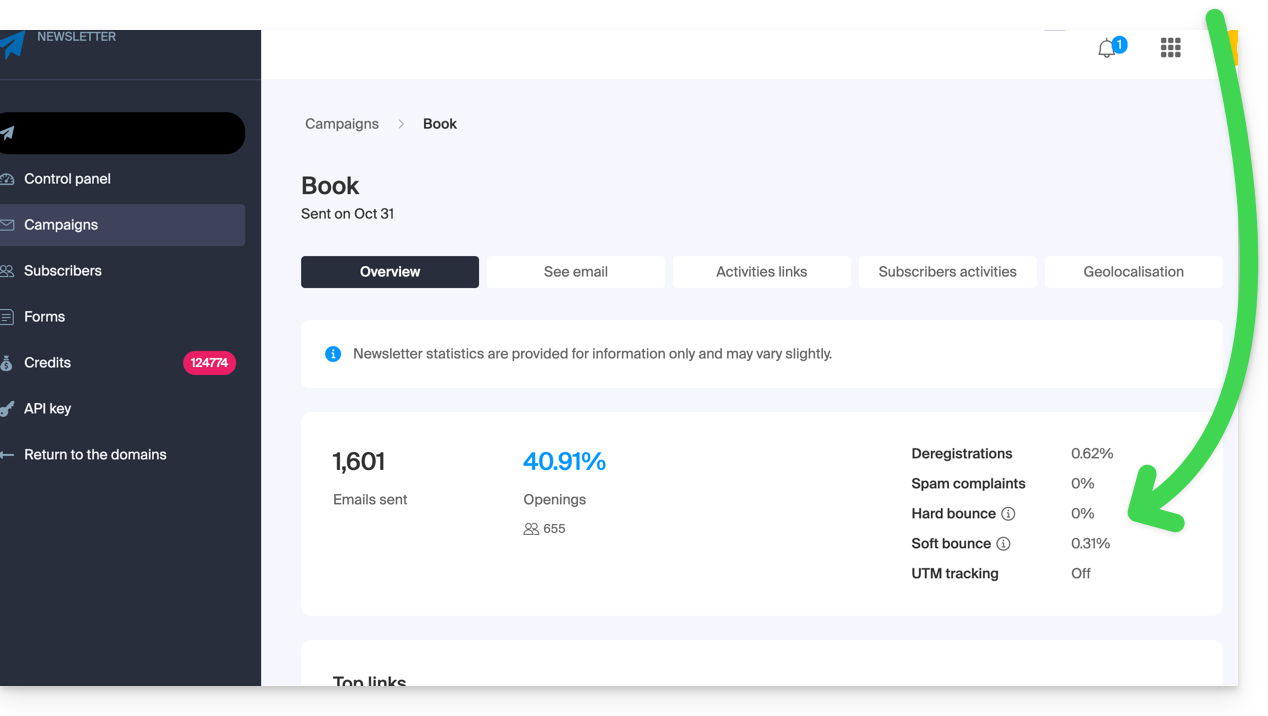
Also, refer to this other guide.
Link to this FAQ: https://faq.infomaniak.com/1605
Has this FAQ been helpful?