Knowledge base
1000 FAQs, 500 tutorials and instructional videos. Here, there are only solutions!
Display newsletter statistics and activity reports
Update 11/02/2026
This guide concerns the Infomaniak Newsletter tool, which offers detailed reports to precisely measure the impact of your email campaigns.
Introduction
- Get to know the people who follow you:
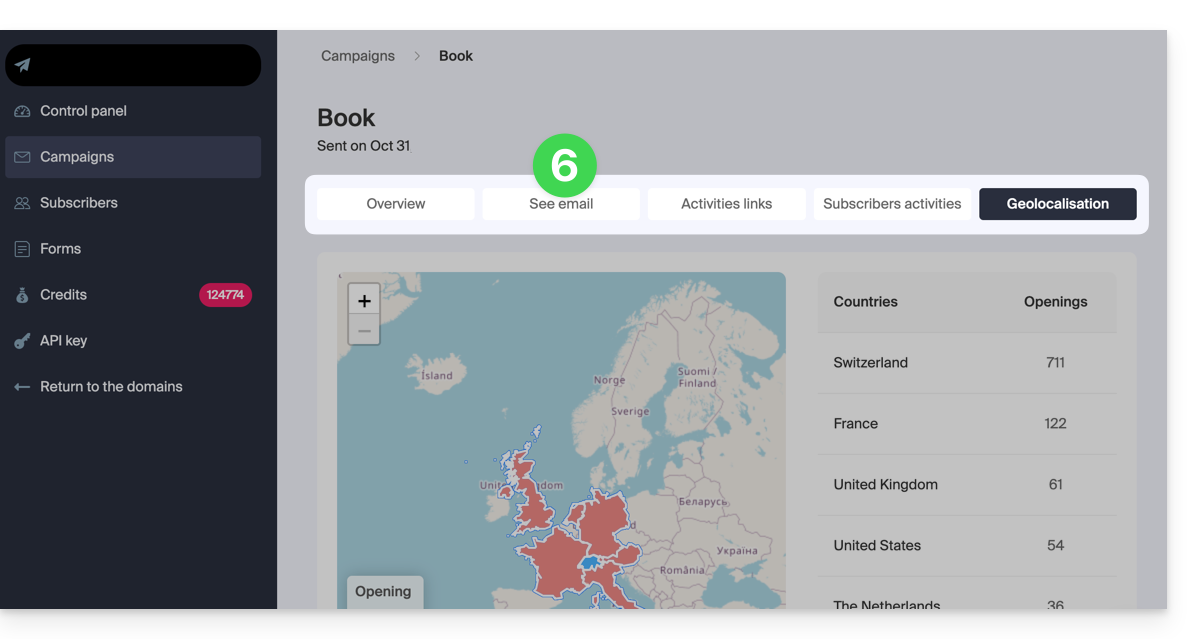
- Discover on a world map where your subscribers are located (geolocation) and what devices they use to read your messages (mobile devices, computers, etc.).
- This information allows you to better understand your contacts and adapt the content of your newsletters accordingly.
- Track the activity of your newsletters:
- At a glance, view all the important data to measure the quality and reach of your email campaigns: the unique open rate, the unsubscribe rate, and the number of invalid email addresses (bounces).
- Discover what (really) interests your subscribers:
- Easily measure the interest of your recipients by viewing link statistics.
- This allows you to see exactly how many unique people clicked on the links in your newsletters and to understand what interests your subscribers the most.
Access reports for previous sends
The dashboard offers a quick overview of your campaigns' progress since the beginning, with monthly statistics:
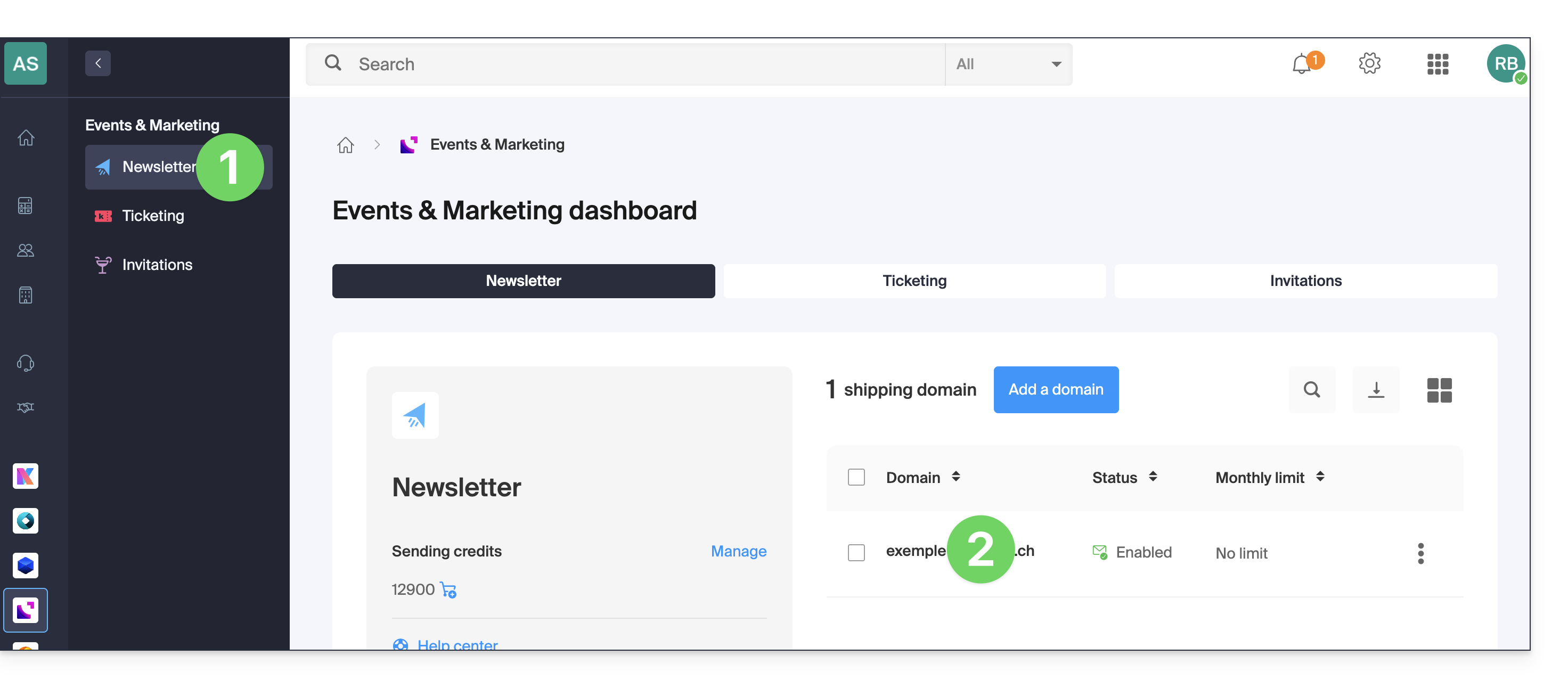
- Click here to access the Newsletter management section in your Infomaniak Manager.
- If nothing is displayed, you may not be in the Organization to which your Newsletter is linked (❓: help).
- Click on the domain name associated with your mailings:
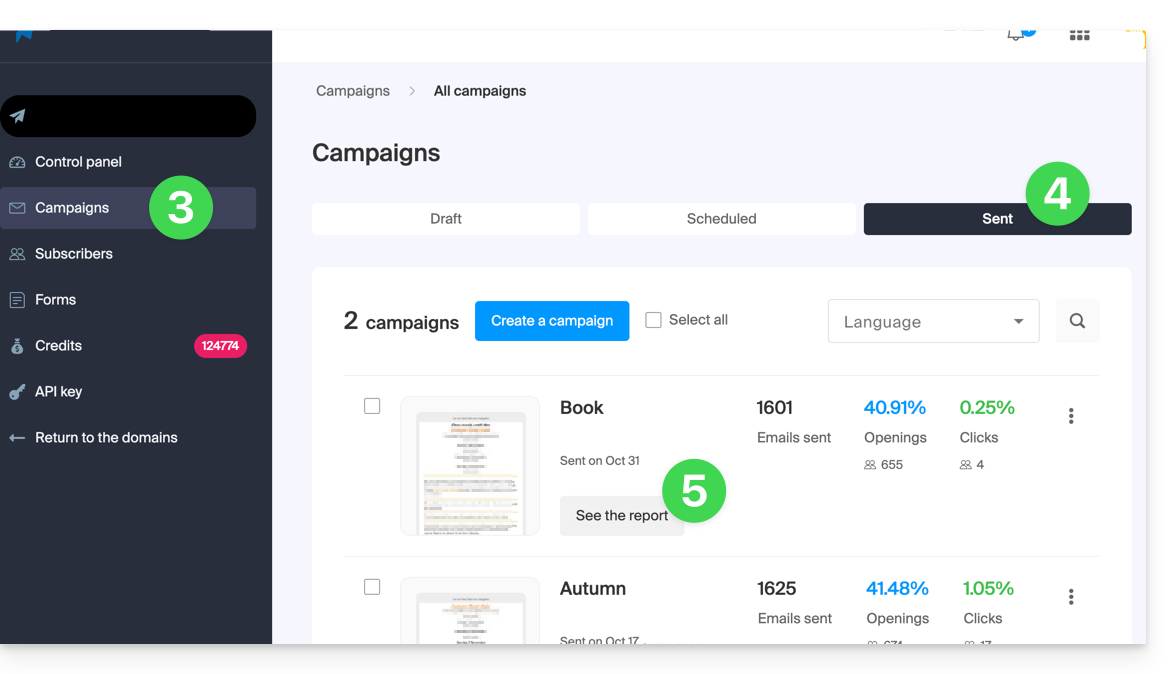
- Click on Campaigns in the left-hand menu.
- Click on the SENT tab.
- Click on the VIEW REPORT button:
- Next, you have several tabs available to analyze the results of your mailing, including the ability to review the email and download it:
Link to this FAQ: https://faq.infomaniak.com/1576
Has this FAQ been helpful?