Knowledge base
1000 FAQs, 500 tutorials and instructional videos. Here, there are only solutions!
Manage video streaming traffic overages
This guide explains how to manage any potential overages in the consumption of Infomaniak video streaming bandwidth.
Introduction
- If you exceed your plan's limits, an overage invoice will be generated, which may result in additional costs.
- It is therefore important to choose the right option to be applied in case of overconsumption.
Act before exceeding the limit
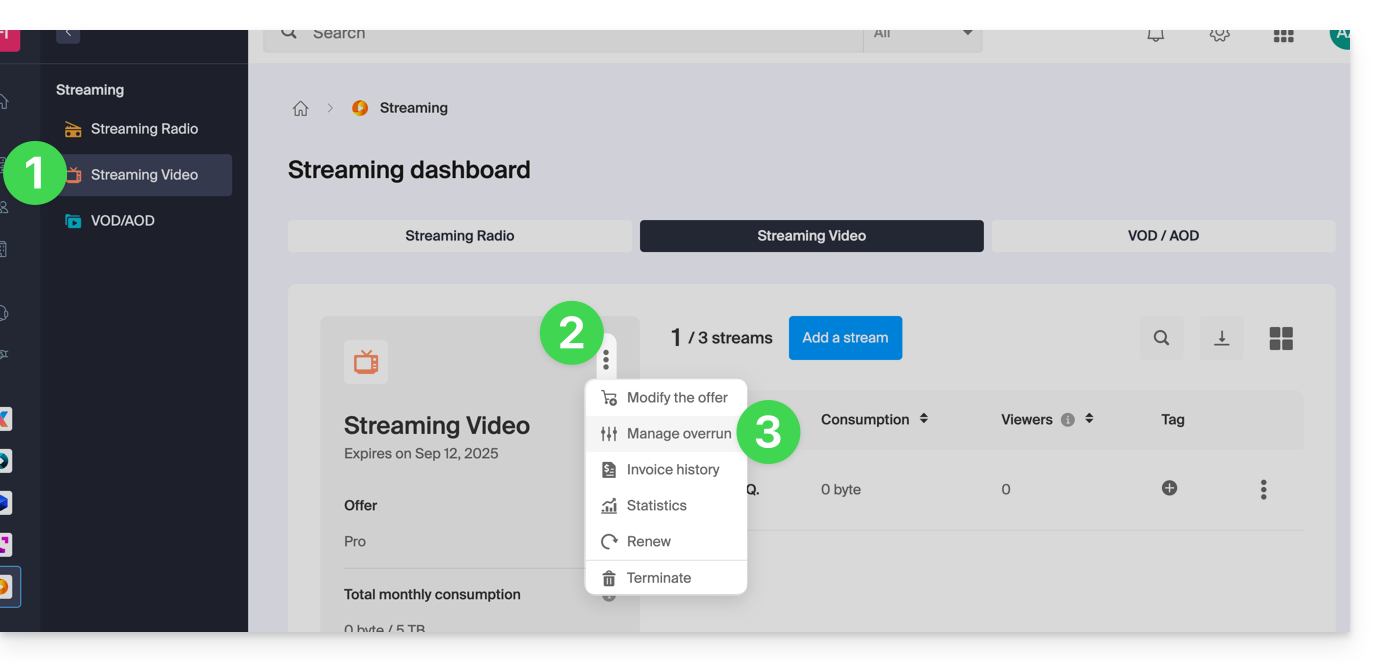
To access the video streaming service:
- Click here to access your product management in the Infomaniak Manager (need help?).
- Click on the action menu ⋮ to Manage the Streaming Video product.
- Click on Manage Overrun:
- The 3 options in case of an overrun are:
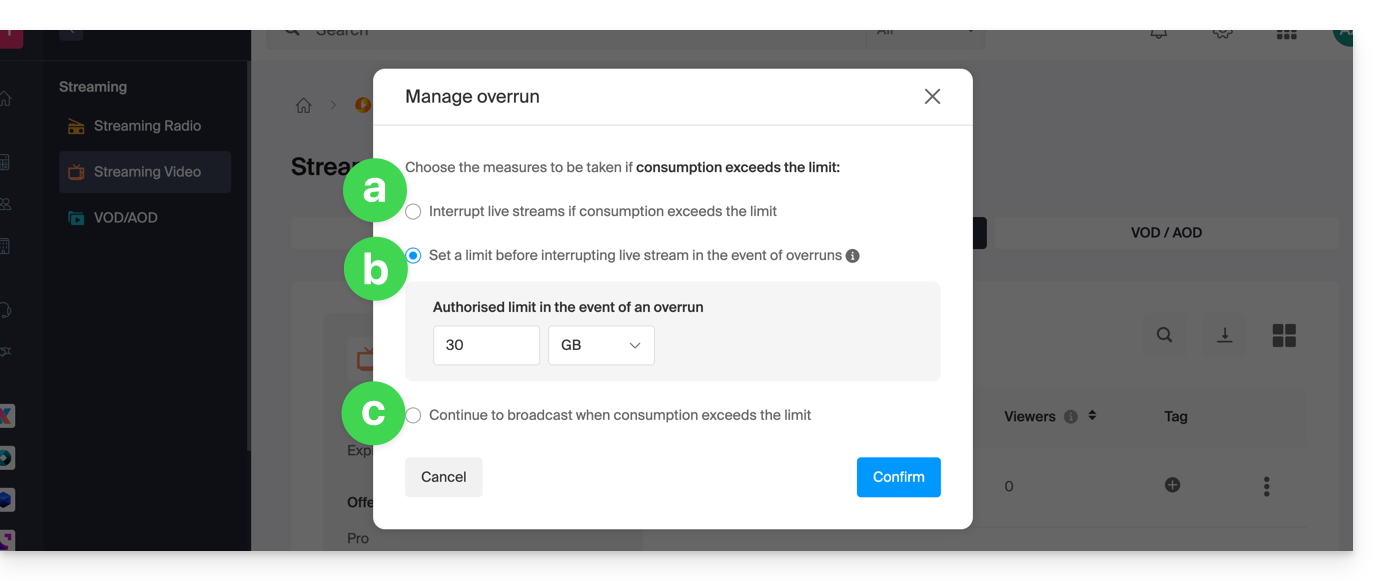
- Interrupt the live stream
- Set a limit (in
GBorTB) before interrupting the live stream - Continue broadcasting
Link to this FAQ: https://faq.infomaniak.com/1526
Has this FAQ been helpful?