Knowledge base
1000 FAQs, 500 tutorials and instructional videos. Here, there are only solutions!
Discover kSuite spaces
This guide introduces you to the kSuite workspaces, the suite of productivity and online collaboration tools developed in Switzerland by Infomaniak.
Introduction
- A kSuite space brings together access to your applications and offers an intelligent dashboard to quickly access essential information:
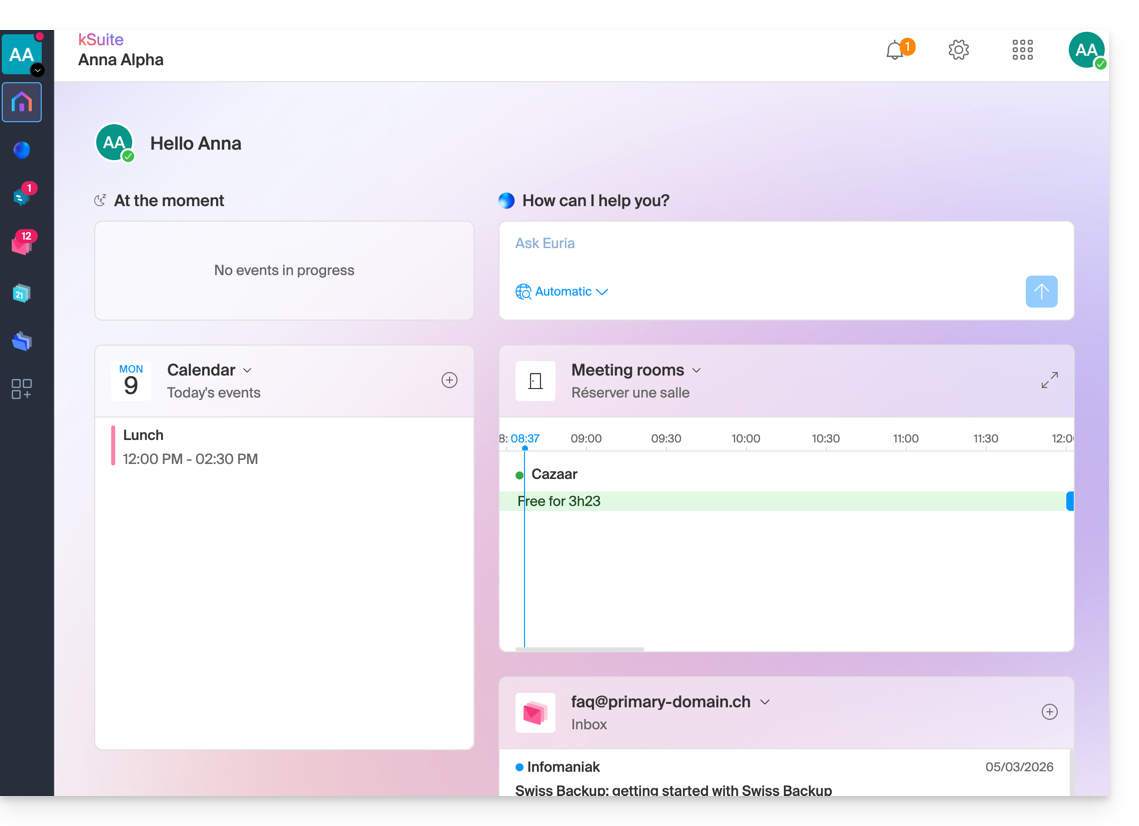
- widgets like "Now" display your appointments (location, participants, kMeet link).
- the "Euria" widget allows you to request AI assistance with a single click.
- your latest received emails…
- navigation is designed to allow you to switch seamlessly from one application to another within a single browser window.
- The interface allows you to manage your status and presence in order to collaborate more effectively with other users.
- You can switch between the kSuite workspaces of your different Organizations in the same way as on the Infomaniak Manager: learn how.
- If you have my kSuite, this workspace will always be offered first.
Accessing the kSuite page from the Manager
Click on the icon in the top right corner of the interface, then click on My Day to switch between the Infomaniak Manager and the kSuite space, as well as the kSuite apps: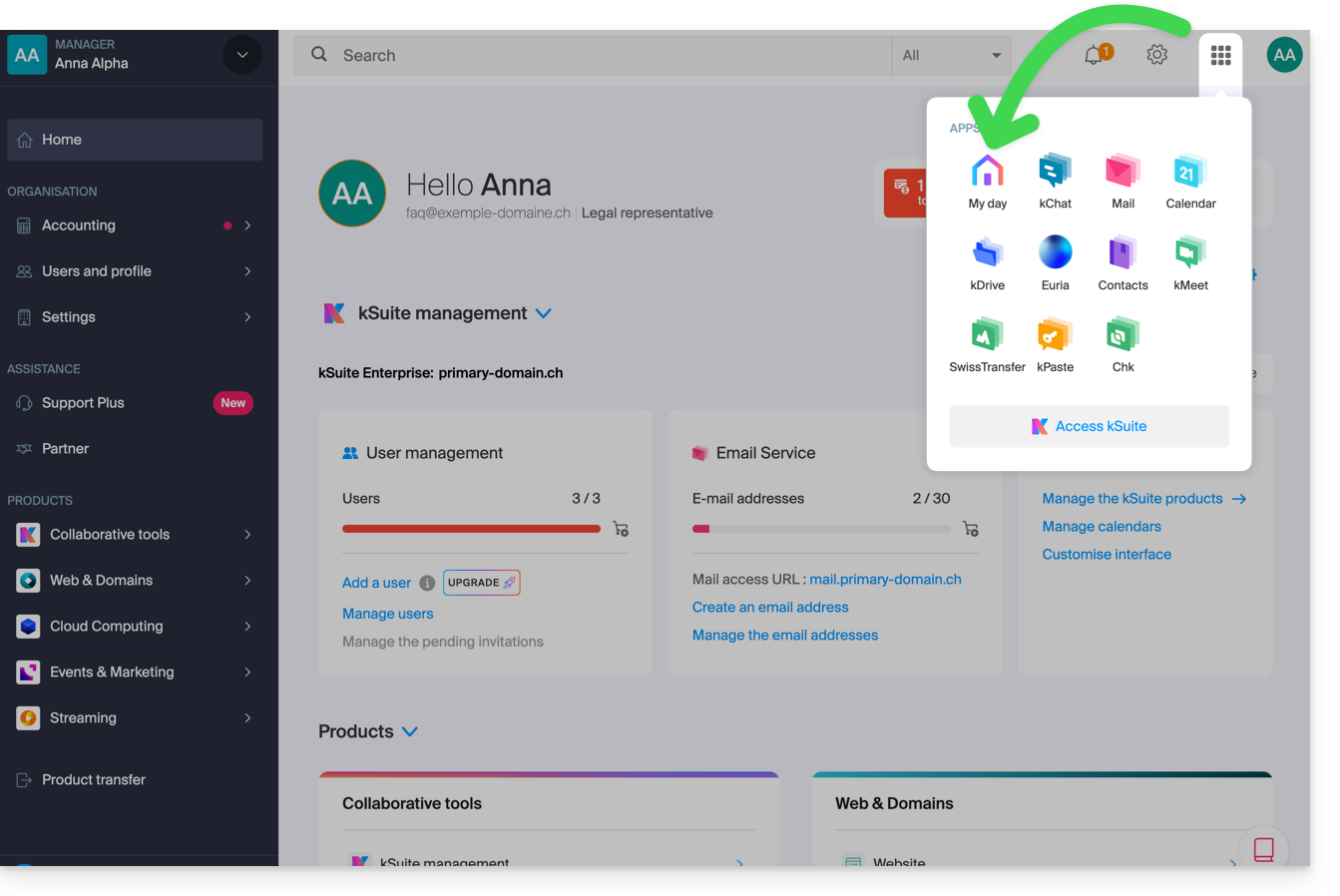
Accessing the kSuite space from an app
If you are already on a kSuite app, click on the colored house in the left-hand menu or click on the icon in the top right corner of the interface, then click on My Day: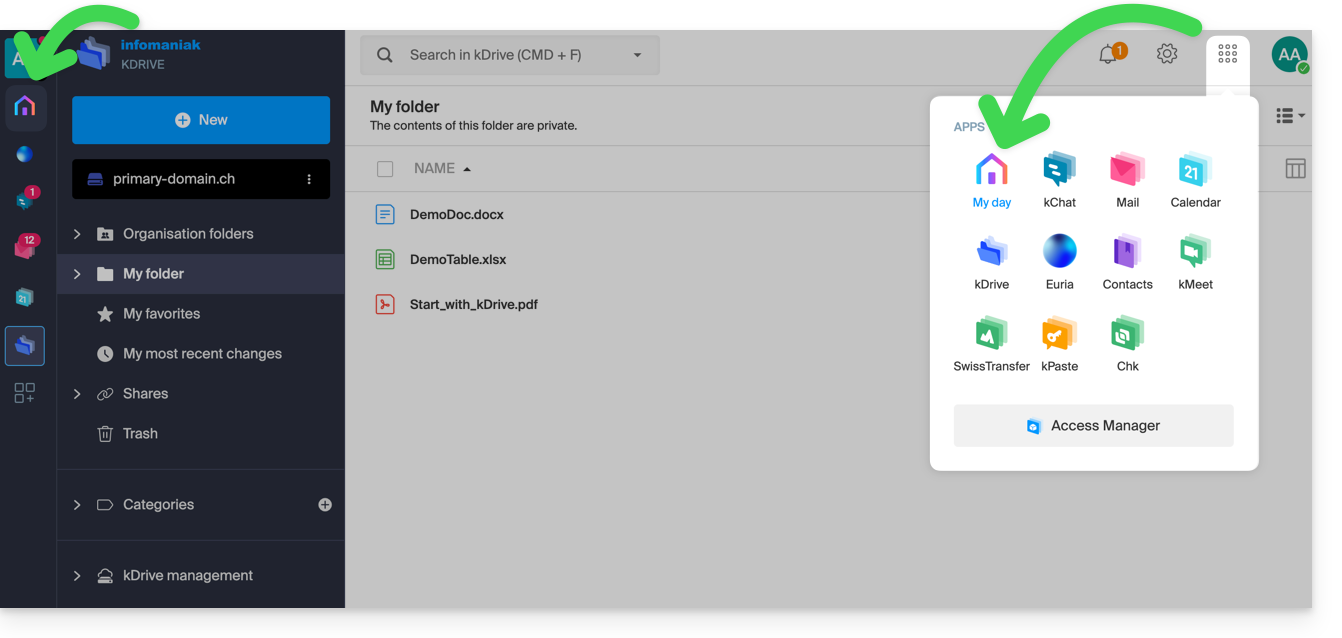
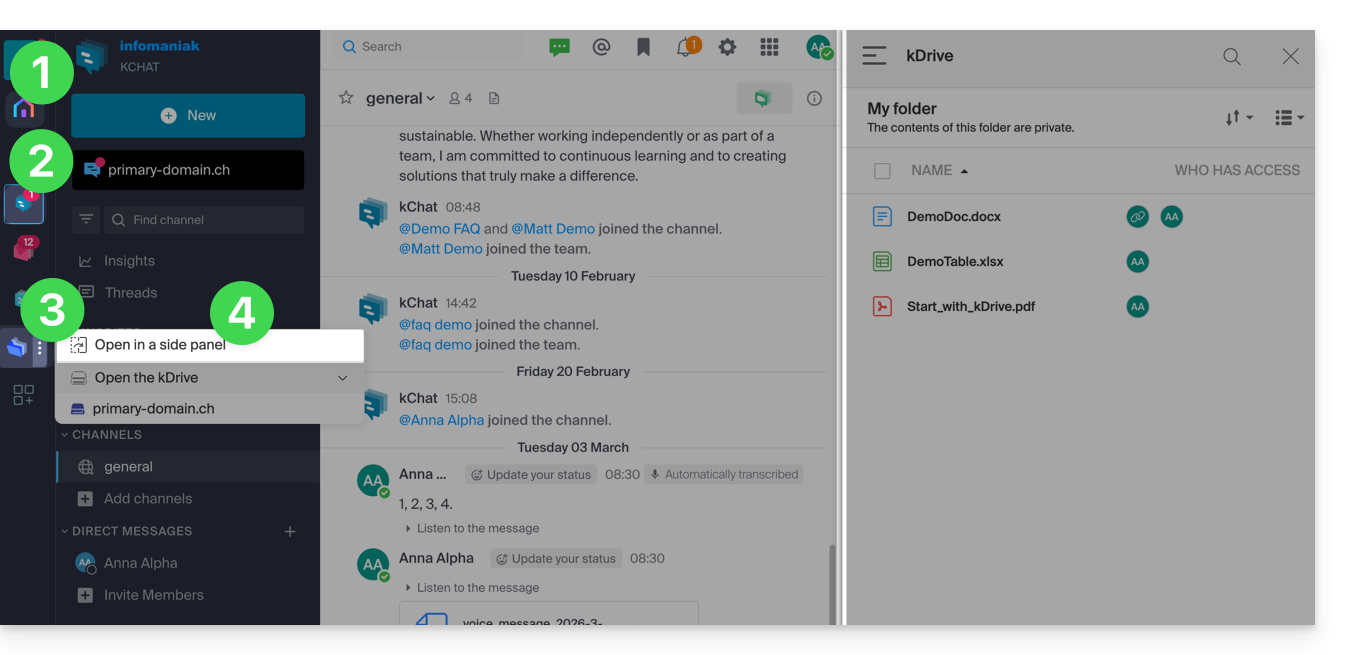
Split the screen for 2 kSuite apps
To work with 2 kSuite apps side by side:
- Click here to access your Organization's kSuite area.
- Click on the icons in the left-hand menu to access a kSuite app, such as kChat.
- Click on the action menu ⋮ located to the right of another kSuite app, such as kDrive.
- Choose to open the app in a side panel to have both apps side by side:
Learn more
Link to this FAQ: https://faq.infomaniak.com/1496
Has this FAQ been helpful?