Knowledge base
1000 FAQs, 500 tutorials and instructional videos. Here, there are only solutions!
Translate the content of a message on kChat Infomaniak
This guide details the automatic translation service integrated into the kChat app by Infomaniak.
Translate text while reading
To automatically translate a received message written in a foreign language into your language:
- Click here to access the Infomaniak kChat web app (online service ksuite.infomaniak.com/kchat) or open the mobile app (application for iOS/Android smartphones or tablets) or the desktop app (desktop application on macOS/Windows/Linux).
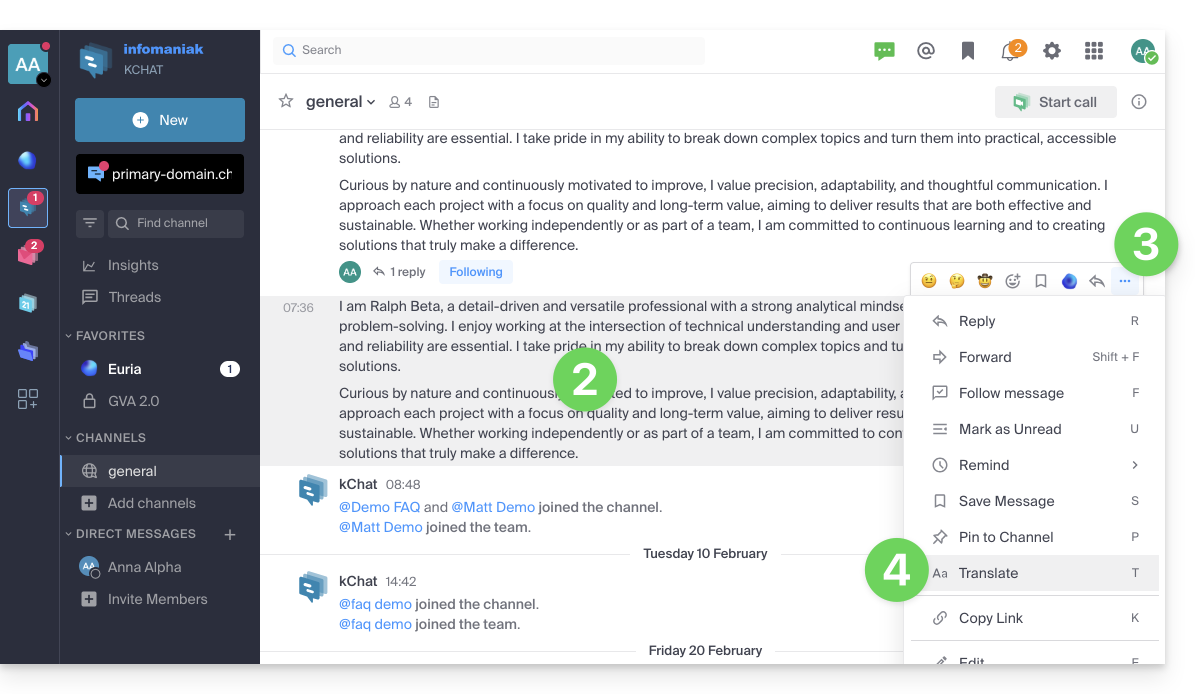
- Go to the message you want to translate.
- Click on the action menu ••• located in the upper right corner of the item.
- Click on Translate:
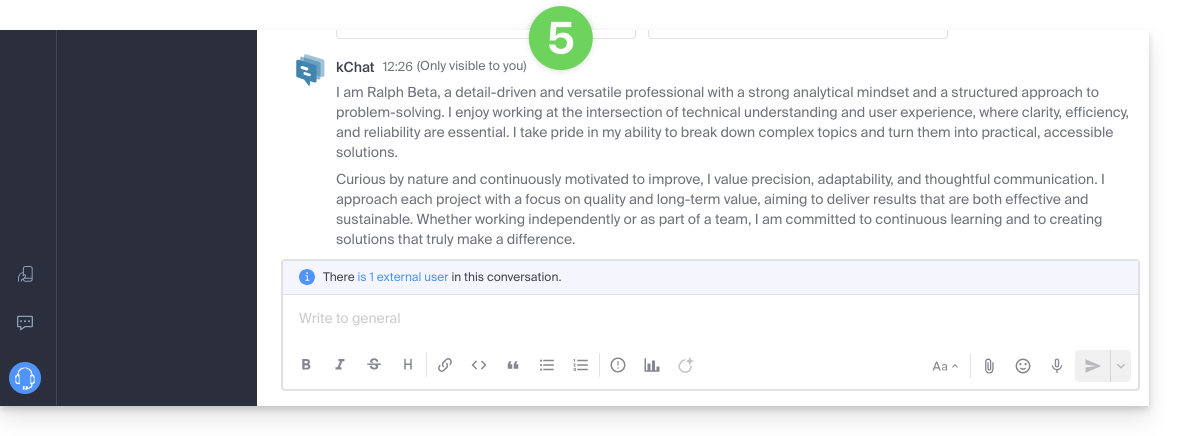
- The translated message is displayed after the last message in your conversation and is only visible to you:
Translate text with Euria while writing
You can ask Euria to translate the text you are currently writing:
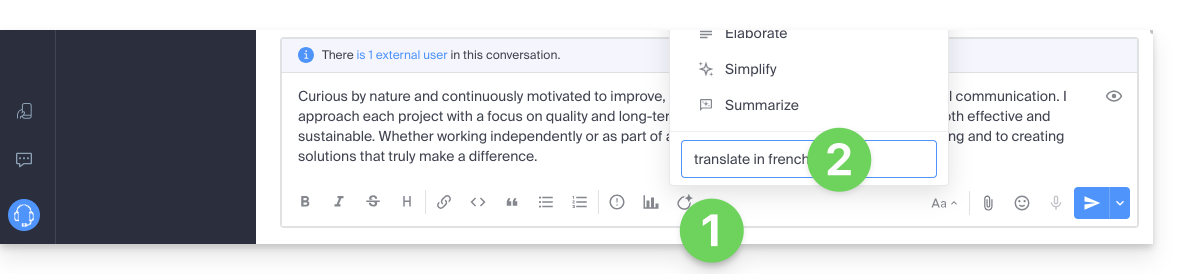
- Click on the Euria icon.
- Enter your instructions:
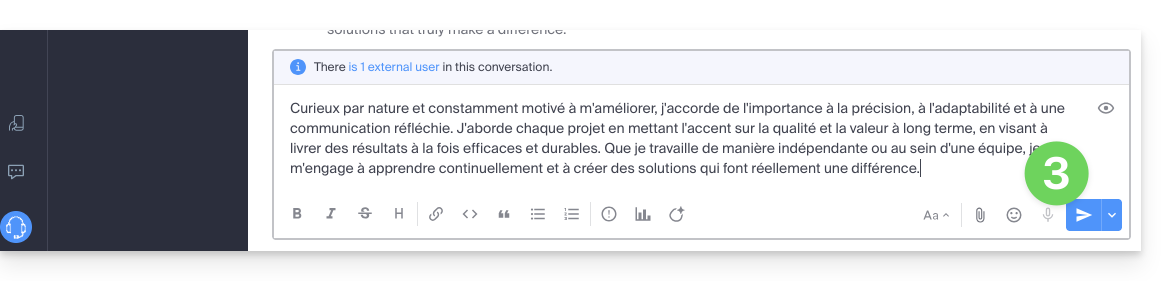
- The text will then be displayed in the desired language, and you can send it as follows:
Link to this FAQ: https://faq.infomaniak.com/1467
Has this FAQ been helpful?