Knowledge base
1000 FAQs, 500 tutorials and instructional videos. Here, there are only solutions!
Fix an infinite loading issue on the site (increase the max_children value)
This guide explains how to increase the max_children value on Cloud Server to increase the number of simultaneous PHP processes that can be used by your site. This will be very useful for resolving issues with infinite page loading on your site.
Introduction
- By default, on all hosting plans, the
max_childrenlimit is set to 20.- While it is possible to increase this value from the Infomaniak Manager, the
max_childrenlimit is automatically adjusted based on your Cloud Server configuration. - To increase this limit on shared hosting, migrate to a Cloud Server.
- While it is possible to increase this value from the Infomaniak Manager, the
- To understand how to calculate the most appropriate
max_childrenvalue, refer to this article.
Increase the max_children value
Prerequisites
- Make sure you have enough resources on the Cloud server.
- Ensure that all of the Cloud server's resources are not being used; if they are fully utilized, increasing the
max_childrenvalue will have no effect (Modify Cloud Server Resources). - Check the resource monitoring for your server. If the resources of your server are reached, it will be necessarycheck the optimization of your processes and website before considering increasing the
max_childrenvalue. - Check the PHP error logs in the
/ik-logsdirectory (master process PHP logs - file name: php-fpm.log) to see if the "max_children" limit has been exceeded... example of an error:[05-Jul-2024 09:08:58] WARNING: [pool www.infomaniak.ch] server reached max_children setting (20), consider raising it
To access the management of the PHP / Apache settings for the site for which you need to increase the max_children value on a Cloud Server, please refer to this other guide.
You will be able to…
- … choose a new value for
max_children: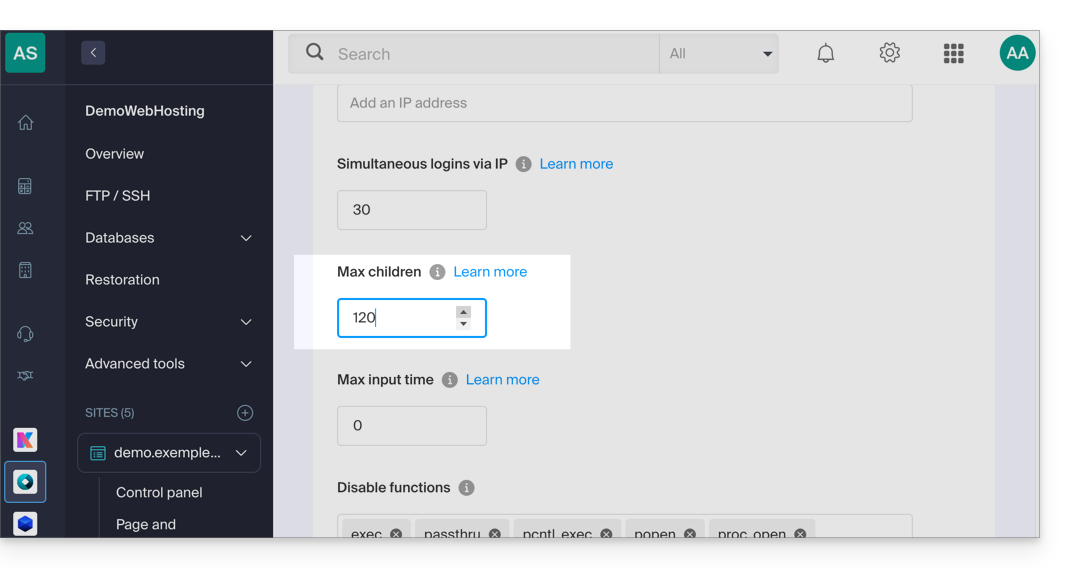
Don't forget to save the changes at the bottom of the page.
Limits based on the server
Limit the max_children based on the Cloud Server's resources:
| Cloud Server Configuration | max_children |
|---|---|
| 2 CPU / 6 GB RAM | 20 |
| 4 CPU / 12 GB RAM | 40 |
| 6 CPU / 18 GB RAM | 60 |
| 8 CPU / 24 GB RAM | 80 |
| 12 CPU / 36 GB RAM | 120 |
| 16 CPU / 48 GB RAM | 160 |
| 24 CPU / 72 GB RAM | 240 |
| 32 CPU / 96 or 128 GB RAM | 320 |
Link to this FAQ: https://faq.infomaniak.com/1270
Has this FAQ been helpful?