Knowledge base
1000 FAQs, 500 tutorials and instructional videos. Here, there are only solutions!
Manage external email warning
Update 10/12/2026
This guide explains what the "External" label means in the web app Mail (online service ksuite.infomaniak.com/mail) and the mobile app Infomaniak Mail (application for iOS/Android smartphones or tablets) when viewing certain messages: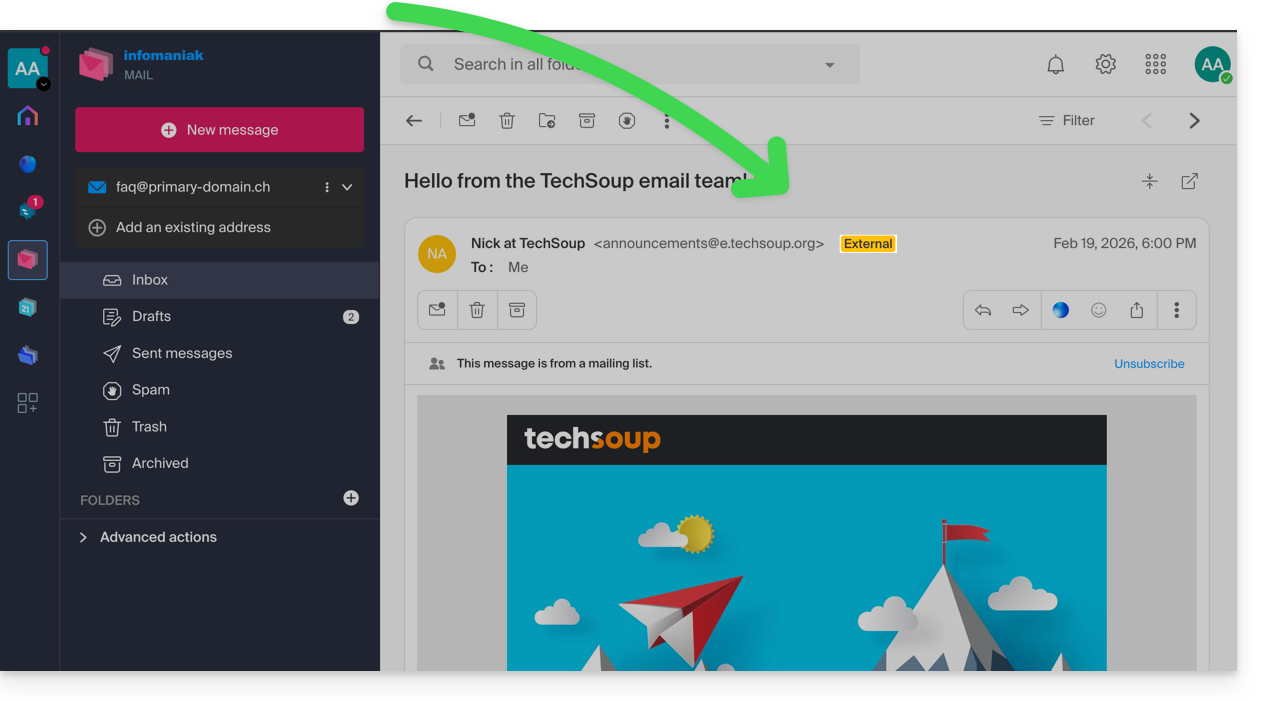
Introduction
- The "external email" notice is displayed in the following cases:
- The domain name (or alias) of the sender does not match the domain name of the email address configured in Mail.
- The sender is not in your contacts (including suggested contacts).
- The email comes from an address hosted outside the Organization.
- With certain free plans, such as my kSuite, the notice will be displayed as "unknown" instead of “external”.
Enable or disable the disclaimer
You can enable or disable the disclaimer; the effect is immediate for incoming emails and when replying to an external email. To do this:
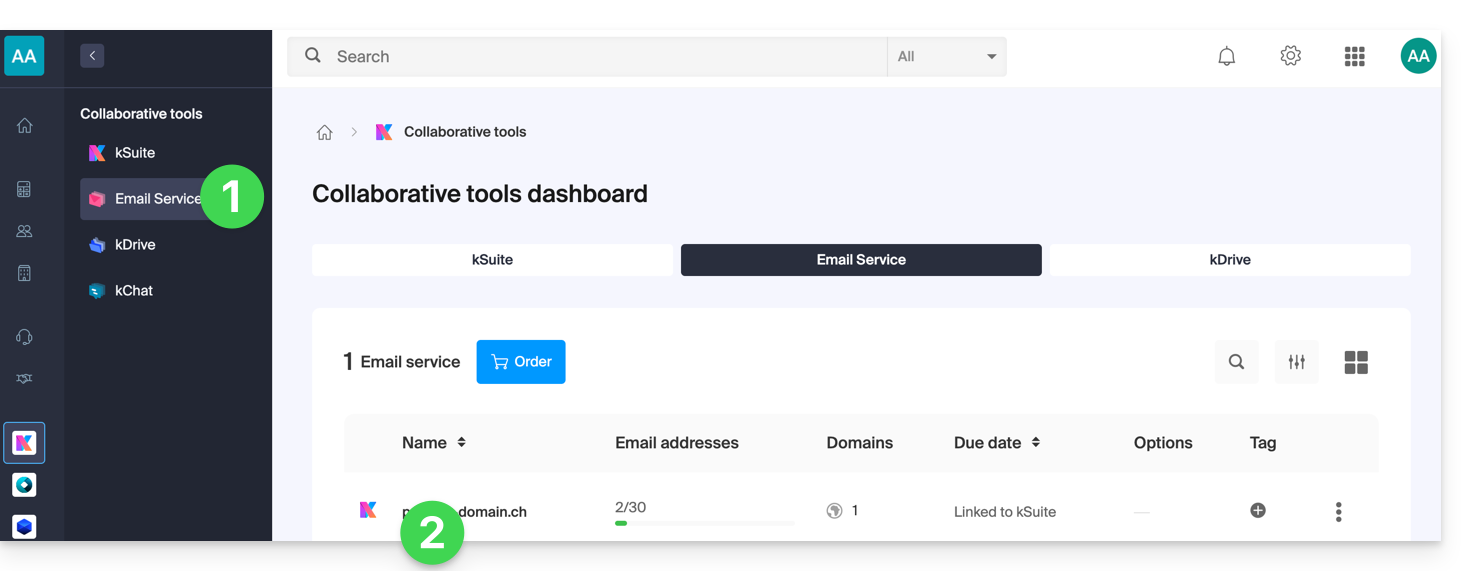
- Click here to access the Mail Service management in your Infomaniak Manager (❓: help).
- Click on the name of the Mail Service in question:
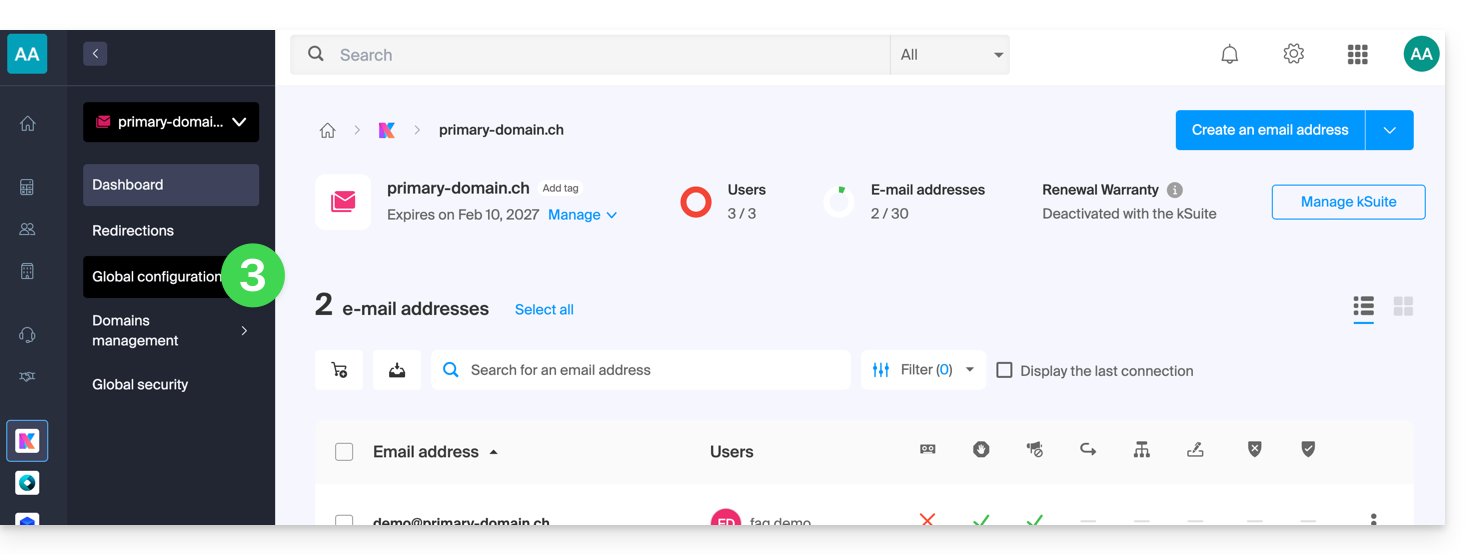
- Click on Global Settings in the left-hand menu:
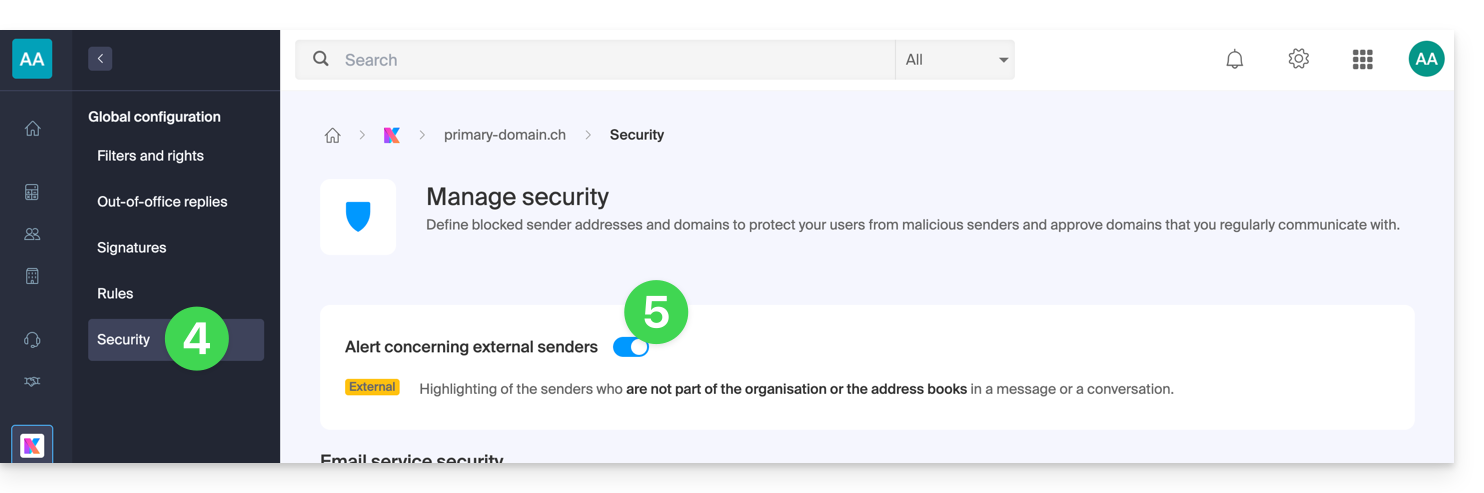
- Click on the Security tab.
- Enable or disable the toggle switch:
Link to this FAQ: https://faq.infomaniak.com/964
Has this FAQ been helpful?