Knowledge base
1000 FAQs, 500 tutorials and instructional videos. Here, there are only solutions!
Change the FTP / SSH password
This guide explains how to change the password of an FTP or FTP/SSH account for an Infomaniak Web Hosting site.
Change the password of an existing FTP user
To access the site on Web Hosting to modify its FTP access:
- Click here to access the management of your hosting on the Infomaniak Manager (need help?).
- Click directly on the name assigned to the hosting concerned:
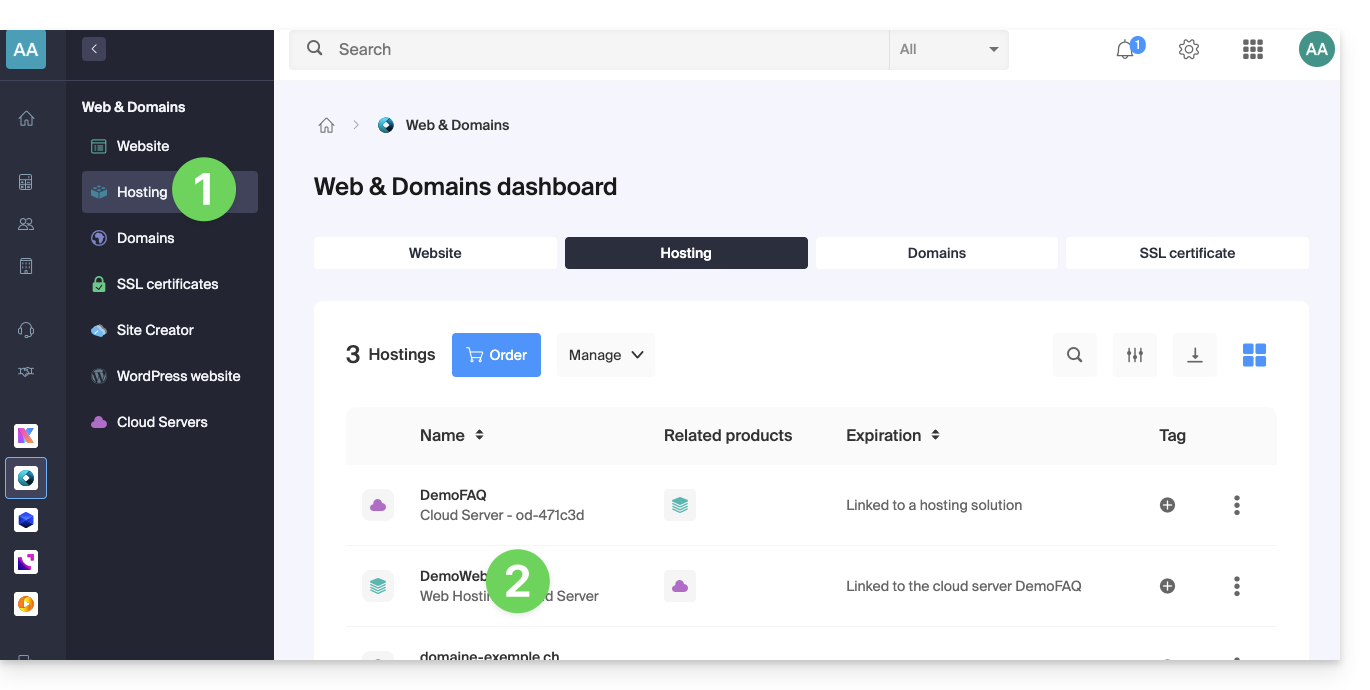
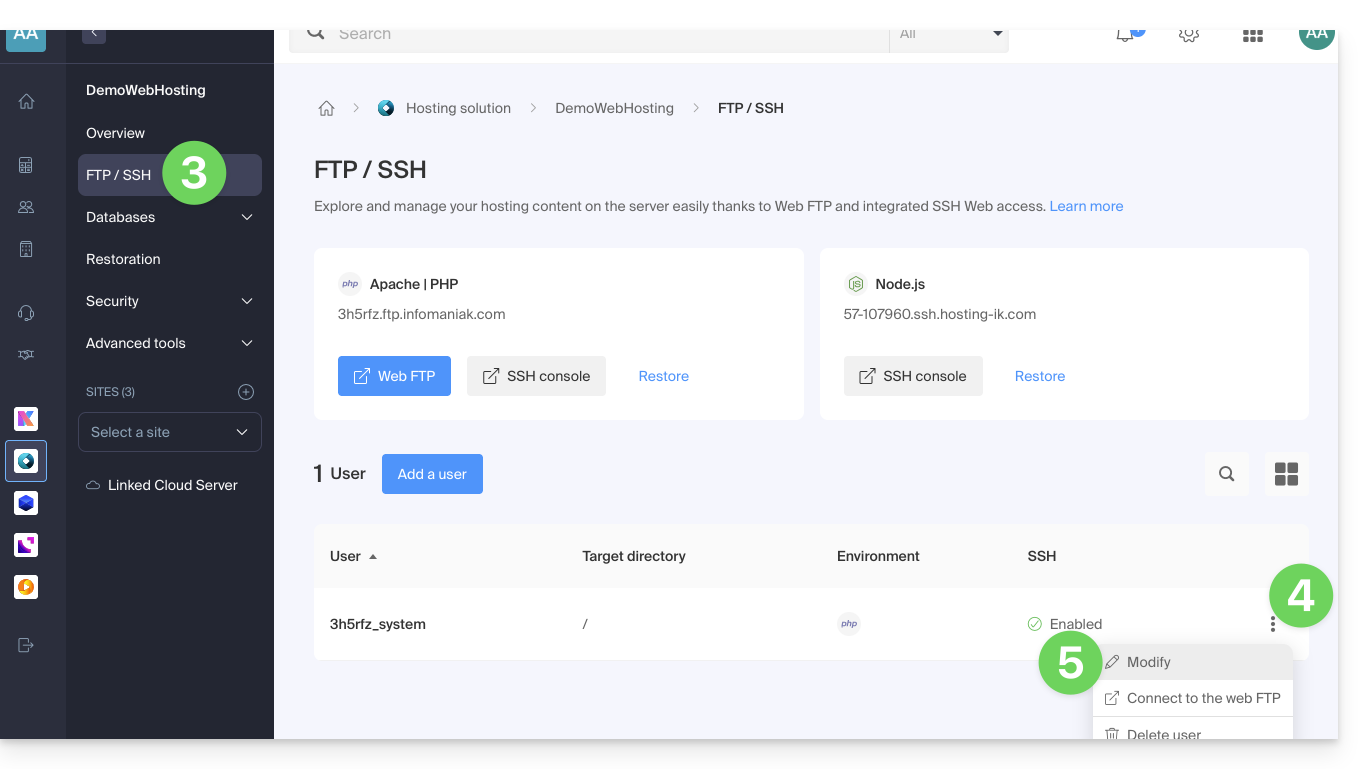
- Click on FTP/SSH in the left sidebar menu.
- Click on the action menu ⋮ to the right of an existing account.
- Click on Modify:
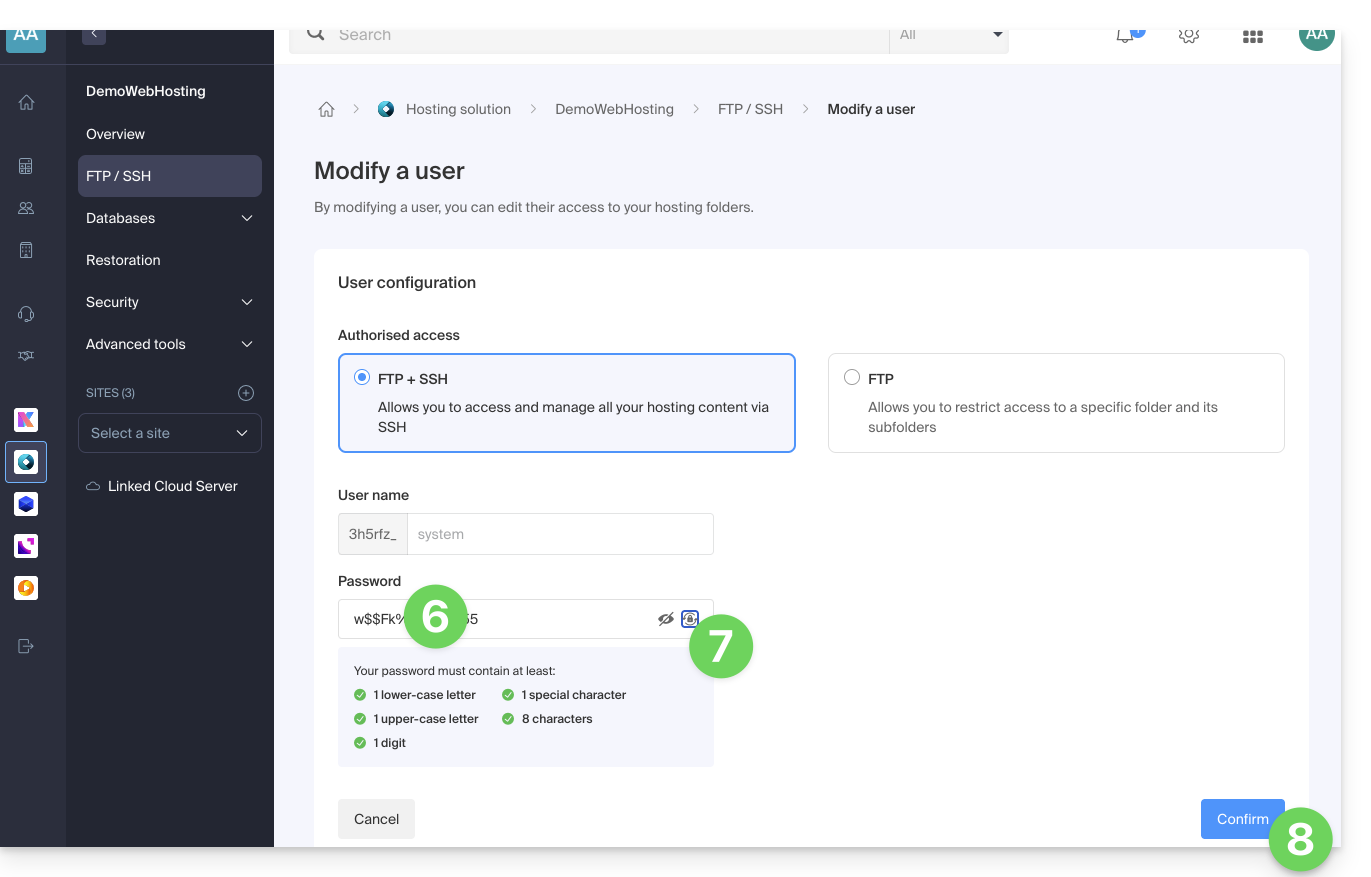
- Enter the new password that will be used for your FTP or SSH access directly.
- If necessary, you can generate a strong password.
- Confirm the changes:
Link to this FAQ: https://faq.infomaniak.com/916
Has this FAQ been helpful?