Knowledge base
1000 FAQs, 500 tutorials and instructional videos. Here, there are only solutions!
Troubleshooting a virus issue on a website
Update 10/13/2026
This guide explains how to launch a content analysis of a Web Hosting service to detect and remove files containing viruses and other malicious scripts that could threaten the security of websites.
Introduction
- You will receive an email when the operation is complete (the antivirus scan may take some time; the Manager can be closed).
- Infomaniak ensures the protection of hosting by scanning only the website folders (webroot); no synchronous scan is performed on the rest of the hosting.
- Also consider using the vulnerability detection tool to monitor any potential vulnerabilities that are automatically corrected on your websites.
Start an antivirus scan of your websites
To analyze potentially infected content:
- Click here to access the hosting & website management section in your Infomaniak Manager (❓: help).
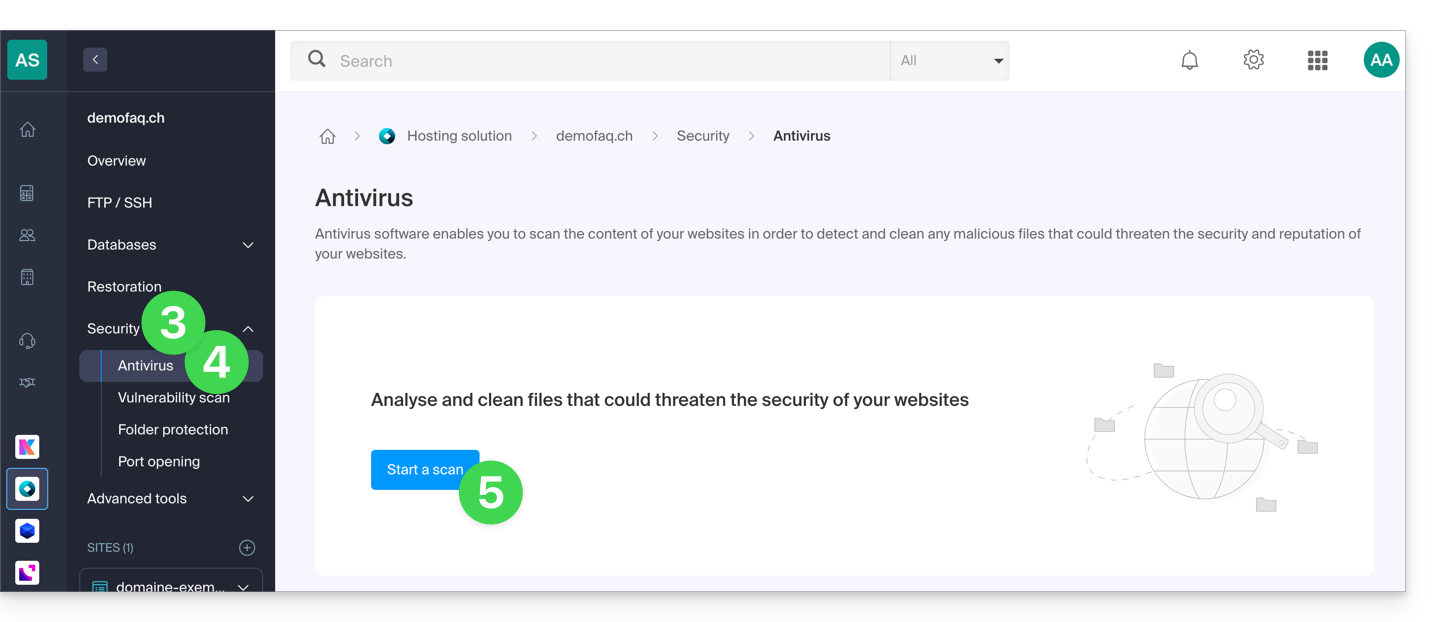
- Click on the name of the hosting account in question.
- Click on Security in the left-hand menu.
- Click on Antivirus in the left-hand menu.
- Click on the blue Scan button:
- Select the site(s) to analyze.
- Click the blue Start analysis button:
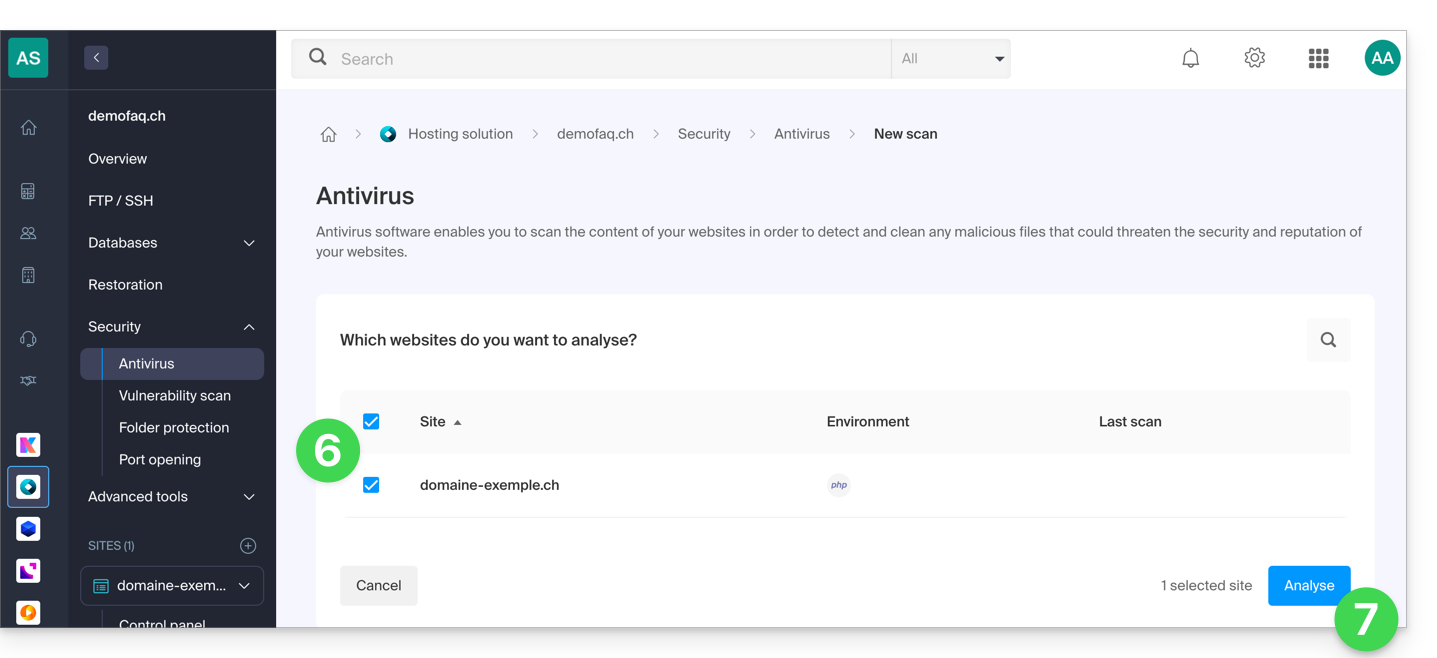
- Follow the procedure until the file analysis starts.
Link to this FAQ: https://faq.infomaniak.com/857
Has this FAQ been helpful?