Knowledge base
1000 FAQs, 500 tutorials and instructional videos. Here, there are only solutions!
Change the MySQL / MariaDB user password
Update 10/05/2026
This guide explains how to change the password for a MySQL / MariaDB database on a Web Hosting plan.
Introduction
- Refer to this other guide if you are looking for information on updating login details (scripts, websites, etc.) related to a database password change.
- A database user created after installing a Web Application (provided by Infomaniak) cannot be modified.
- To access the database to which it is linked, you must create a new database user with the password of your choice and then grant it the necessary rights to the desired database.
Change the MySQL MariaDB password, etc.
To do this, you need to modify the user associated with the database in question and change their password (without having to provide the old password) from the Infomaniak Manager:
- Click here to access the hosting & website management section in your Infomaniak Manager (❓: help).
- Click on the name of the relevant hosting.
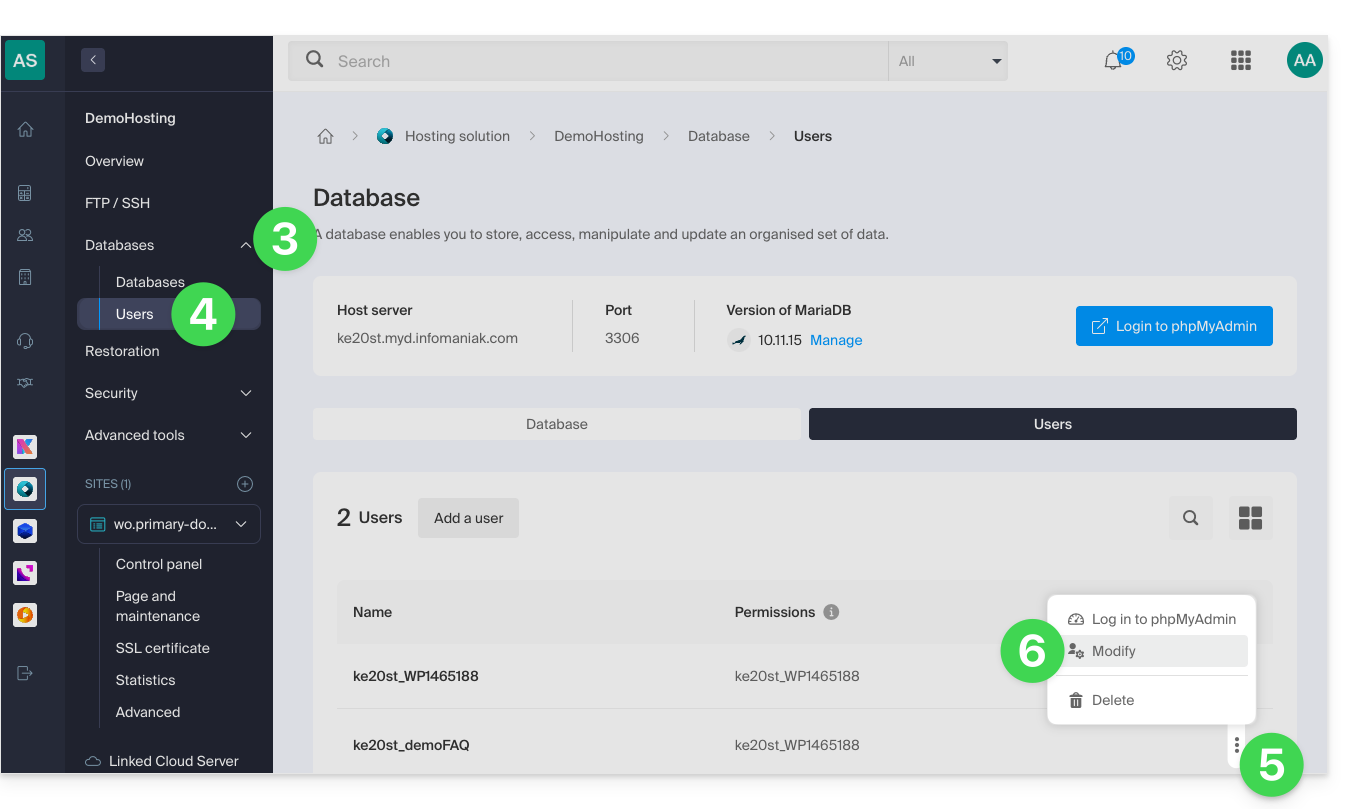
- Click on Databases in the left-hand menu.
- Click on the Users menu.
- Click on the action menu ⋮ located to the right of the item in question.
- Click on Edit:
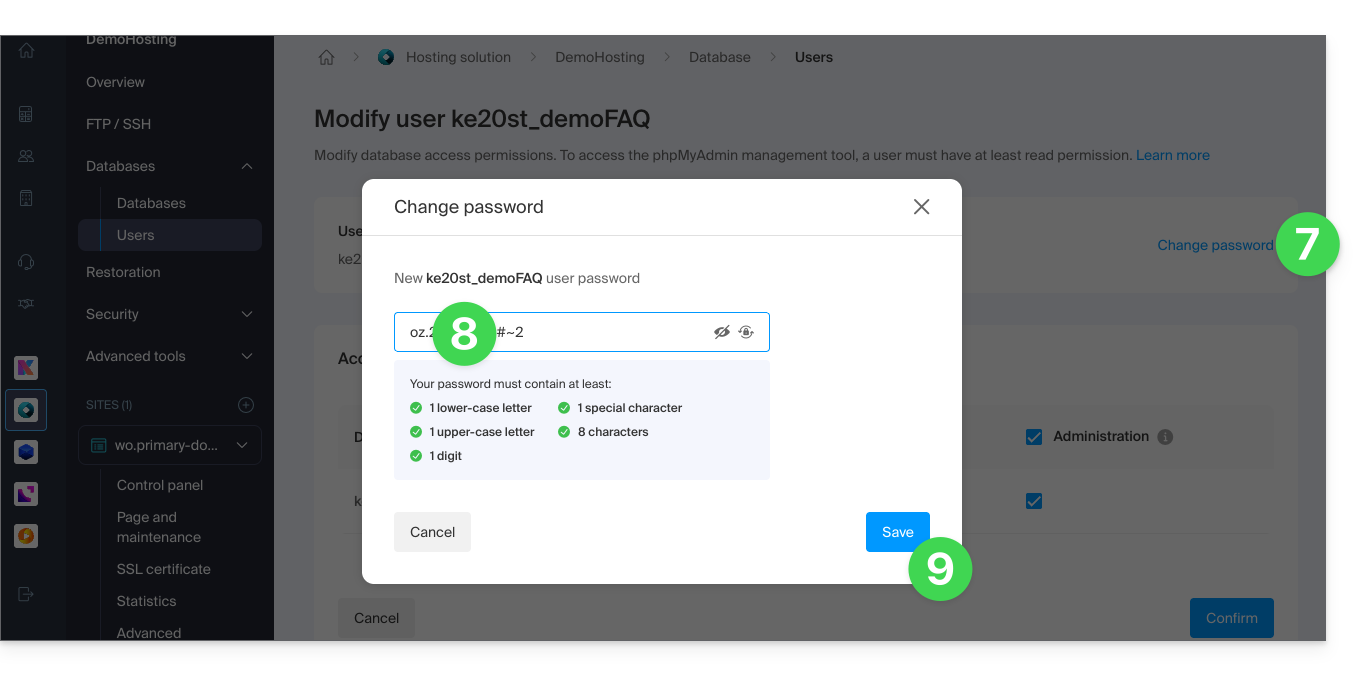
- Click on Change password.
- Enter the new password you want.
- Click on the Save button:
- If necessary, you can configure the new permissions for the user (read / write / administration) to access existing databases on the hosting.
Link to this FAQ: https://faq.infomaniak.com/846
Has this FAQ been helpful?