Knowledge base
1000 FAQs, 500 tutorials and instructional videos. Here, there are only solutions!
Manage the file types interpreted by PHP
Update 10/13/2026
This guide explains how to enable support for certain file types (e.g., .inc) on an Infomaniak web hosting plan, so that they are processed in the same way as a .php file.
Introduction
- Previously, you had to add the following line to a
.htaccessfile:AddType application/x-httpd-php .inc- This prevented the file's content from being displayed as text when accessed via a browser, instead of being correctly interpreted by PHP.
- Now you can manage file extensions via the FPM Extensions field in your hosting's Manager.
Manage PHP-recognized extensions
To add support for a specific file type:
- Click here to access the hosting & website management section in your Infomaniak Manager (❓: help).
- Click on the name of the website in question.
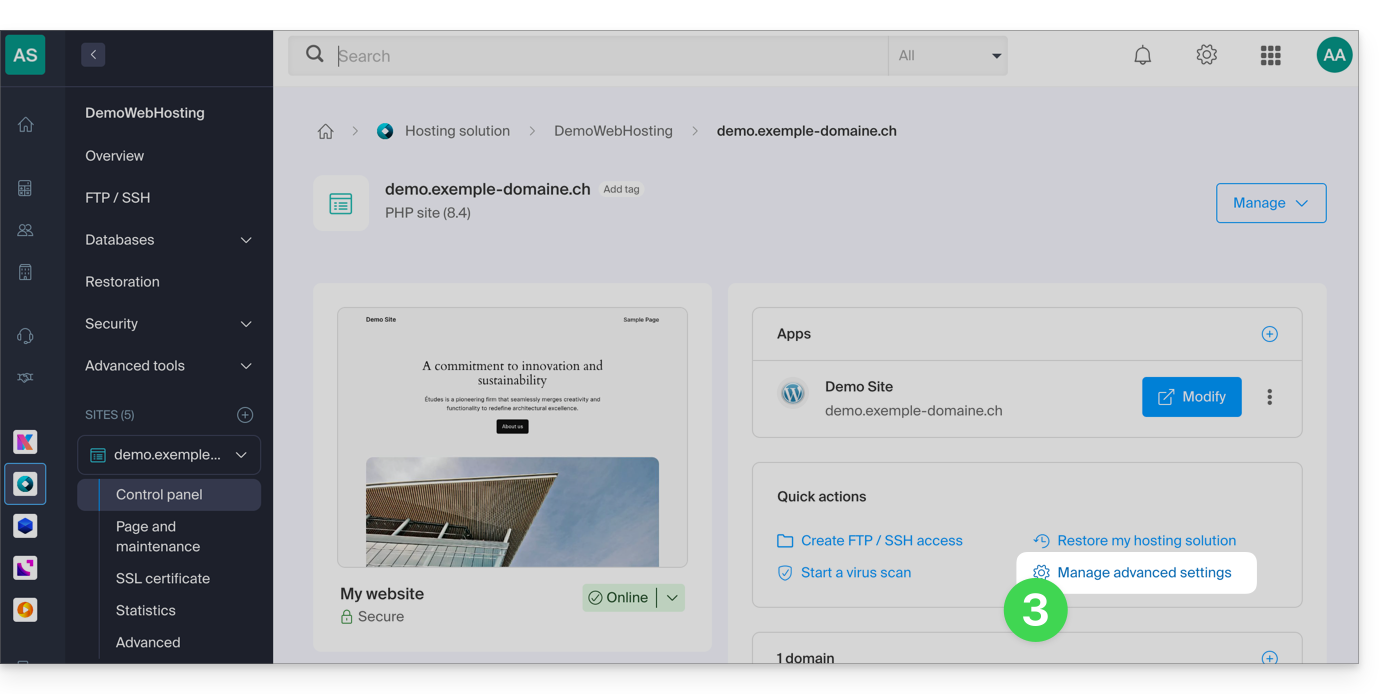
- Click on Manage advanced settings:
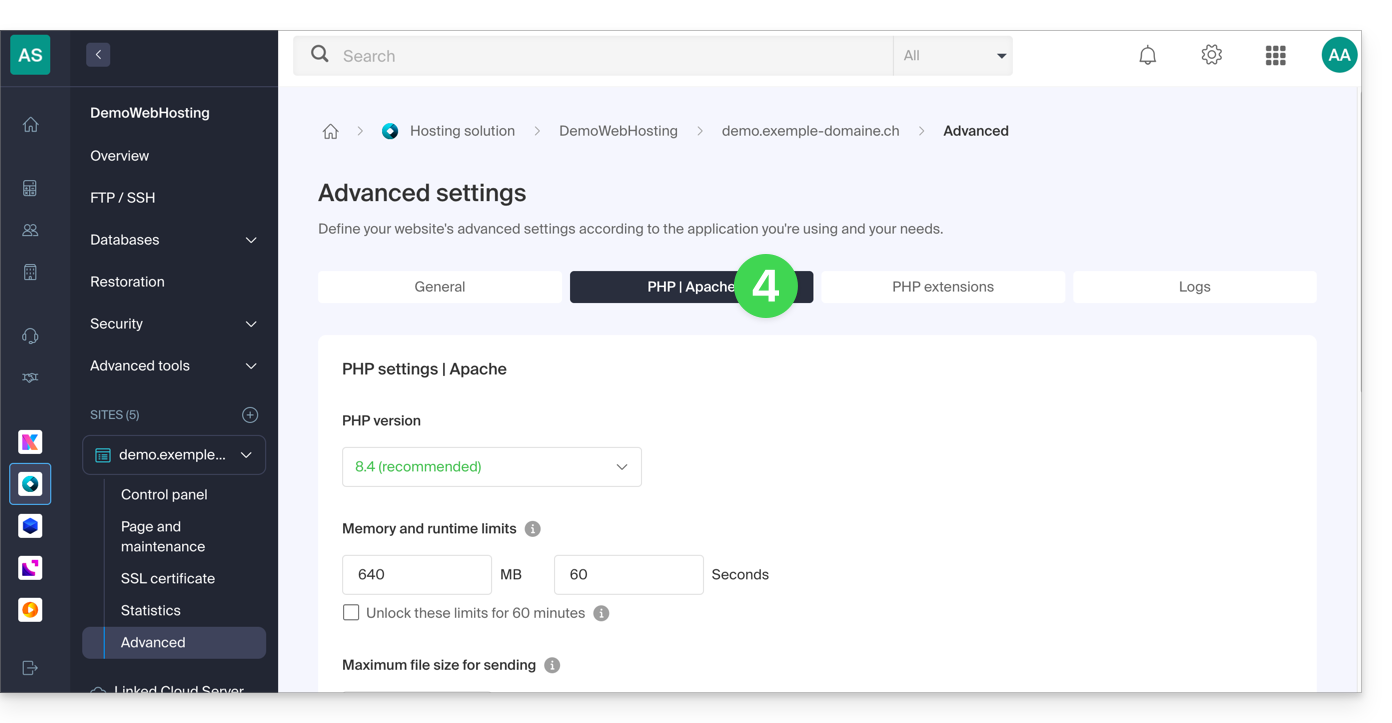
- Click on the PHP / Apache tab:
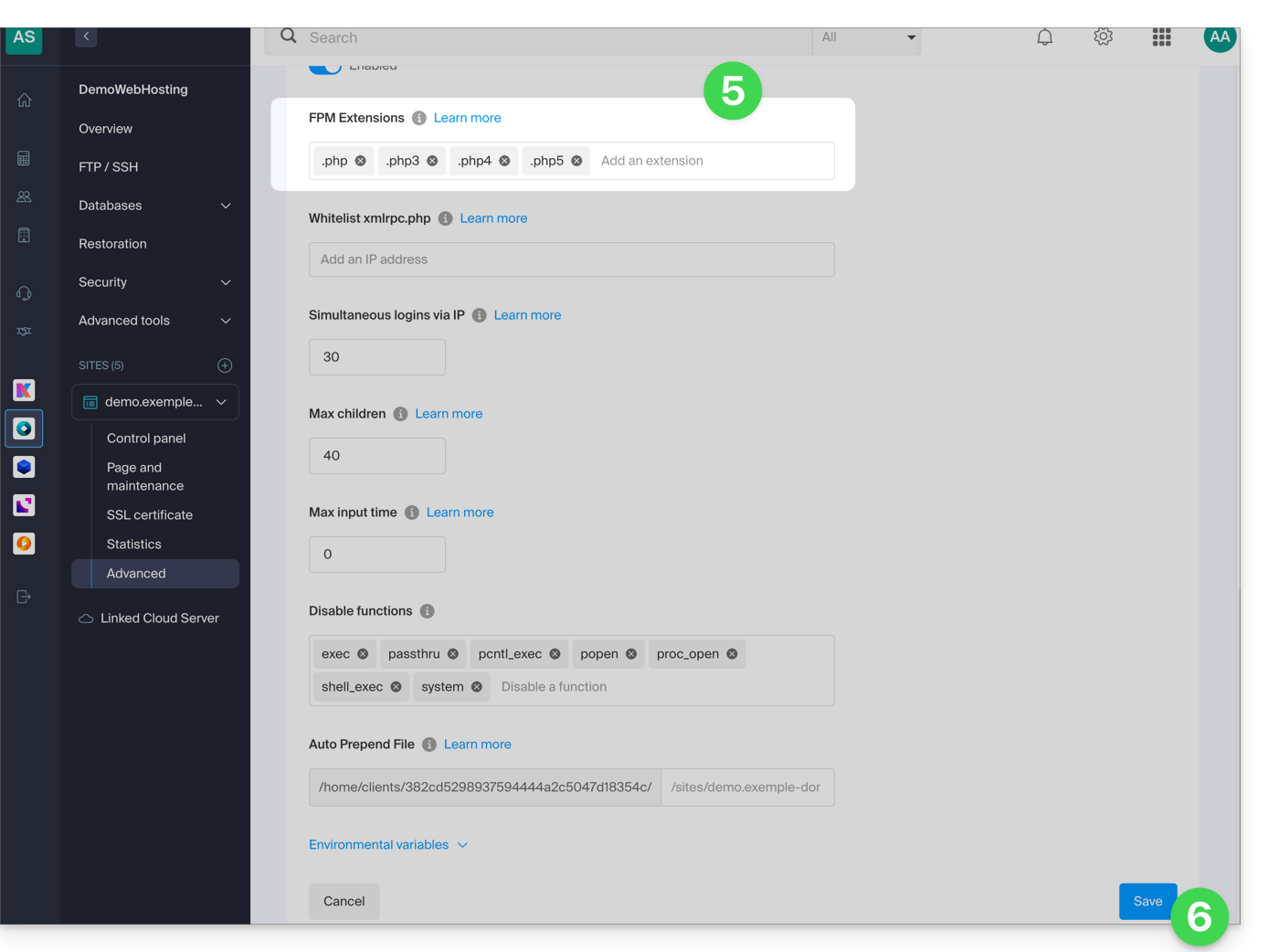
- Edit the FPM Extensions field to add the desired extensions.
- Click the button at the bottom of the page to save:
Link to this FAQ: https://faq.infomaniak.com/82
Has this FAQ been helpful?