Knowledge base
1000 FAQs, 500 tutorials and instructional videos. Here, there are only solutions!
Edit an existing Web Hosting offer
This guide explains how to modify an existing Web Hosting offer to, for example, host additional websites if the maximum site quota is reached, or to obtain a more recent hosting solution to benefit from the latest versions of PHP & MySQL.
Modify the web hosting offer to…
… order additional sites, disk space, or IPs
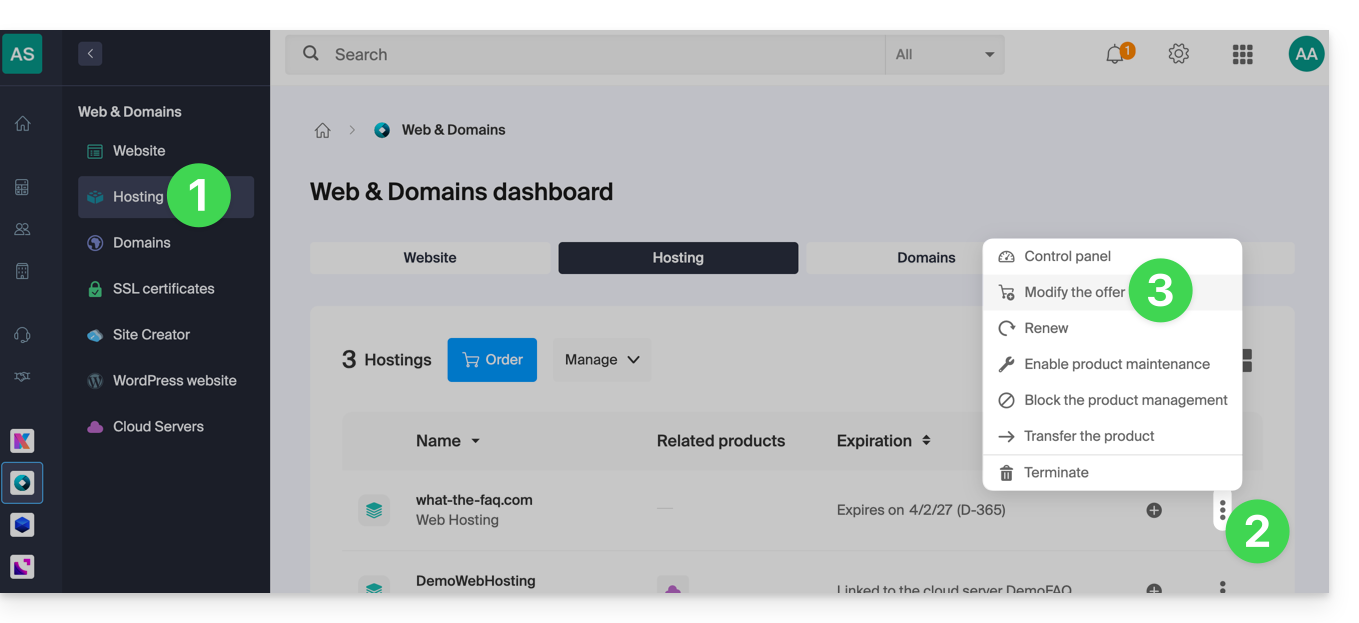
To access the web hosting configurator:
- Click here to access your hosting management on the Infomaniak Manager (need help?).
- Click on the action menu ⋮ located to the right of the hosting concerned.
- Click on Modify the offer:
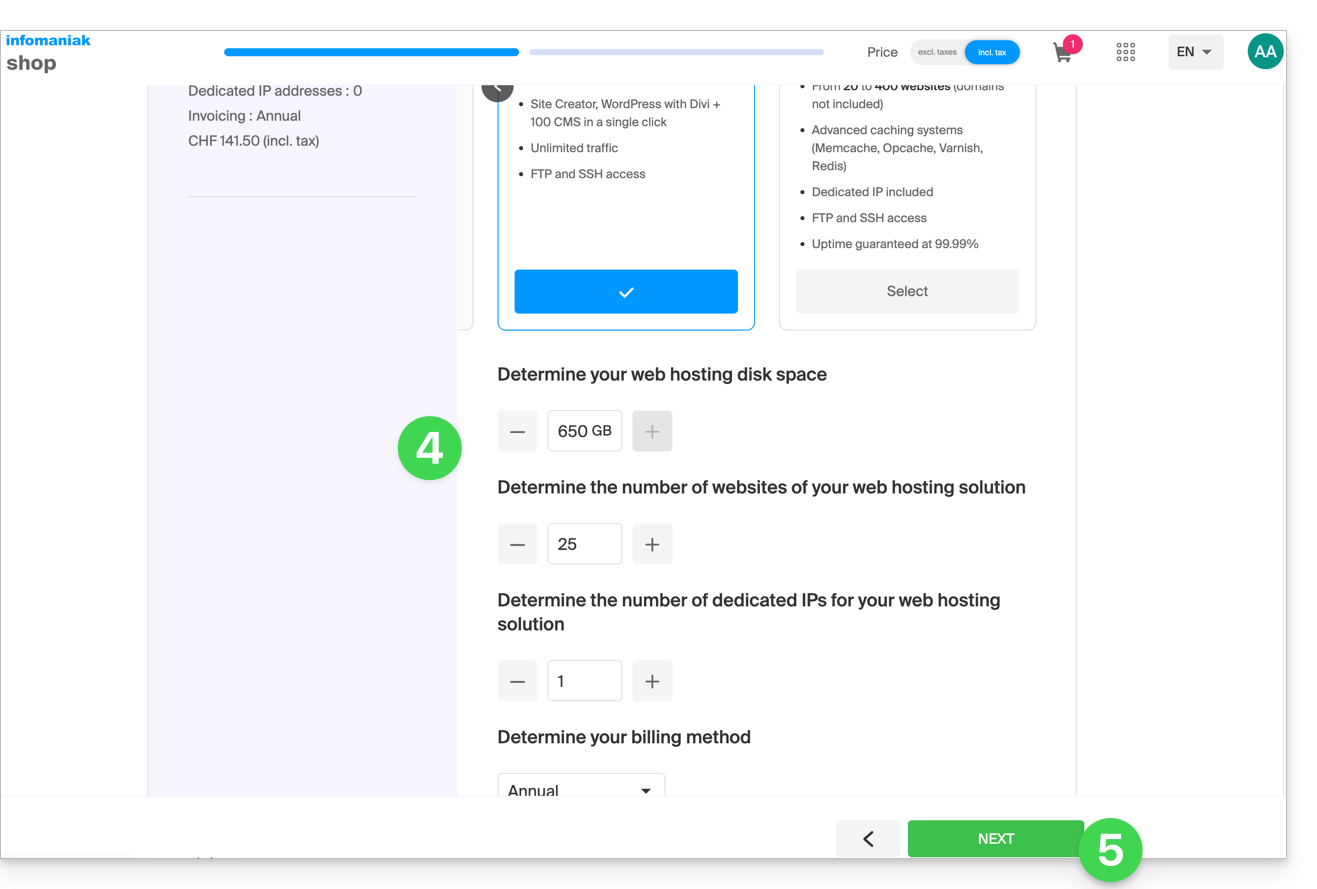
- Increase the values you wish to modify.
- Click on the Next button to proceed to the payment of the modifications made to the hosting:
… switch to a more recent server
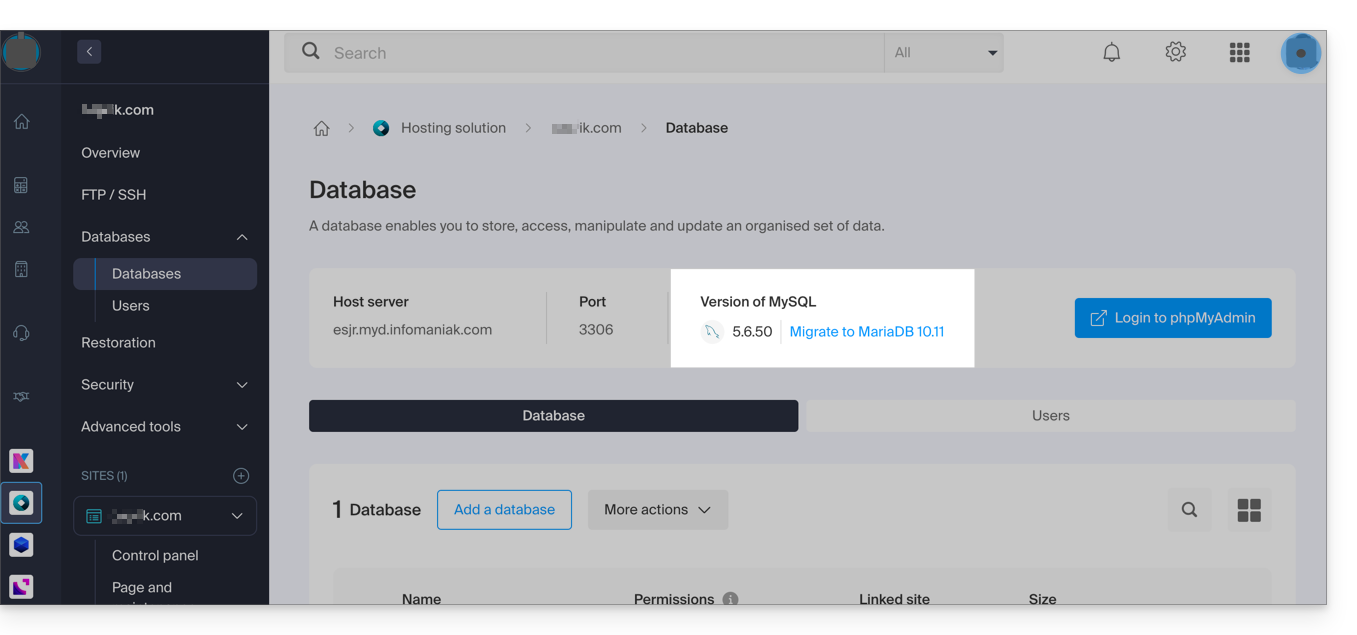
To obtain a hosting solution on a more recent server and thus benefit from, among other things, the latest versions of PHP & MySQL, you can either…
- … refer to this other guide by following the procedure indicated to the end:
- … refer to this other guide by following the procedure indicated up to point 4 then click on the button to update:
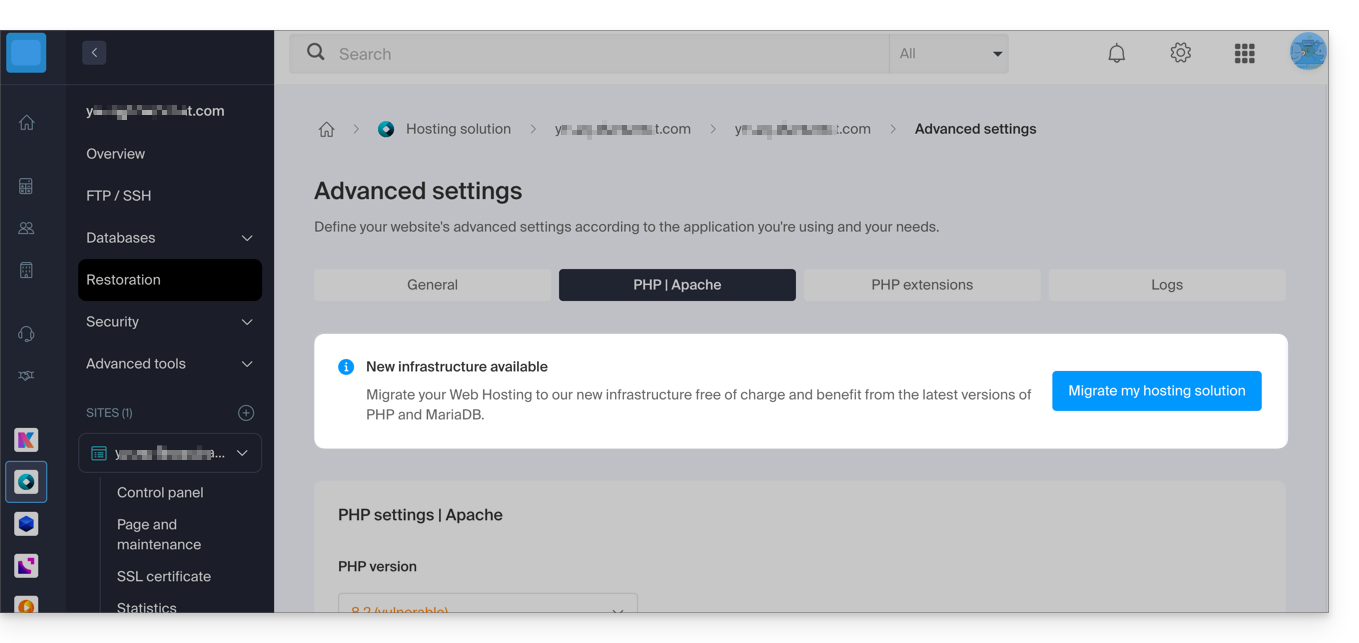
If no information banner is displayed, it means you already benefit from a recent hosting offer.
Link to this FAQ: https://faq.infomaniak.com/626
Has this FAQ been helpful?