Knowledge base
1000 FAQs, 500 tutorials and instructional videos. Here, there are only solutions!
Block/allow outgoing email sending (SMTP)
This guide details how to disable the SMTP protocol, thereby preventing a specific user from sending emails from a specific email address.
Introduction
- Removing an user’s sending rights will prevent them from sending a message (new, reply, reaction, etc.) from the Infomaniak Mail web app (online service ksuite.infomaniak.com/mail) and the mobile app.
- If the user in question is also specified in the connected devices, sending will also be impossible from a software/email client such as Outlook, Apple Mail, Thunderbird, etc.
- There is a specific permission regarding out-of-office messages if you also want to prevent this type of message from being sent.
Prevent a user from sending messages from a specific email address
New user
Do you want to allow a new colleague to view a mail address (be able to read incoming emails) but without allowing them to send new messages?
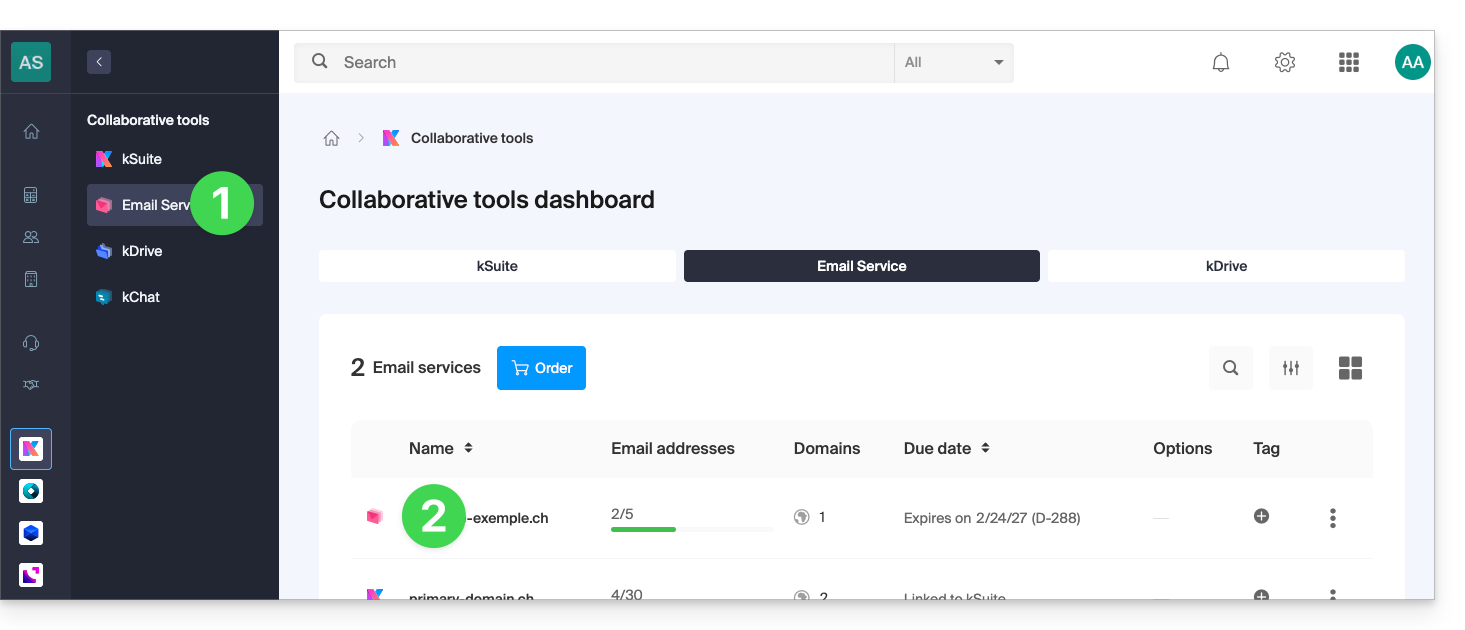
- Click here to access the Mail Service management in your Infomaniak Manager (❓: help).
- Click on the name of the Mail Service in question:
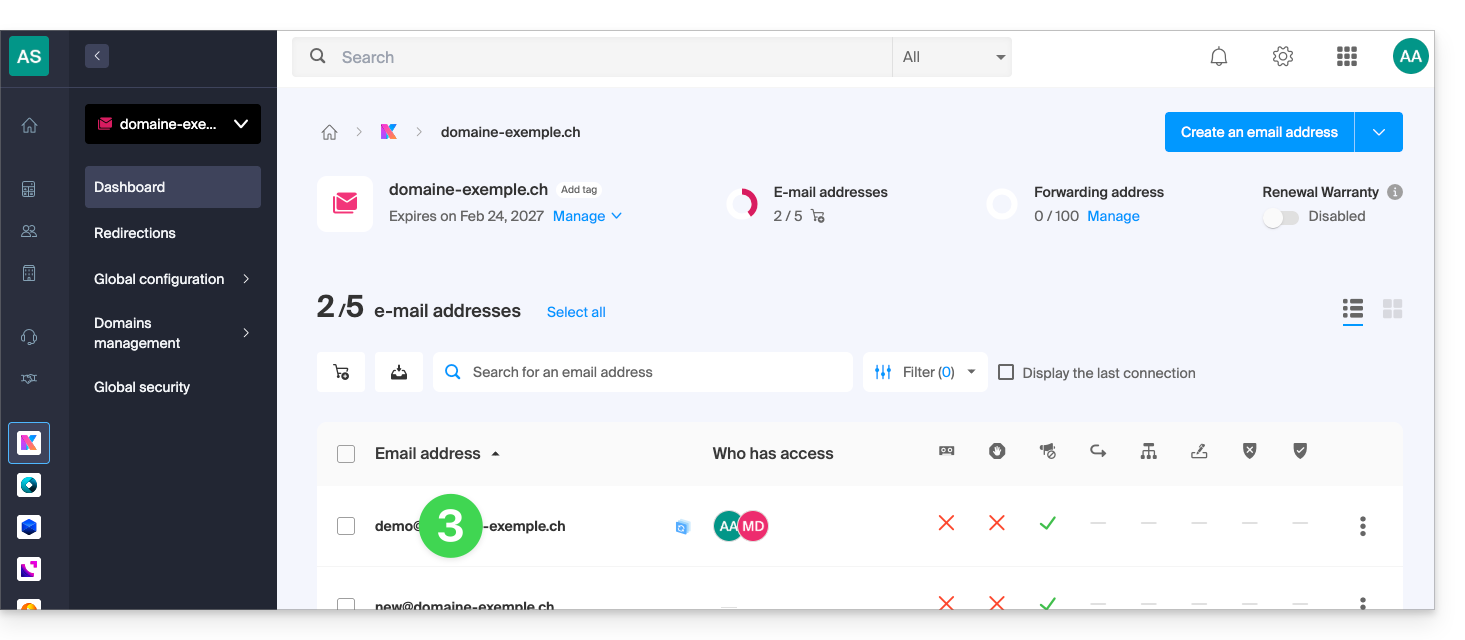
- Click on the relevant email address in the table that appears:
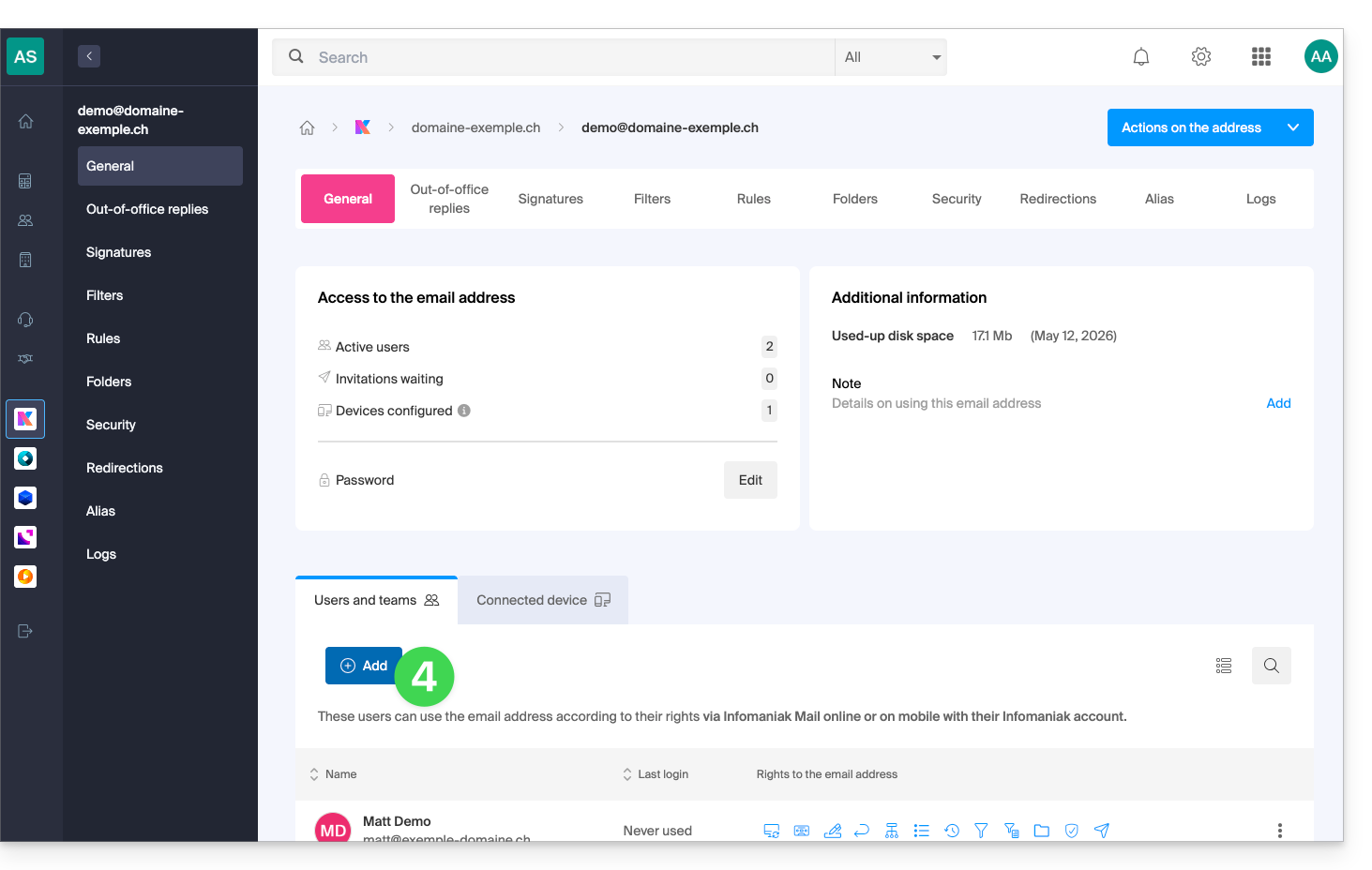
- Click to Add a new user:
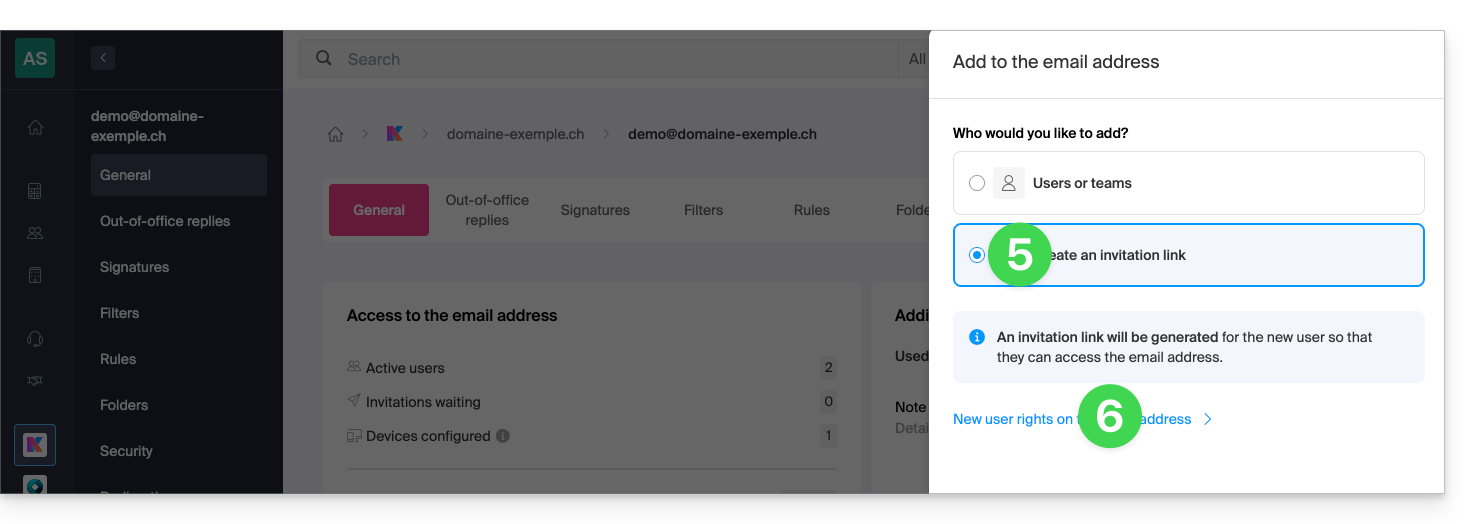
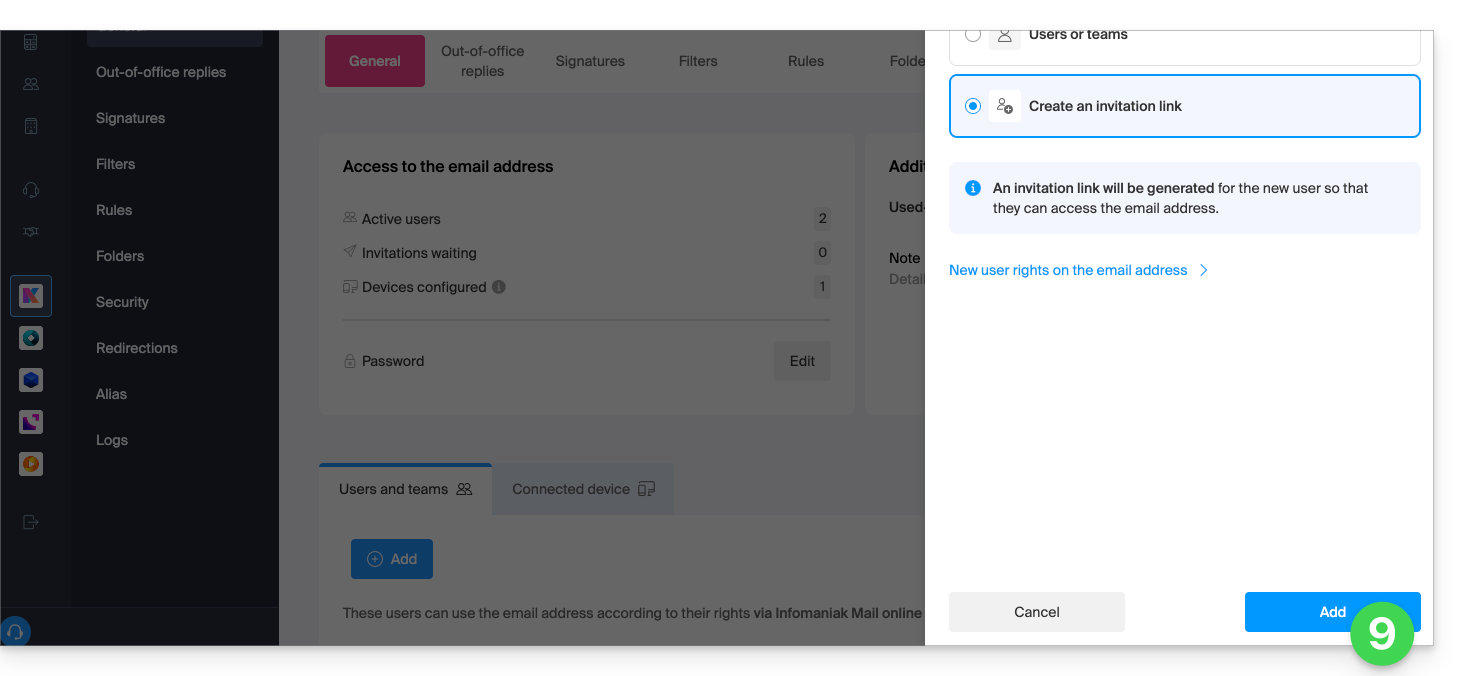
- In this example, the collaborator is external, so click to Create an invitation link.
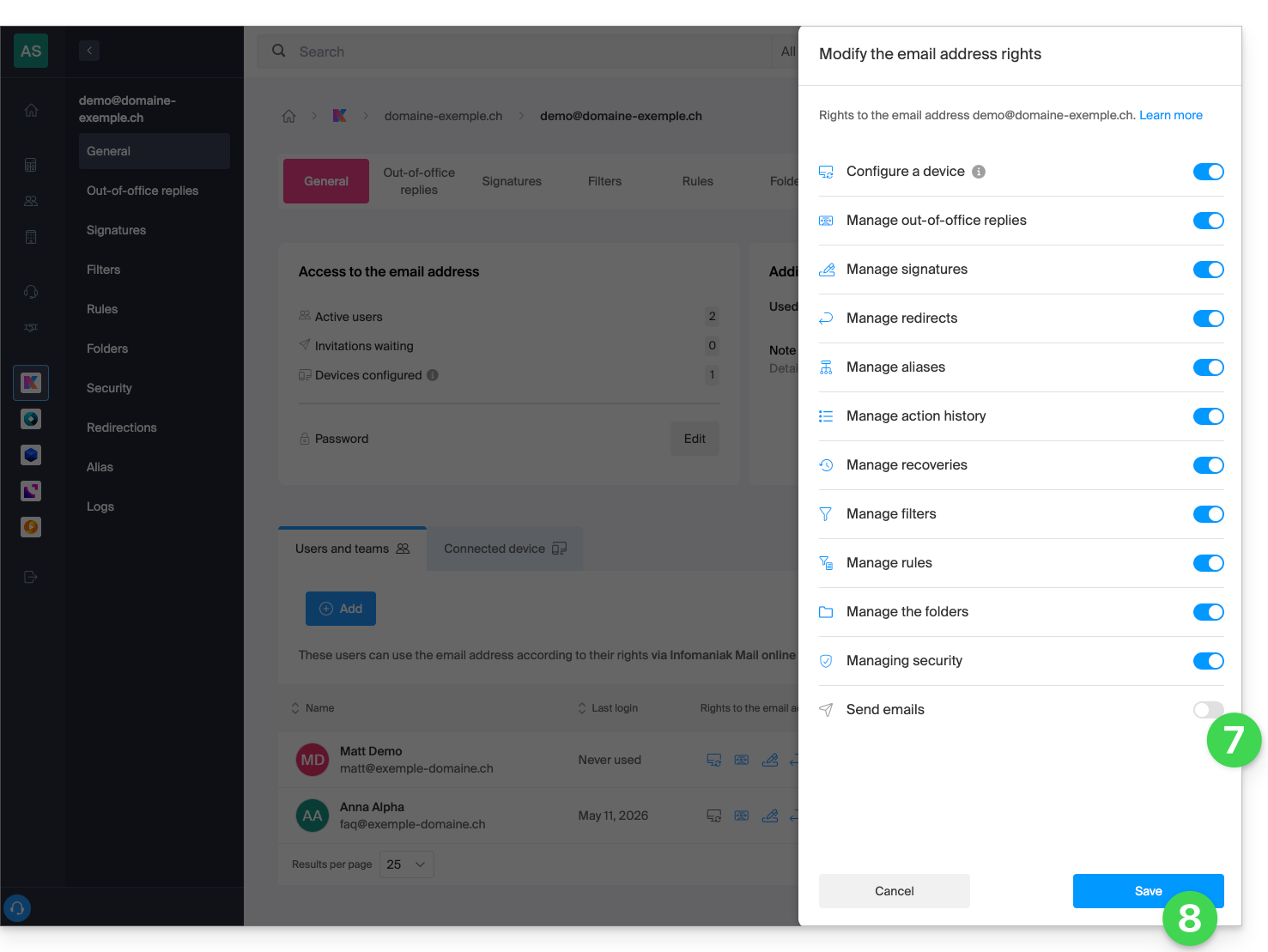
- Click to manage the permissions for this user on the relevant email address:
- Click on Email Sending to revoke their sending privileges.
- Save the change:
- Click on Add to complete the invitation:
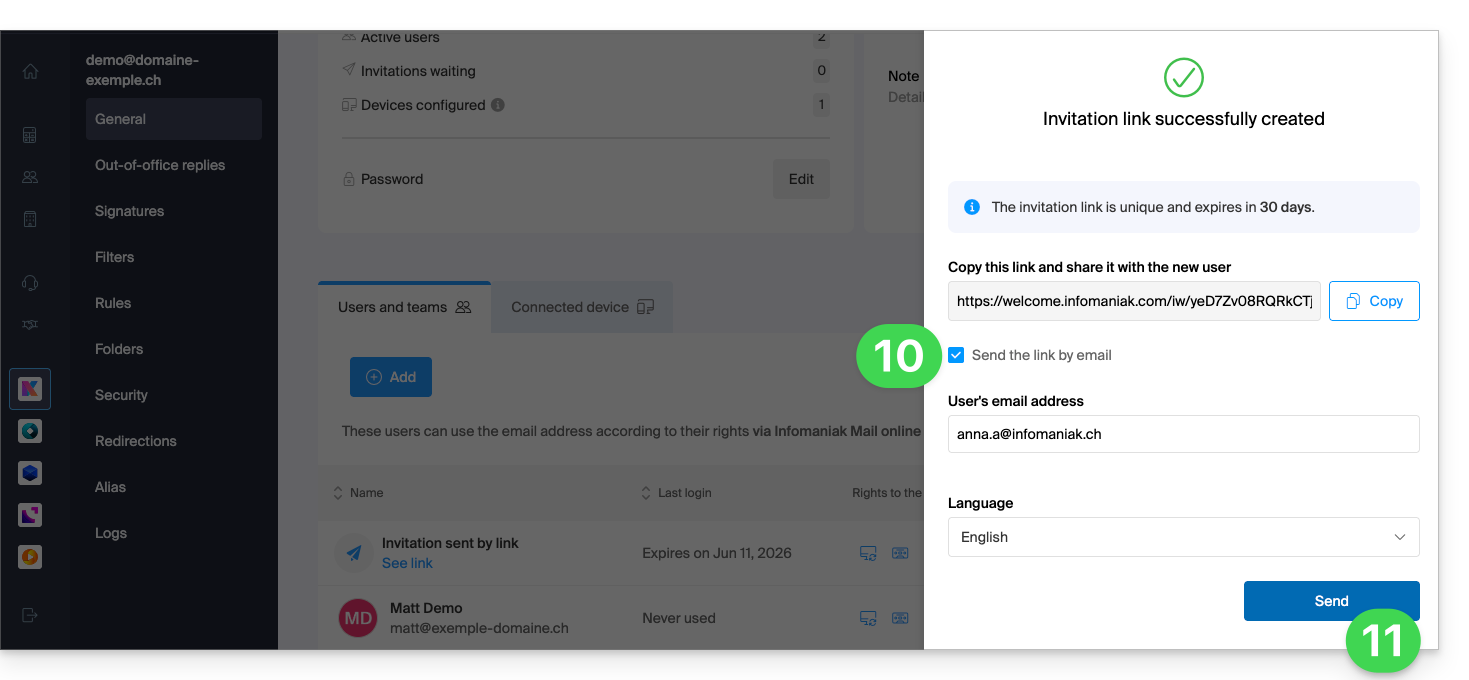
- Enter the email address to which the invitation should be sent.
- Click on Send:
The invited user accepts the invitation: they can then access the email address and its messages, but the button to compose a new message will remain grayed out, preventing them from drafting an email (or even replying, reacting, etc., as these buttons will also be grayed out/disabled):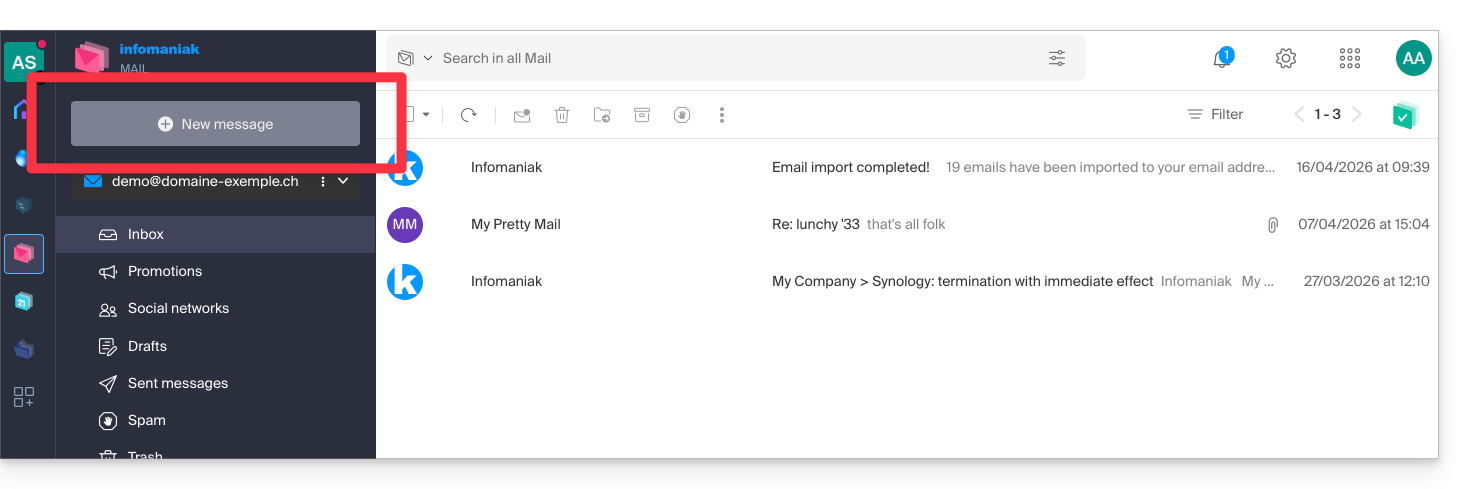
Prevent sending to an existing user
Do you want to allow collaborators to continue viewing a mail address (i.e., be able to read incoming emails) but prevent them from sending new messages?
- Click here to access the Mail Service management section in your Infomaniak Manager (❓: help).
- Click on the name of the Mail Service in question:
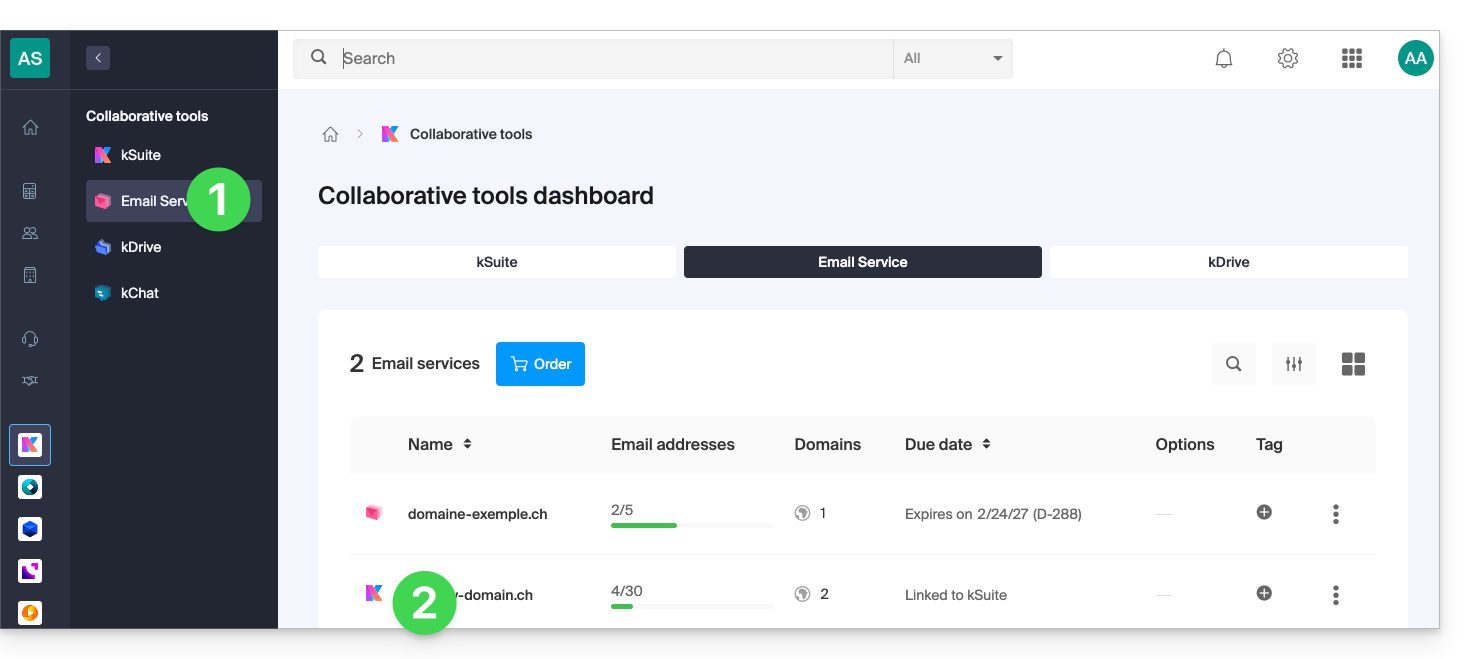
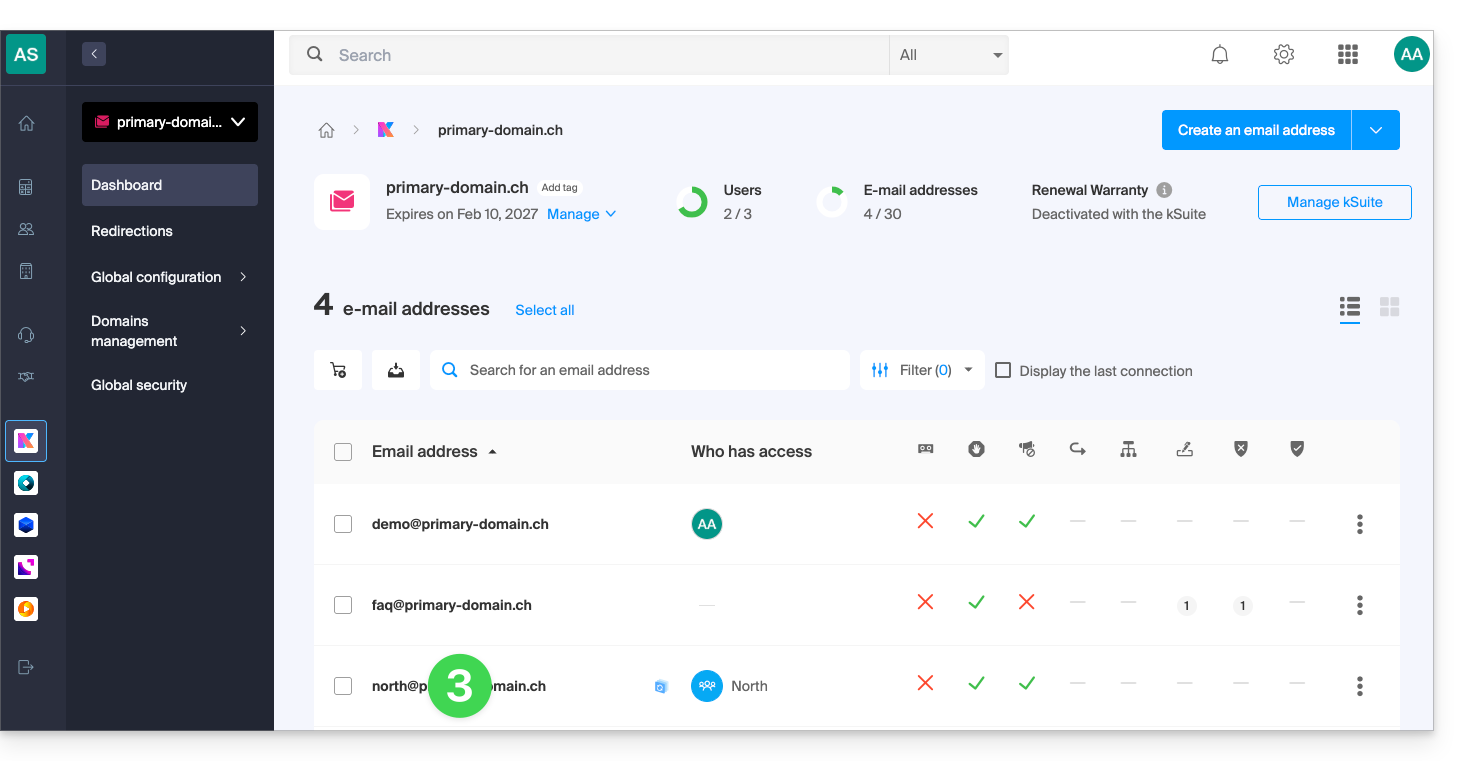
- Click on the email address in the table that appears:
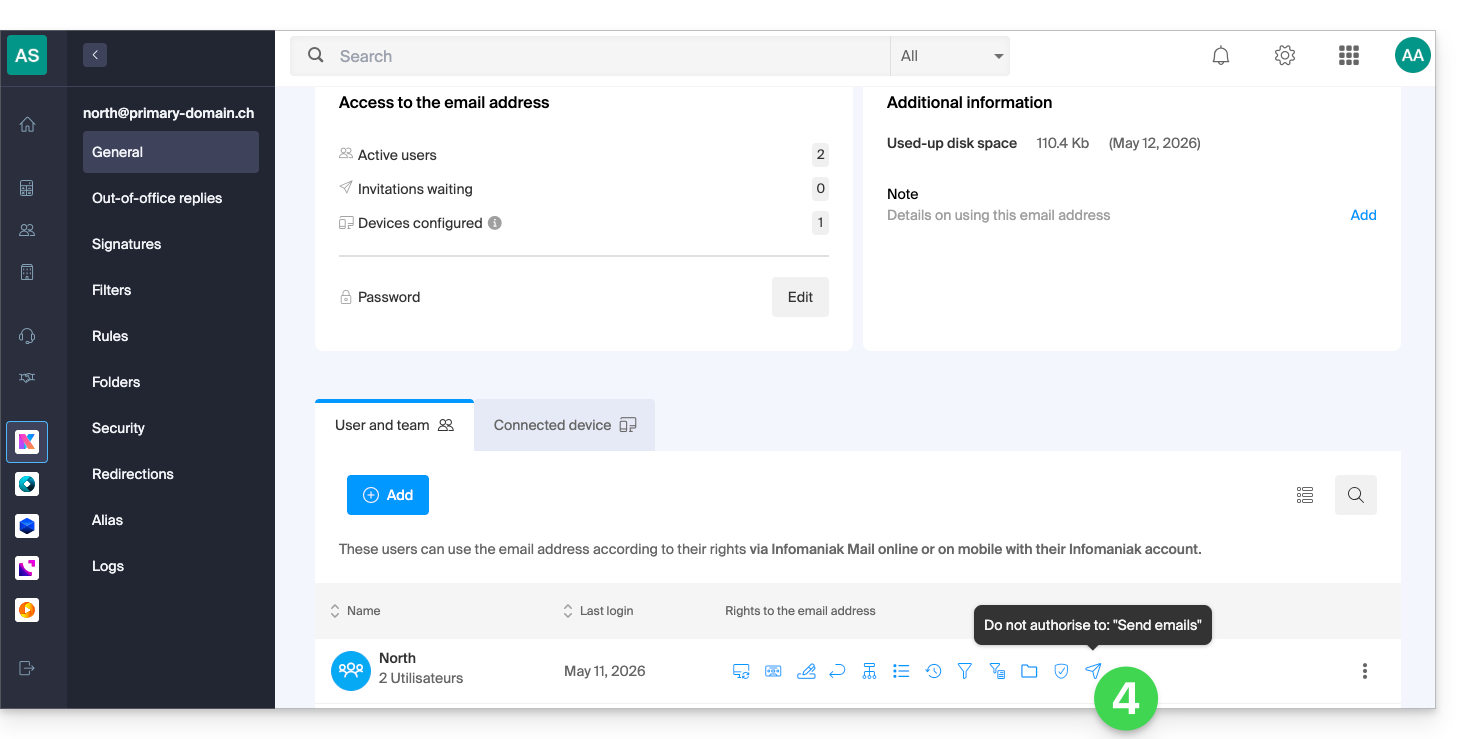
- Click on Sending emails to remove the sending permission:
The user can then access the email address and its messages, but the button to compose a new message will remain grayed out, preventing them from drafting a message (or even replying, reacting, etc., as these buttons will also be grayed out/disabled):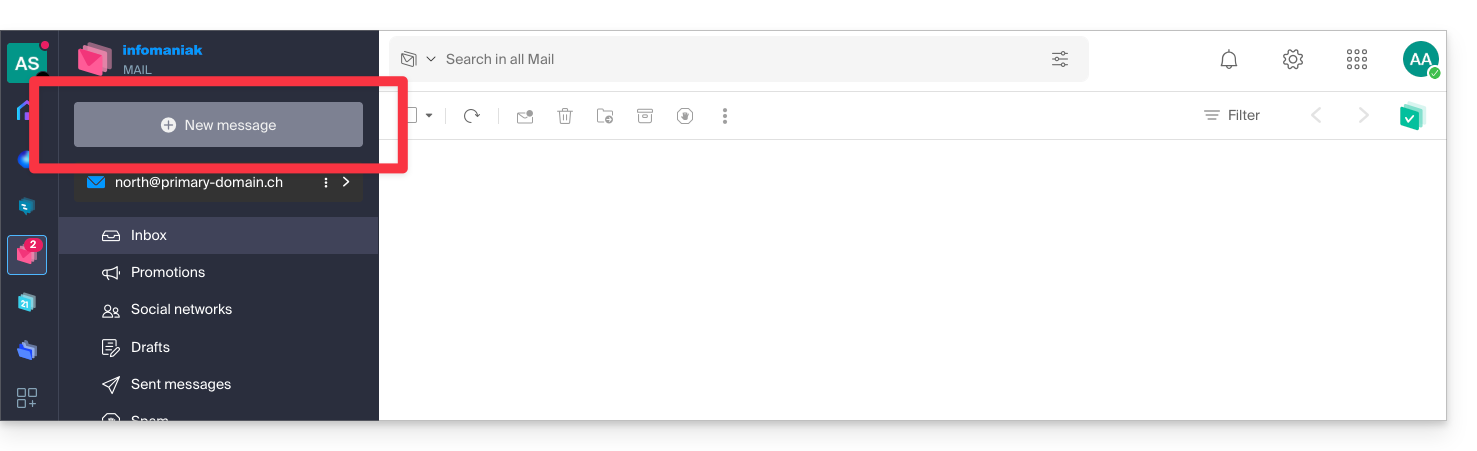
Prevent sending from an SMTP email client/software
If you want to prevent a user from sending emails from a mail client or any fixed or mobile device containing an SMTP email app, start by following the steps above.
You will then need to create a password (= "connected device") linked to this user (therefore, in step 8 of this other guide, instead of “No user”, you will need to specify the ID of the relevant collaborator, who has already been added in the users tab):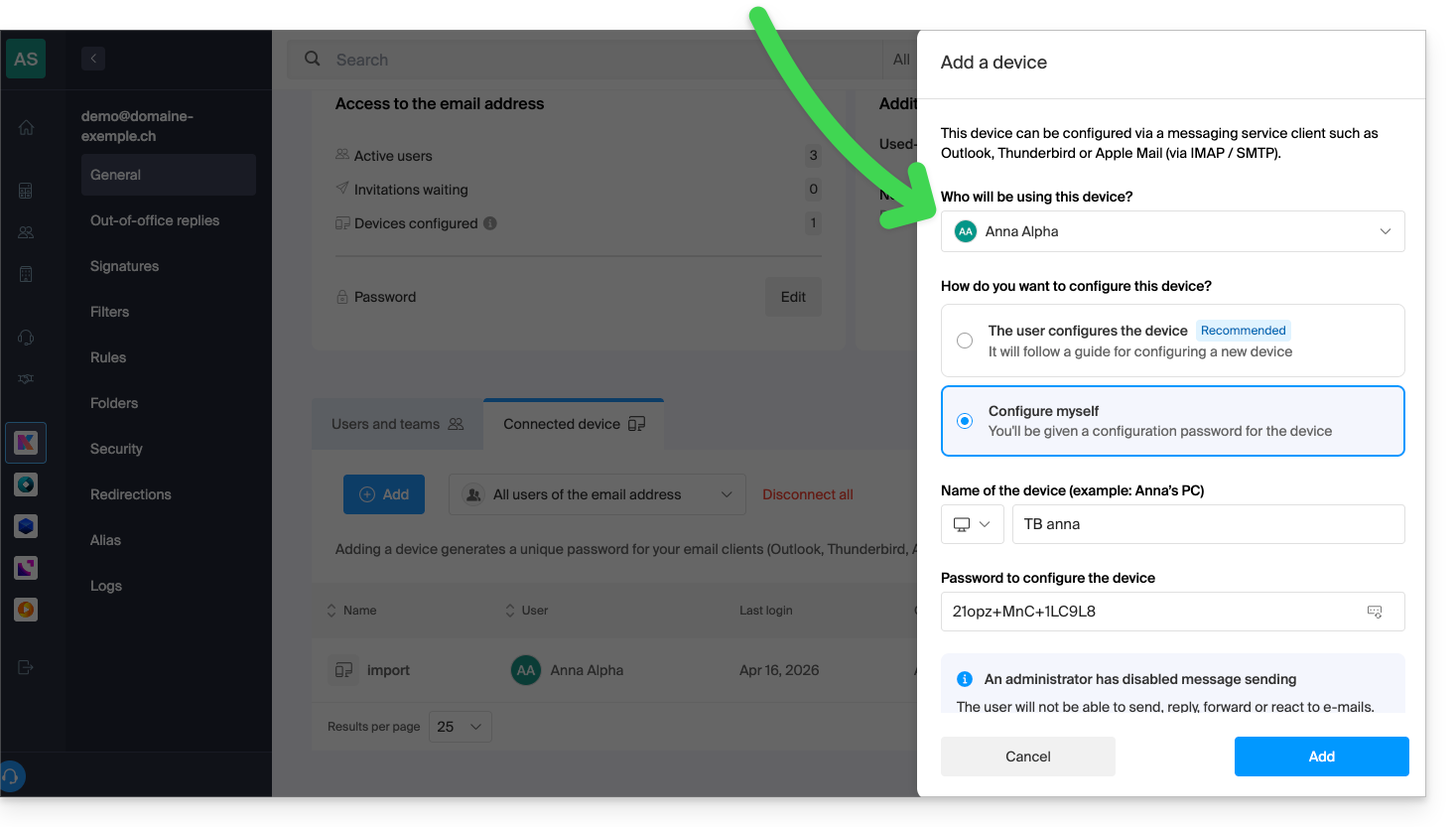
This way, the software/email client can be configured to receive emails but will not allow any emails to be sent, continuously causing an error (password request) if the user insists on sending an email: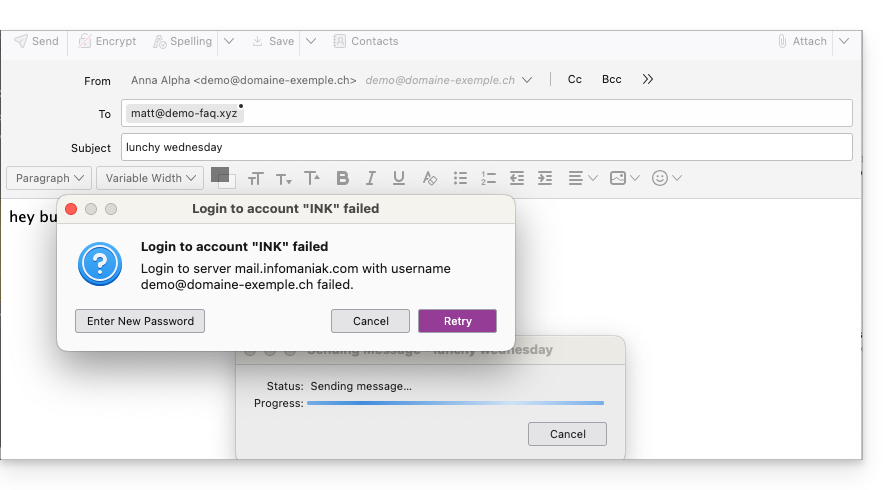
Link to this FAQ: https://faq.infomaniak.com/593
Has this FAQ been helpful?