Knowledge base
1000 FAQs, 500 tutorials and instructional videos. Here, there are only solutions!
Show public holidays on Infomaniak Calendar
This guide explains how to display a calendar with the dates of public holidays for the canton or country of your choice in the Infomaniak web app Calendar (online service ksuite.infomaniak.com/calendar).
Introduction
- These suggested calendars can be synchronized with your mobile and desktop devices.
- The birthday calendar (the calendar that displays the birthdays of your contacts when the date is entered in their address book entry) is only visible through the Infomaniak Calendar web app (online service ksuite.infomaniak.com/calendar) and cannot be synchronized with CalDAV tools.
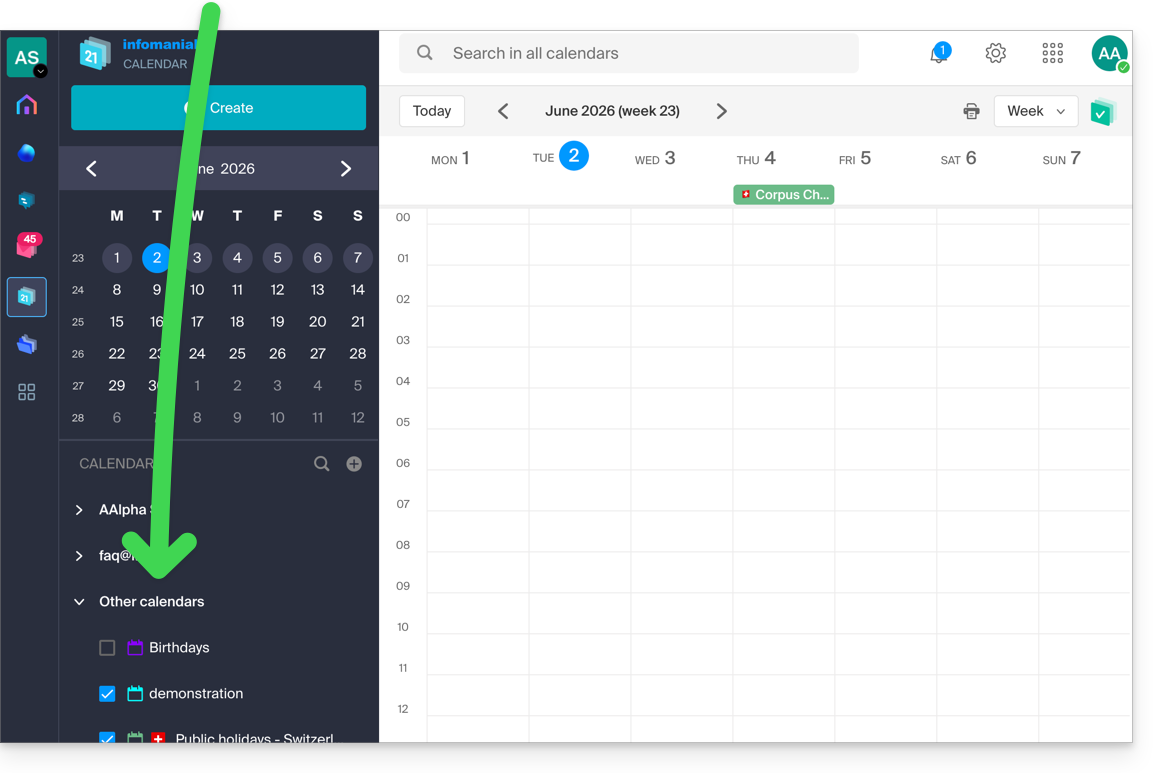
Display additional official calendars
To add the public holidays or school holidays calendar:
- Click here to access the Infomaniak web app Calendar (online service ksuite.infomaniak.com/calendar).
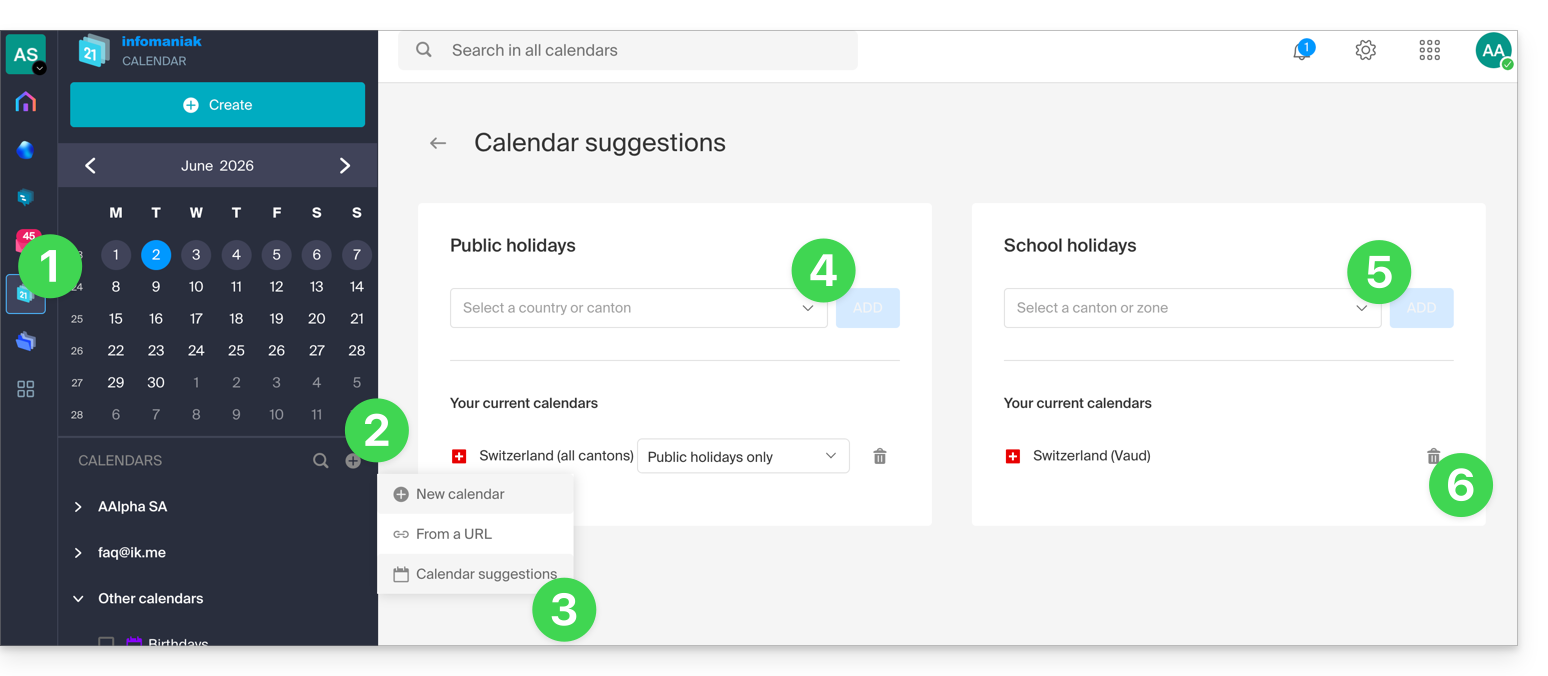
- Click on the button in the left-hand menu.
- Click on Suggested calendars.
- Choose from the calendars of national holidays (by canton or country).
- You can also add the official calendar of national school holidays (France, Switzerland, etc.).
- Once added, you can also remove them here:
Link to this FAQ: https://faq.infomaniak.com/566
Has this FAQ been helpful?