Knowledge base
1000 FAQs, 500 tutorials and instructional videos. Here, there are only solutions!
Change the size of a Cloud Server hosting plan
Update 08/04/2026
This guide explains how to modify the disk space of a hosting plan on Cloud Server.
Introduction
- Databases are installed on the same Cloud server, so the disk space for databases is not limited to the size of the hosting plan but to the total disk space of the Cloud server.
- To change this total disk space, you need to modify the Cloud server configuration.
Modify the disk space of a web hosting plan
To access your Cloud Server hosting:
- Click here to access your product management interface on the Infomaniak Manager (need help?).
- Click directly on the name assigned to the product in question.
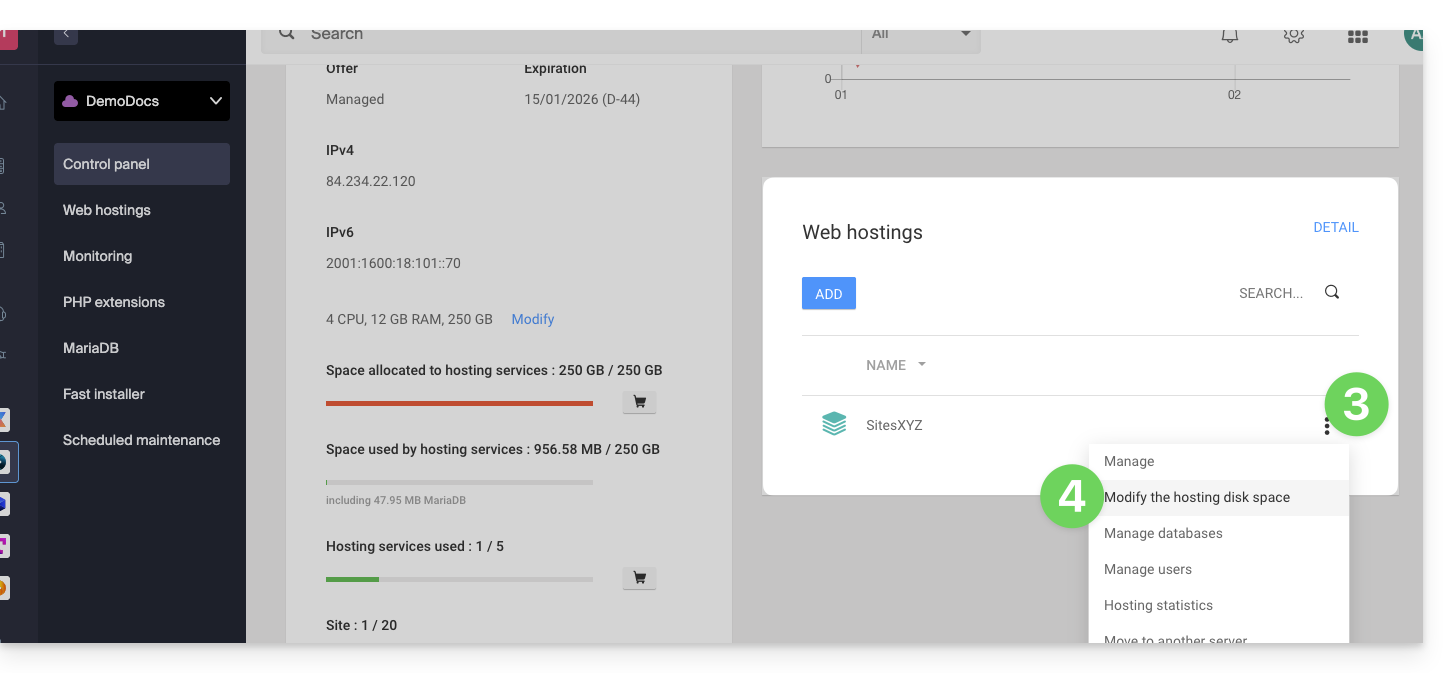
- Click on the action menu ⋮ located to the right of the web hosting in question, in the Web Hosting section.
- Click on Modify hosting disk space:
- Adjust the size according to the disk space allocated and still available.
- Click the Confirm button to save the changes.
Link to this FAQ: https://faq.infomaniak.com/484
Has this FAQ been helpful?