Knowledge base
1000 FAQs, 500 tutorials and instructional videos. Here, there are only solutions!
Show Website Creator statistics
Update 10/13/2026
This guide explains how to view the statistics on the number of visitors who accessed your Site Creator Pro.
✘ UNAVAILABLE with
Site Creator Free / Lite
Introduction
- If you are using a Site Creator developed within an Infomaniak web hosting plan (non-standalone Site Creator), you can directly view its statistics (❓: help).
Accessing Visit Statistics
Start by logging into the Infomaniak Manager with your credentials (user account with the necessary permissions for the relevant product):
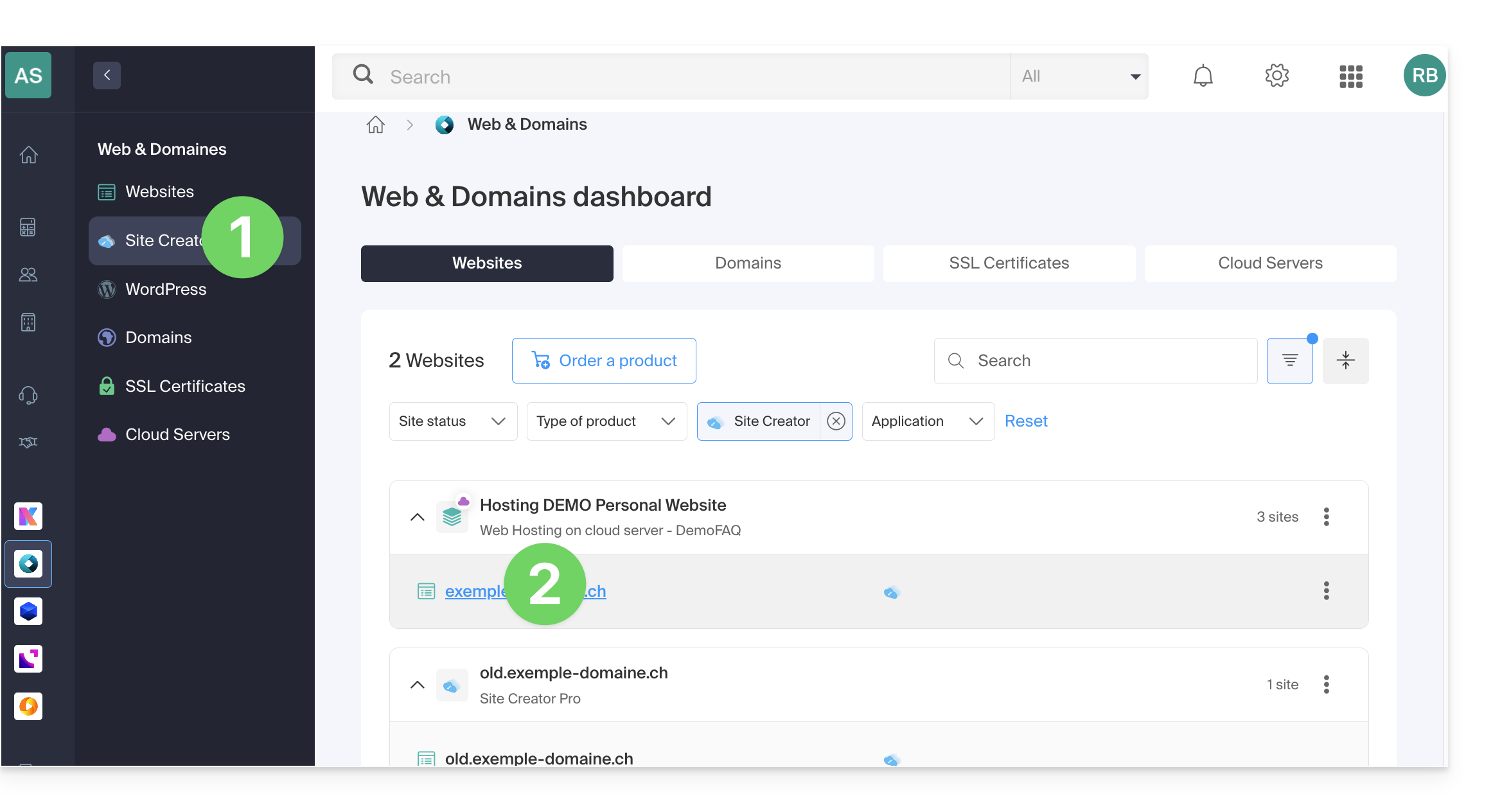
- Click here to access the hosting & site management section (filtered to display only Site Creator).
- If nothing is displayed, you may not be in the Organization to which your site is linked (❓: help).
- Click on the name of the Site Creator in question:
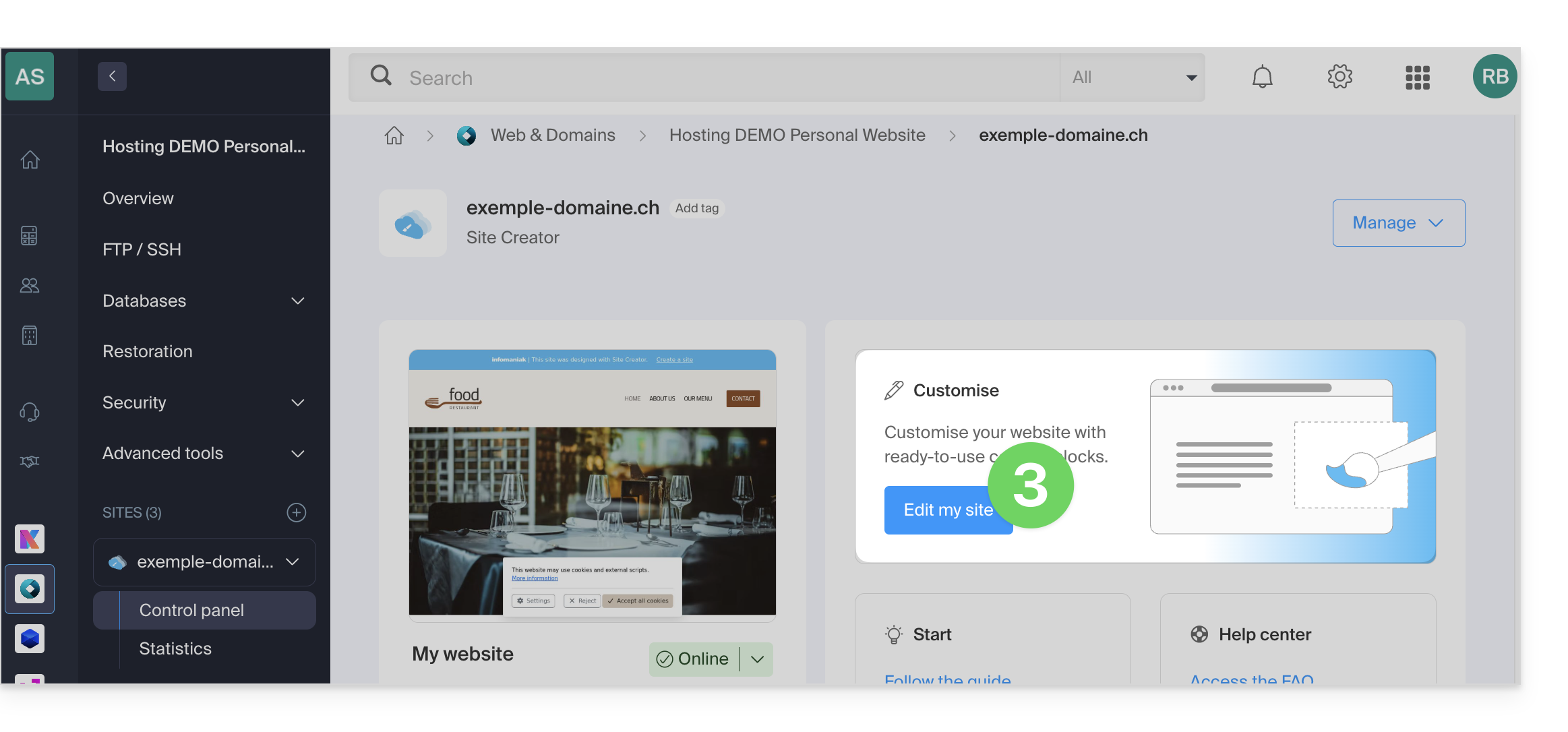
- Click on the button to edit your site:
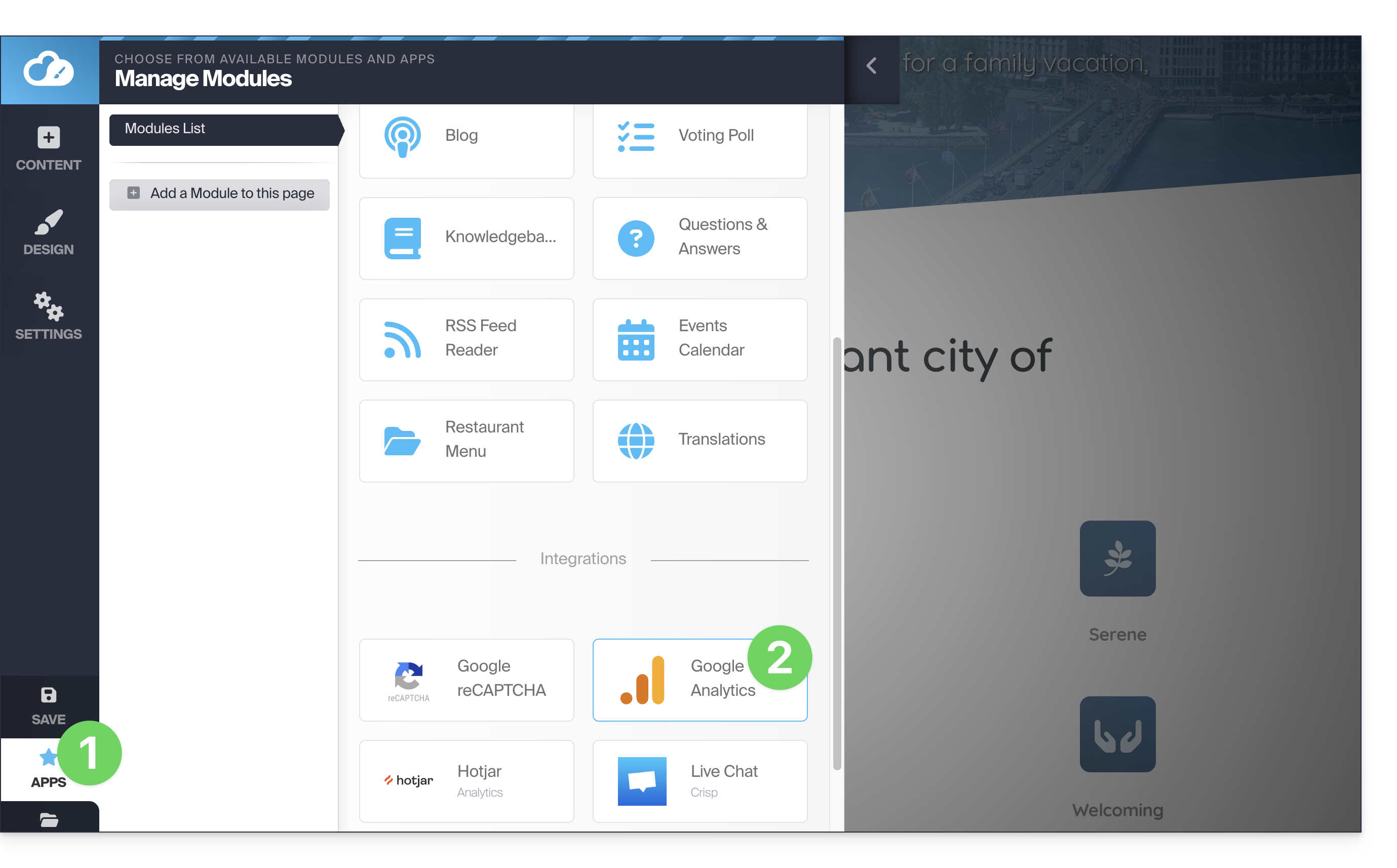
Once in Site Creator Pro:
- Click on Applications.
- Click on the Google Analytics module:
- Enter your Google Analytics measurement ID (format
G-XXXXXXXXXX): - Save:

Link to this FAQ: https://faq.infomaniak.com/2926
Has this FAQ been helpful?