Knowledge base
1000 FAQs, 500 tutorials and instructional videos. Here, there are only solutions!
Using Obsidian with kDrive and WebDAV
This guide explains how to synchronize your Obsidian vault on your Infomaniak kDrive via the WebDAV protocol. This way, you can keep your notes safe in a storage medium located in Switzerland.
✘ UNAVAILABLE with
kSuite Free / kSuite Standard
my kSuite / my kSuite+ (ik.me, etik.com, ikmail.com)
Introduction
- Obsidian is a powerful and extensible note-taking tool that uses local Markdown files to organize your knowledge.
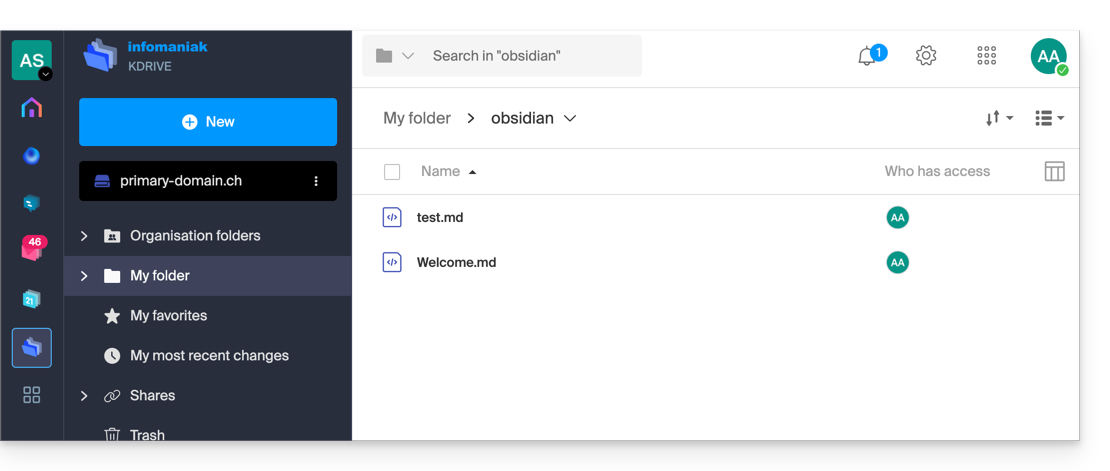
- To avoid cluttering your kDrive directories, it is strongly recommended to create a dedicated folder in your personal kDrive directory, with a simple folder name such as "
obsidian" for example, and then specify it at the end of the WebDAV link in step 7 below: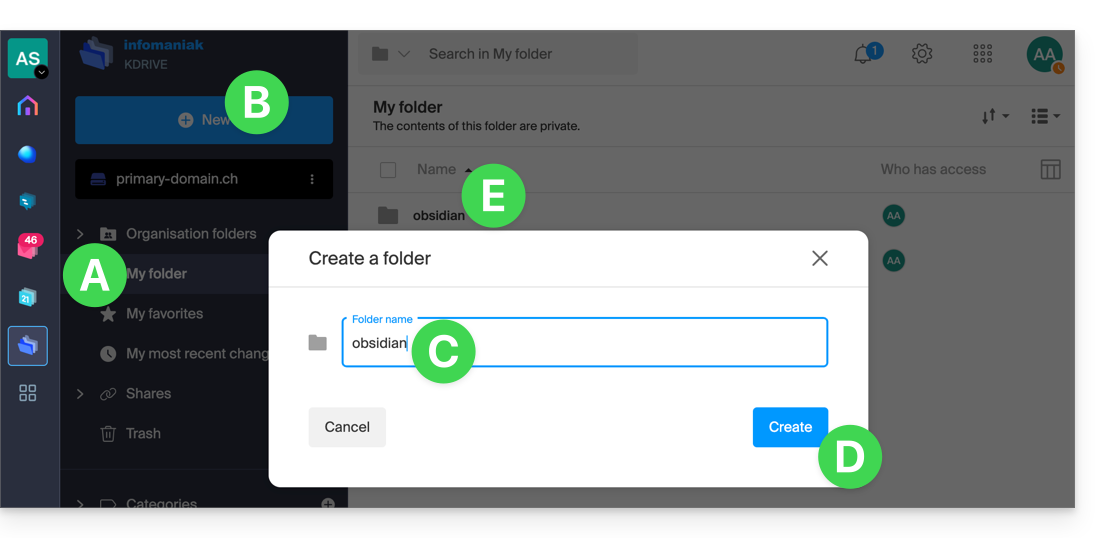
Configure Obsidian to use kDrive via WebDAV
Prerequisites
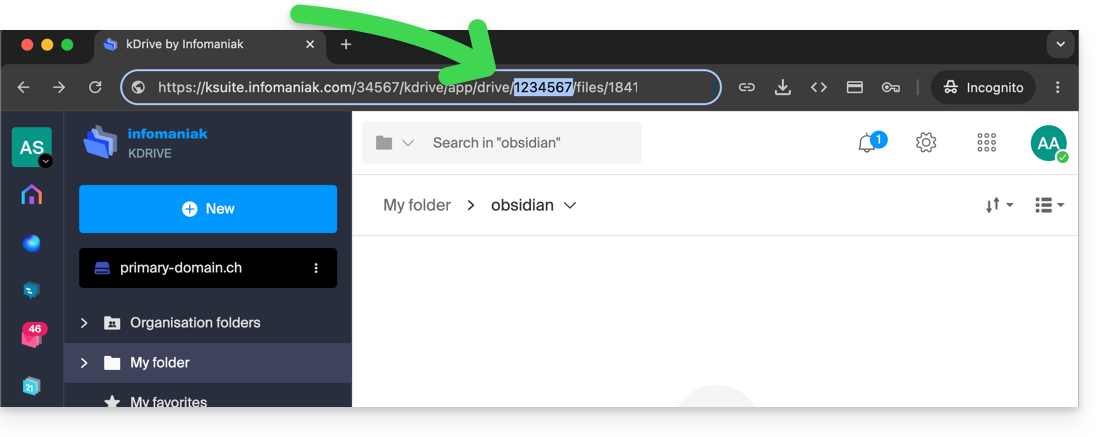
The integration is based on the community plugin WebDAV Sync, which ensures two-way synchronization:
- Open your vault in the Obsidian application.
- Go to Settings.
- Go to Community plugins.
- Enable them:
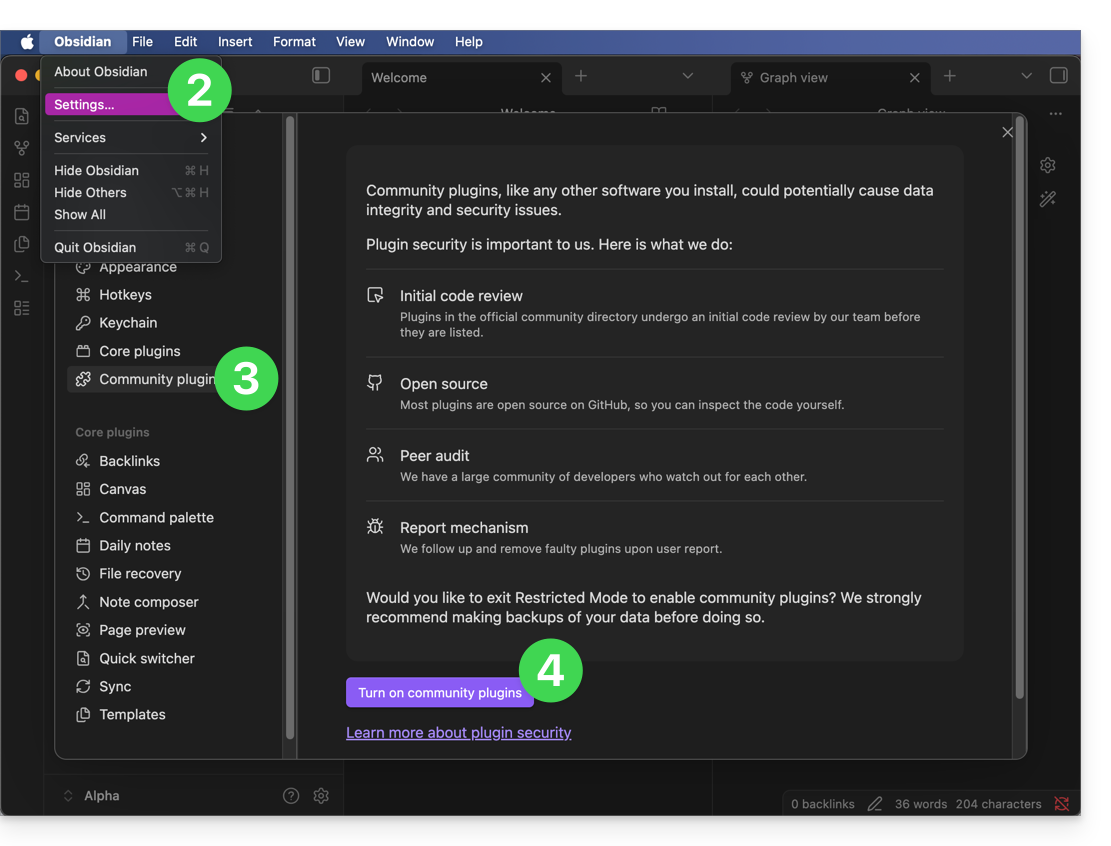
- Click on Browse:
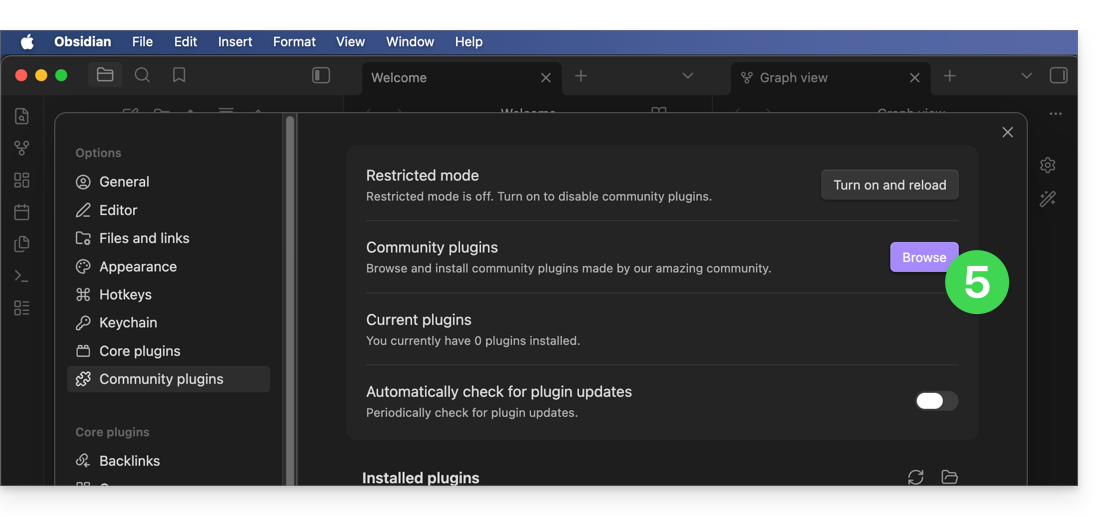
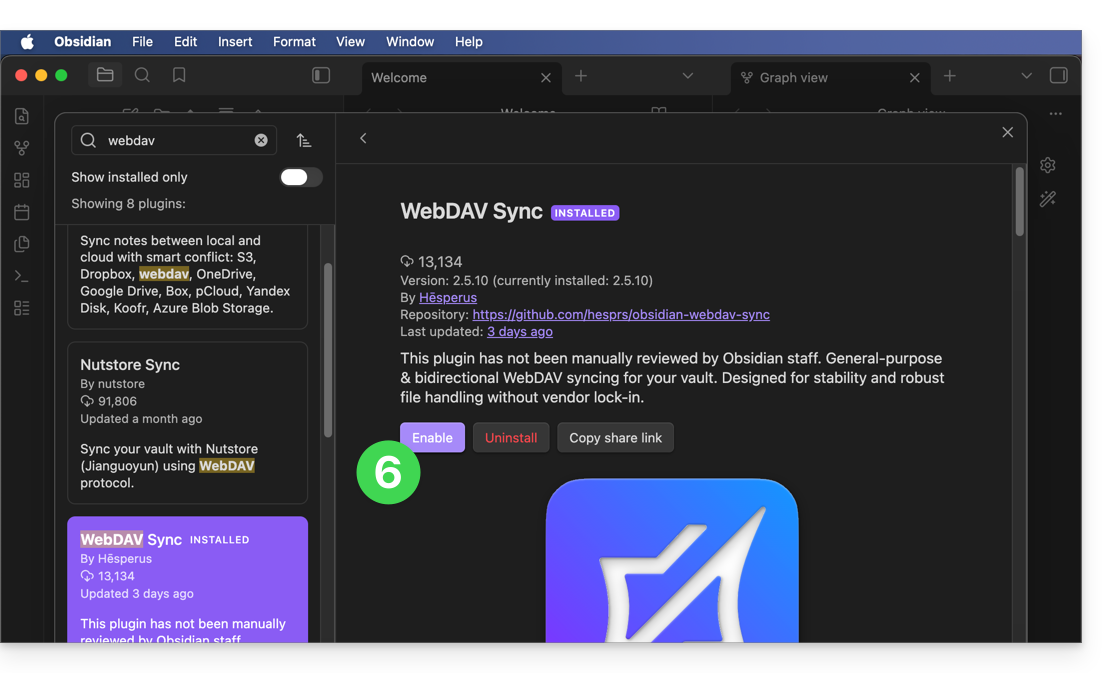
- Find the WebDAV Sync plugin, install it, and activate it:
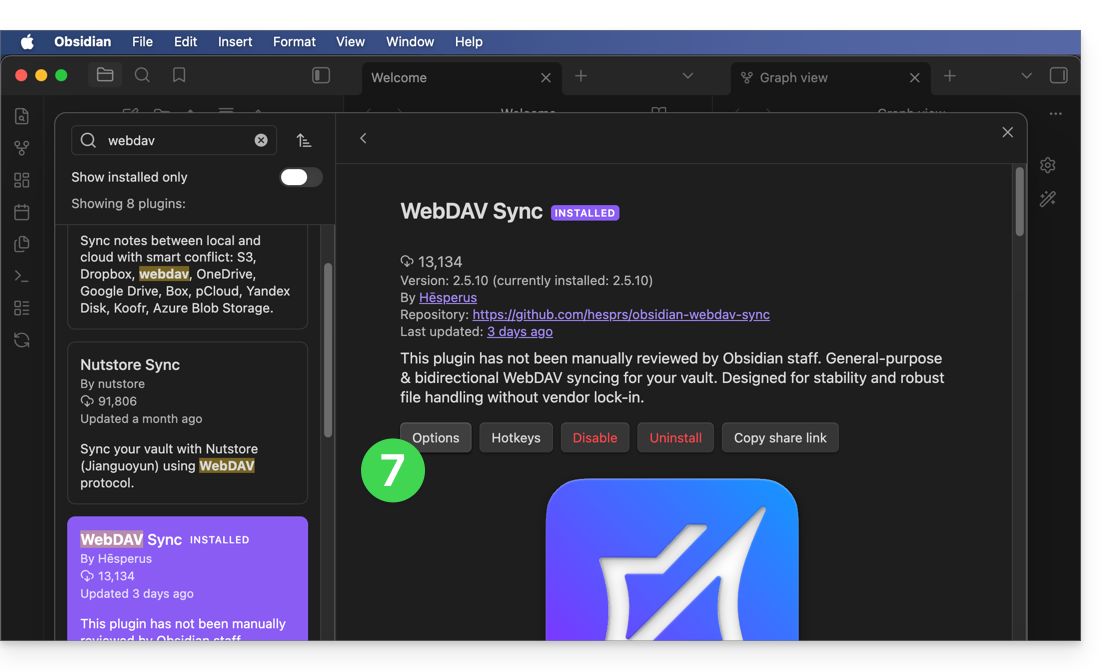
- Access the plugin settings to enter the WebDAV account parameters:
- Server address:
https://IDkDrive.connect.kdrive.infomaniak.com(see prerequisites) - Username: email address used to log in to your Infomaniak account
- Password: application password if two-factor authentication is enabled or your Infomaniak user account password if you have not enabled 2FA
- Name of the personal folder on kDrive, for example
/obsidian/or /folder name/ (see the introduction above)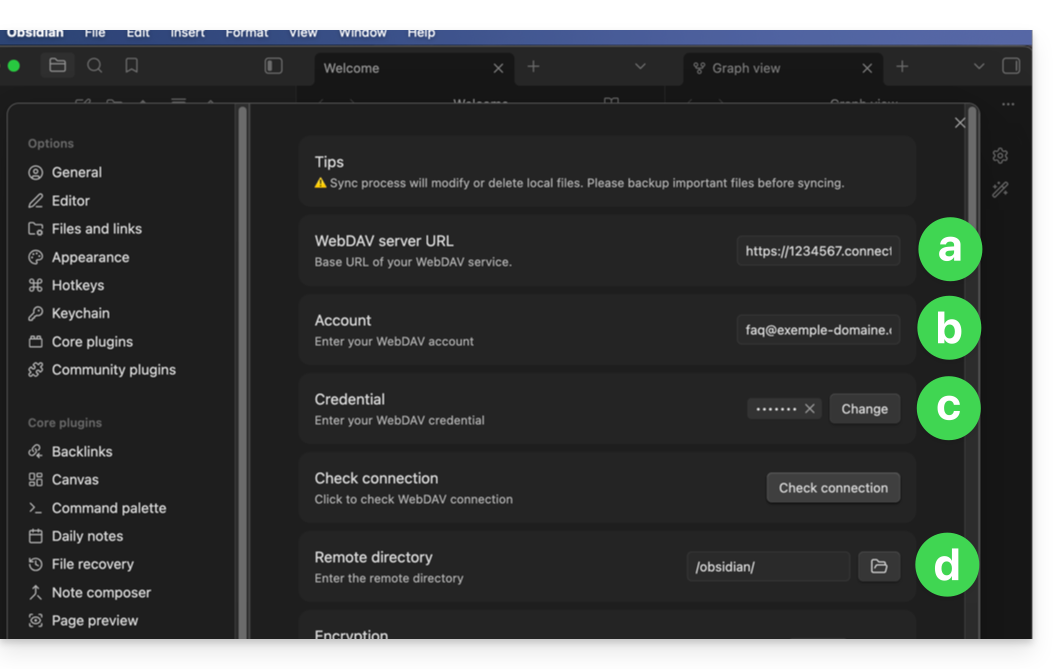
- Server address:
- Configure the plugin's behavior according to your preferences (synchronization on startup, scheduled, or in real time) and validate.
- Start a first synchronization test to validate proper communication with kDrive:
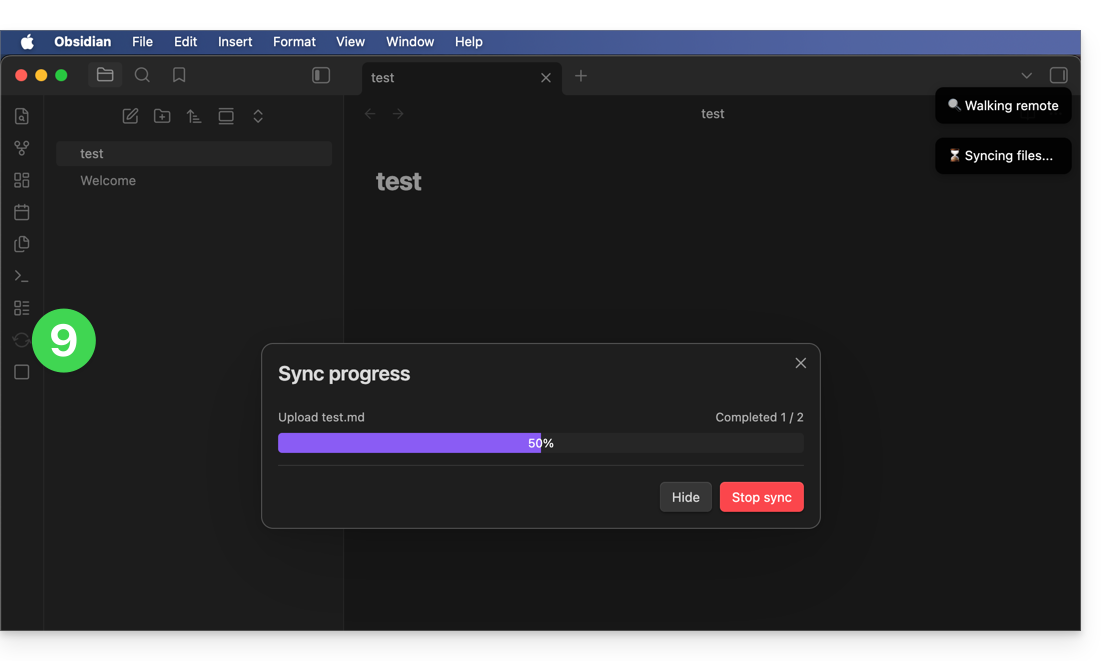
- Once the confirmation is validated, the synchronization will run in the background to protect the integrity of your notes:
Link to this FAQ: https://faq.infomaniak.com/2910
Has this FAQ been helpful?