Knowledge base
1000 FAQs, 500 tutorials and instructional videos. Here, there are only solutions!
Pay for / Renew products via IBAN (updated 2026)
This guide is for you if you wish to make a bank transfer in euros (EUR) or Swiss francs (CHF) to settle a payment to Infomaniak.
Introduction
- The bank details below are the only ones to be used for payments for your products (excluding Infomaniak ticketing) from mid-October 2026.
- Transfers sent to any other IBAN not listed for Infomaniak will not be processed and will be automatically returned to the issuing bank.
- Do you pay your invoices by scanning the QR code?
- You don't need to do anything; the new details are already integrated.
- Do you enter your payments manually?
- Update this information in your payment and accounting tools (online banking, registered beneficiaries, ERP, etc.) to avoid any delays or rejections.
- Don't forget to include the QR reference on the invoice: without it, the payment will be refused.
- Did you save the old IBAN or keep invoices in PDF format?
- Go to your Infomaniak account (menu Accounting > Invoices) to download your invoices again with the new QR-IBAN.
Bank details for any CHF transfer
Here are the bank details to use for your payments via bank transfer in Swiss francs (CHF):
Account holder: Infomaniak Network SA
QR-IBAN: CH90 3000 5240 5102 4702M
Bank: UBS
Bank details for any EUR transfer
Here are the Infomaniak bank account details to use for your payments via bank transfer in euros:
Account holder: Infomaniak Network SA
IBAN: BE71 9057 8706 4269
BIC: TRWIBEB1XXX
Bank: Wise
Is there anything simpler than a bank transfer?
Yes. To ensure optimal continuity of your services, it is strongly recommended to register an immediate debit payment method, such as a credit/debit card (❓: help). This payment method offers the following advantages:
- automatic and faster renewal of your services
- avoiding the blocking of your products due to non-renewal
- reducing the risk of failure associated with manual transfers
Change the currency
The EUR or CHF currency corresponds to the country registered for your Organization; you can modify the registration information and thus obtain billing in a different currency (❓: help).
Verify that an invoice is legitimate and comes from Infomaniak
To be 100% sure that a payment reminder is legitimate and to know which service it relates to, start by logging into the Infomaniak Manager with your credentials (user with sufficient administrative rights):
- Click here to access the Infomaniak Manager.
- Check in the upper left corner that you are in the correct Organization where your relevant products are located (❓: help).
- Go to Accounting > Accounts Payable:
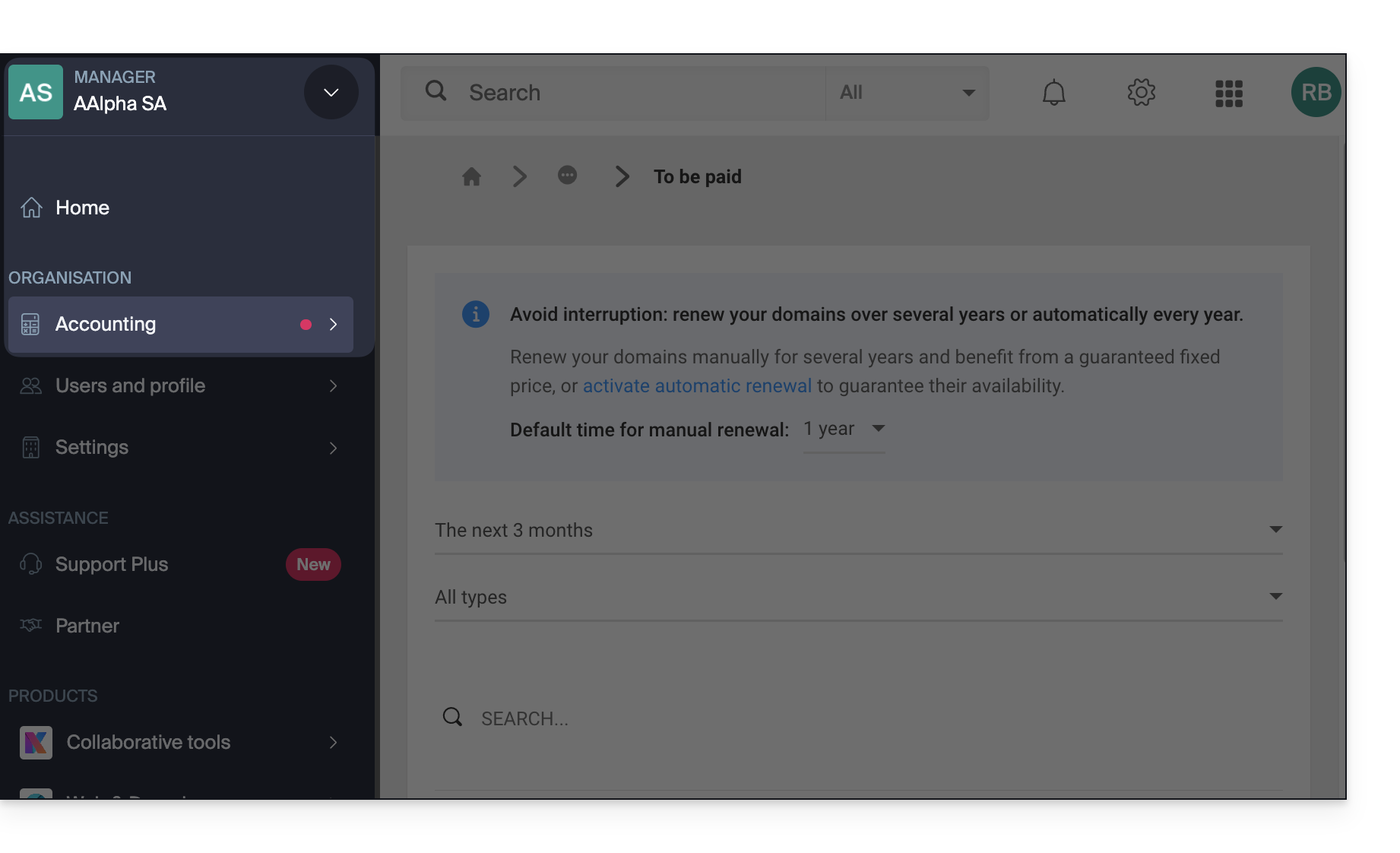
- When choosing the bank transfer payment method for an invoice, the system will automatically display the correct bank details and QR-IBAN. This is the safest way to verify the information.
Contact Infomaniak support if you have any doubts or questions.
Link to this FAQ: https://faq.infomaniak.com/2898
Has this FAQ been helpful?