Knowledge base
1000 FAQs, 500 tutorials and instructional videos. Here, there are only solutions!
Sync kDrive via WebDAV on Linux
This guide provides instructions for synchronizing kDrive with Linux using the WebDAV connection protocol.
✘ UNAVAILABLE with
kSuite Free / kSuite Standard
my kSuite / my kSuite+ (ik.me, etik.com, ikmail.com)
Introduction
- Most recent software supporting the WebDAV protocol is compatible with kDrive offers that also support WebDAV. Infomaniak cannot guarantee the compatibility of the service with external applications and does not provide support for this protocol.
- It is recommended toinstall the kDrive application to prevent any file loss.
Connect to kDrive via WebDAV on Linux (Gnome)
To do this:
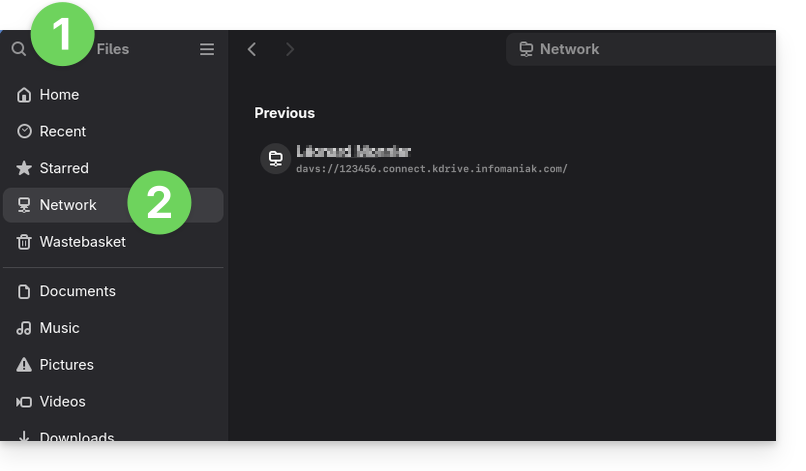
- Open Files.
- In the sidebar, click on Network:
- Enter the server address:
davs://IDkDrive.connect.kdrive.infomaniak.com(need help?). - Click on Connect.
- For the account settings, use the following information:
- Username: the email address you use to log in to your Infomaniak account.
- Password: create an application password for this specific use.
- Click on Log in.
Link to this FAQ: https://faq.infomaniak.com/2894
Has this FAQ been helpful?