Knowledge base
1000 FAQs, 500 tutorials and instructional videos. Here, there are only solutions!
Disconnect a domain name associated with kSuite Free
Update 10/13/2026
This guide explains how to remove the link between a domain name and kSuite Free.
Introduction
- A domain name can be associated with any kSuite offer (❓: help), but only the kSuite Free offer allows you to remove its link to the domain.
- Once this link is removed, the domain name becomes available again to be linked to one of your services.
Remove the associated domain
To disassociate a domain name from kSuite Free, start by logging in with your credentials (user account with the necessary permissions for the product in question):
- Click here to access kSuite.
- If nothing appears after logging in, you may not be in the Organization to which your kSuite is linked (❓: help).
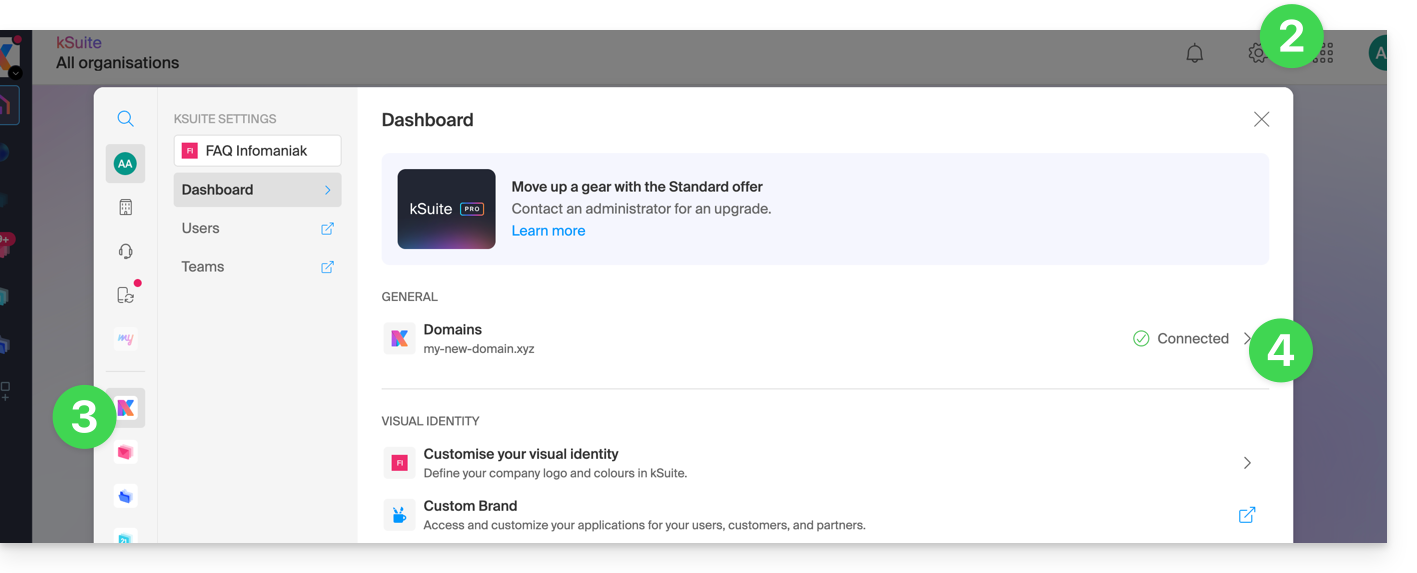
- Click on Settings in the top right corner.
- Click on kSuite in the left-hand menu.
- Click on Domains:
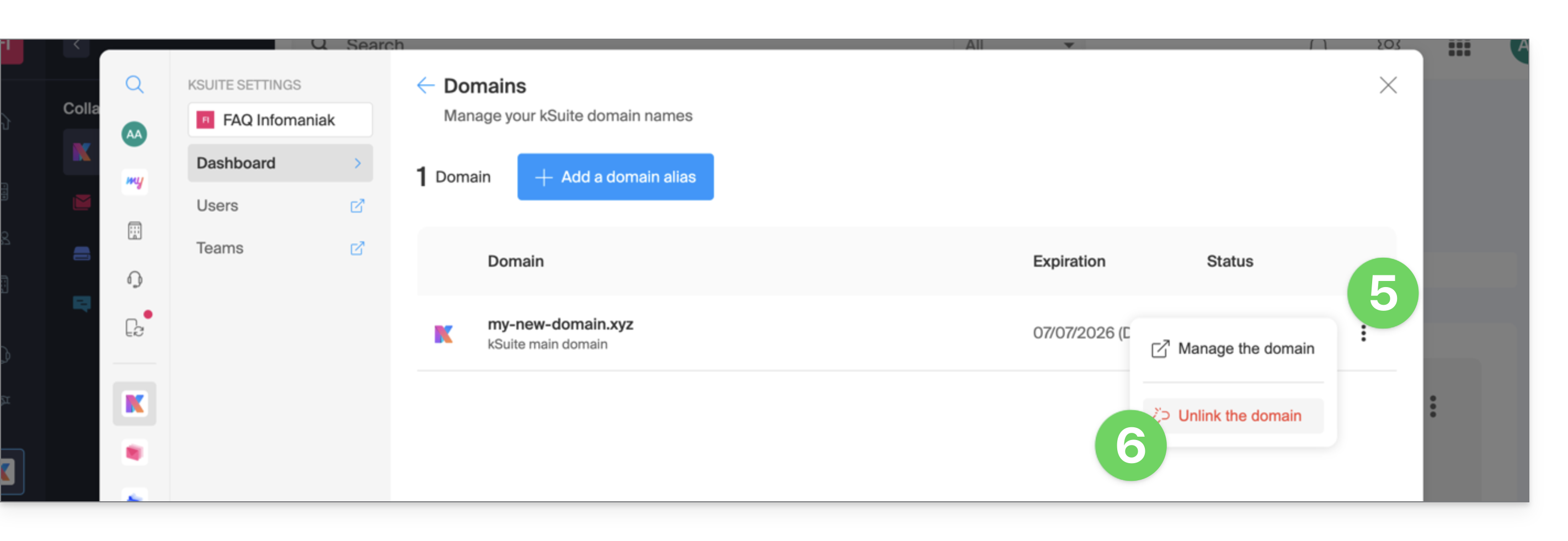
- Click on the action menu ⋮ to the right of the domain name you wish to disassociate.
- Click Disassociate the domain:
- If you have a paid kSuite plan, you cannot disassociate the domain name; cancel the paid plan if necessary (❓: help):
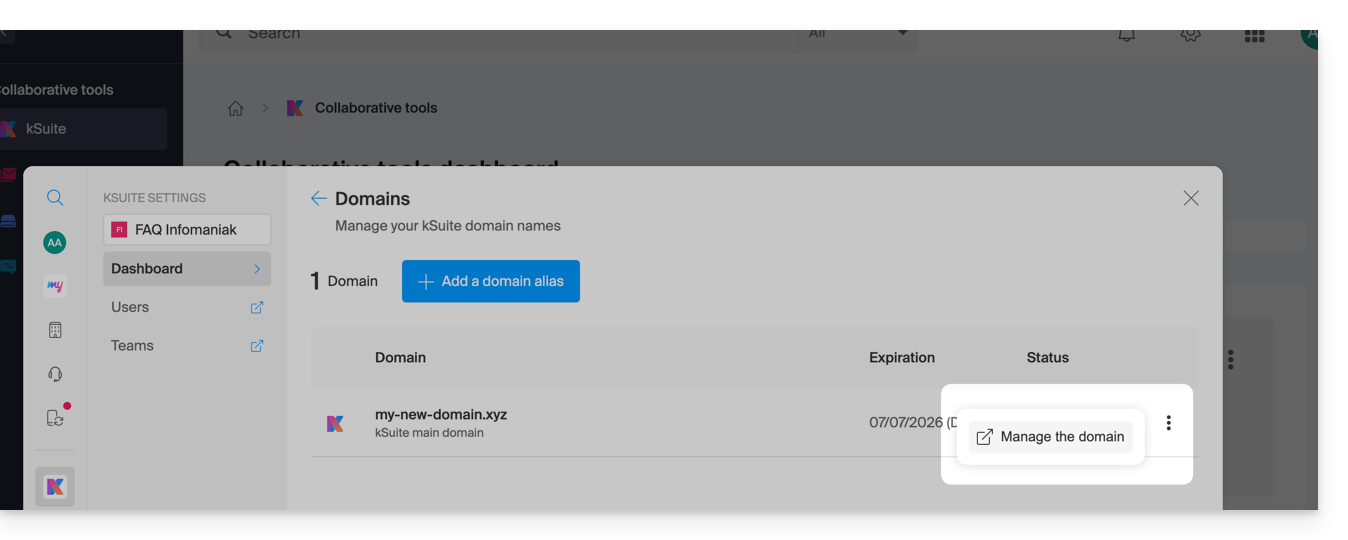
- If you have a paid kSuite plan, you cannot disassociate the domain name; cancel the paid plan if necessary (❓: help):
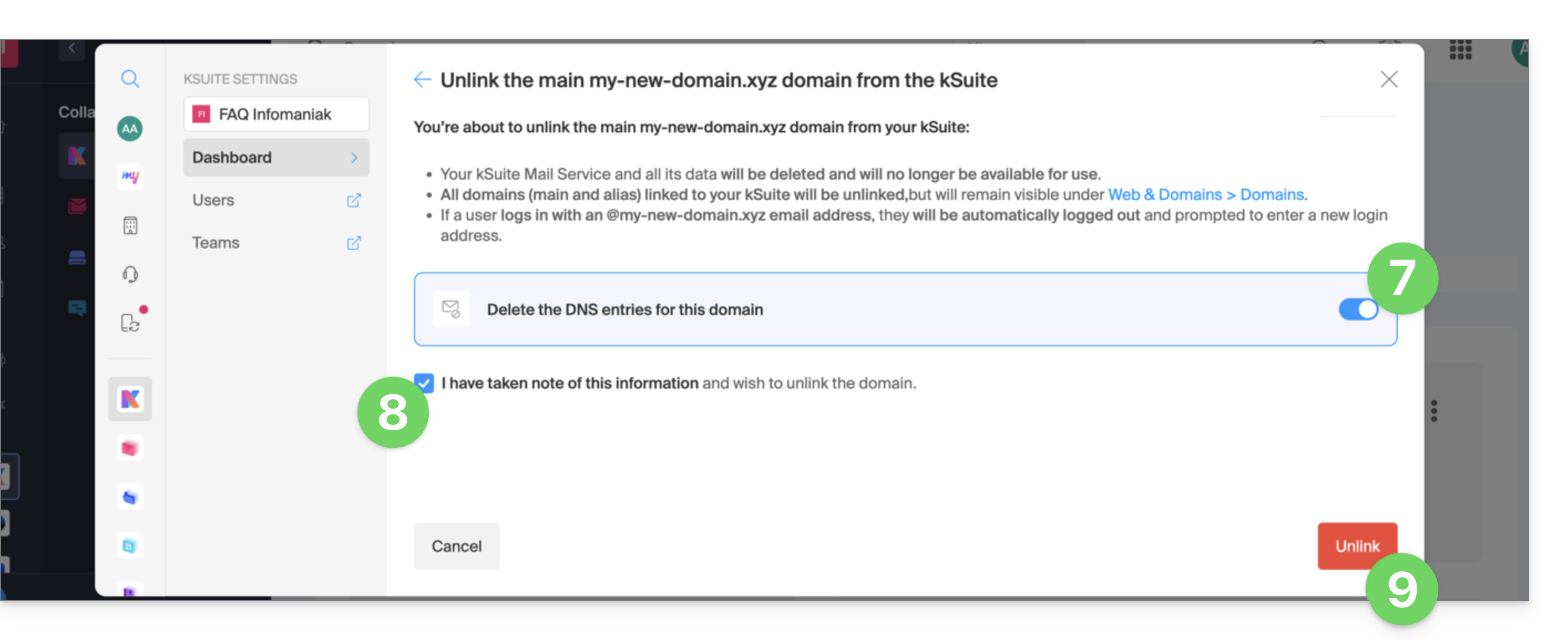
- If necessary, enable the deletion of the domain name's DNS entries.
- Confirm the detachment.
- Click the button to confirm the disassociation:
Link to this FAQ: https://faq.infomaniak.com/2893
Has this FAQ been helpful?