Knowledge base
1000 FAQs, 500 tutorials and instructional videos. Here, there are only solutions!
Troubleshooting a kMeet issue
This guide explains how to troubleshoot potential issues during a kMeet meeting, Infomaniak's secure, unlimited, and free video conferencing service.
For a problem specific to the video, refer to this other guide; for the audio, this other guide. In all cases, it is recommended to use the desktop app kMeet (desktop application on macOS / Windows / Linux) if a problem occurs with the Infomaniak web app kMeet (online service kmeet.infomaniak.com) or vice versa.
Unable to see or hear the other party
If the conference has started, and the other party has turned on their webcam and microphone, but you still cannot see or hear them, ask them to check if there is a firewall on their computer or company network.
A firewall can allow solutions like Google Meet or Microsoft Teams without necessarily allowing kMeet traffic.
In your firewall settings, you need to allow the following:
- UDP protocol:
443. - For the turn server (recommended), add TCP port
443. - Authorize the following IP addresses:
185.125.24.0/24(TCP)185.125.24.0/24(UDP)
You can also switch connections (e.g., from Wi-Fi to 4G/5G) to check if a firewall is causing the synchronization issues.
Screen sharing unavailable
When using the kMeet video conferencing solution, if the button to share your screen is not available and/or remains grayed out, check the security settings on your computer/operating system regarding…
- … the kMeet application
- … the browser (if you are using kMeet directly online without using the application):
For example, under macOS, check and enable the required permissions:
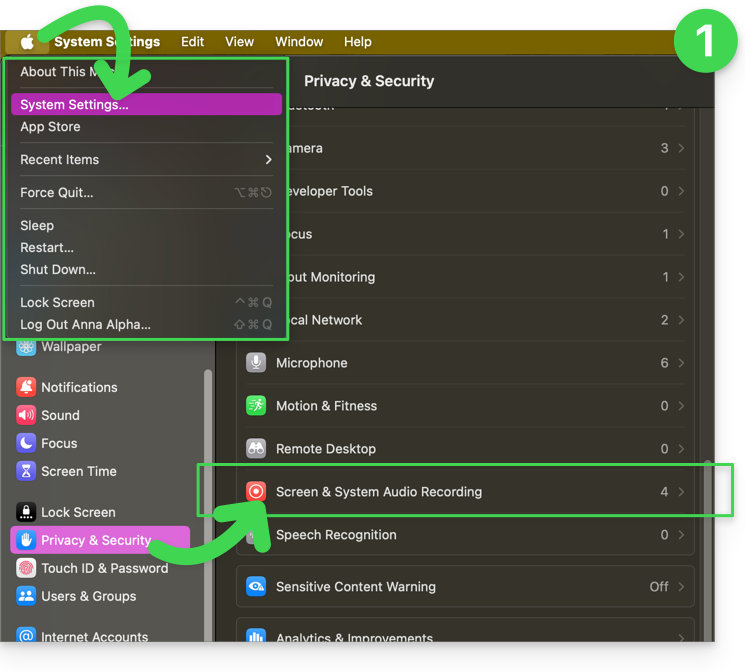
- Go to System Settings, then Privacy & Security, and finally Screen Recording:
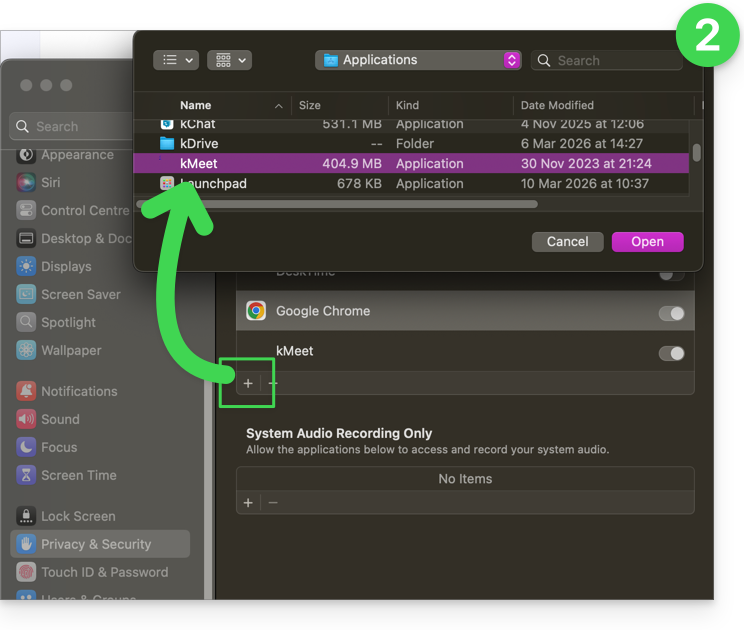
- Add your browser if necessary, and even kMeet if you have the desktop app on your computer:
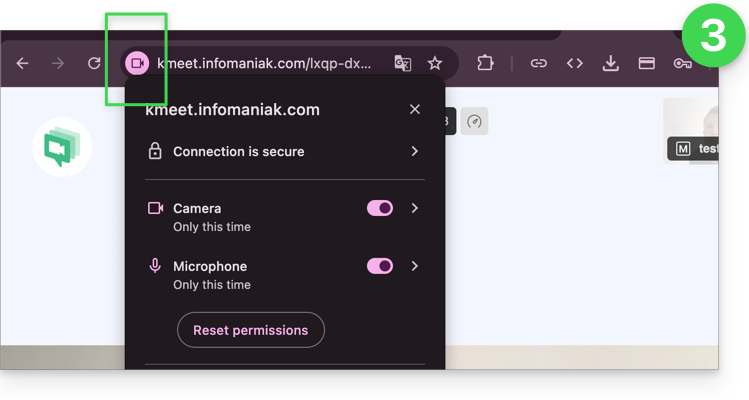
- Then, also familiarize yourself with the icons in your browser's address bar and identify any potential permission issues by clicking on the symbols:
Link to this FAQ: https://faq.infomaniak.com/289
Has this FAQ been helpful?