Knowledge base
1000 FAQs, 500 tutorials and instructional videos. Here, there are only solutions!
Resolve any instability in the Infomaniak Streaming Radio broadcast
This guide covers the statistics for Streaming Radio, which allow you to view any potential stream interruptions.
Analyze recent statistics
To access this information:
- Click here to access the management interface for your product in the Infomaniak Manager (need help?).
- Click directly on the name assigned to the product in question:
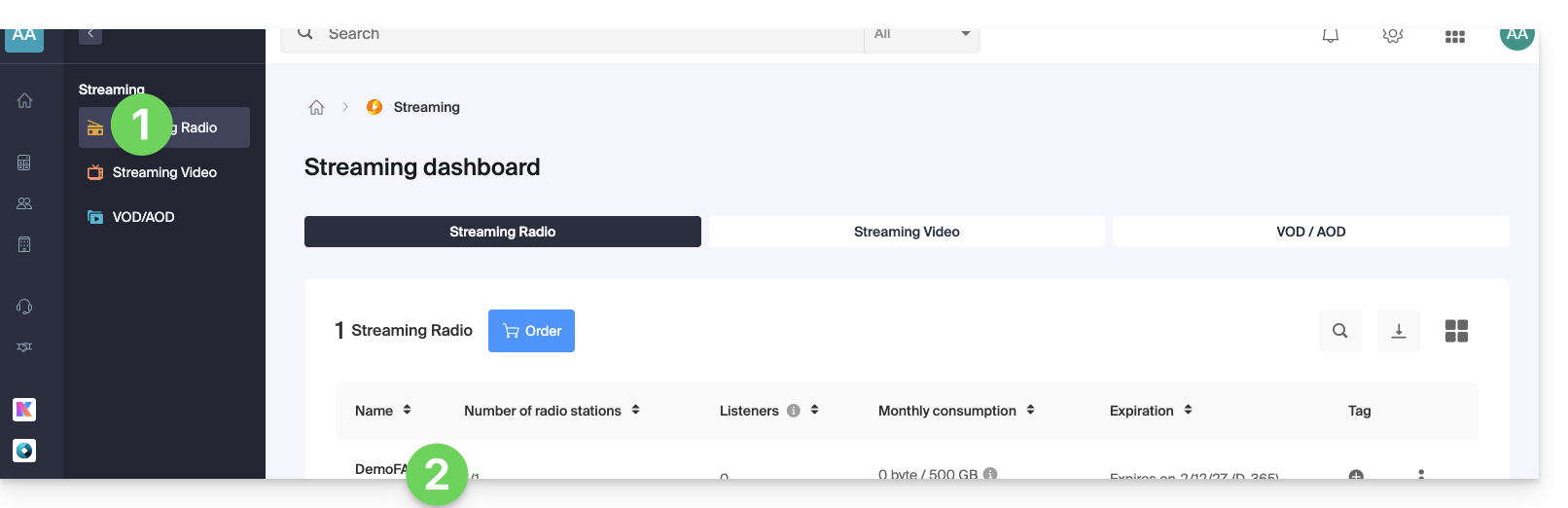
- Click on Statistics in the left-hand menu:
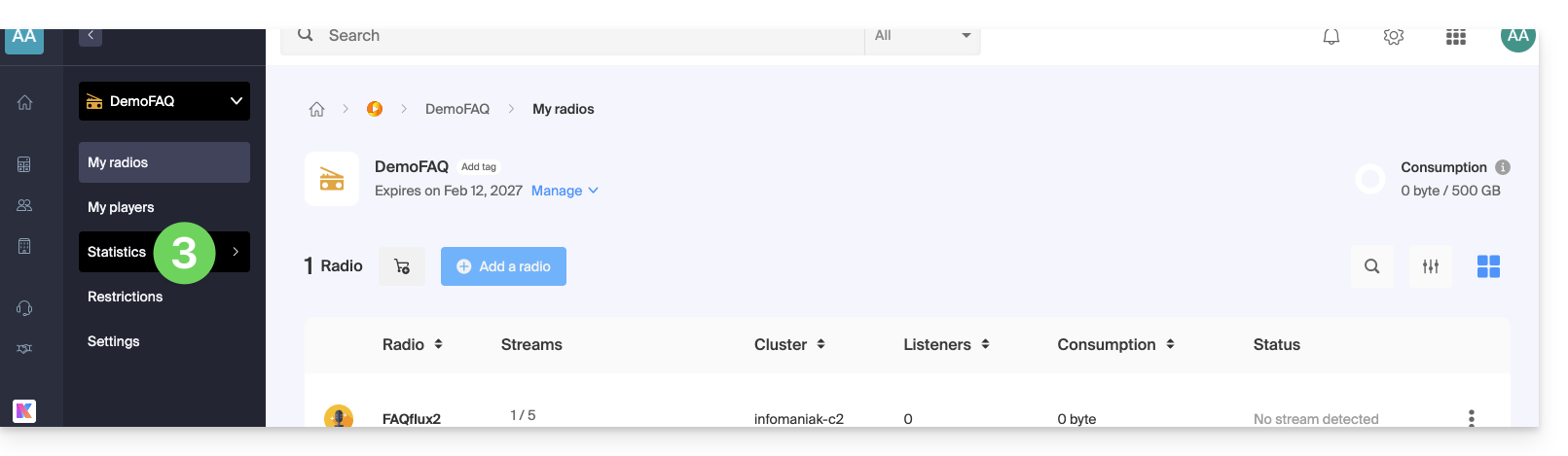
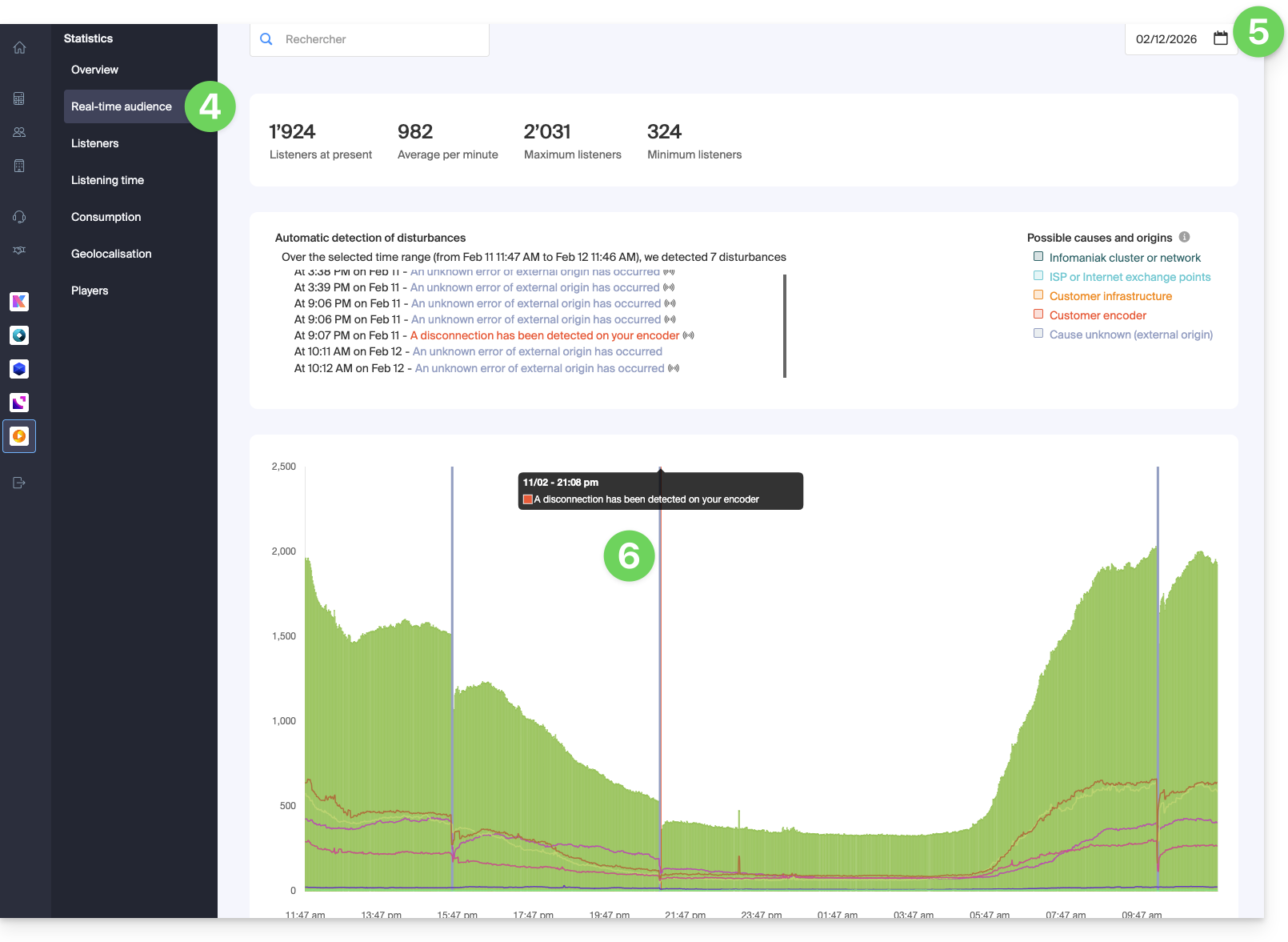
- Click on Real-time Audience in the left-hand menu.
- Choose a date to load the corresponding graph.
- Hover over any reported outages highlighted in color to view details:
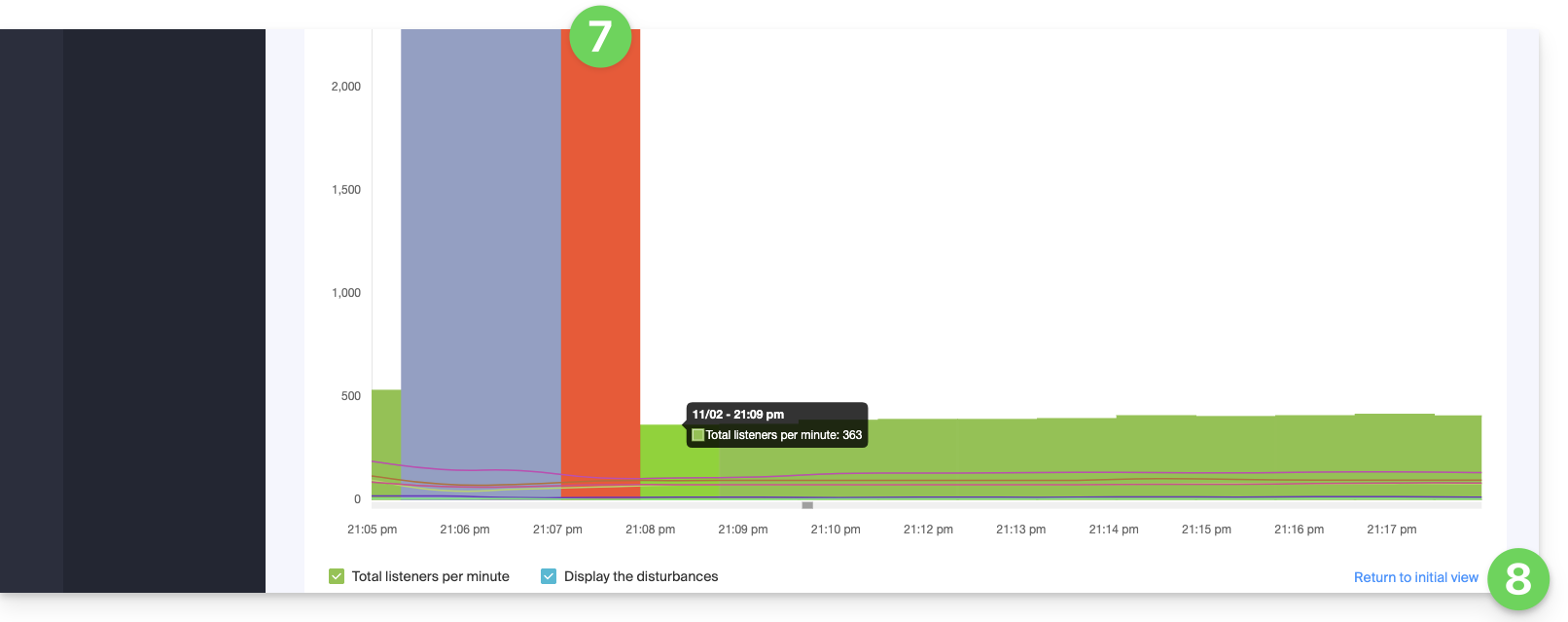
- Zoom in on the graph using the mouse wheel or by selecting the desired time period.
- You can return to the initial view by clicking in the bottom right corner:
Link to this FAQ: https://faq.infomaniak.com/2884
Has this FAQ been helpful?