Knowledge base
1000 FAQs, 500 tutorials and instructional videos. Here, there are only solutions!
Transfer a domain from Swisscom to Infomaniak
Update 09/14/2026
This guide explains how to obtain the EPP code for your domain name at Swisscom so that you can transfer it to Infomaniak.
Introduction
- The terms "
EPP", "AuthCode", "AuthInfo", "transfer code", and "authorization code" all refer to alphanumeric sequences specific to the domain, the main purpose of which is to verify the owner's authorization before a transfer between Registrars. - Refer to the main guide for the rest of the transfer procedure.
- ⚠️ This involves transferring a domain name that you own from a different provider than Infomaniak, so that the future management of this domain is handled by Infomaniak; therefore, this is not an internal transfer from one account holder to another, and the code you need to obtain is not a code for an internal transfer to your current provider.
Transfer the domain name to Infomaniak
To obtain the authorization code from your current provider:
- Click here to log in to the management interface for your Control Panel HCP Swisscom products.
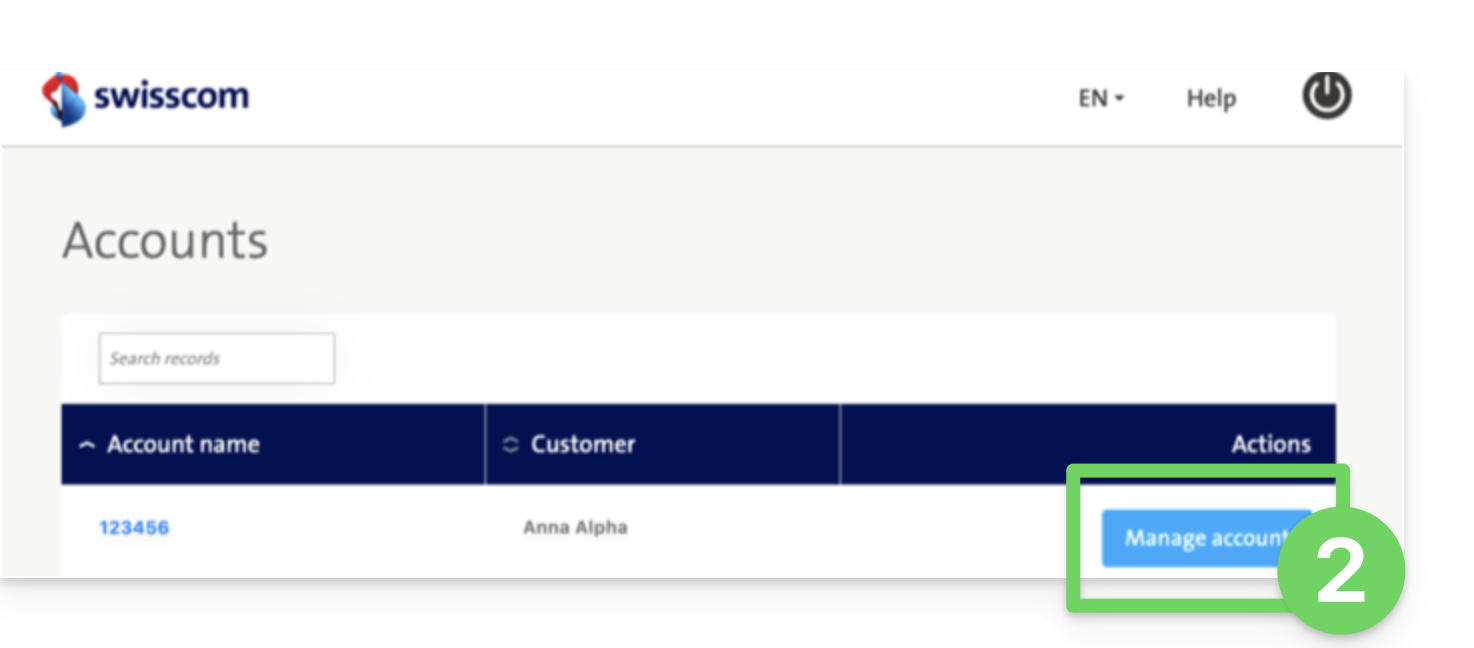
- Click on the blue Manage account button:
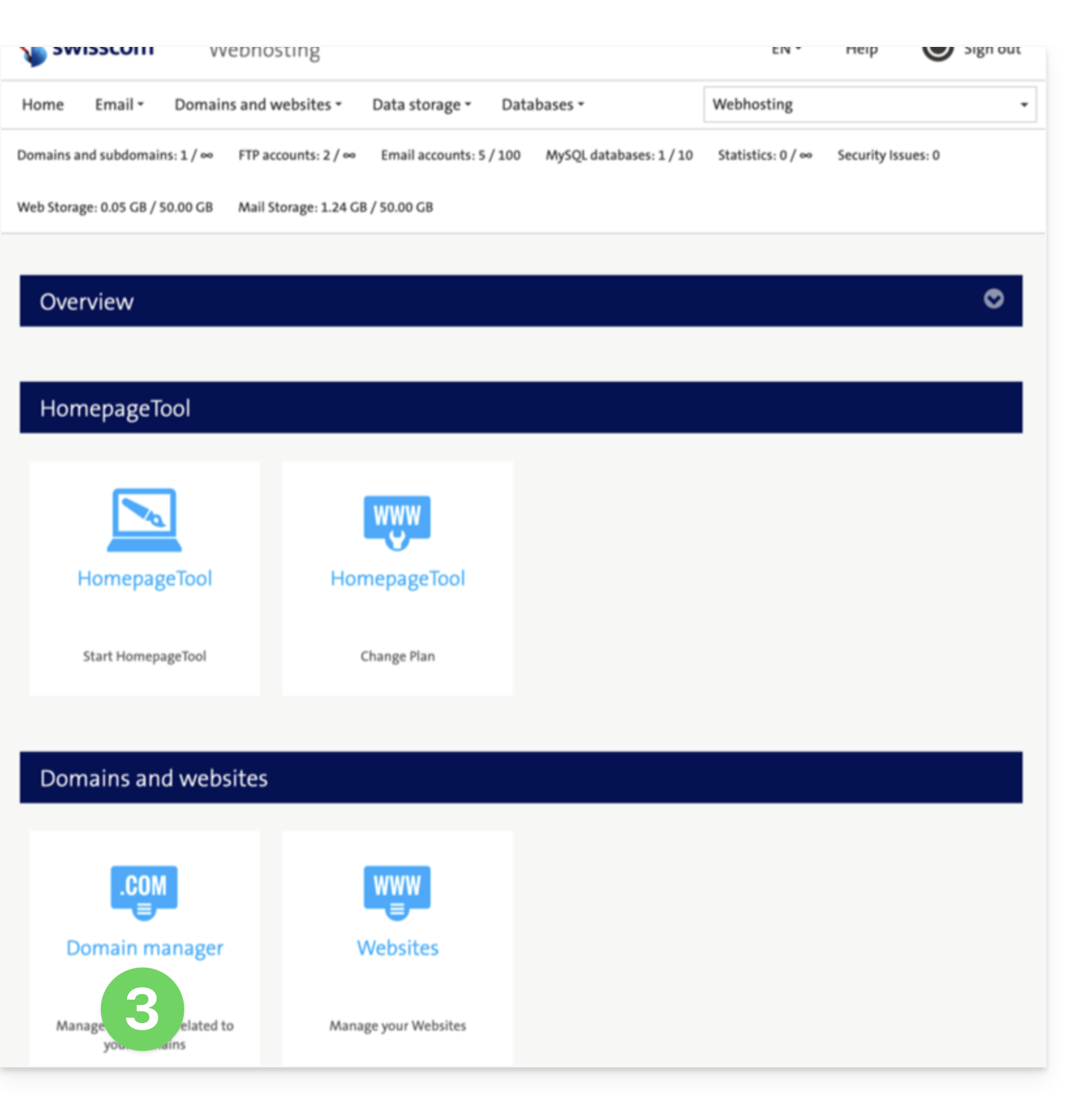
- Click on Domain Manager (in the Domains and Websites section):
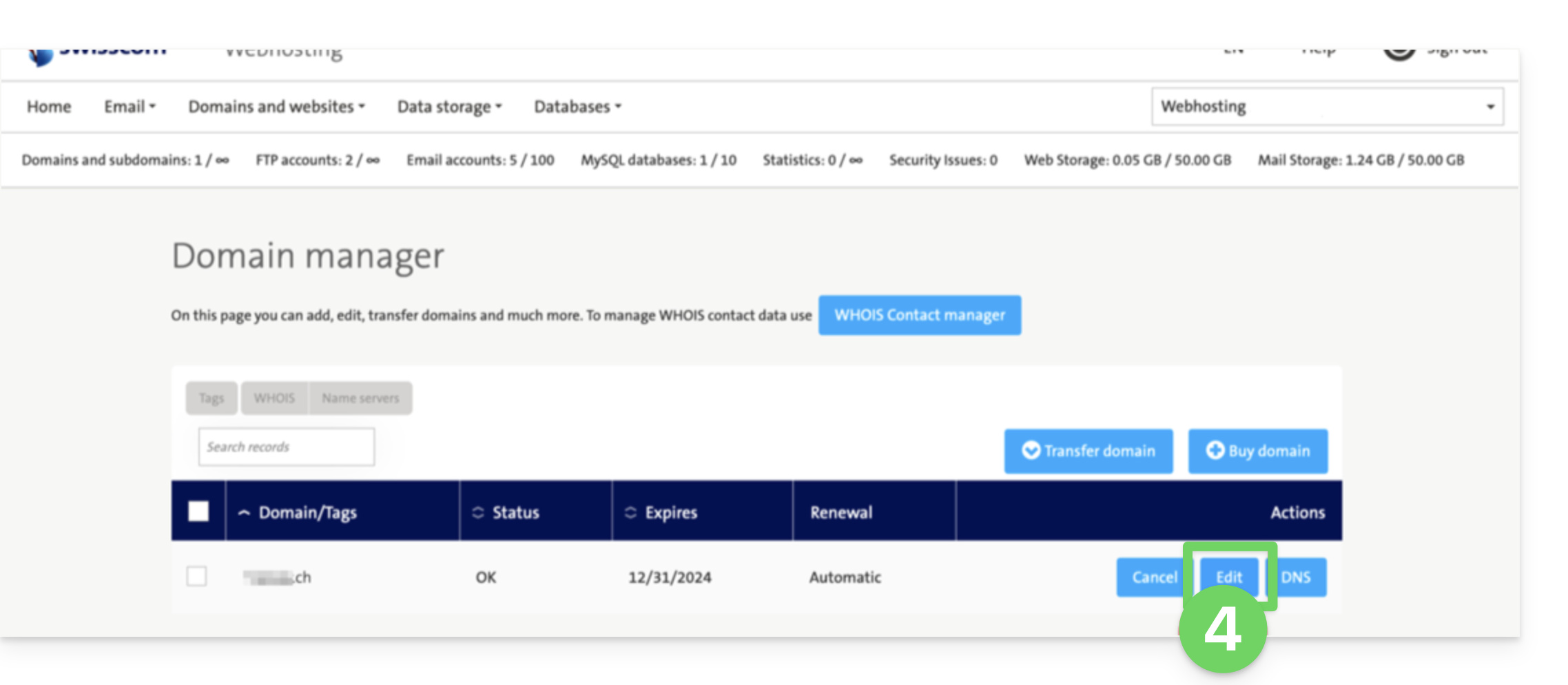
- Click on Edit next to the domain in question:
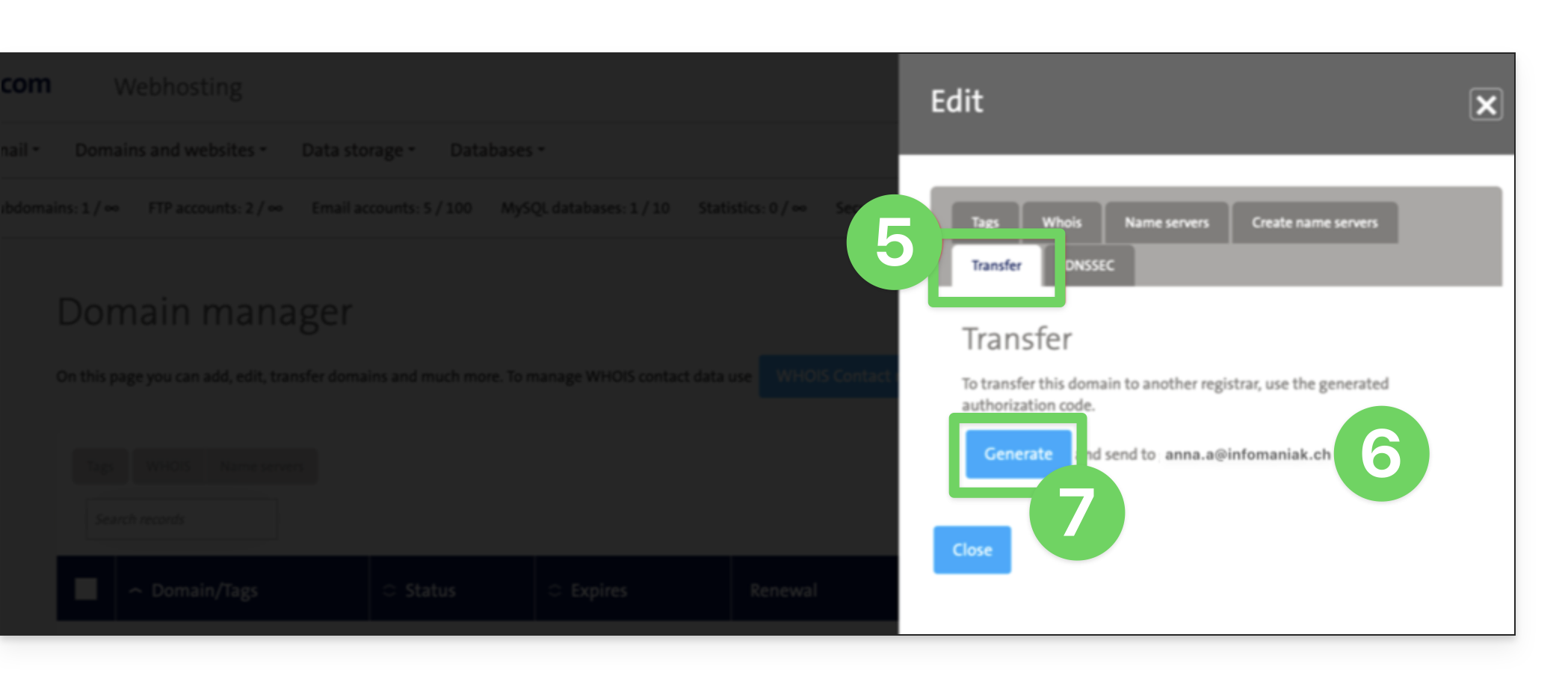
- Click on Transfer (in the Edit section).
- Check the contact email address.
- Click Generate to send the code by email (to the address in step 6 above):
- Once you have obtained the authorization code, please consult the main Infomaniak guide regarding the rest of the domain name transfer procedure.
Link to this FAQ: https://faq.infomaniak.com/2853
Has this FAQ been helpful?