Knowledge base
1000 FAQs, 500 tutorials and instructional videos. Here, there are only solutions!
Ticketing: create a campaign to resell event tickets
This feature allows subscribers who cannot attend one or more events during the season to put the tickets concerned (included in their subscription) up for sale directly on the ticketing platform (as part of the Infomaniak ticketing system).
Introduction

- If a pass holder is unable to attend an event, they can resell tickets from their pass menu.
- Reselling pass tickets only works for passes with assigned, numbered seats.
- The areas covered by the reselling of pass tickets must have public prices (and not just pass prices).
- This ticket will be put back on sale on your ticketing platform and can be purchased by a new person by following the standard ticket purchase procedure.
- Resale proceeds may be allocated as follows:
- transferred, in whole or in part, to the pass owner who is selling the ticket
- credited, in whole or in part, to the pass owner's account
- converted into a donation for an association designated by the organizer
The organizer is responsible for transferring the resale proceeds to the pass holder.
Creating a pass resale campaign
Prerequisites
Then:
- Click here to access the management interface for your product in the Infomaniak Manager (need help?).
- Click directly on the name assigned to the ticketing system for the event.
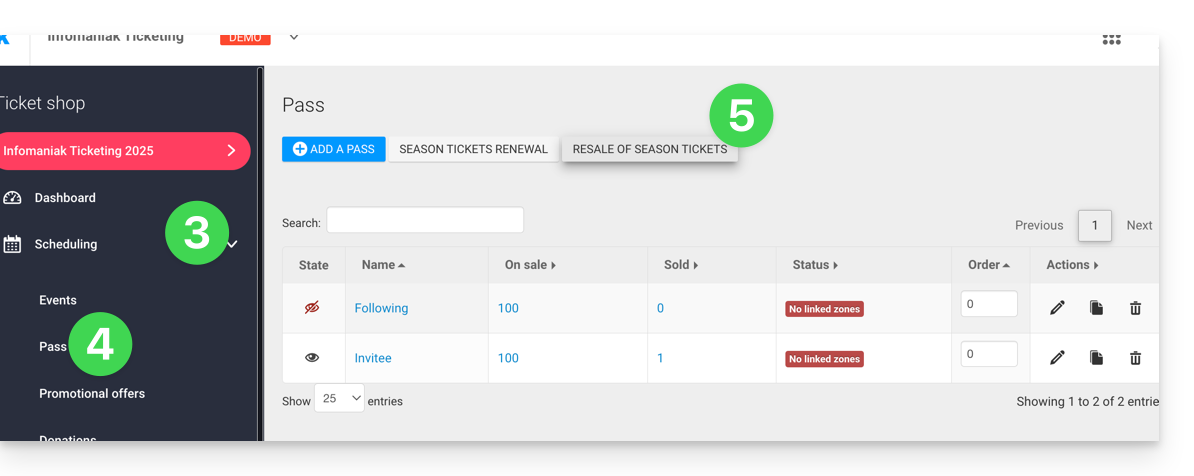
- Click on Scheduling in the left-hand menu.
- Click on Pass in the left-hand menu.
- Click on Resell subscription tickets:
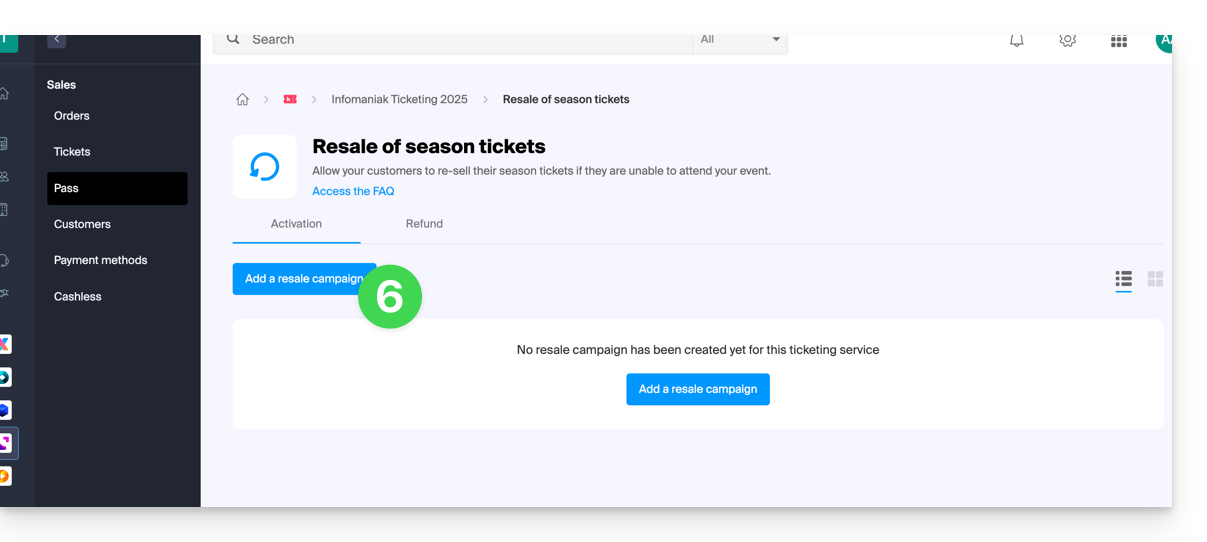
- Click on Add a resale campaign:
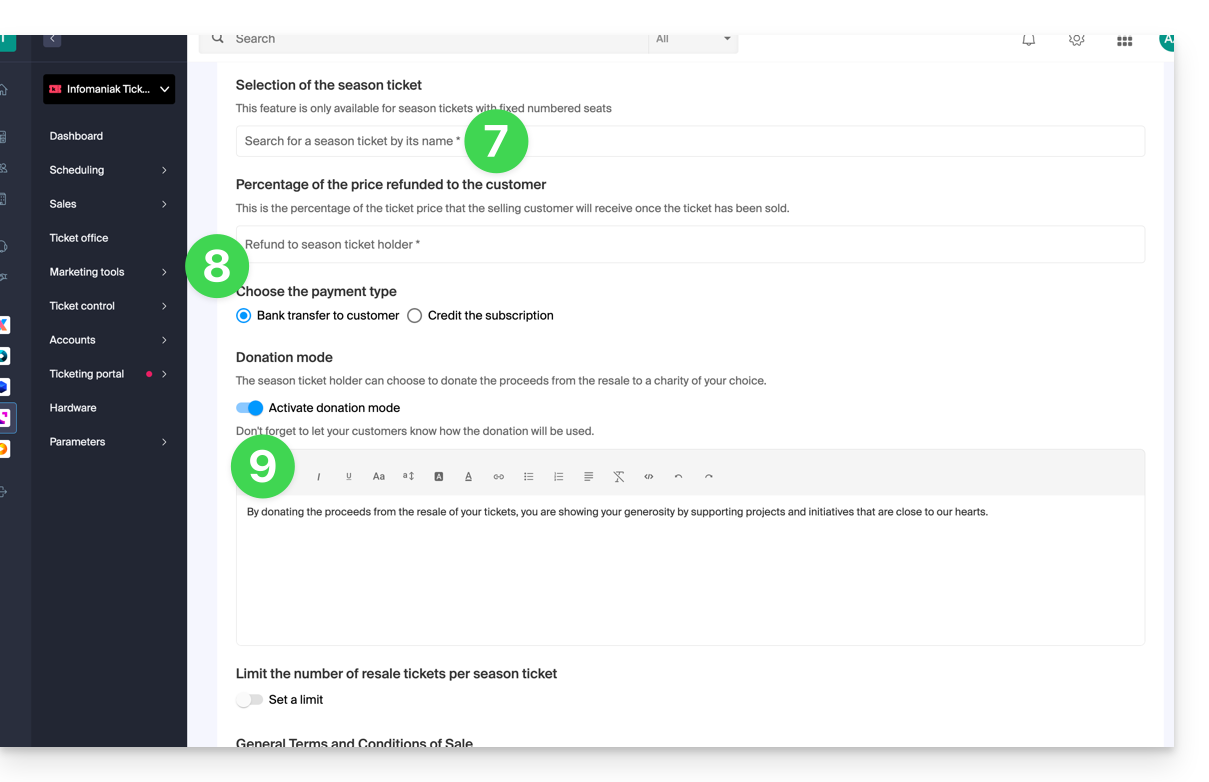
- Choose the pass for which to activate reselling.
- Define the percentage of the resale price that will be paid to the pass holder, as well as the payment method:
- Bank transfer: the pass holder will be prompted to enter their bank details.
- Credit to the subscriber's pass, to be used for future purchases on the ticketing platform or for pass renewal.
- Specify whether the subscriber can donate the amount to the organizer:
Procedure for subscribers wishing to resell tickets
For customers who wish to resell their pass tickets, you will need to provide them with the link that allows them to access the resale page.
To do this, please generate the link to the desired ticketing system and add /pass-area to the end. Here is an example:
https://infomaniak.events/shop/abcABC4242I/pass-area
The subscriber can then follow this guide to manage their resales.
Tracking ticket resales
You can view the status of resales at any time from the Resale tab: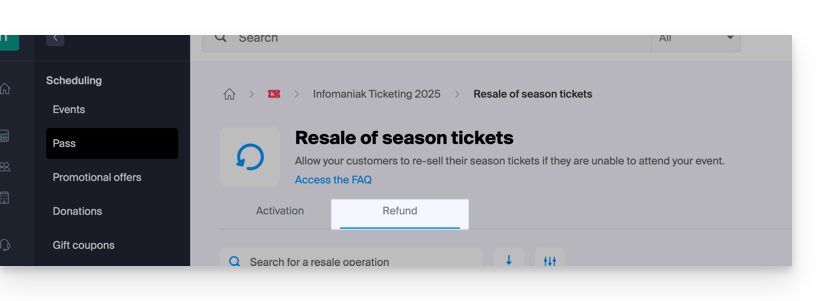
In the case of a bank transfer, the bank details are available directly in the action menu ⋮ located to the right of the relevant item:

Link to this FAQ: https://faq.infomaniak.com/2831
Has this FAQ been helpful?