Knowledge base
1000 FAQs, 500 tutorials and instructional videos. Here, there are only solutions!
Troubleshooting a Lite Sync error (kDrive v3.x macOS)
This guide explains how to resolve certain Lite Sync macOS errors that may occur with the desktop app kDrive v3.x (desktop application on macOS).
Synchronization blocked 1/10
Check if macOS permissions are enabled for kDrive and the Lite Sync extensions:
- Open the macOS settings.
- Under General, click on Opening and extensions.
- Scroll down to Endpoint Security Extensions :: kDrive LiteSync Extension:
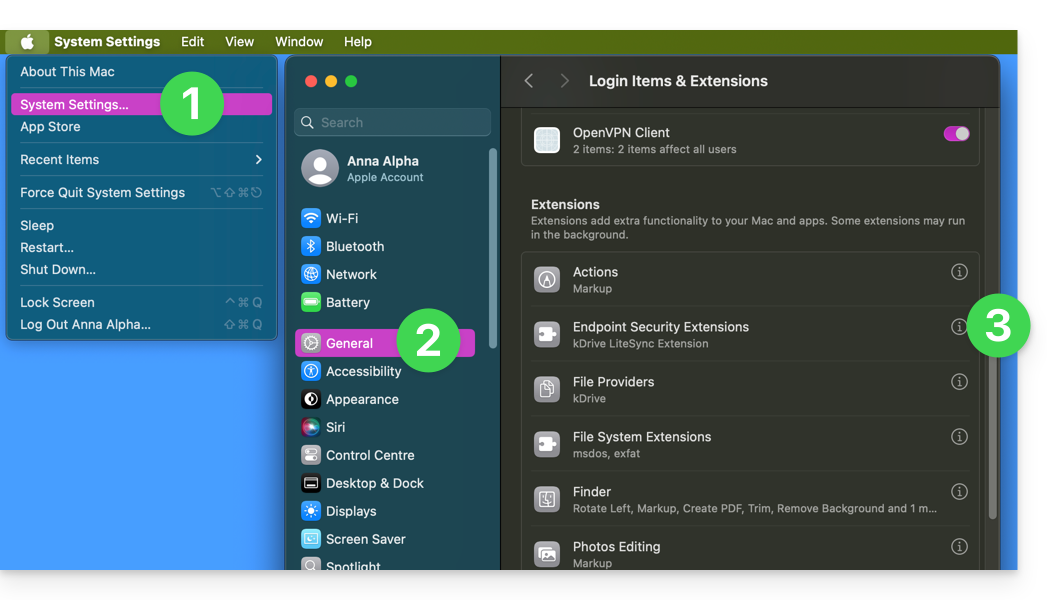
- Make sure the permissions are enabled and confirm at the bottom:
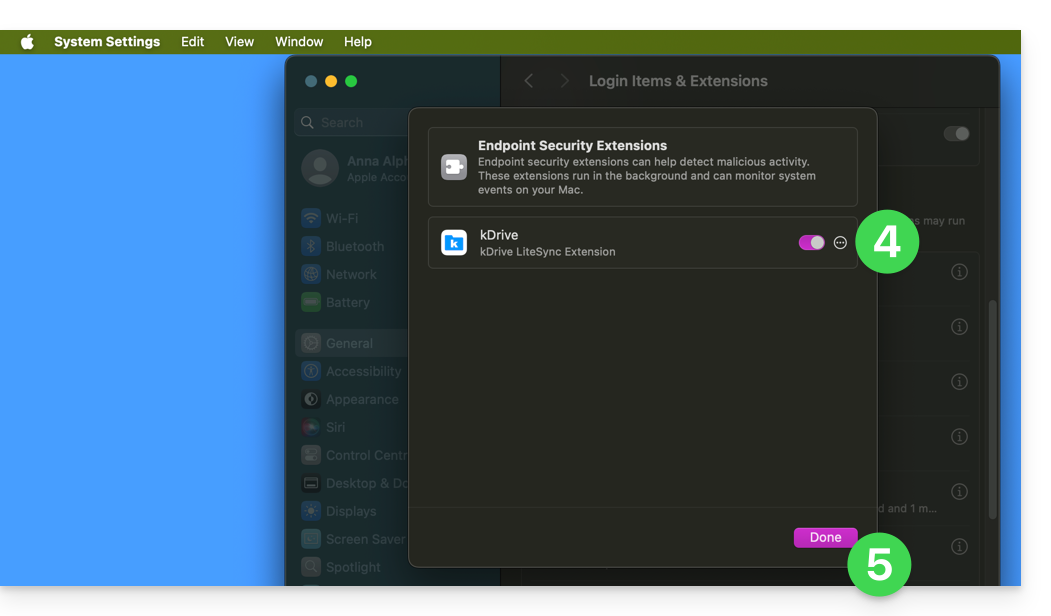
Take this opportunity to review the other kDrive settings to ensure that everything is properly activated.
Error: "Unable to start Lite Sync plugin"
To fix the "Unable to start Lite Sync plugin" error, which usually occurs when the Lite Sync extension is missing or does not have the necessary permissions…
…check that the extension is present.
From a Terminal application (command-line interface, CLI / Command Line Interface) on a macOS device:
% systemextensionsctl listThe result will be similar to:
1 extension(s)
--- com.apple.system_extension.endpoint_security
enabled active teamID bundleID (version) name [state]
* * 864VDCS2QY com.infomaniak.drive.desktopclient.LiteSyncExt (3.5.0/1) kDrive LiteSync Extension [activated enabled]
If the command result does not mention "kDrive LiteSync Extension", the extension is not present:
- Remove the synchronization and add it again.
If the command result does not have the status [activated enabled]:
- Enable the extension in System Settings / Privacy and Security.
… check the extension permissions
In System Settings / Privacy & Security / Full Disk Accessfor the macOS device: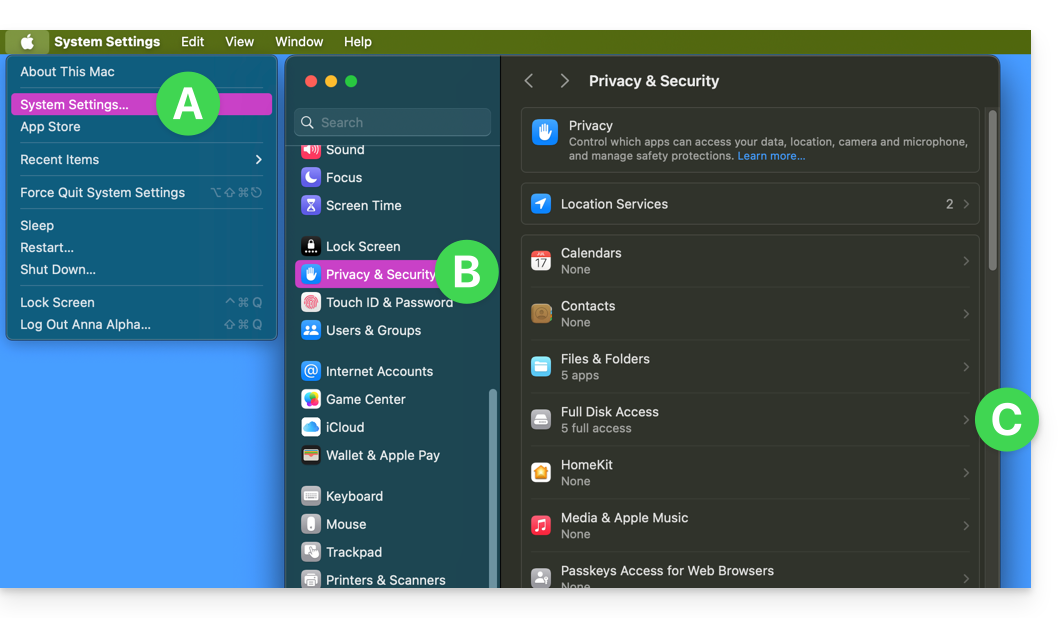
Grant full access to kDrive and the Lite Sync extensions: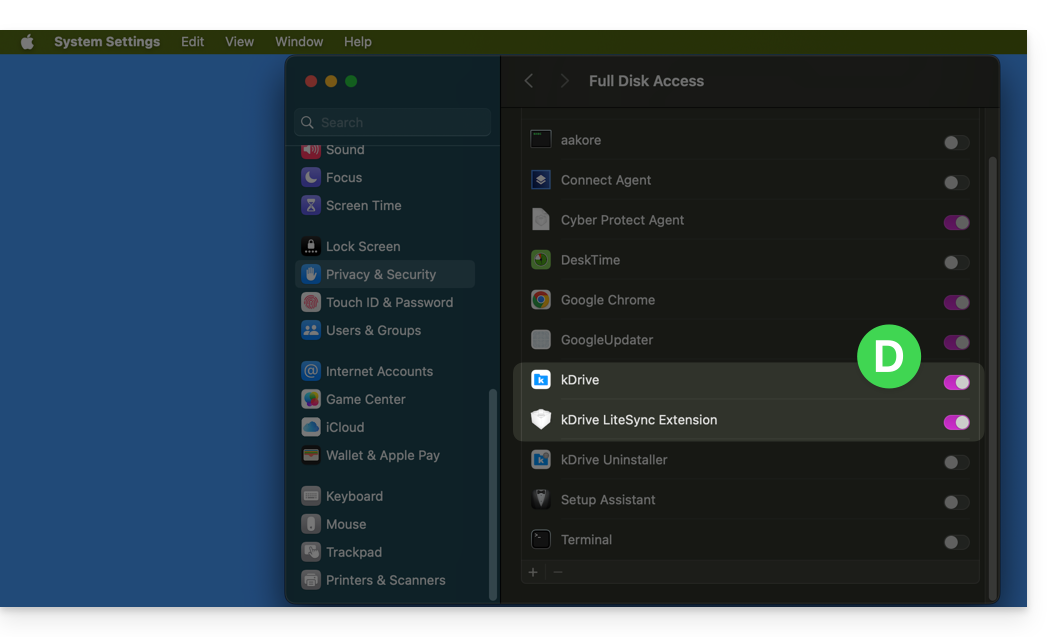
… verify the extension's functionality
From a Terminal:
% ps -ef | grep LiteSyncExtThe result will be similar to:
0 7434 1 0 1:02 ?? 0:25.42 /Library/SystemExtensions/6035BDE4-B7D6-477E-A6AB-C2281E3C7752/com.infomaniak.drive.desktopclient.LiteSyncExt.systemextension/Contents/MacOS/com.infomaniak.drive.desktopclient.LiteSyncExtIf the extension doesn't seem to be working, try the following:
- Restart the app.
- Restart the Mac.
- Remove/add the synchronization.
- Uninstall / reinstall the app.
If it still doesn't work
- If necessary, send the kDrive logs (in Debug mode) to Infomaniak support.
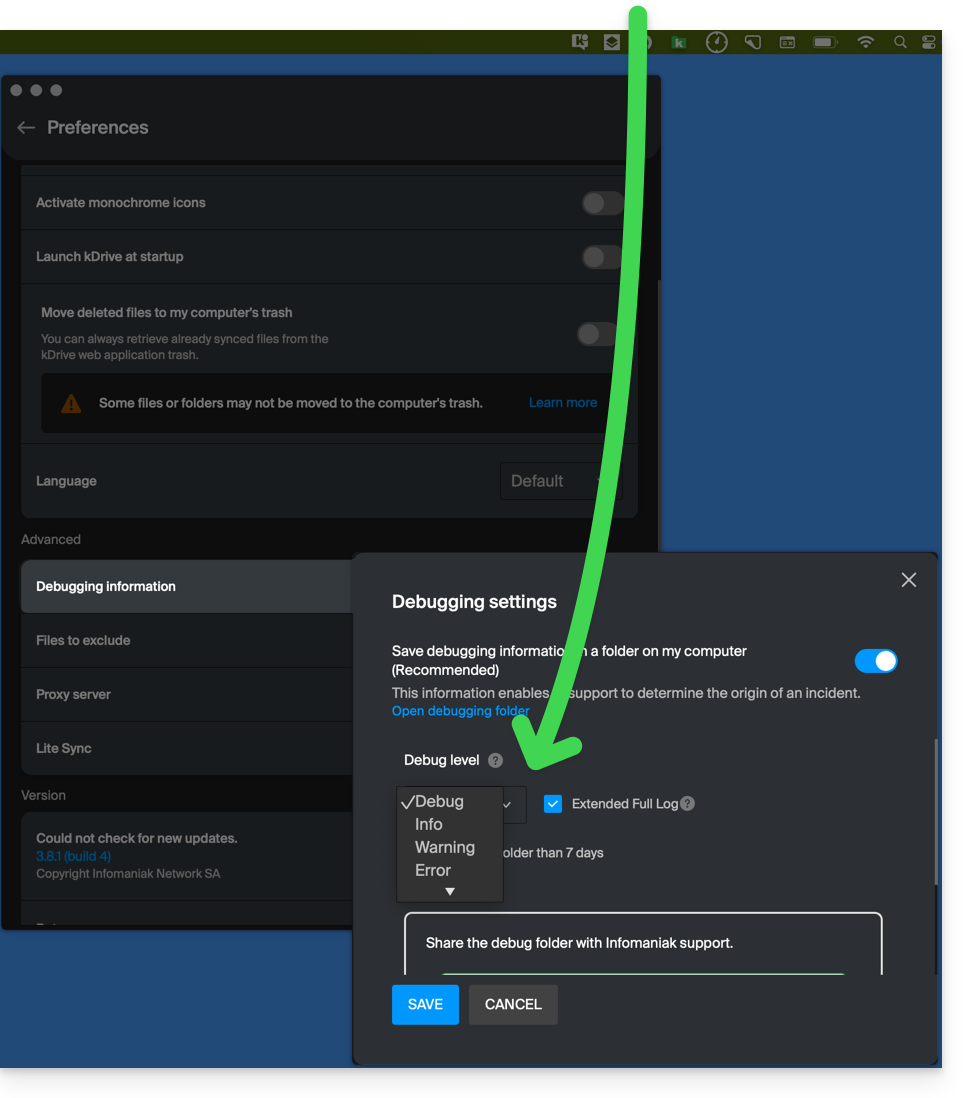
- Check in the Console if there is a crash report for the date of the last app startup, and if so, send it to Infomaniak:

Retrieve kDrive messages in the Console:
- Exit the app.
- In the Console, select the Mac, filter by
[KD], and click Start:
- Launch the app.
- Click in the message list, select all messages (Ctrl+A), copy them (Ctrl+C), and send them to Infomaniak.
Link to this FAQ: https://faq.infomaniak.com/2824
Has this FAQ been helpful?