Knowledge base
1000 FAQs, 500 tutorials and instructional videos. Here, there are only solutions!
Rename a Web Hosting
Update 10/13/2026
This guide explains how to rename a web hosting service in the Infomaniak Manager within your Organization.
Introduction
- Web hosting is, in simple terms, the storage space reserved for hosting one or more of your websites (❓: help).
- By default, your Infomaniak hosting takes the name of the first website that you add to this hosting:
- You own the domain name "domaine.xyz" and want a website with this domain name…
- You purchase web hosting which will automatically be named "domaine.xyz" even if you add a second website "toto.com" later.
- The hosting can be renamed with a more generic name, such as "My Websites", to better reflect its actual content.
- This renaming is intended to improve the readability/understanding of the products listed in your Manager and has absolutely no impact on the domains of the websites (❓: help).
Rename a Web Hosting
To access the web hosting in order to change its name:
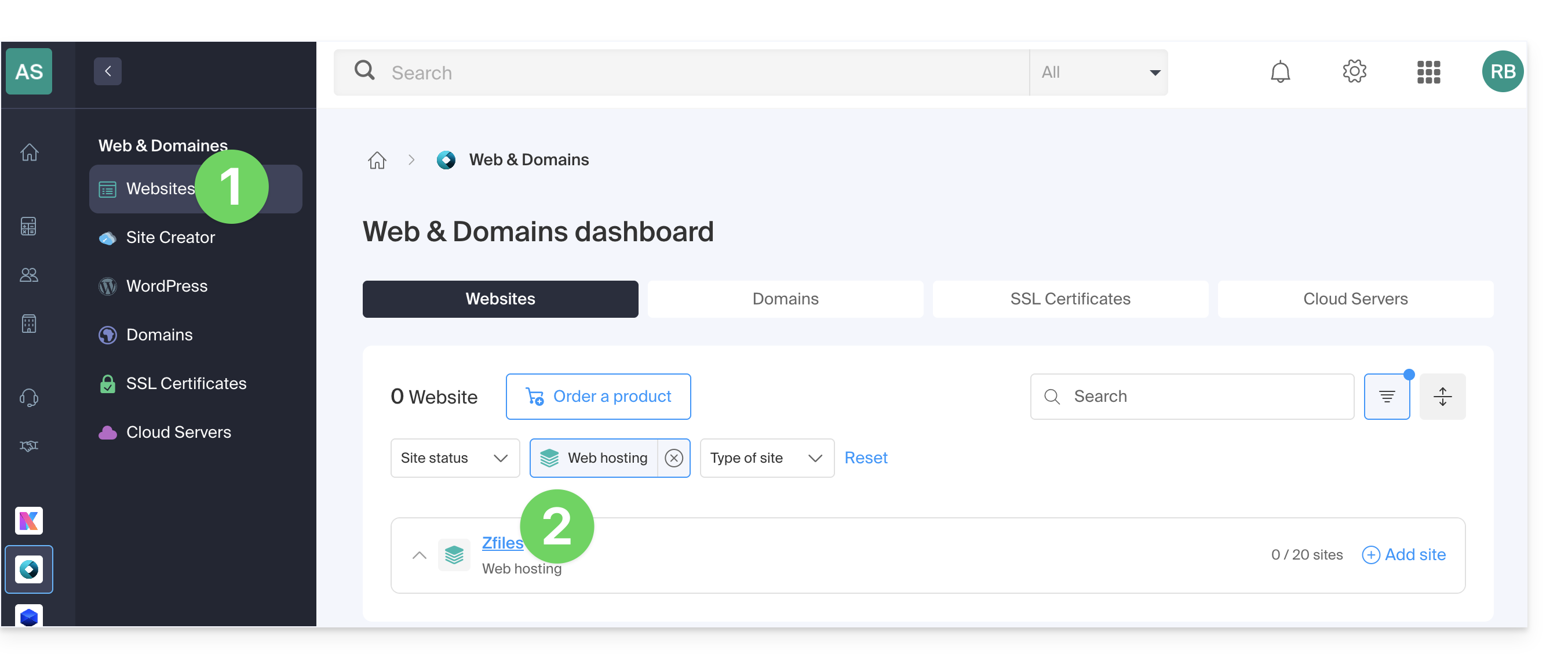
- Click here to access the hosting & website management section in your Infomaniak Manager (❓: help).
- Click on the name of the relevant hosting account:
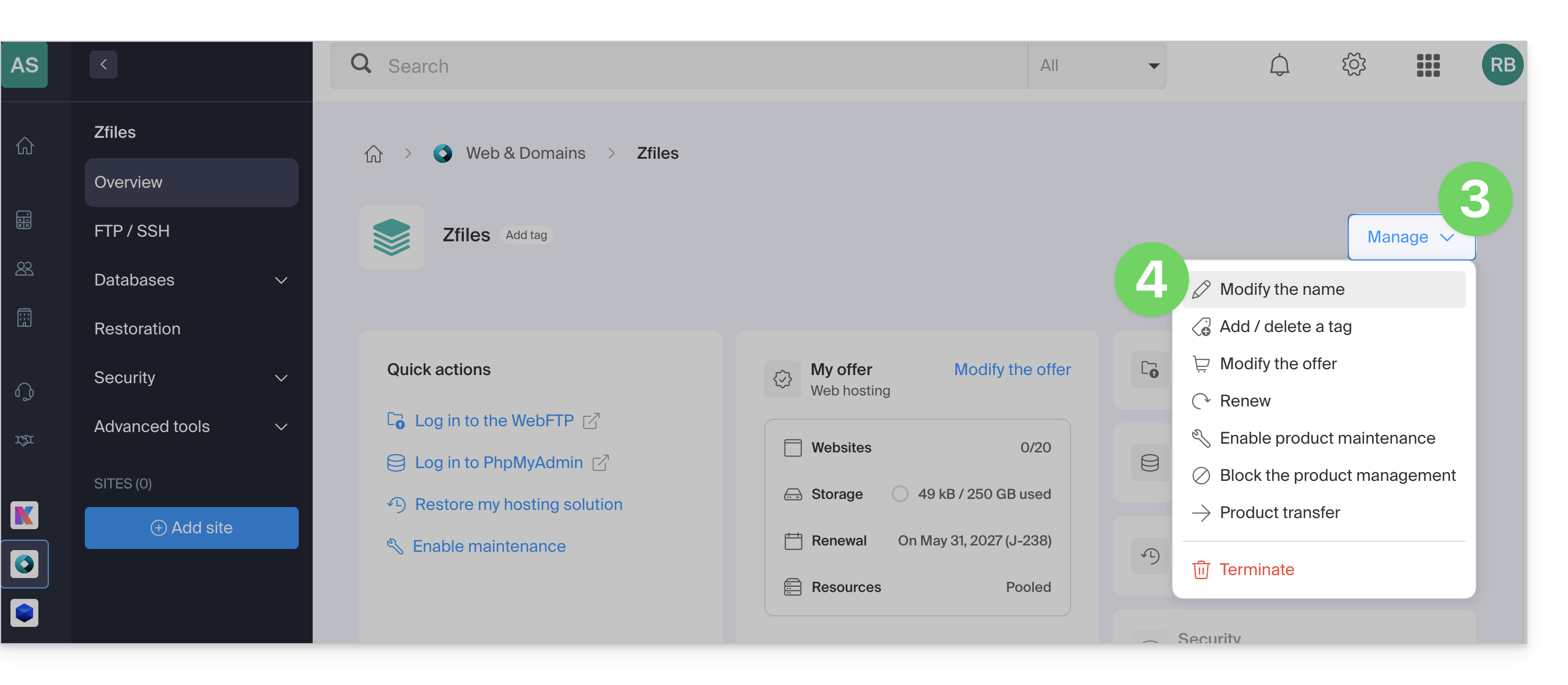
- Click on the Manage button.
- Click on Edit name:
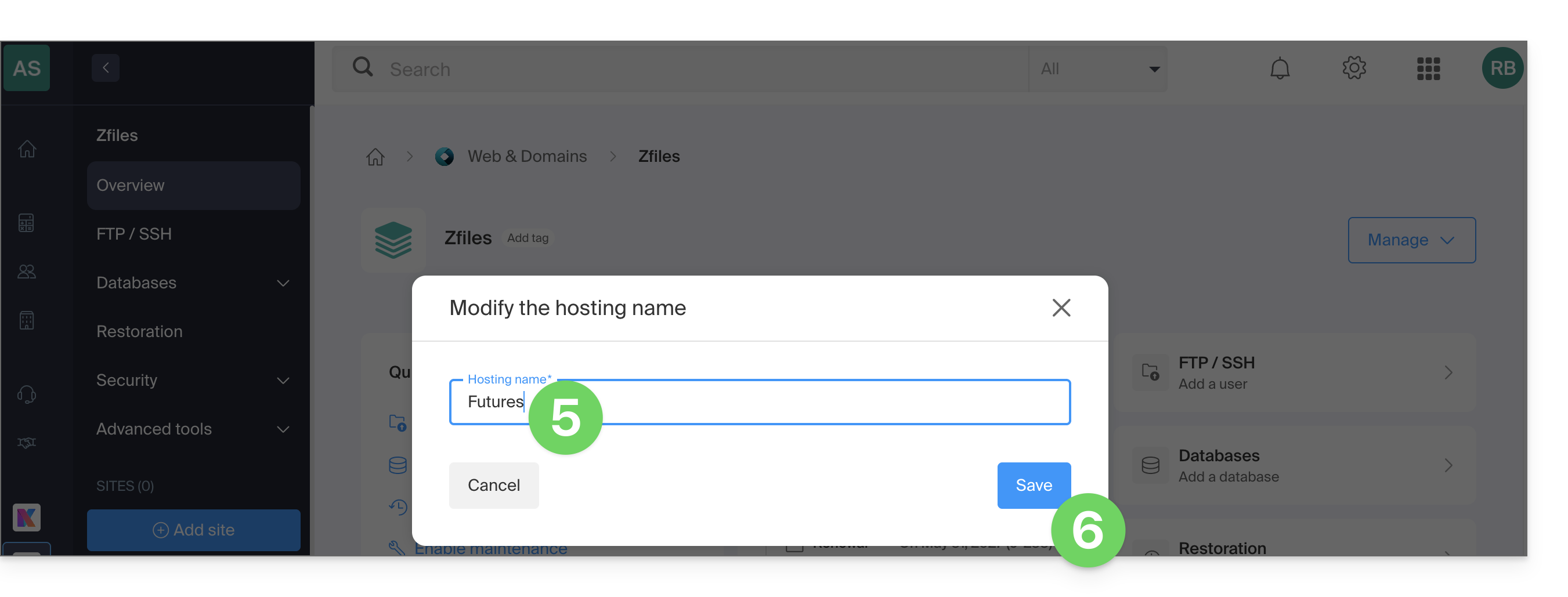
- Enter the desired new name.
- Click on Save:
Link to this FAQ: https://faq.infomaniak.com/2803
Has this FAQ been helpful?