Knowledge base
1000 FAQs, 500 tutorials and instructional videos. Here, there are only solutions!
Manage duplicate contacts in Infomaniak Contacts
This guide explains how to remove duplicate contacts in the address book of the Contacts web app from Infomaniak.
Remove duplicate contacts
To view existing duplicates in your Infomaniak address books and merge them (or hide them):
- Click here to access the Infomaniak Contacts web app (online service ksuite.infomaniak.com/contacts).
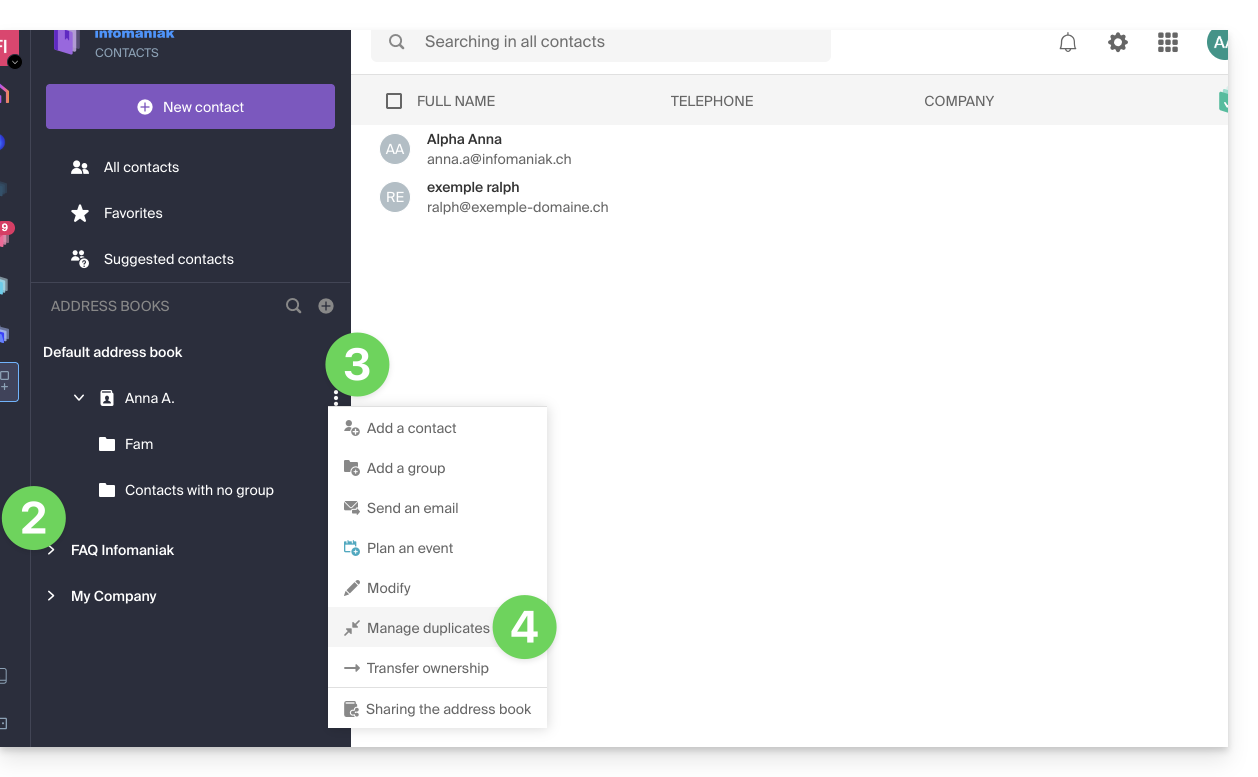
- Click on the chevron to expand the list of address books if necessary.
- Click on the action menu ⋮ to the right of the address book in question.
- Click on Manage duplicates:
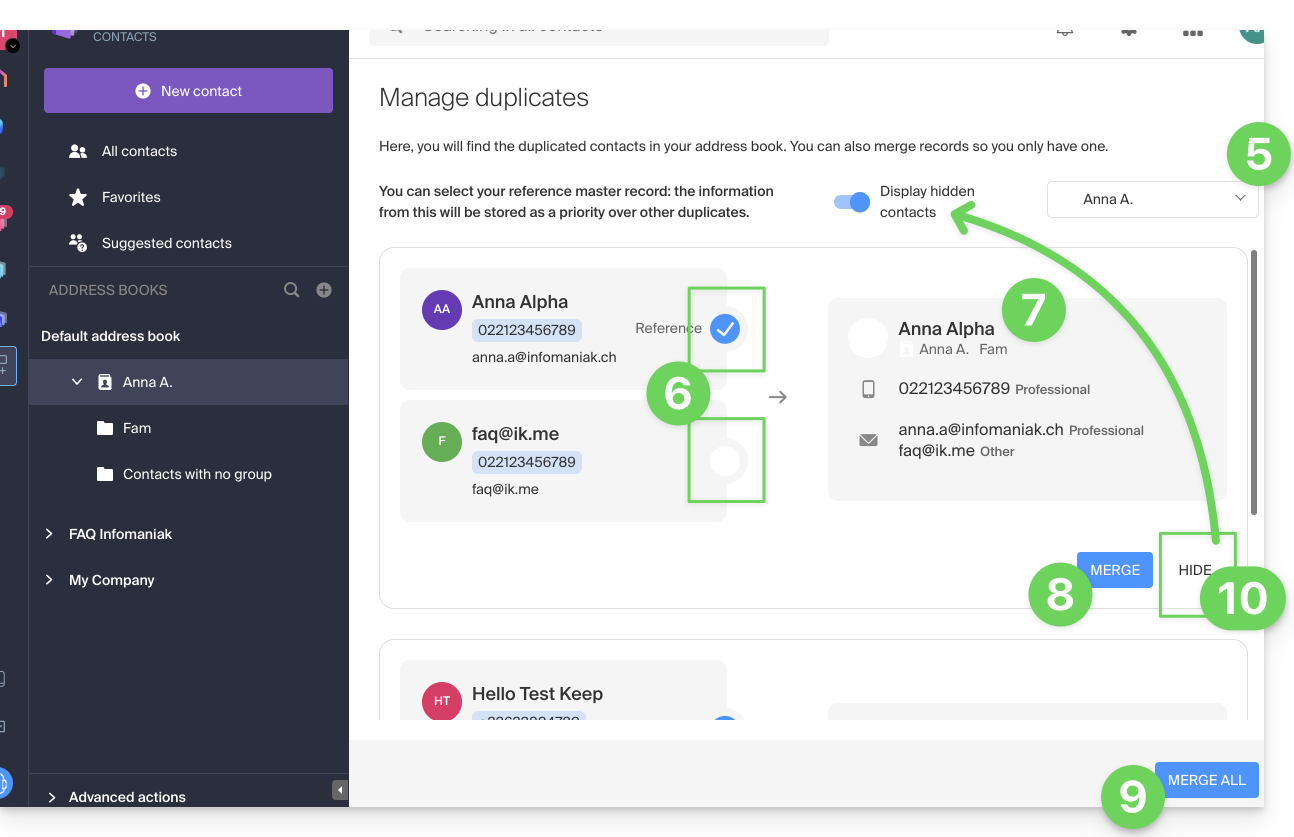
- If necessary, select the address book in which to search for duplicates.
- Click on the entry that should be the reference to keep; identical information is highlighted in blue.
- View and check the information from the duplicate entries that will be added to the reference entry (point 6 above):
- Click the blue Merge to process button to process duplicates one by one…
- … or click Merge All to process all duplicates.
- You can also hide a duplicate to avoid processing it, and review it later by clicking on the toggle switch at the top of the page:
Please note that you cannot undo this operation (refer to this other guide if you are looking for information on restoring address books).
Link to this FAQ: https://faq.infomaniak.com/2794
Has this FAQ been helpful?