Knowledge base
1000 FAQs, 500 tutorials and instructional videos. Here, there are only solutions!
Secure an audio stream with a unique key (token)
This guide explains how to maintain control over your MP3/AAC or HLS Streaming Radio streams by enabling protection with a unique key (token), allowing you to decide, for example, whether a listener can listen to your radio station or not.
Introduction
- Each time you connect, you will send a request to the Infomaniak API, which will return a unique token with a limited and configurable lifespan.
- This token will authorize anyone who possesses it to access the stream during this period.
- You can protect an MP3/AAC or HLS stream independently of each other (the same applies to geolocation).
- Enabling the restriction involves a change to the stream configuration, which may take a few minutes to replicate across the servers.
Protect an audio stream with a unique key
To do this, simply go to the restriction settings and enable token protection for the stream you want to secure:
- Click here to access the management interface for your product in the Infomaniak Manager (need help?).
- Click directly on the name assigned to the product in question:
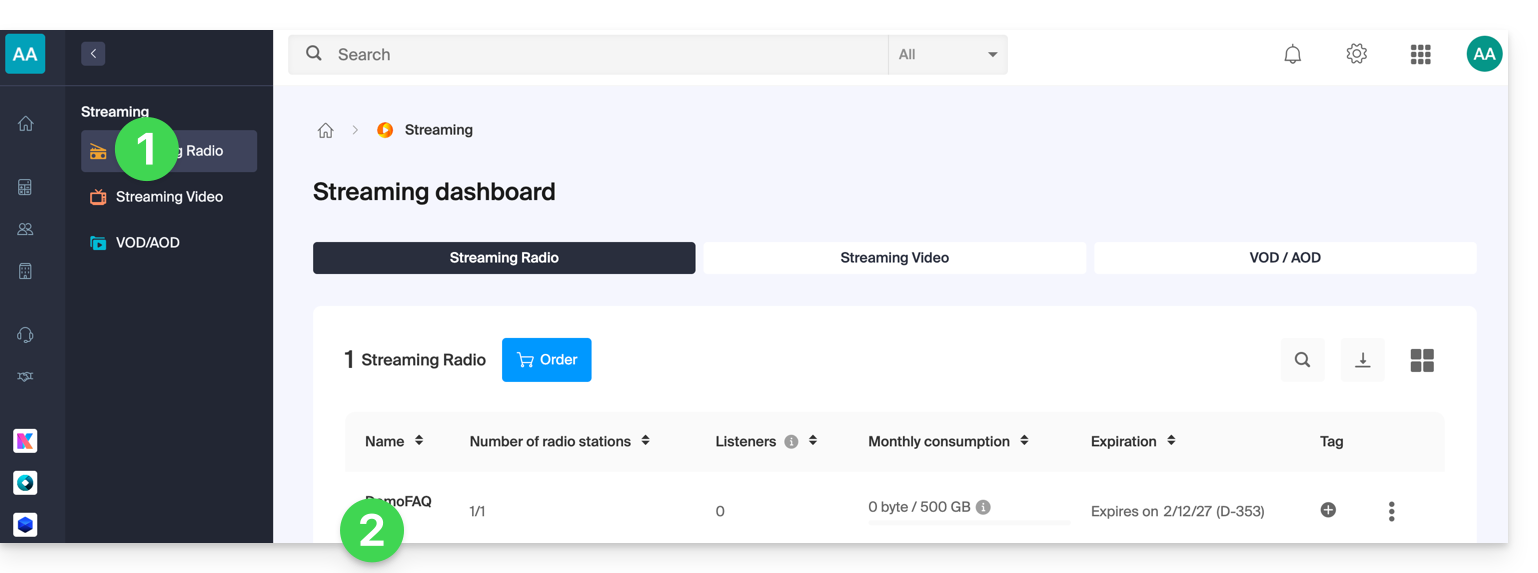
- Click:
- either on the radio station name:
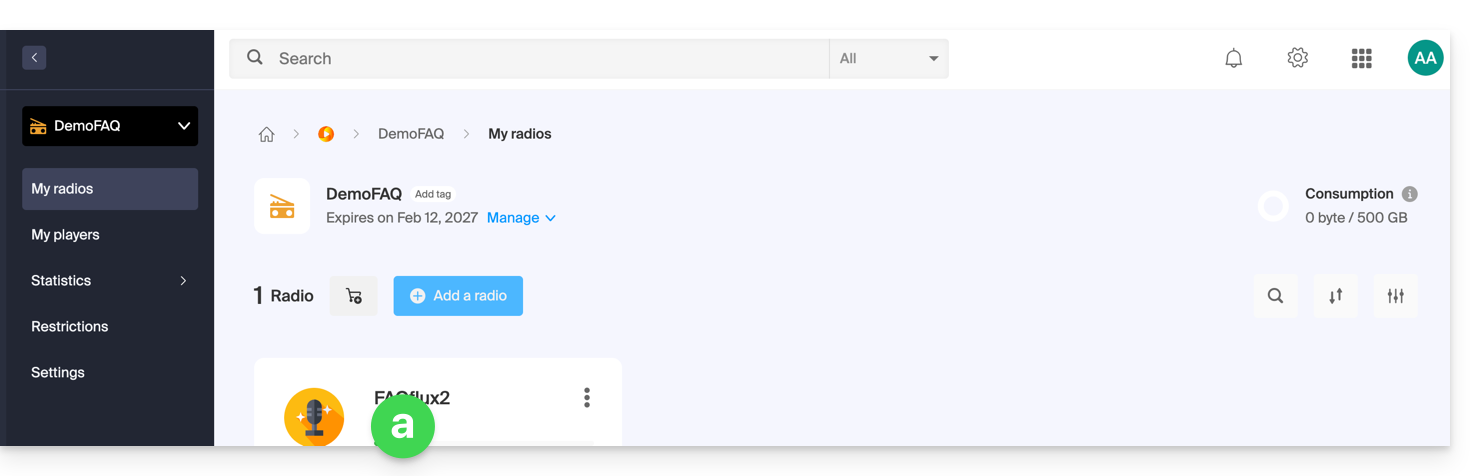
- or on Restrictions in the left-hand menu to apply restrictions to the entire product:
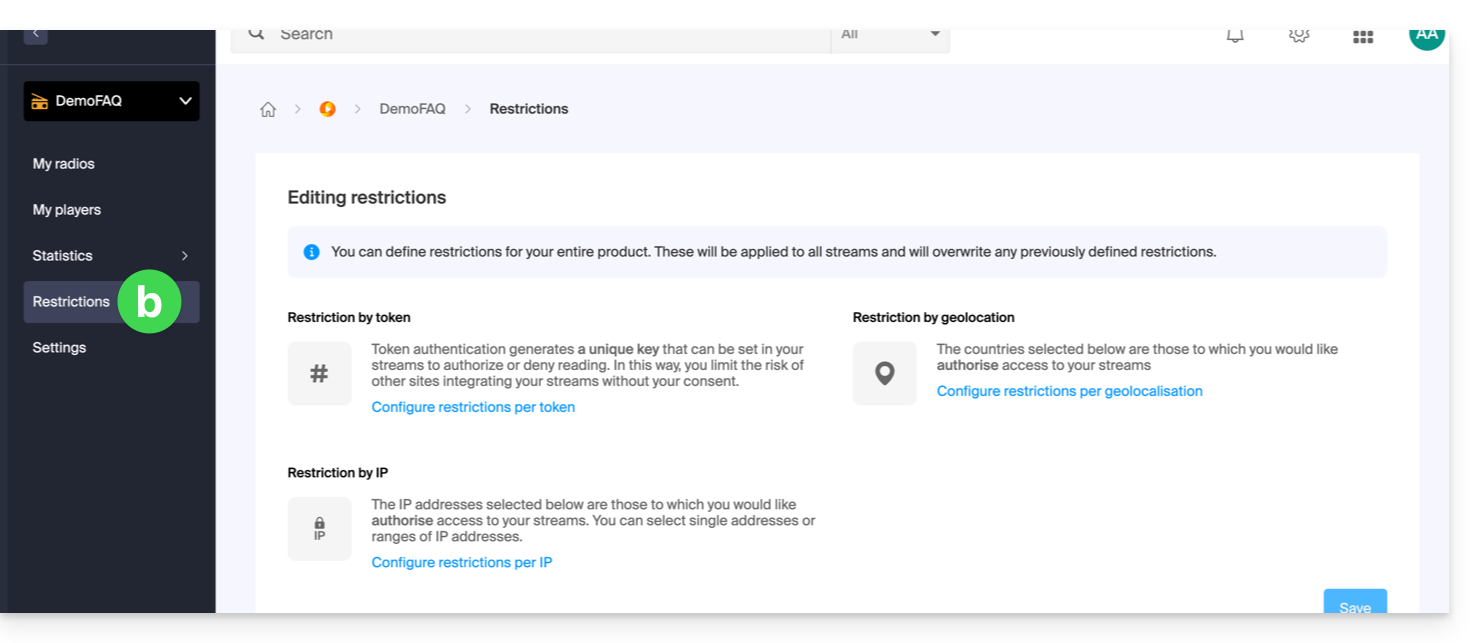
- either on the radio station name:
- When selecting
aabove, click on Restrictions in the left-hand menu. - Choose HLS if necessary.
- Click on the action menu ⋮ located to the right of the item in question.
- Click on Token restriction:
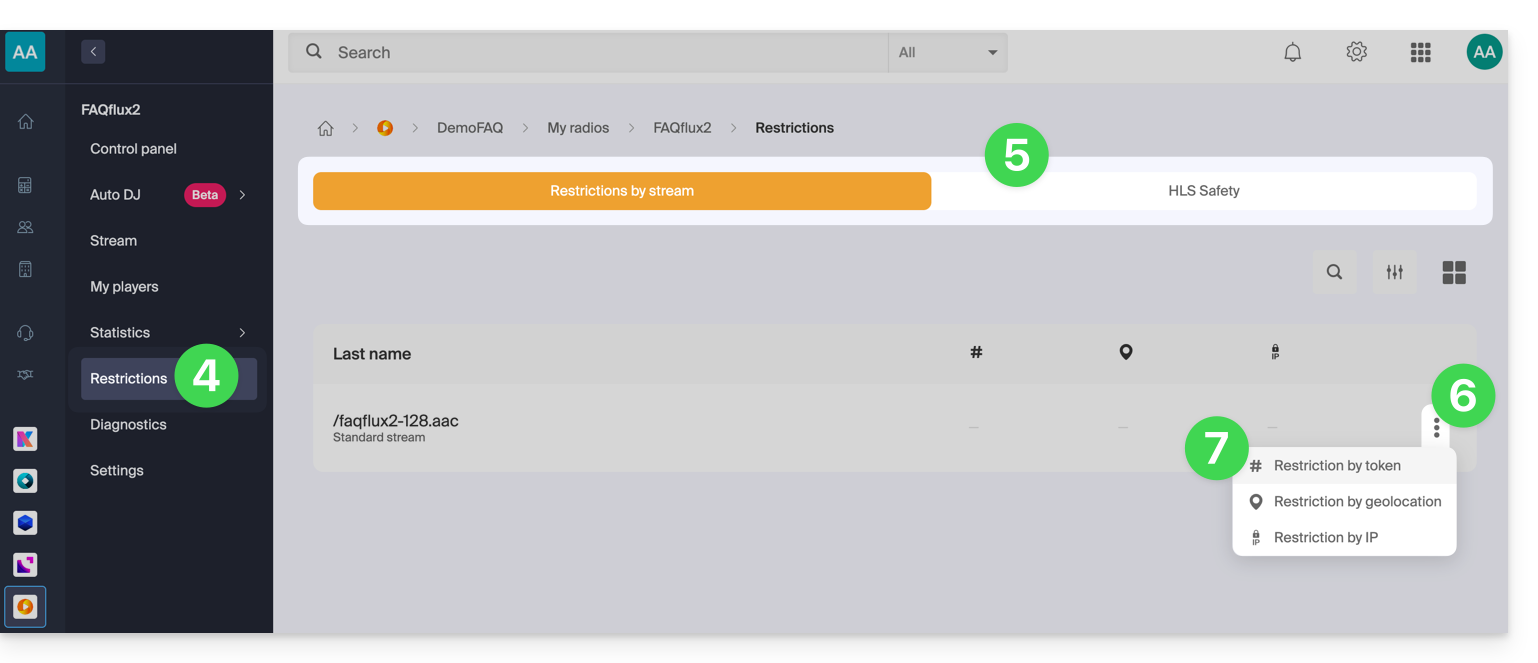
Then, activate the protection.
Please note that when you enable this option, access to the stream will be immediately blocked for new connections.Adjust your players to account for the restriction, as illustrated in the example below: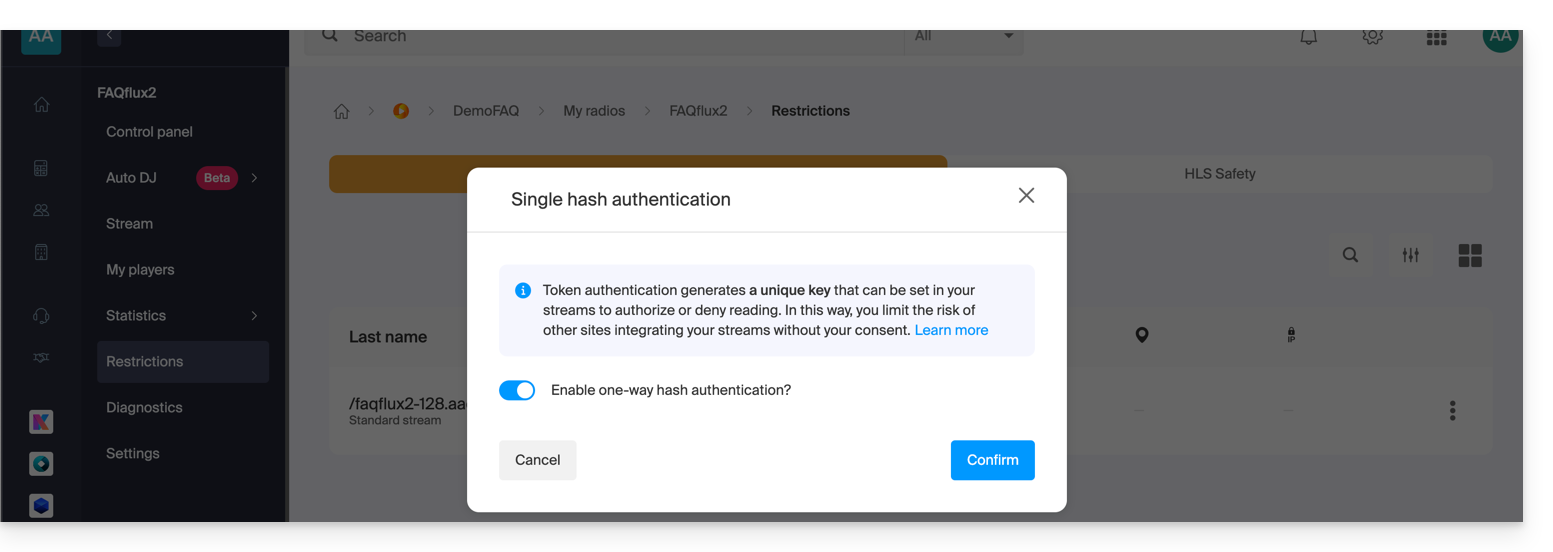
Create a Radio API token
To access the Radio API, you must first authenticate using an application token. This step only needs to be done once. To create this application token, please refer to this other guide.
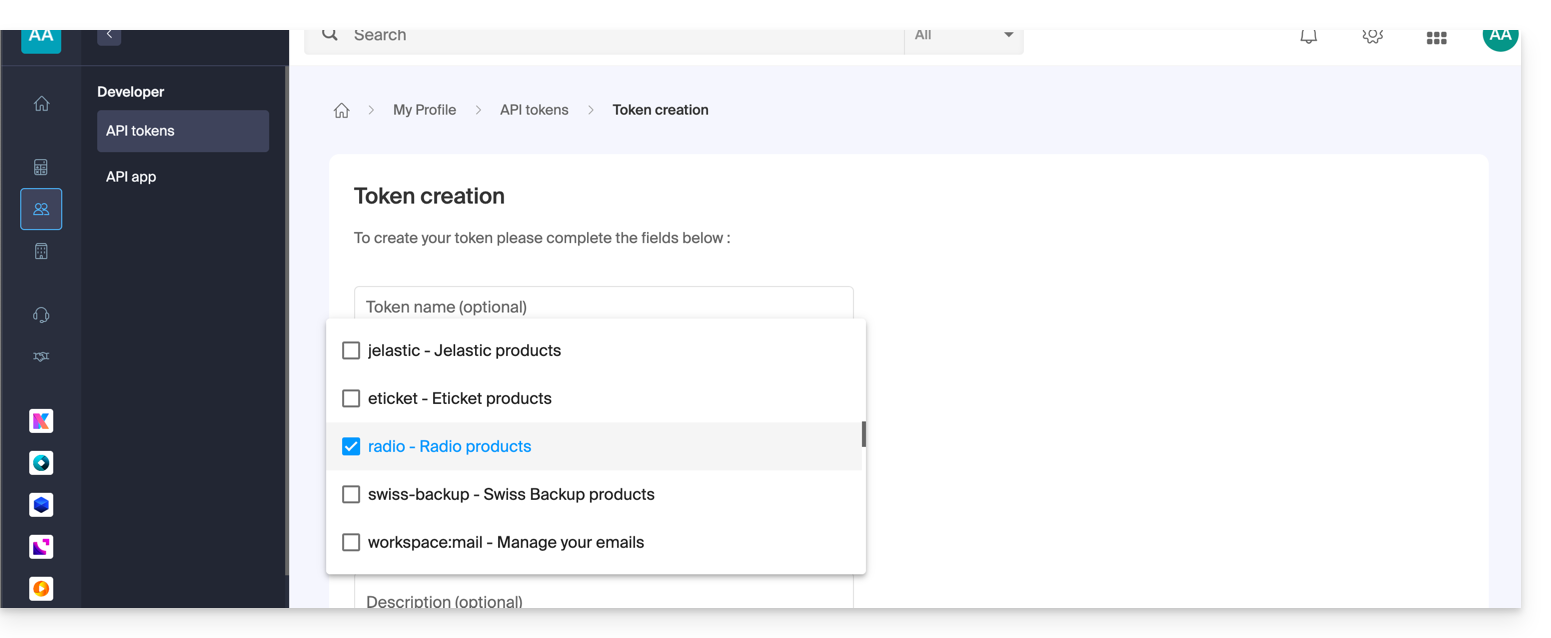
The scope is radio and the lifetime is unlimited to avoid having to regenerate a code regularly. Once the token is generated, copy it and paste it into the example below.
Example of use in PHP
For MP3/AAC or HLS, the code can be largely the same; only the URL called in the POST request changes in its format.
Paste the generated token below, replacing the one provided:
if (!defined('API_TOKEN')) {
     define('API_TOKEN', 'AYF5lSh3c7Xy5974Fs12RTkTThujT-L9R4Xk2ZfGyP6sV7QqJ1oC3jD8nFtKzIxUeMw5oNzR6');
}
/**
 * Fonction générique pour executer des requêtes cURL
 *
 * @param string $method Méthode HTTP (GET, POST, PUT, etc...)
 * @param string $url Url de l'api a requêter
 * @param array $headers Liste des en-têtes HTTP (l'autorisation doit être passée ici avec un ['Authorization: Bearer ']
 * @param array $payload Un tableau contenant les données pour créer un token
 * @return mixed
 */

function request(string $method, string $url, array $headers = [], array $payload = []): mixed{
    // prepare options array
    $opts = [
        CURLOPT_HTTPHEADER => $headers,
        CURLOPT_RETURNTRANSFER => true,
        CURLOPT_URL => $url,
        CURLOPT_CUSTOMREQUEST => strtoupper($method),
    ];

    // add payload if relevant
    if ($payload && $method !== 'GET') {
        $opts[CURLOPT_POSTFIELDS] = json_encode($payload);
    }
    $ch = curl_init();
    curl_setopt_array($ch, $opts);
    $result = curl_exec($ch);
    if(curl_errno($ch)){
        throw new Exception(curl_error($ch));
    }
    $data = json_decode($result, true);
    if ($data['result'] === 'error') {
        throw new Exception($data['error']['description'] ?? 'an error occured');

    }
    return $data['data'];
}
We will now create the token. The URL for creating the token is structured as follows:
- For an MP3 / AAC stream
POST {{URL_11}}Example: to protect https://newradiotest.ice.infomaniak.ch/newradiotest-128.aac, the route will be: https://api.infomaniak.com/1/radios/acl/streams/newradiotest-128.aac/token
- For an HLS stream
POST {{URL_14}}Example: to protect https://myradiostream.radiohls.infomaniak.com/myradiostream/manifest.m3u8, the route will be: https://api.infomaniak.com/1/radios/acl/hls_streams/myradiostream/token
Example: in the case of MP3/AAC, remember to adjust:
$token = request(
    'POST',
   '{{URL_17}}',
    // en-tête d'authorization
    [
        'Authorization: Bearer ' . API_TOKEN,
        'Content-Type: application/json',
    ],
    /**
     * payload pour créer le token, vous pouvez passer les valeurs suivantes
     * window     | 300               | optionnel | durée de validité du token (default: 5 minutes)
     */

    [
        'window' => 3600, // 1h validity
    ]
);
It is important to note that if this code is generated when the page loads, the listener will have "window" seconds to start playing the stream. After this delay, the token will expire, and the stream will no longer be able to start unless the page is reloaded. Depending on your needs and use case, it will be necessary to adjust this delay in the best possible way.
You will also need to replace the stream playback URL below with the one you want, while keeping the $token parameter at the end. Finally, we display the Player (here, a simple HTML5 tag, but you can of course add any overlay after that, with the token passed in the $_GET parameters of the URL).
$streamUrl = "{{URL_18}}";
echo "<audio controls=""><source src="$streamUrl"></audio>";
Link to this FAQ: https://faq.infomaniak.com/2792
Has this FAQ been helpful?