Knowledge base
1000 FAQs, 500 tutorials and instructional videos. Here, there are only solutions!
Manage live streaming controls (Streaming Radio)
This guide concerns live control (timeshift), which allows your listeners to pause, rewind, and then return to the live stream on your HLS streams, with a rewind depth of up to 2 hours.
Introduction
- Unlike Video Streaming Timeshift, there is no scheduling tool associated with Radio.
- Rewind/replay is disabled by default on the Player to give you control over public exposure.
Offer live control to listeners
Prerequisites
- Create or edit an HLS stream in your Radio Streaming product.
Then:
- When creating (or modifying) an HLS stream, set the Buffer between 00:00:25 and 02:00:00. This value, between 25 seconds and 2 hours, corresponds to the maximum duration for which listeners can rewind and pause the live stream before returning to the live broadcast. It determines the depth of live control. Examples:
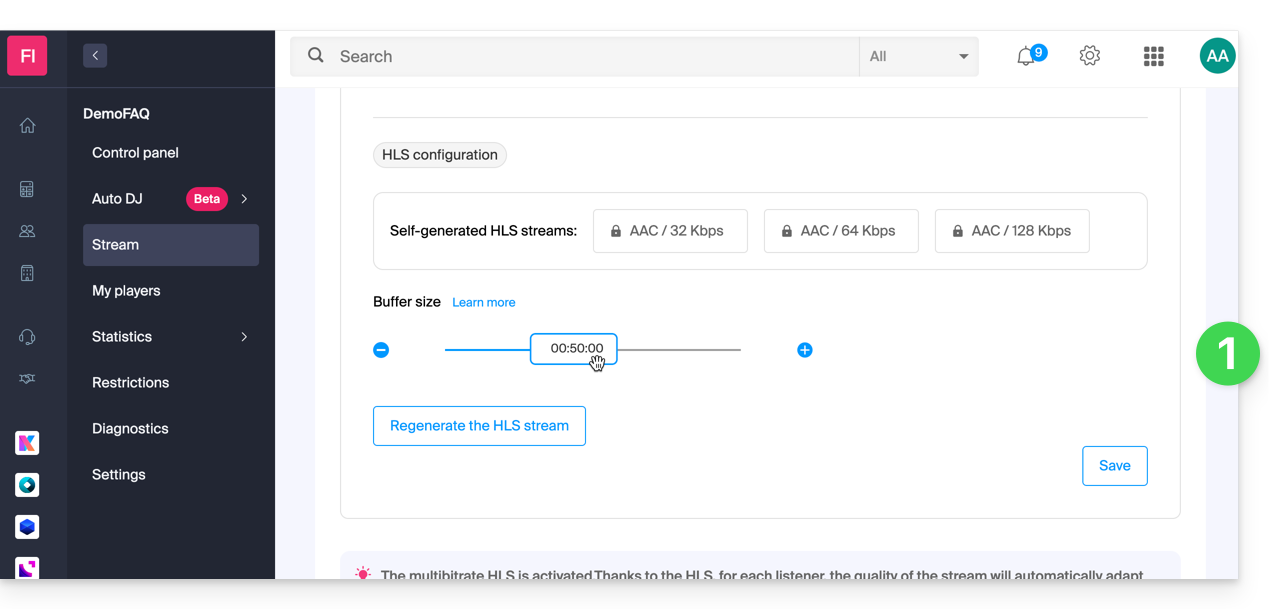
- 00:00:25 → 05:00: minimum tolerance for short pauses.
- 10:00 → 30:00: ideal for news/talk formats.
- 30:00 → 02:00:00: maximum comfort for music programs and events.
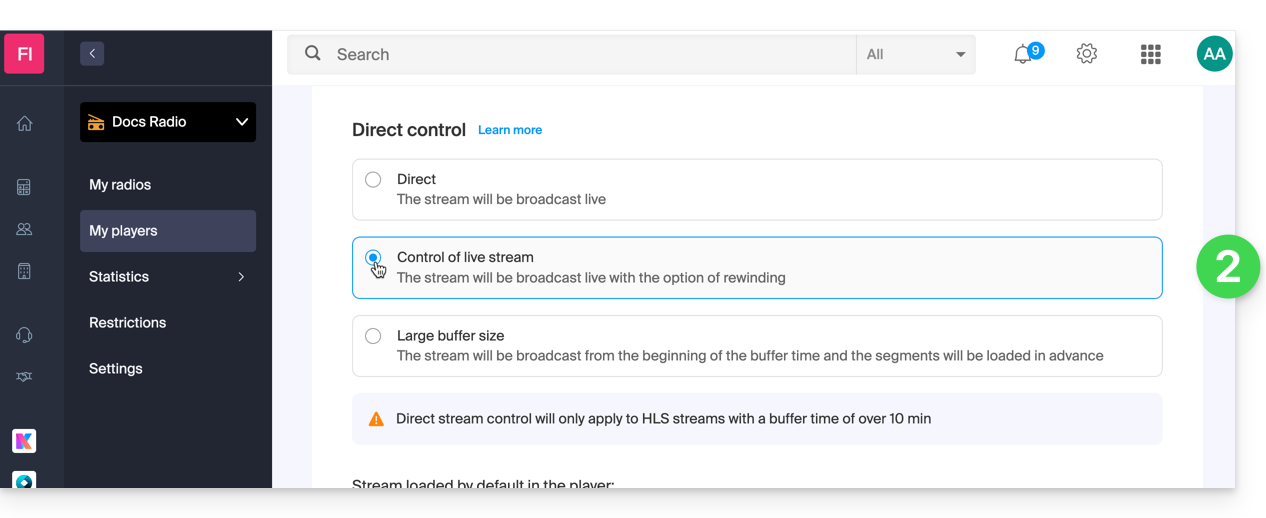
- Enable replay in your Player (refer to this other guide) if you want to offer it to listeners (disabled by default):
Link to this FAQ: https://faq.infomaniak.com/2789
Has this FAQ been helpful?