Knowledge base
1000 FAQs, 500 tutorials and instructional videos. Here, there are only solutions!
Ticketing: enable pass renewal
This guide explains how to set up a pass or subscription renewal system (as part of the Infomaniak ticketing system). This feature will allow visitors with subscriptions to renew them for the new season.
Introduction
- It is not mandatory to have seasonal or annual subscriptions to use the pass renewal feature, but it is essential to have a new period with passes configured.
- If the subscriptions are configured with fixed, numbered seats on an unchanged seating plan, the renewed subscriptions will retain the same seats for the new season.
- Renewed subscriptions will retain the same QR codes from season to season.
Create a renewal
Prerequisites
- To enable renewals on your ticketing system, you must create the passes for the new period.
Next:
- Click here to access the management of your product on the Infomaniak Manager (need help?).
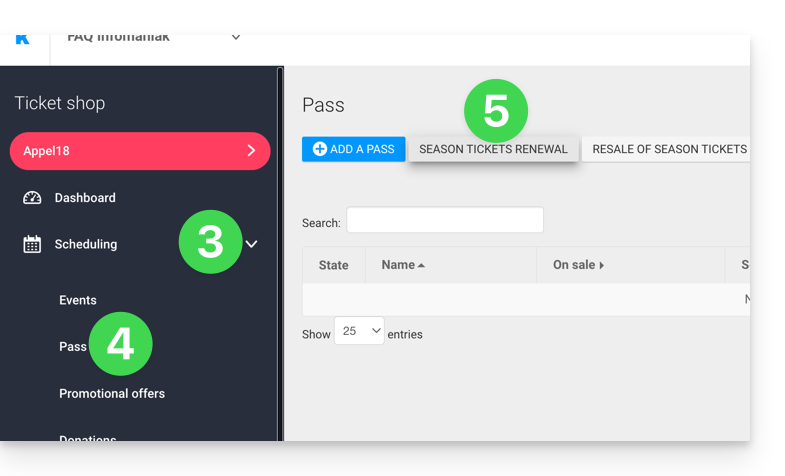
- Click directly on the name assigned to the ticket office concerned by the event (this will take you to the period during which renewals will be offered).
- Click on Programming in the left-hand menu.
- Click on Pass in the left-hand menu.
- Click on Subscription renewal:
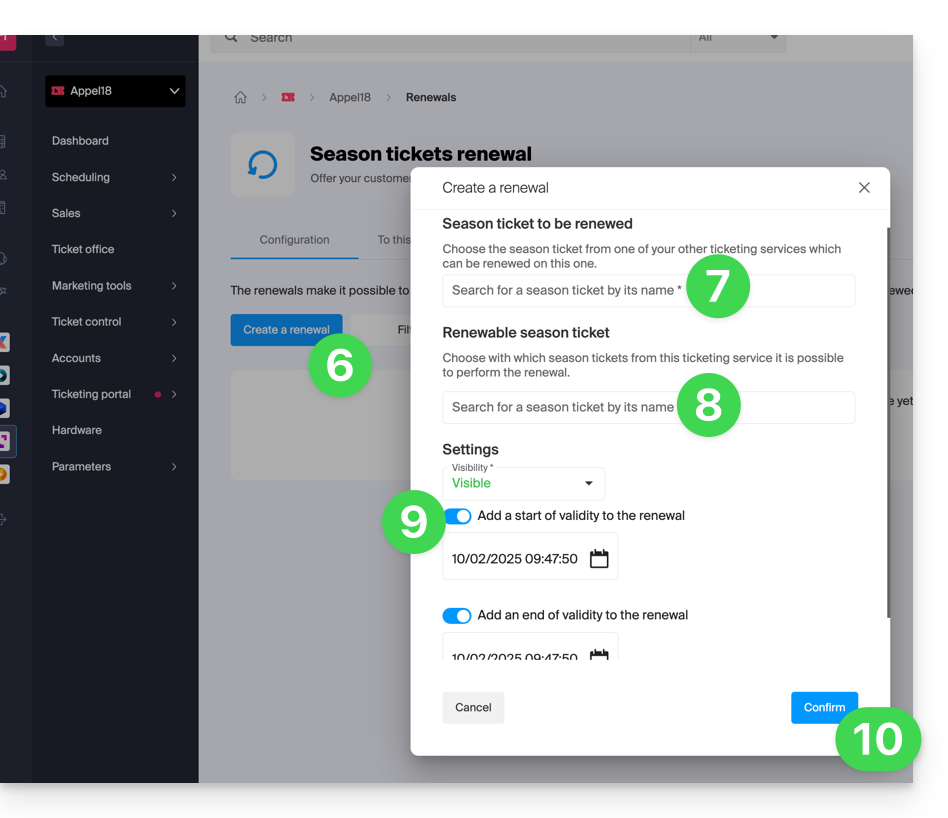
- Click on Create a renewal.
- In the pop-up window, enter the subscription details from the previous period in order…
- … then the subscriptions that visitors can choose from when renewing; several subscriptions can be offered at this stage.
- If you wish, specify a validity period for the renewal.
- Click the button to Confirm:
Renewal procedure for visitors
The visitor can renew their subscription by following this procedure from the renewal link, which can be found at the bottom of your ticketing page.
For direct integration, you can use the URL of the desired ticketing page and add /pass-renew to the end. For example: https://infomaniak.events/shop/abcABC4242I/pass-renew
Renewal Tracking
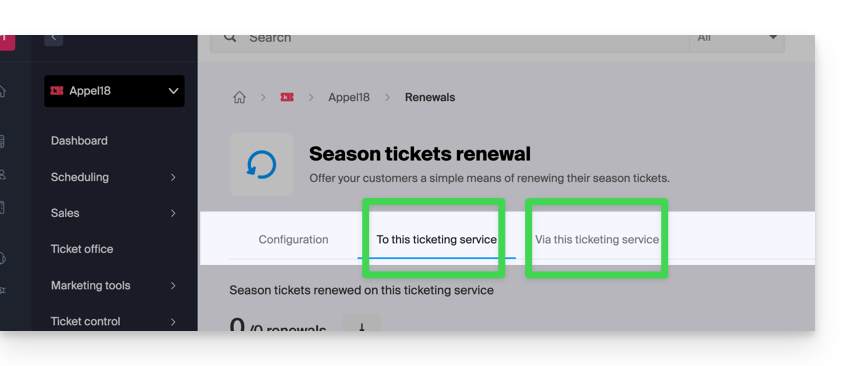
You can track each renewal via the renewal tabs:
- To this ticketing system: indicates the renewals made from a previous season to the current one.
- From this ticketing system: indicates the subscriptions renewed from the selected ticketing system to a new period.
Link to this FAQ: https://faq.infomaniak.com/2788
Has this FAQ been helpful?