Knowledge base
1000 FAQs, 500 tutorials and instructional videos. Here, there are only solutions!
Ticketing: ticket type packs (example configuration)
This guide shows an example of a pass configured as a subscription where all events are included upon purchase (as part of the Infomaniak ticketing system).
The ticket package
The example below shows a pass that acts as a bundle of multiple tickets. Typical uses for this type of pass include:
- A pass with tickets for 2, 3, or 4 nights of a multi-day festival.
- A pass with different activities, such as a "museum entry with meal" package, where entry and the meal are two separate events.
- A ticket package including entry to several establishments on the same day.
Pass creation
The pass is configured as a ticket so that participants can print each ticket individually: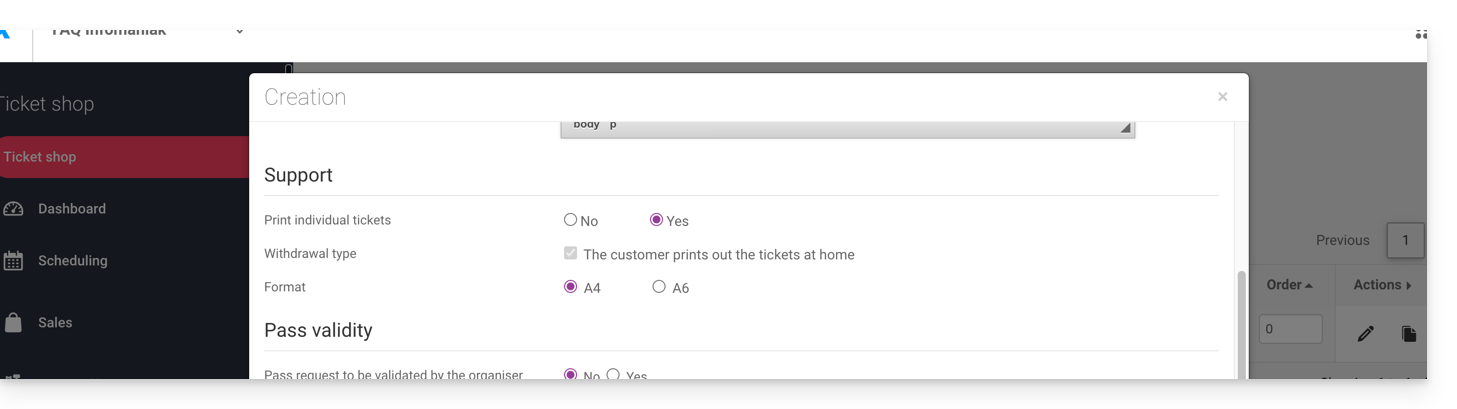
After filling in the information, such as the pass name, price, or the number of passes available, you must set the pass to Automatic: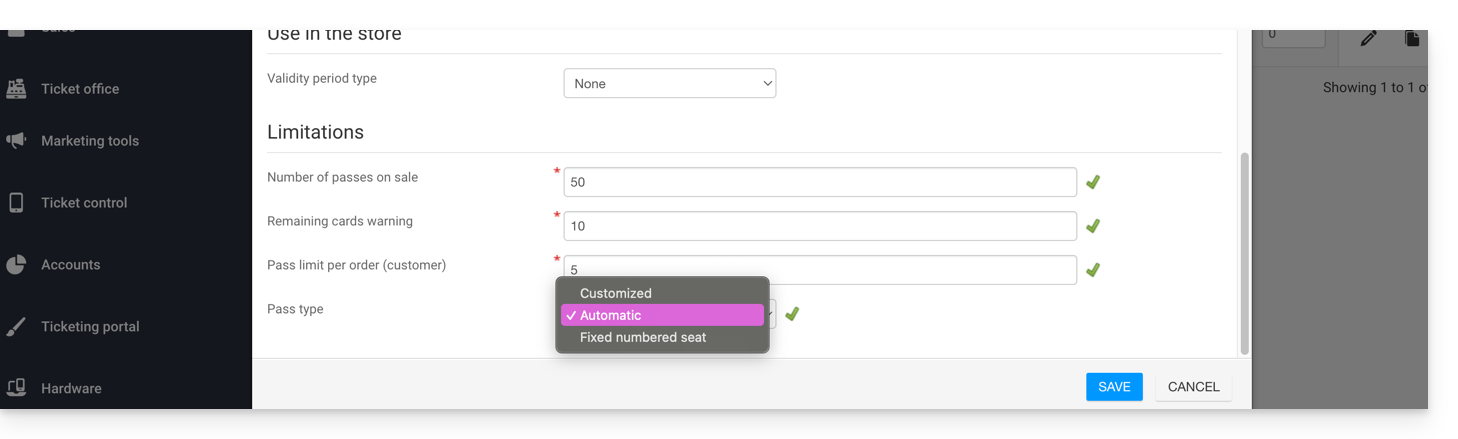
Event association
Events are associated with the pass, with a limit of one ticket per event and no additional cost:
This pass contains a ticket for event 1 and a ticket for event 2:
Pass Visual
This pass will never be printed, as only the individual tickets related to the events will be printed. Therefore, there is no need to configure the pass visual. The customer who purchases this pass will receive a ticket for event 1 and a ticket for event 2; therefore, you need to define the visual for these tickets.
Requested information
This pass is not personalized, but to facilitate identification, you can enter the first and last name:
Link to this FAQ: https://faq.infomaniak.com/2774
Has this FAQ been helpful?