Knowledge base
1000 FAQs, 500 tutorials and instructional videos. Here, there are only solutions!
Link a domain name to Site Creator
This guide explains how to connect a website created with Infomaniak's Site Creator to a domain name.
✘ UNAVAILABLE with
Site Creator Free
Prerequisites
- The Site Creator Free plan allows you to access your site via an address in the format
123xyz.infomaniak.site…- To connect a custom domain name, you must first upgrade to a higher plan:
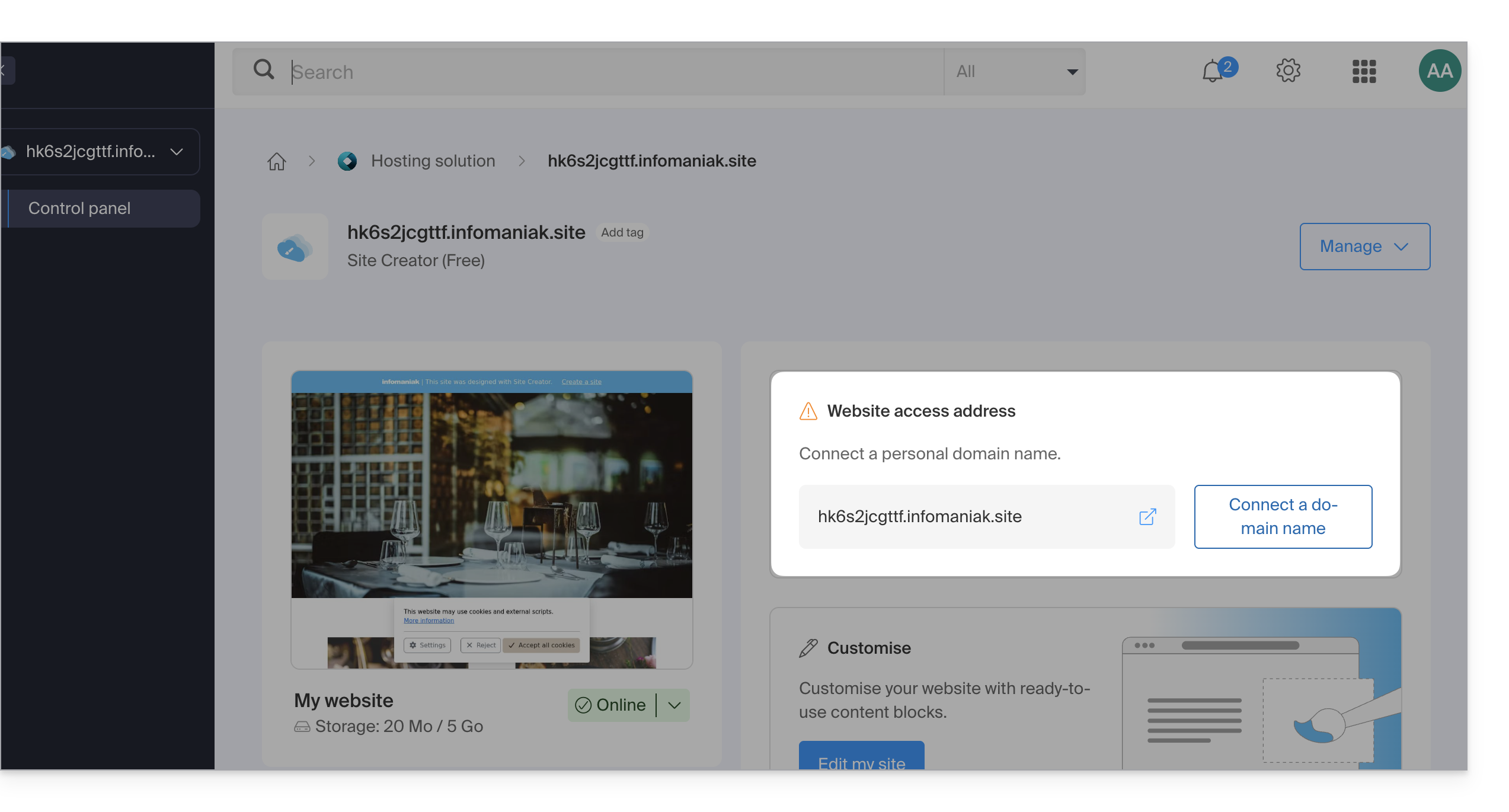
- To connect a custom domain name, you must first upgrade to a higher plan:
- The Lite and Pro Site Creator plans include a free domain name for 1 year from the following extensions:
.ch,.com,.fr,.org,.co.uk,.be,.de,.eu,.it,.es. - If you wish to use an existing domain, it must be within the same Organization.
- Make sure you have completed the initial setup by selecting a theme:
- Once this step is complete, you can access the Site Creator dashboard and connect your domain name.
Connect Site Creator to a domain name
To connect Site Creator (excluding the Free plan) to a domain name, start by logging into the Infomaniak Manager with your credentials (user account with the necessary rights for the relevant product):
- Click here to access the hosting & site management section (filtered to display only Site Creator).
- If nothing is displayed, you may not be in the Organization to which your site is linked (❓: help).
- Click on the name of the Site Creator in question.
- Click on Connect my site to a domain to start the configuration wizard:
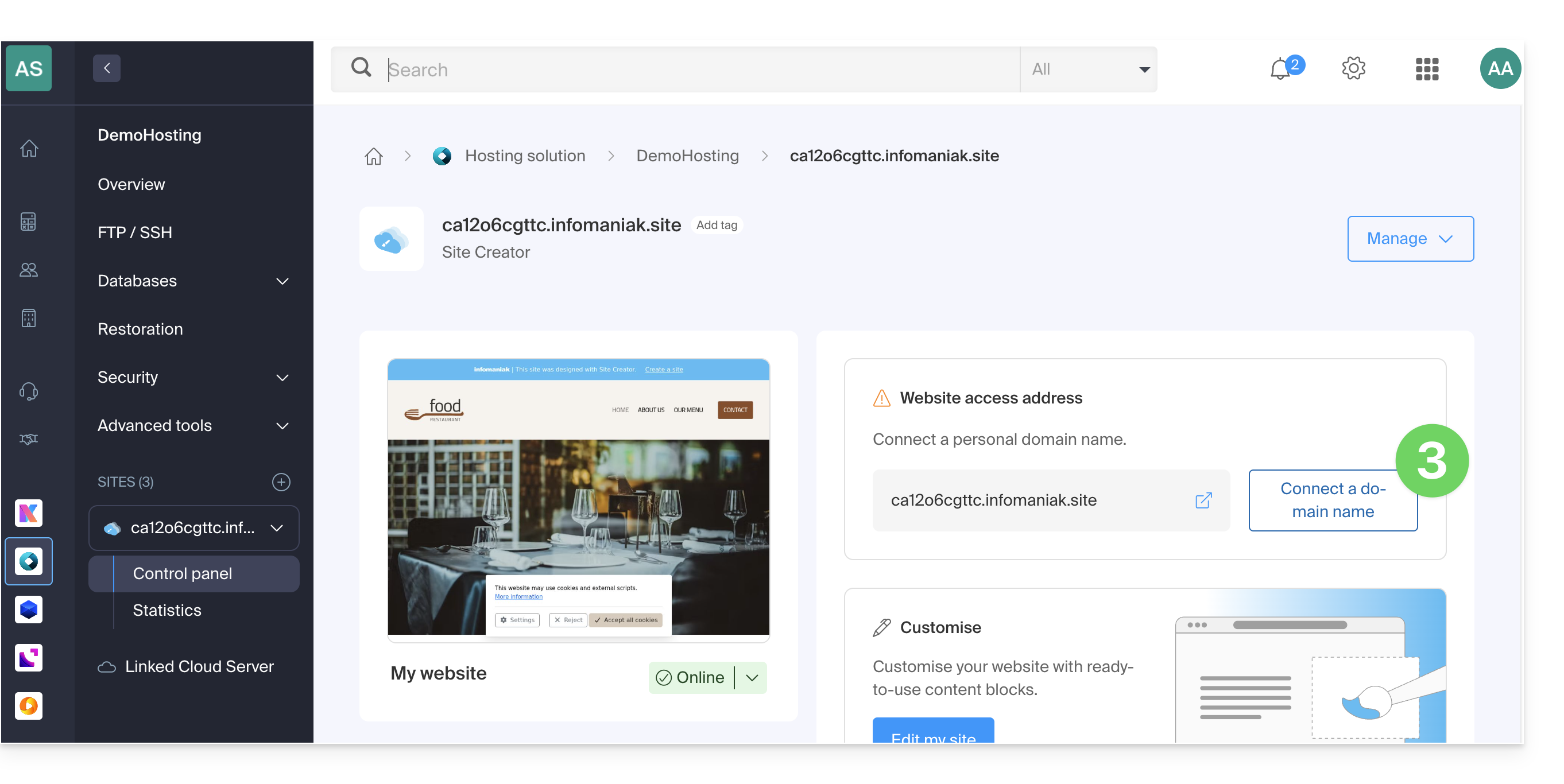
- The assistant offers you the option to create a new domain name or use an existing one:
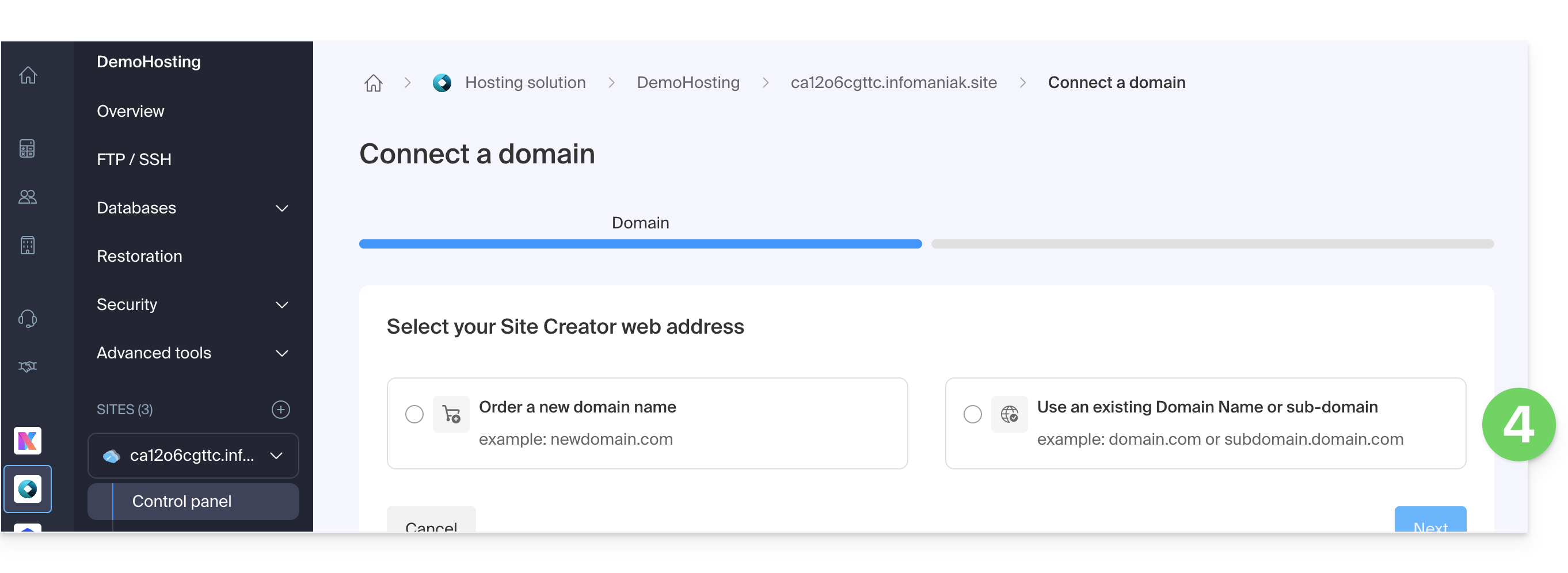
- If you create a new domain name at this time, you will need to return to this configuration assistant once the process is complete.
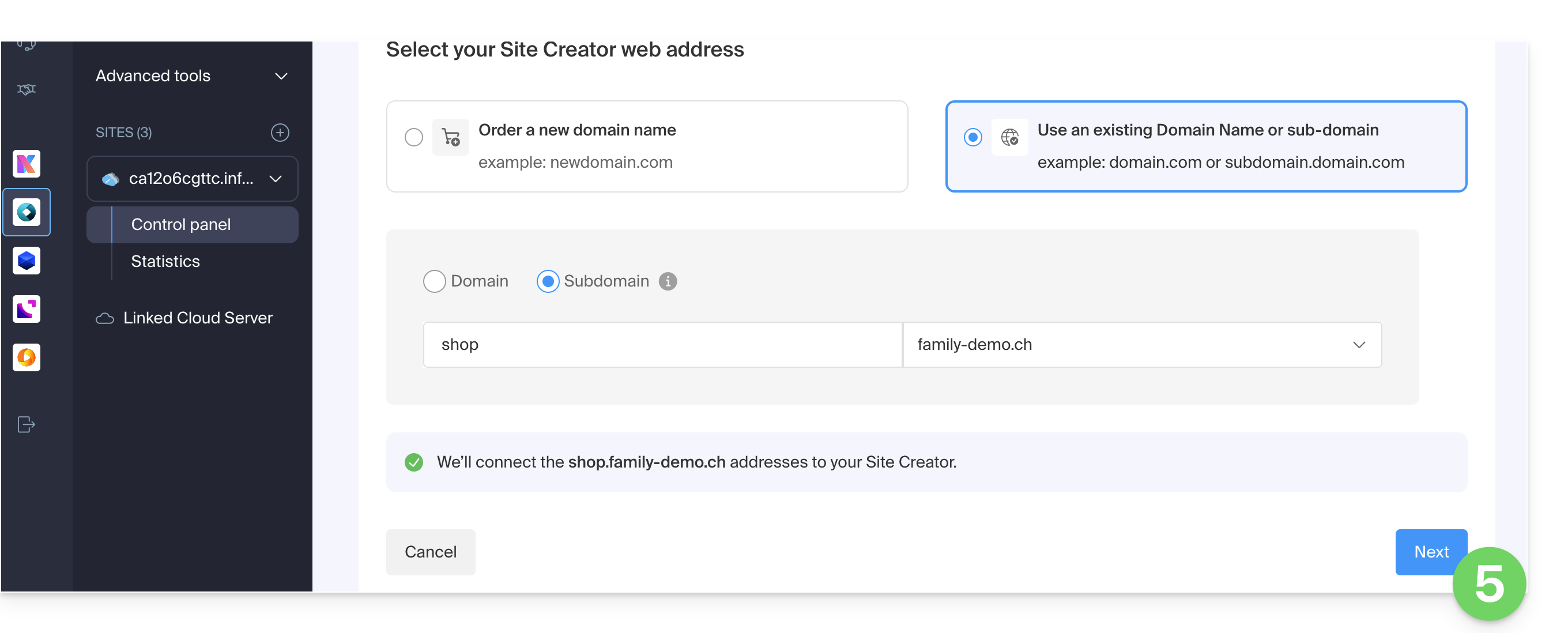
- If you choose to attach a domain from those already existing in your Organization, the assistant will display a list of domains, and a subdomain can be created at this time:
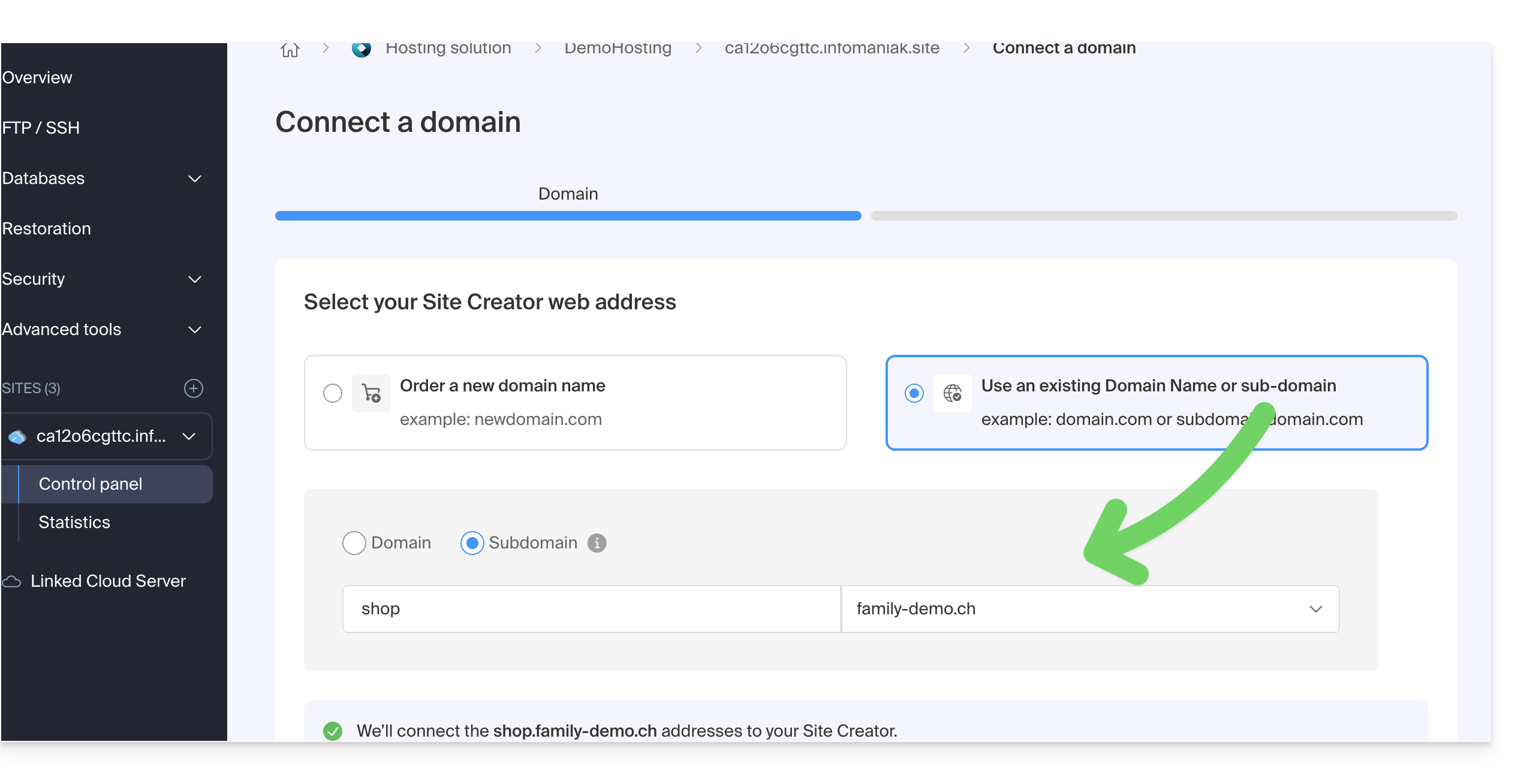
- Click on the Next button:
- Check the address you have chosen, then click the button to Confirm:
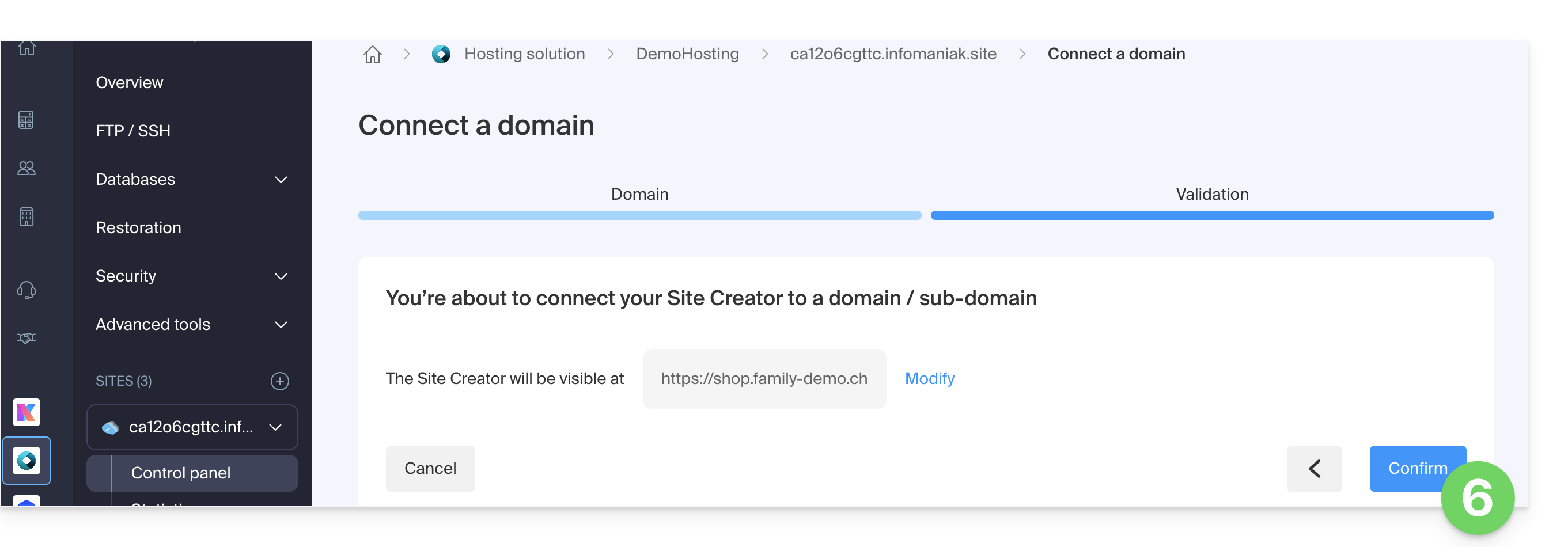
Some domain names cannot be connected to Site Creator; the wizard will notify you of any problems. Consult this other guide to understand and resolve these issues.
Manage your Site Creator domain name(s)
To manage the domain name(s) used with Site Creator, start by logging into the Infomaniak Manager with your credentials (user account with the necessary rights for the product in question):
- Click here to access the hosting & site management section (filtered to display only Site Creator).
- If nothing is displayed, you may not be in the Organization to which your site is linked (❓: help).
- Click on the name of the Site Creator in question:
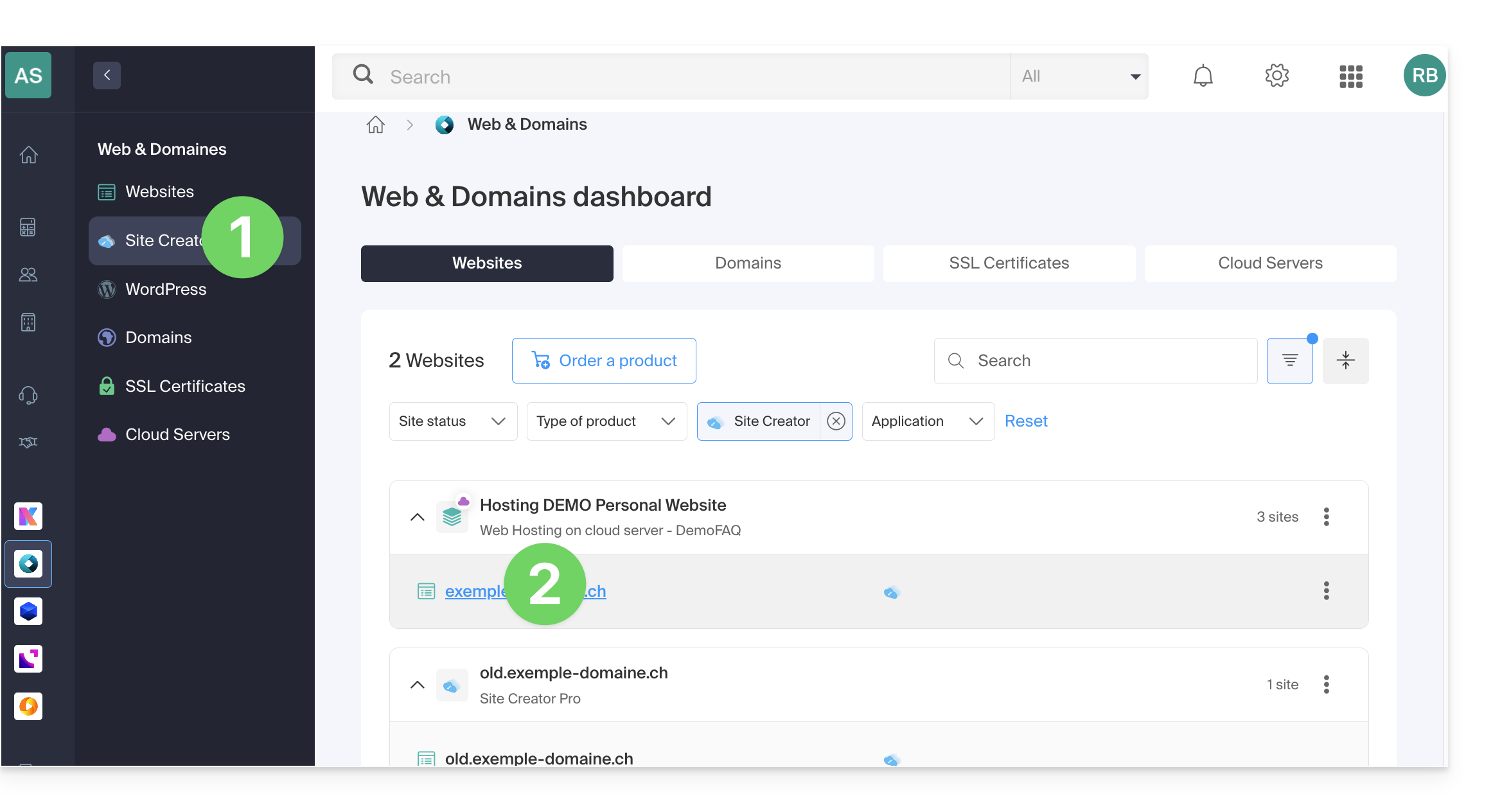
At the top of the page, any messages regarding Site Creator and domain-related issues will be displayed.
Further down, you can manage your domains, if you have any: 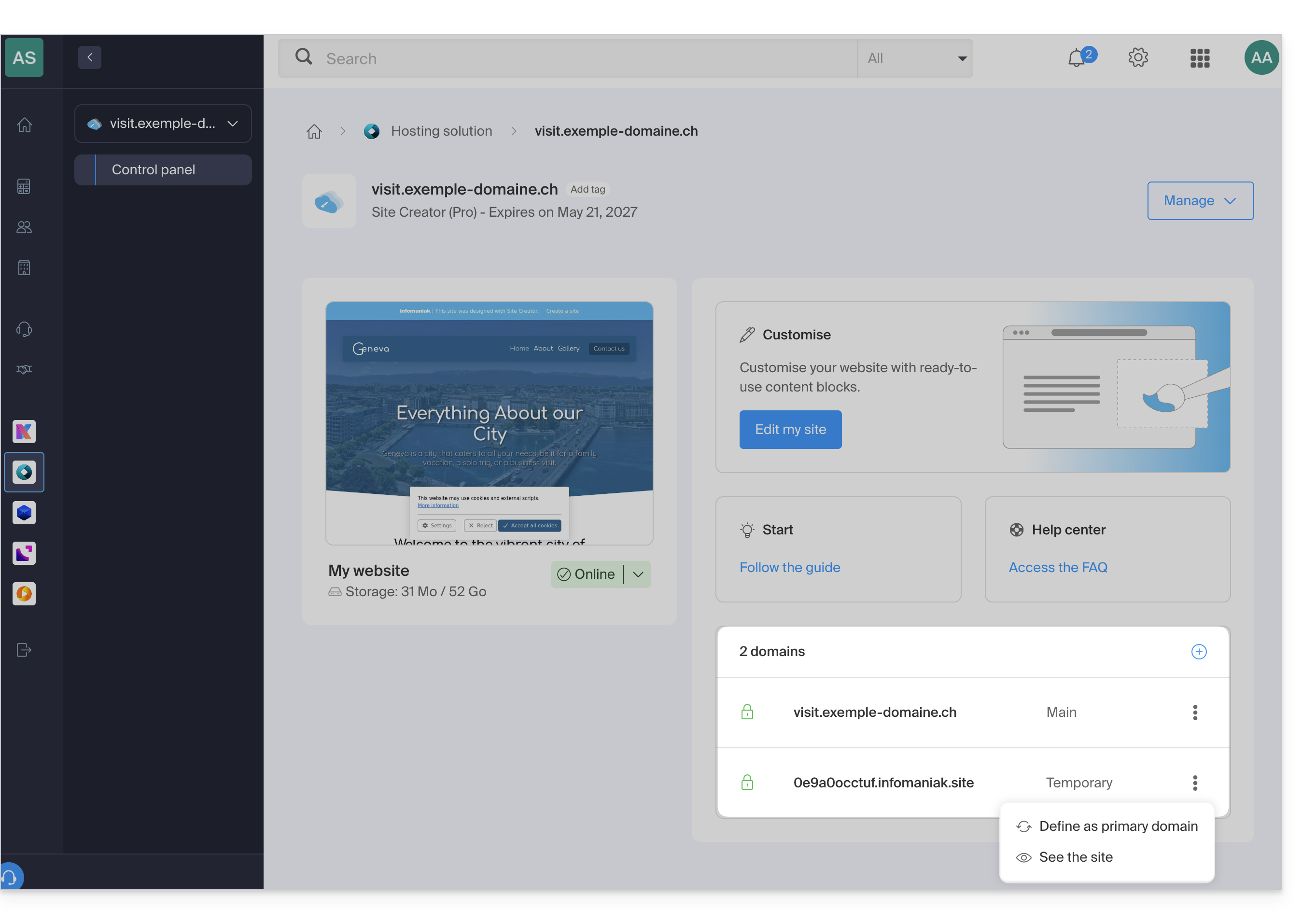
Temporary domain, provisional address, preview URL…
Several domain names can be linked to Site Creator, deleted, or interchanged and reversed as needed.
Click on to add a domain (or subdomain) to the current list, or click on the action menu ⋮ on the right to manage the domain in question: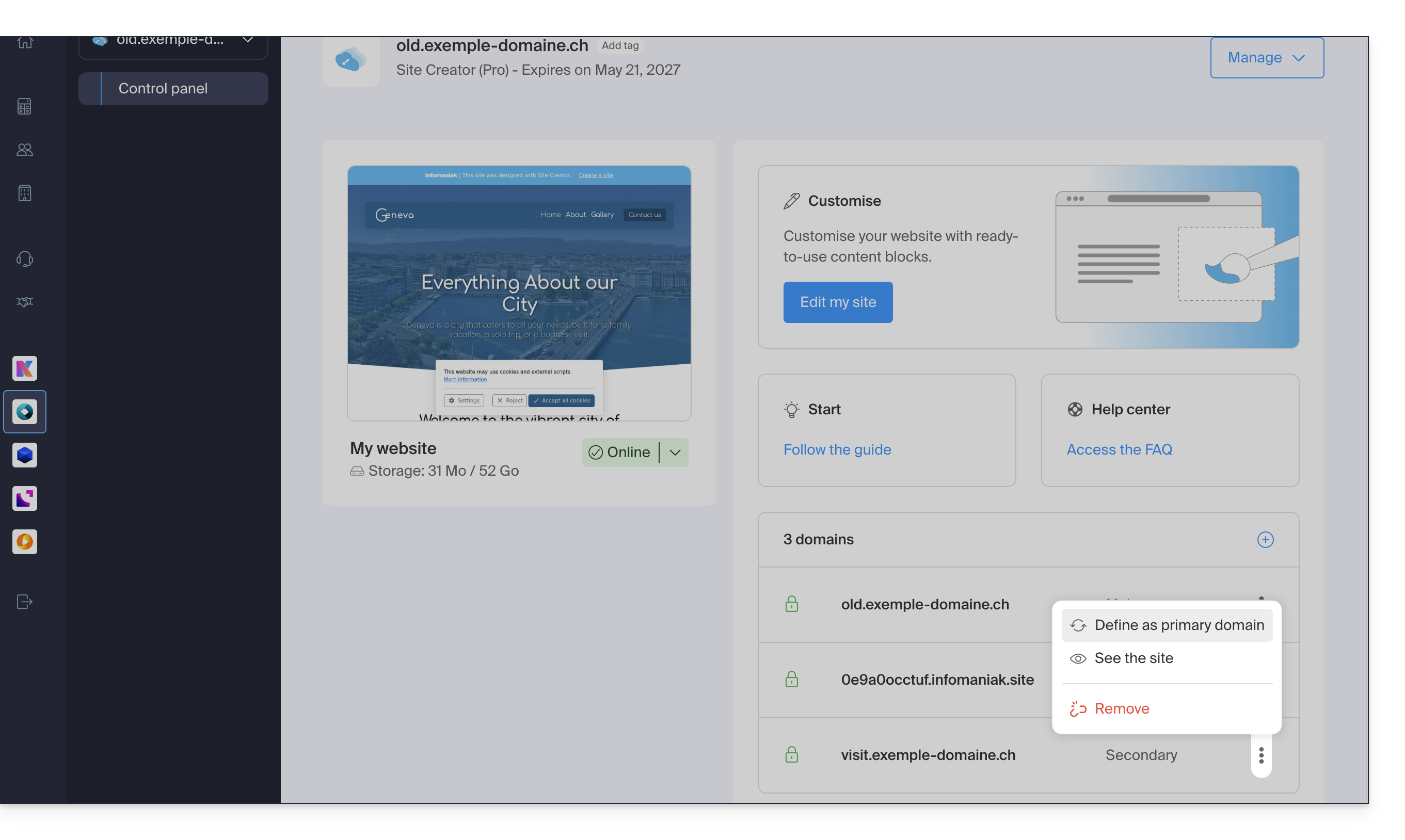
However, the preview URL, of the type 123xyz.infomaniak.site and distinct in the Site Creator domain list, can never be deleted for your site to function correctly.
Link to this FAQ: https://faq.infomaniak.com/2736
Has this FAQ been helpful?