Knowledge base
1000 FAQs, 500 tutorials and instructional videos. Here, there are only solutions!
Put Site Creator in maintenance mode
This guide explains how to temporarily take a website created with Infomaniak's Site Creator offline.
Introduction
- Public visibility: the maintenance page will only be displayed to your visitors!
- No translation is available at this time; the maintenance page will be displayed only in French.
- Administrator access: by remaining logged in to the editor, you retain full access to your site, allowing you to view and modify it via Site Creator.
Put Site Creator in maintenance mode
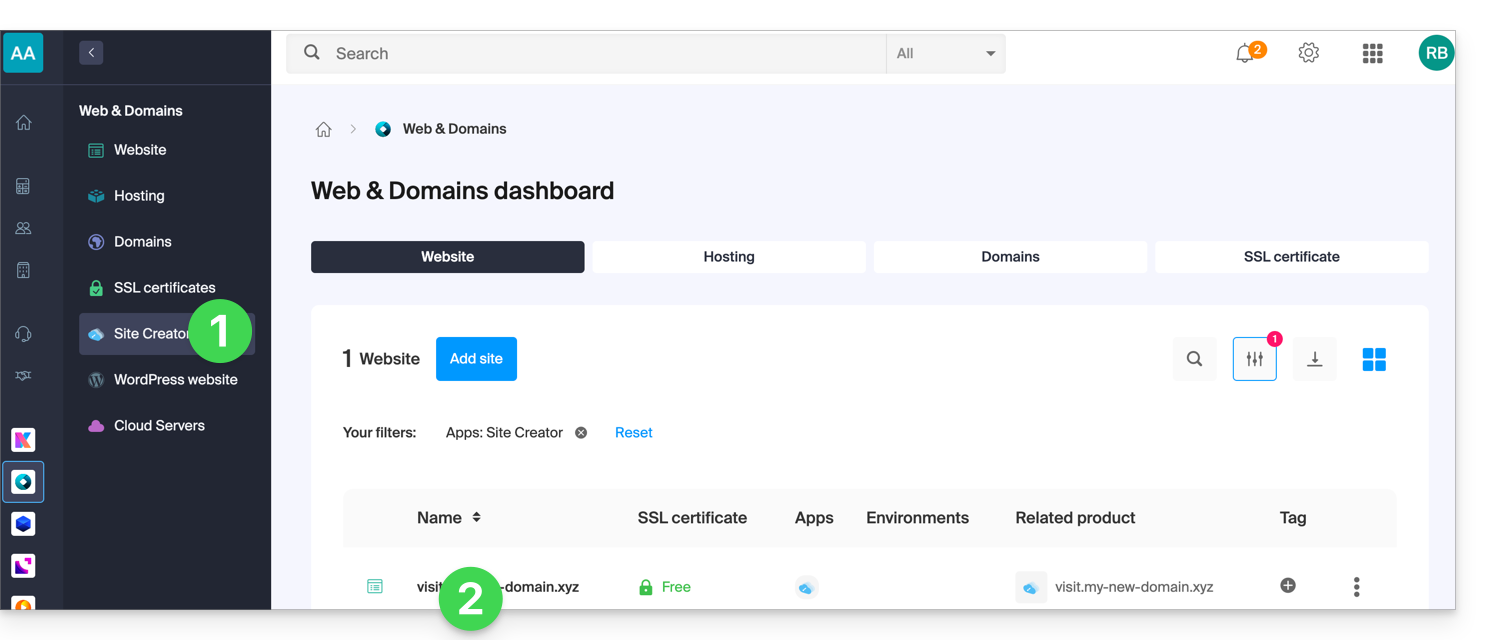
To temporarily disable Site Creator:
- Click here to access your website management in the Infomaniak Manager (need help?).
- Click directly on the name assigned to the website in question:
- Click on Manage at the top of the page.
- Click on Enable maintenance:
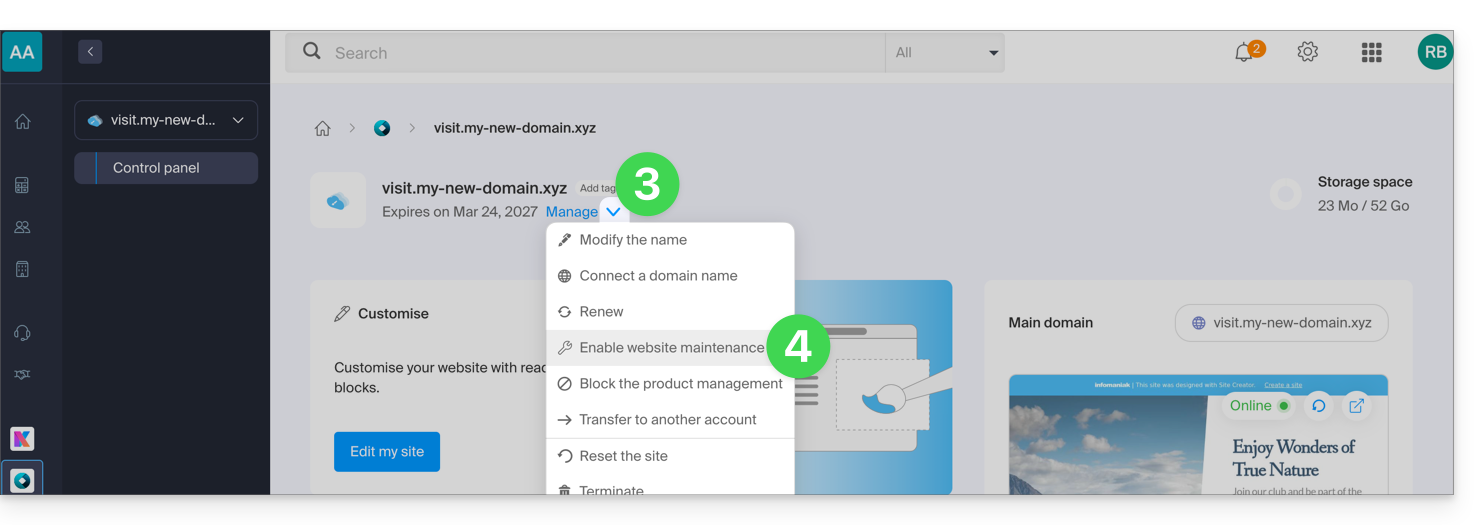
- Confirm the operation.
Disable the maintenance page
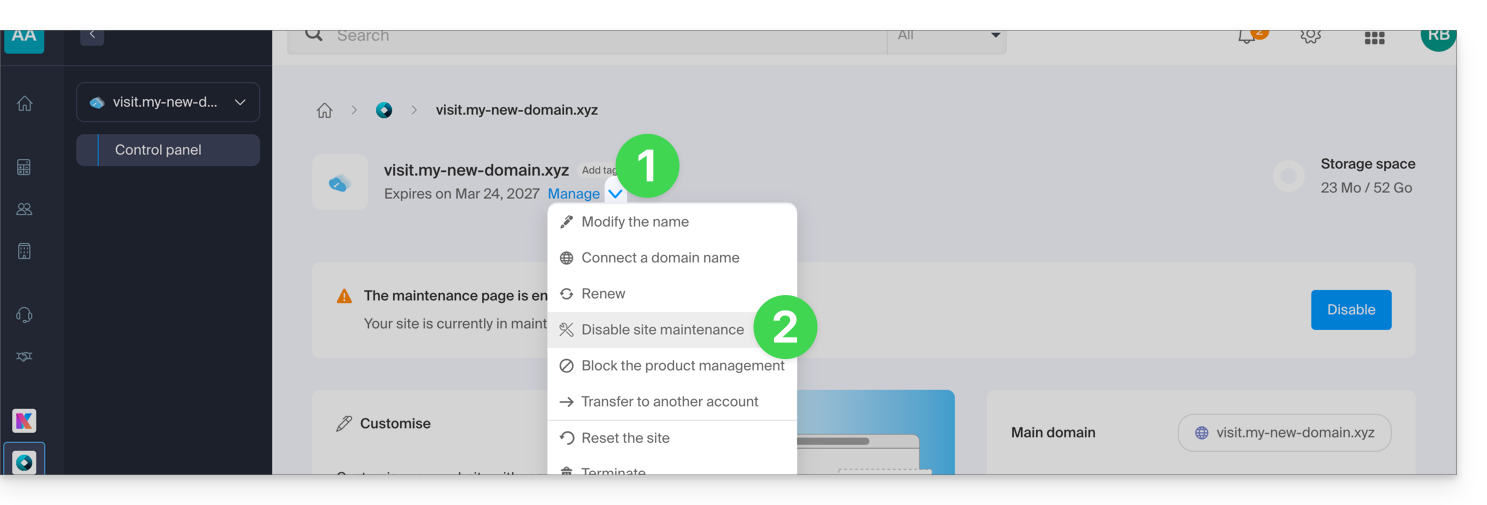
To bring the site back online for its visitors:
- Repeat the operation above; the menu allows you to disable maintenance mode:
You can also disable maintenance mode from the management page and from the preview block of your site: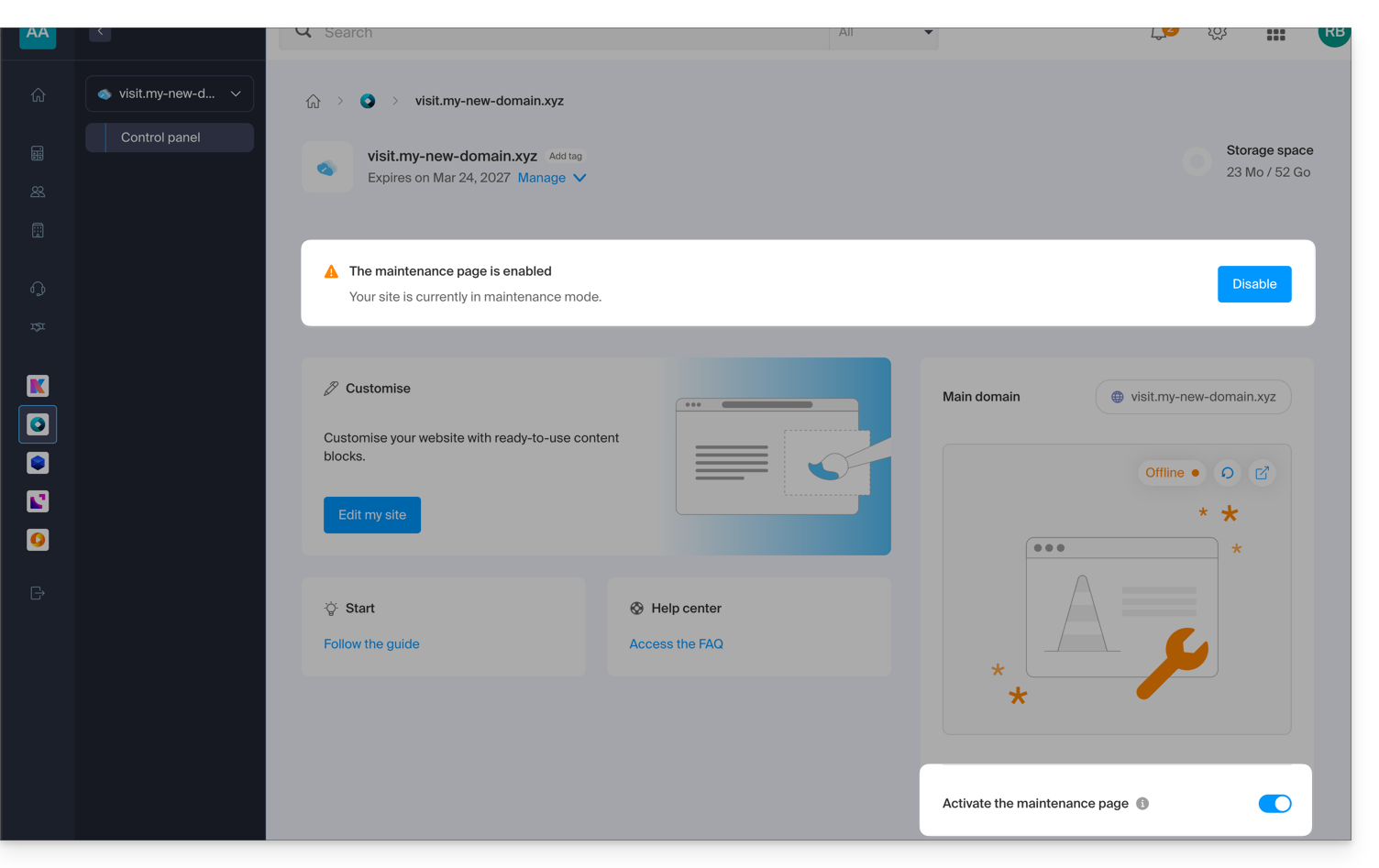
Link to this FAQ: https://faq.infomaniak.com/2735
Has this FAQ been helpful?