Knowledge base
1000 FAQs, 500 tutorials and instructional videos. Here, there are only solutions!
Put Site Creator in maintenance
This guide explains how to temporarily take an Infomaniak Site Creator site offline.
Preamble
- Public visibility: the maintenance page will only be displayed to your visitors!
- No translation is available at the moment; the maintenance page will be displayed only in French.
- Administrator access: by staying logged in to the editor, you retain full access to your site to view and modify it via Site Creator.
Put Site Creator in maintenance
To temporarily disable Site Creator:
- Click here to access the management of your site on the Infomaniak Manager (need help?).
- Click directly on the name assigned to the site concerned:
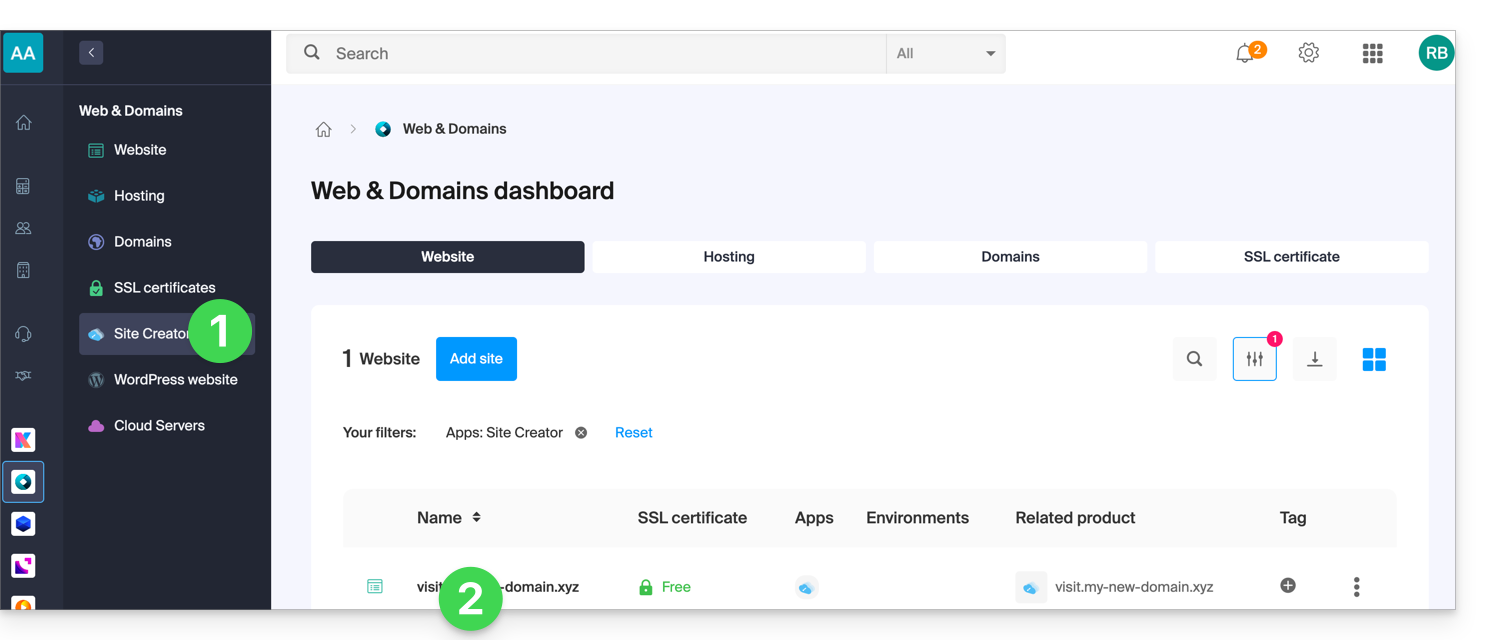
- Click on Manage at the top of the page.
- Click on Enable maintenance:
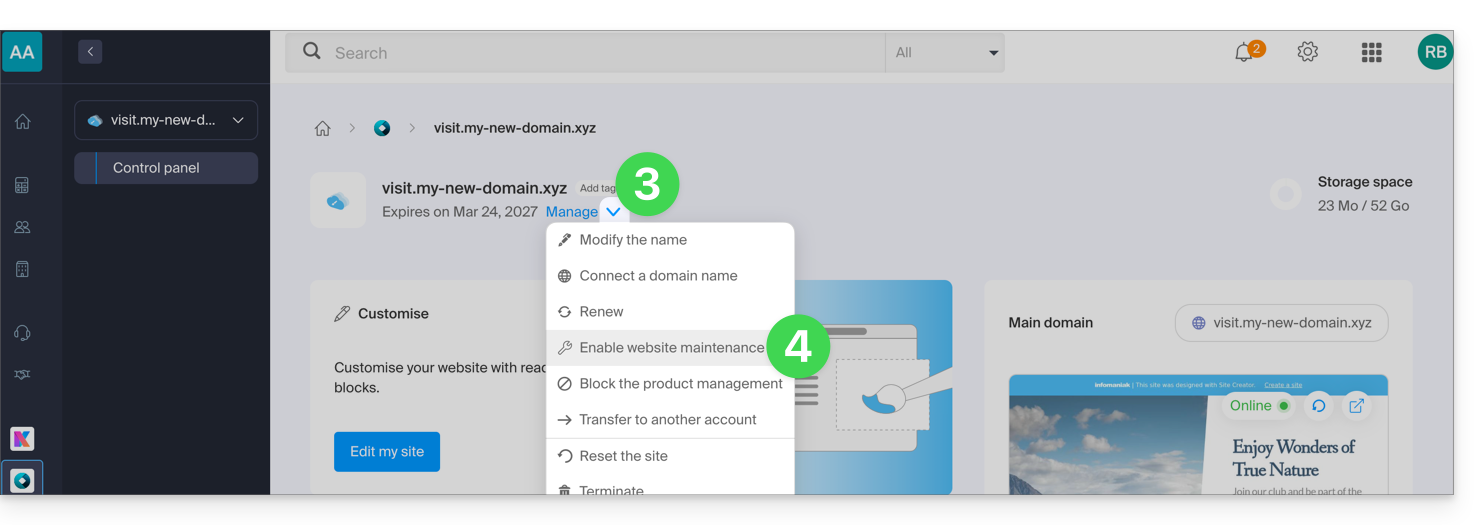
- Confirm the operation.
Disable the maintenance page
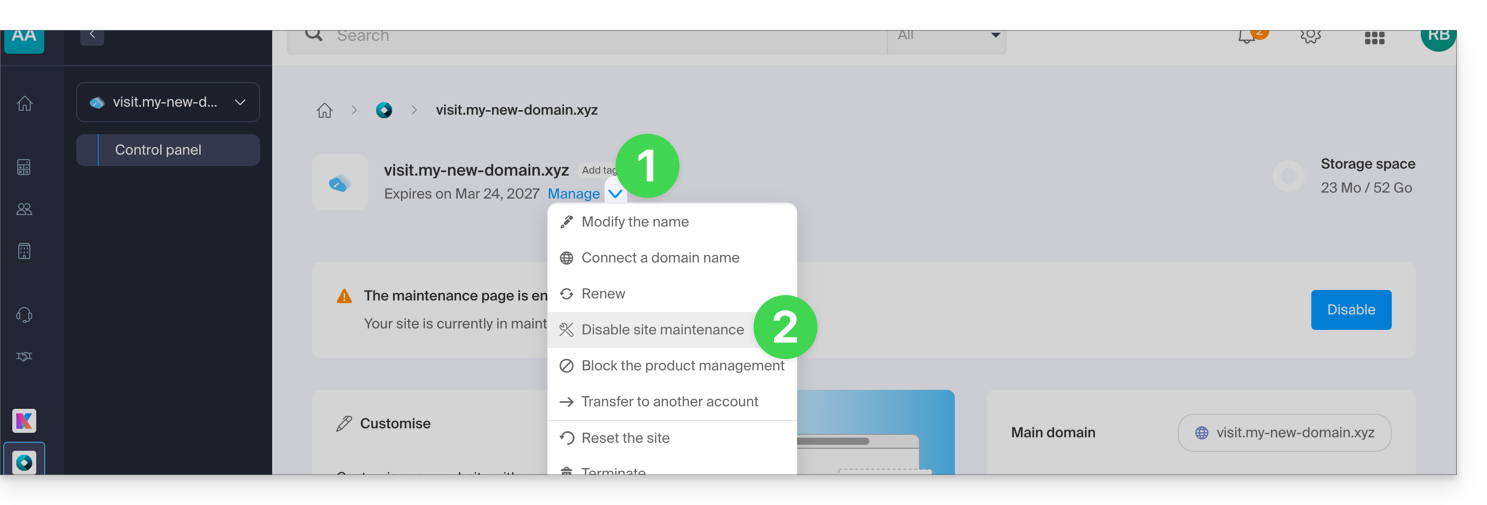
To bring the site back online for its visitors:
- Repeat the operation above, the menu allows you to disable maintenance:
You can also disable maintenance from the management page and from the preview block of your site: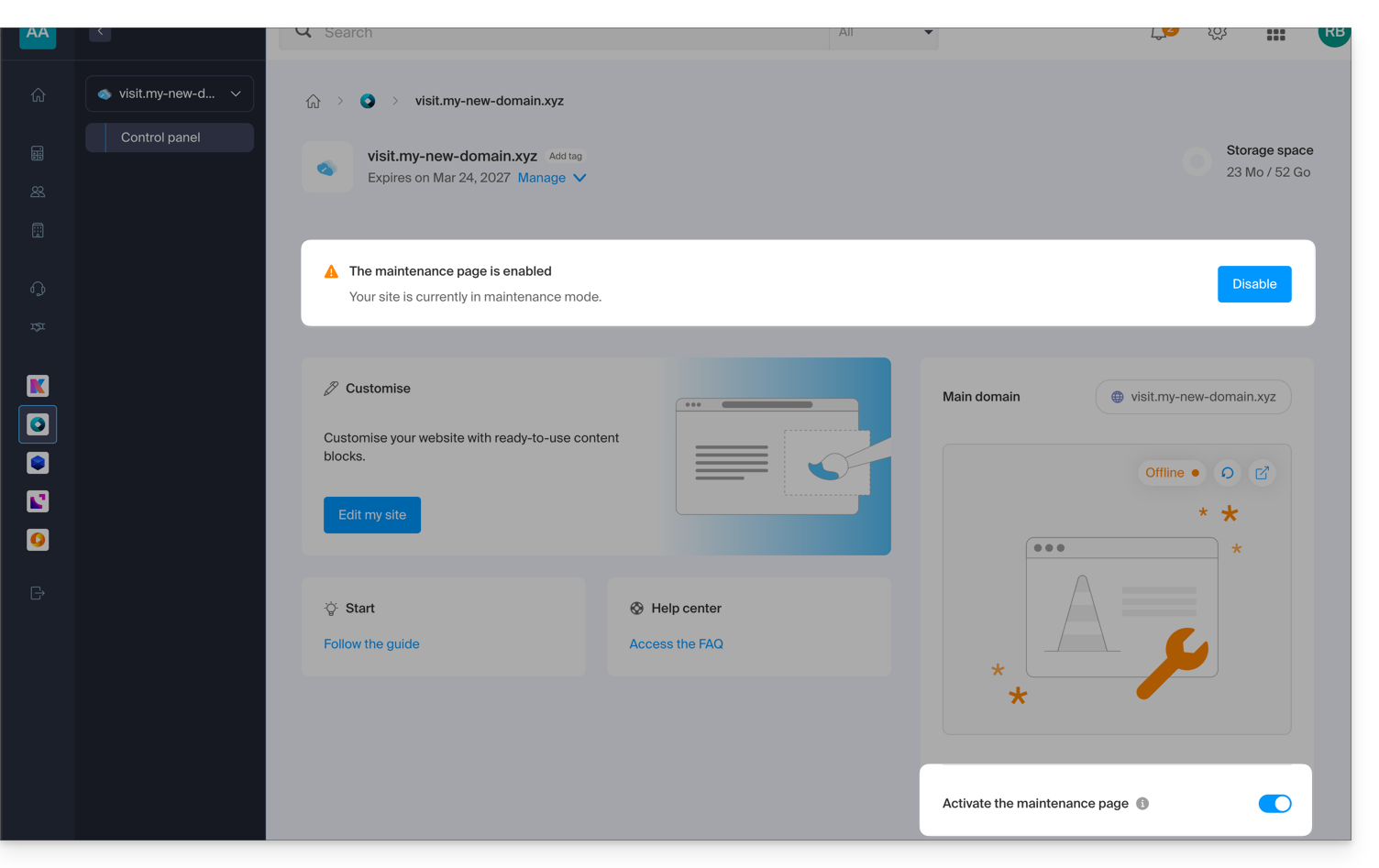
Link to this FAQ: https://faq.infomaniak.com/2735
Has this FAQ been helpful?