Knowledge base
1000 FAQs, 500 tutorials and instructional videos. Here, there are only solutions!
Undo a change in Site Creator
This guide concerns the undo function in Infomaniak's Site Creator.
Introduction
- No backup/restore is possible from the Infomaniak Manager.
- For example, if you delete a content block and want to restore it, you can undo up to the last 20 operations in Site Creator.
Cancel an operation
Prerequisites
- Access Site Creator:
- Click here to access the management of your product on the Infomaniak Manager (need help?).
- Click directly on the name assigned to the Site Creator in question.
- Click on the Edit my site button to launch the editor:
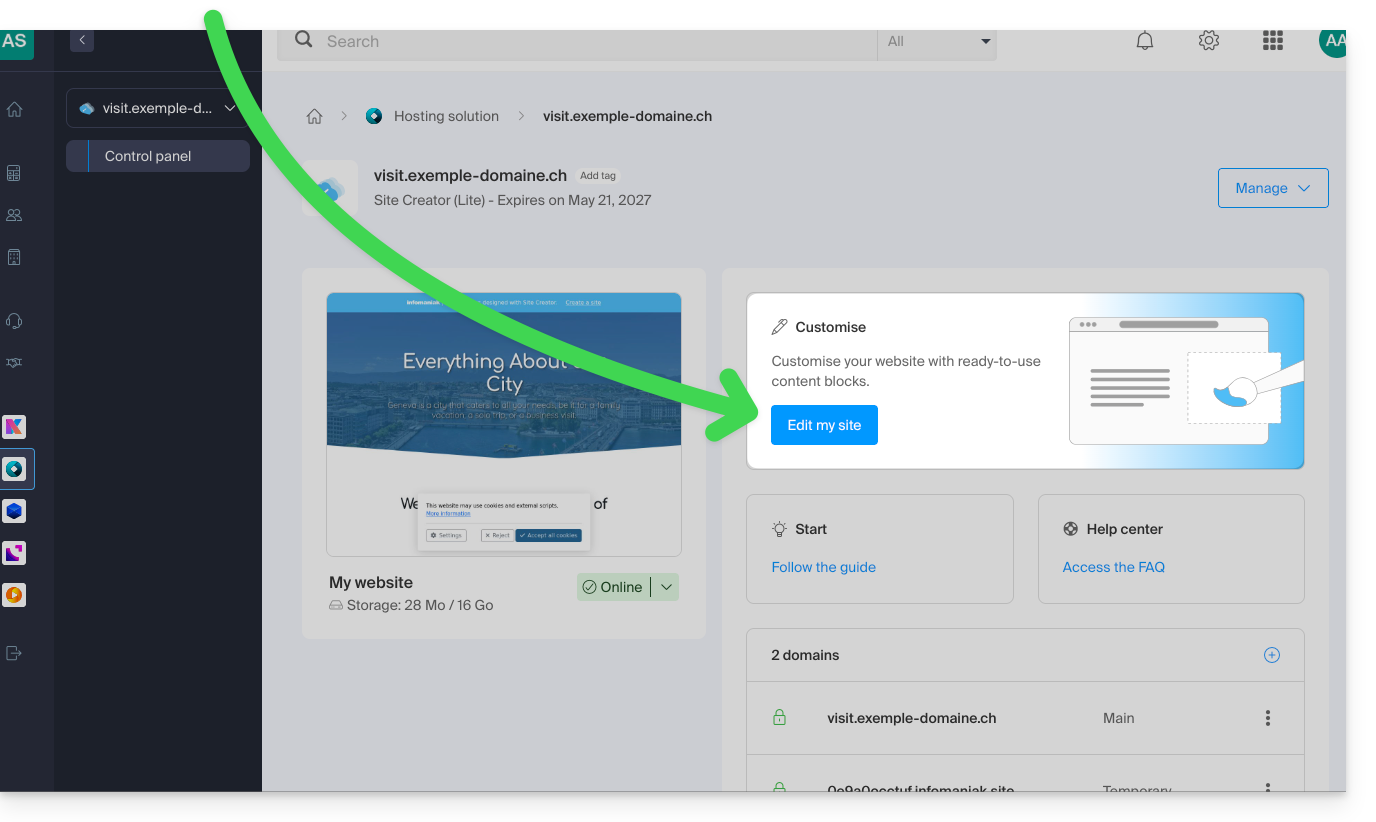
Once in Site Creator:
- Click on the … button at the very bottom of the Site Creator's left-hand menu to expand the cancellation options.
- Click on Cancel and confirm the restoration (the arrows next to it allow you to "navigate" through the latest backups):
Link to this FAQ: https://faq.infomaniak.com/2731
Has this FAQ been helpful?