Knowledge base
1000 FAQs, 500 tutorials and instructional videos. Here, there are only solutions!
Manage Site Creator cookies (GDPR)
This guide for Infomaniak's Site Creator covers the topic of browser cookies.
Introduction
- By default, when your website is new, no cookies should be stored on your visitors' devices, and there are no tracking features for advertising or marketing.
- As a website administrator, some data is stored in your own cookies (such as information indicating that you are a website administrator).
- If you add applications/modules integrated into your website, cookies may be used; for example, with the Survey Form: if you add a survey module to your website, it will use cookies when the website visitor votes (to remember that they have already voted).
Notification for the visitor
Prerequisites
- Access Site Creator:
- Click here to access the management of your product on the Infomaniak Manager (need help?).
- Click directly on the name assigned to the Site Creator in question.
- Click on the Edit my site button to start the editor:
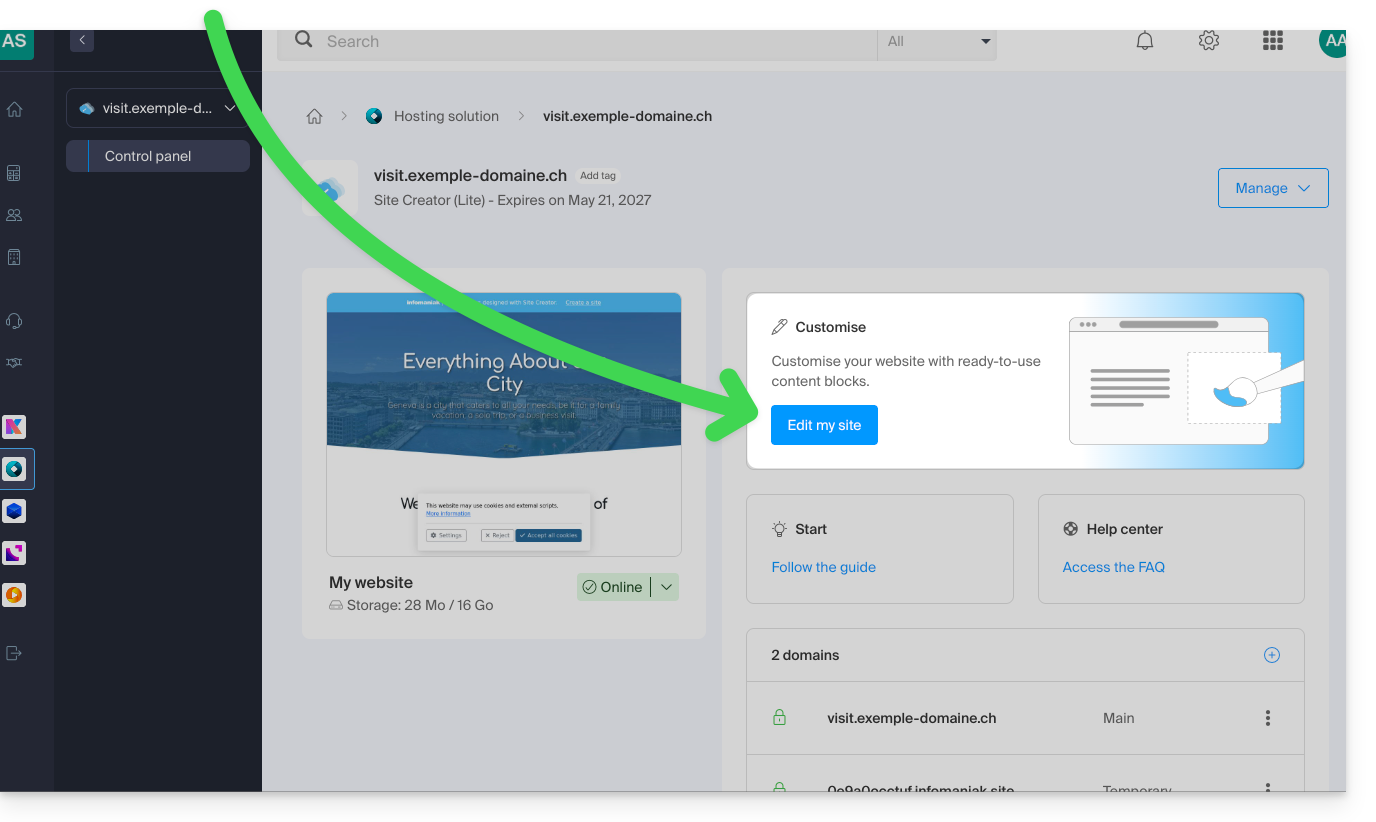
You can enable a cookie consent message that will appear in a small pop-up window at the bottom of the screenfor all new visitors to your site:
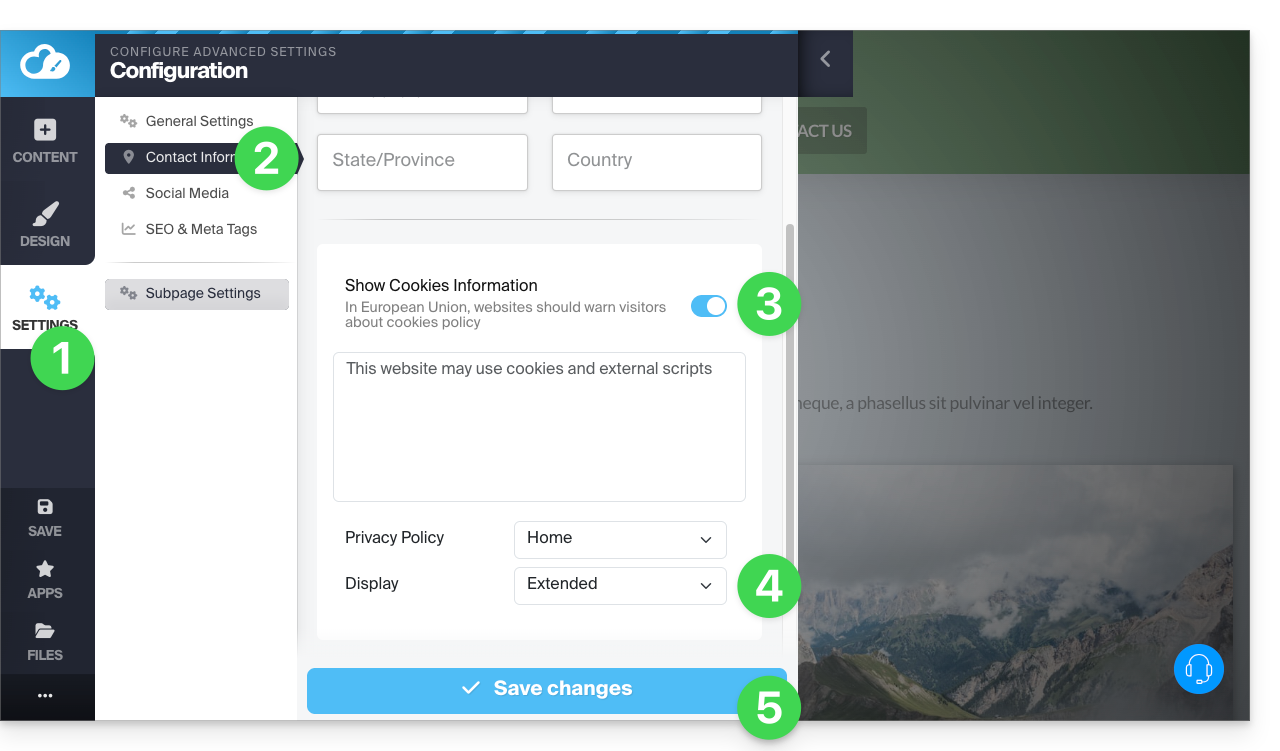
- Click on the Settings button in the left-hand menu.
- Click on Contact Information under Website Configuration.
- Enable the cookie information option to configure the brief message and the URL for additional information.
- Set the type of extended display (or not) (see below).
- Save the changes at the bottom of the page:
Additional settings
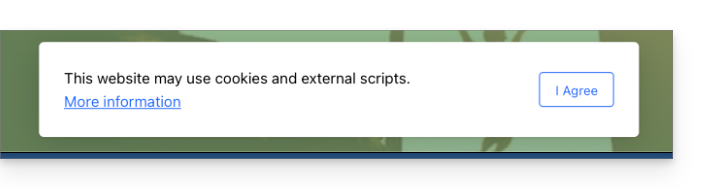
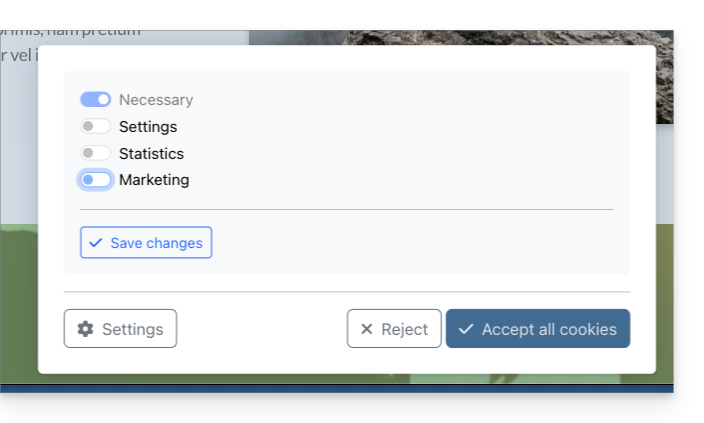
The consent message can be set to default or extended when you click on Display. The result is as follows:
- default:
- extended:
Link to this FAQ: https://faq.infomaniak.com/2727
Has this FAQ been helpful?