Knowledge base
1000 FAQs, 500 tutorials and instructional videos. Here, there are only solutions!
Manage the name and details of your Site Creator website
This guide explains how to modify certain details of a website created with Infomaniak's Site Creator.
Prerequisites
- Access Site Creator:
- Click here to access the management of your product on the Infomaniak Manager (need help?).
- Click directly on the name assigned to the Site Creator in question.
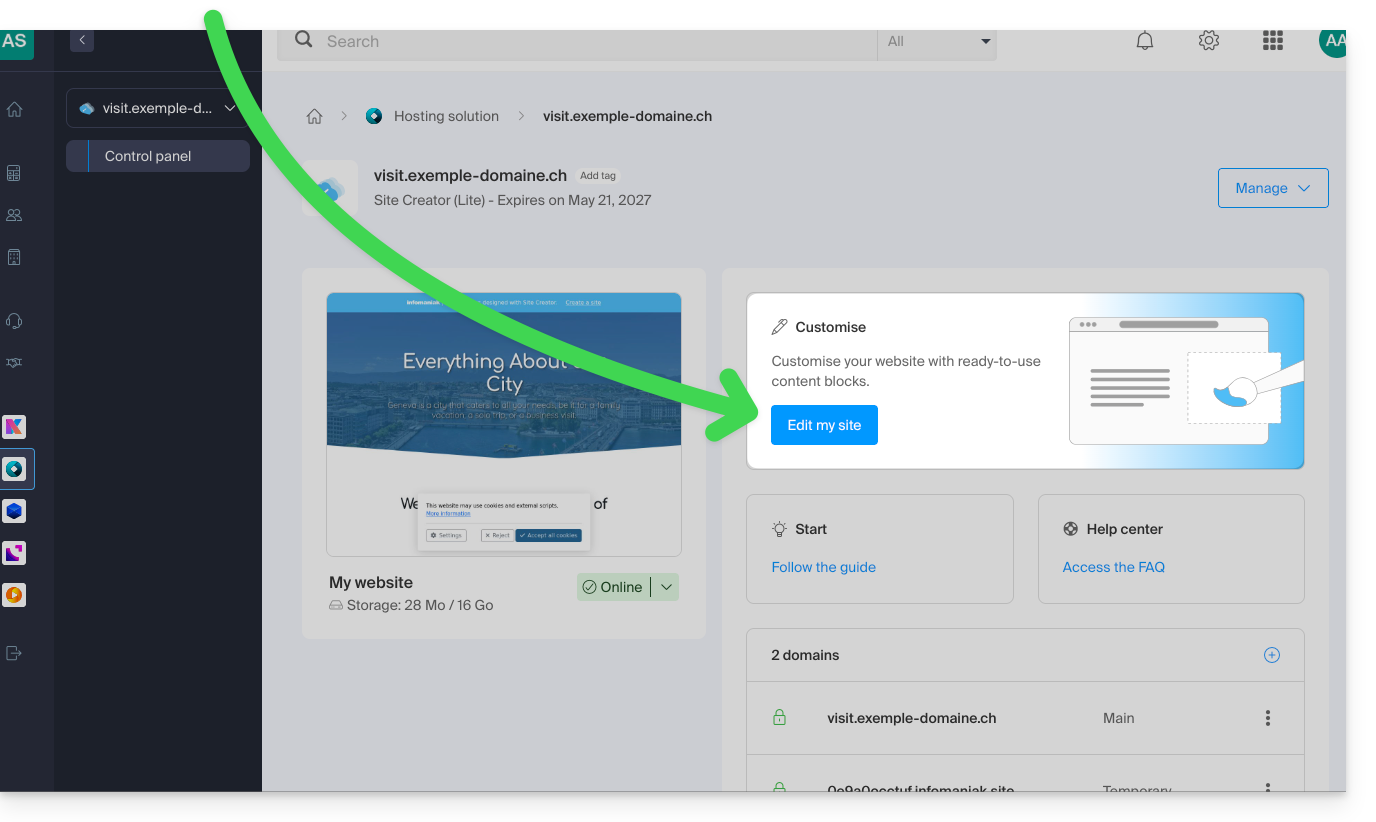
- Click on the Edit my site button to launch the editor:
Change the website name
Click on the Settings button in the left sidebar, then on Site Title: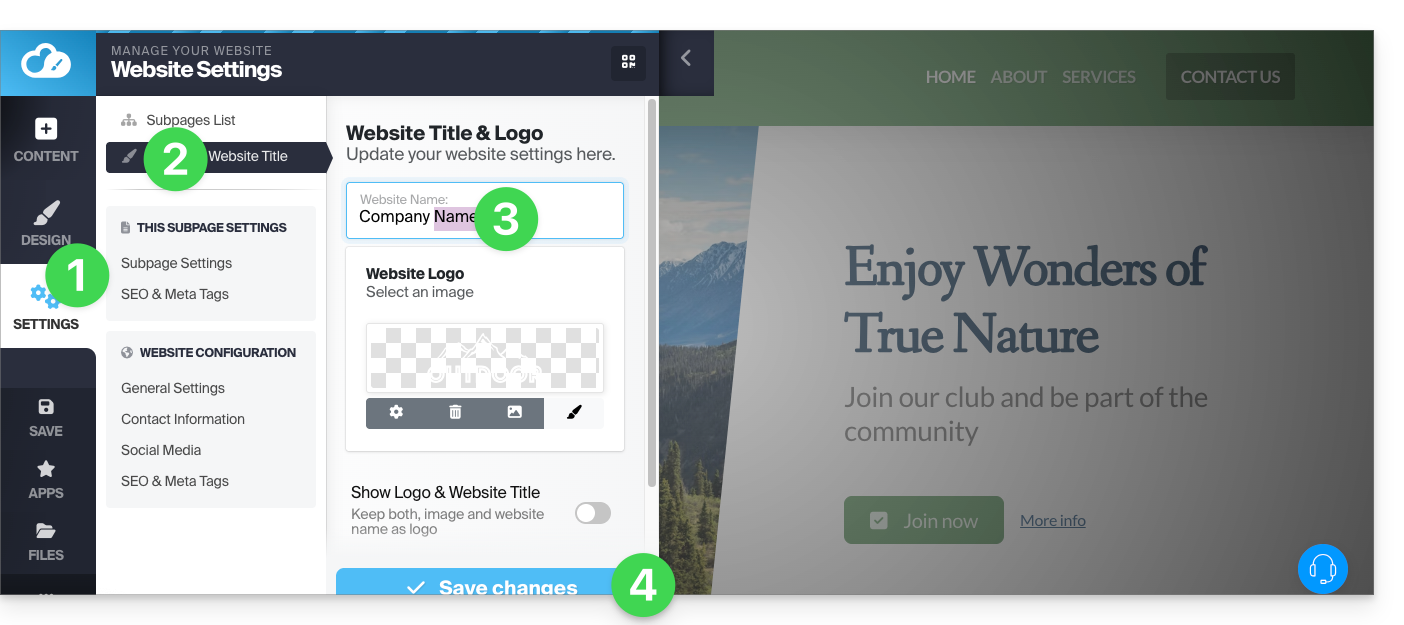
Company Details
Click on the Settings button in the left sidebar, then on Contact details under Website configuration: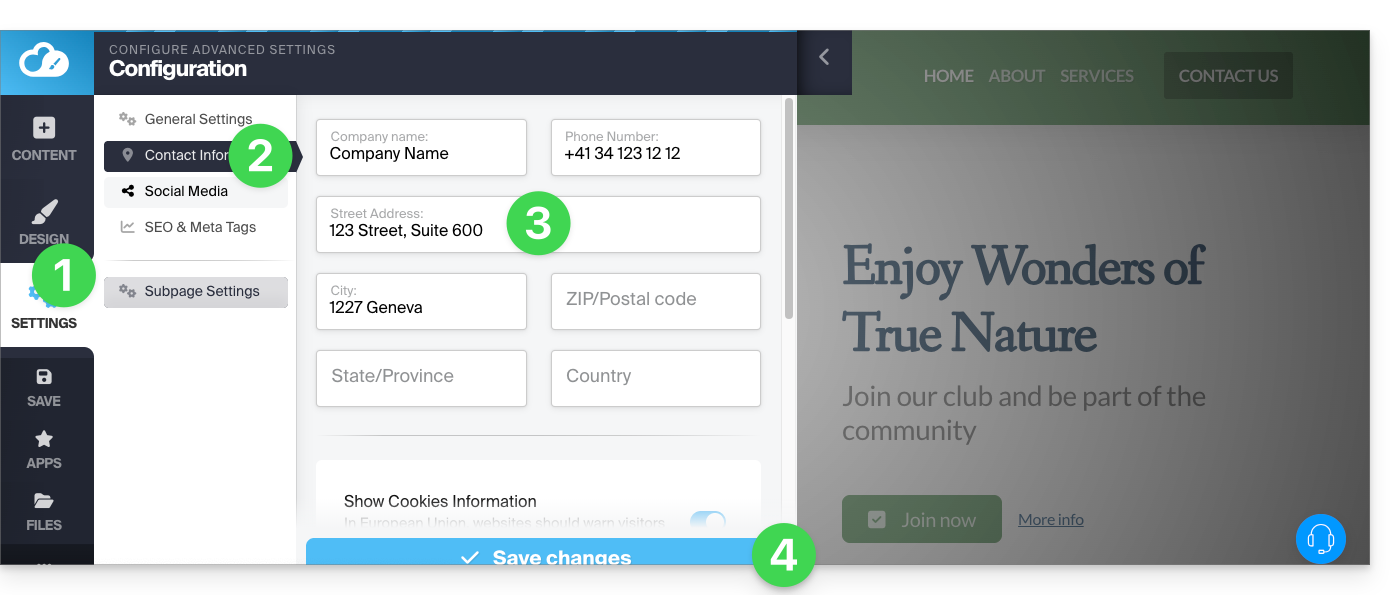
Link to this FAQ: https://faq.infomaniak.com/2721
Has this FAQ been helpful?