Knowledge base
1000 FAQs, 500 tutorials and instructional videos. Here, there are only solutions!
Manage the name and details of your Site Creator website
Update 10/13/2026
This guide explains how to modify certain details of a website created with Infomaniak's Site Creator.
Change the website name
Start by logging in to the Infomaniak Manager with your credentials (user account with the necessary permissions for the relevant product):
- Click here to access the hosting & site management interface (filtered to display only Site Creator).
- If nothing is displayed, you may not be in the Organization to which your site is linked (❓: help).
- Click on the name of the Site Creator in question:
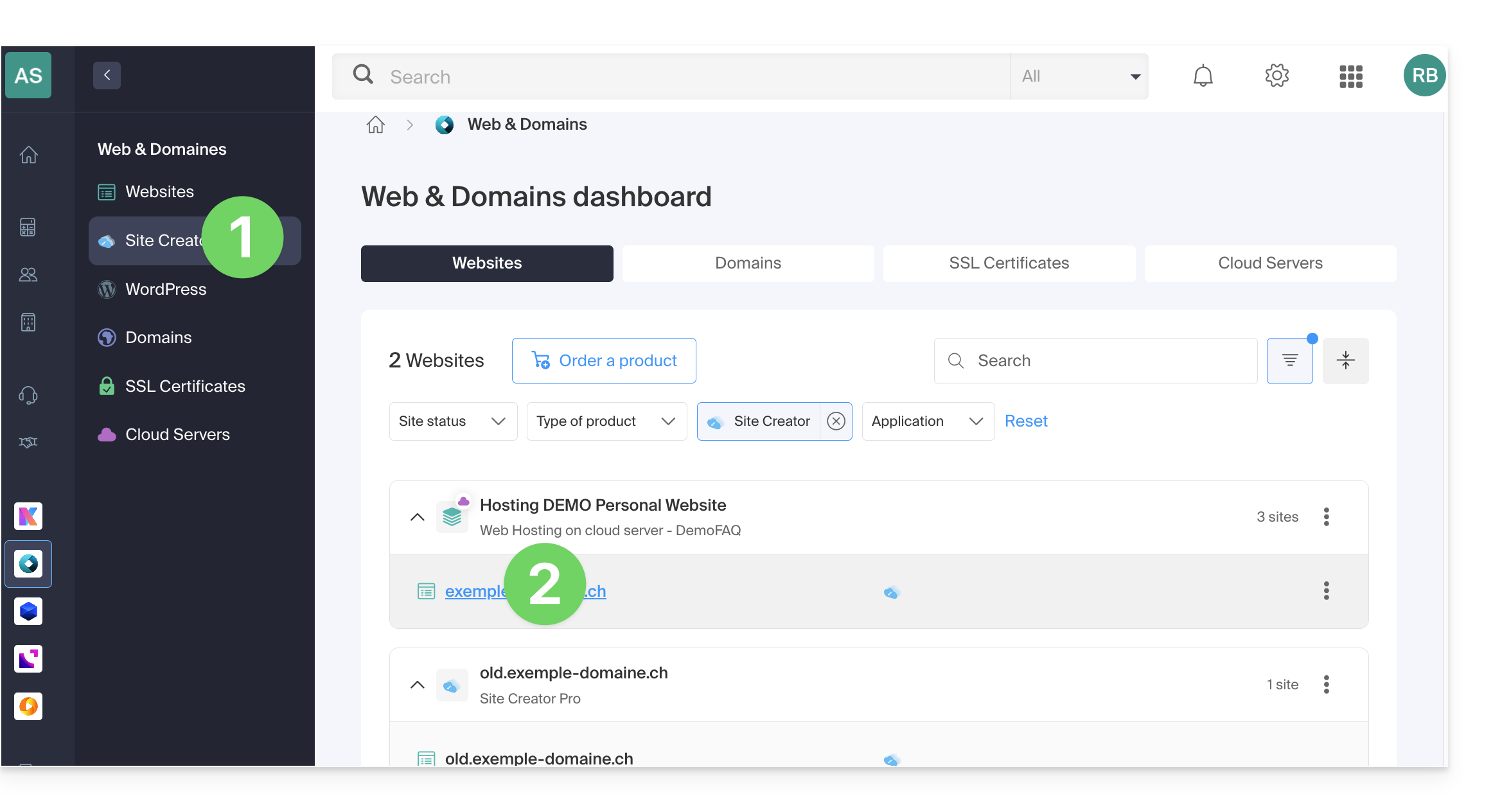
- Click on the button to edit your site:
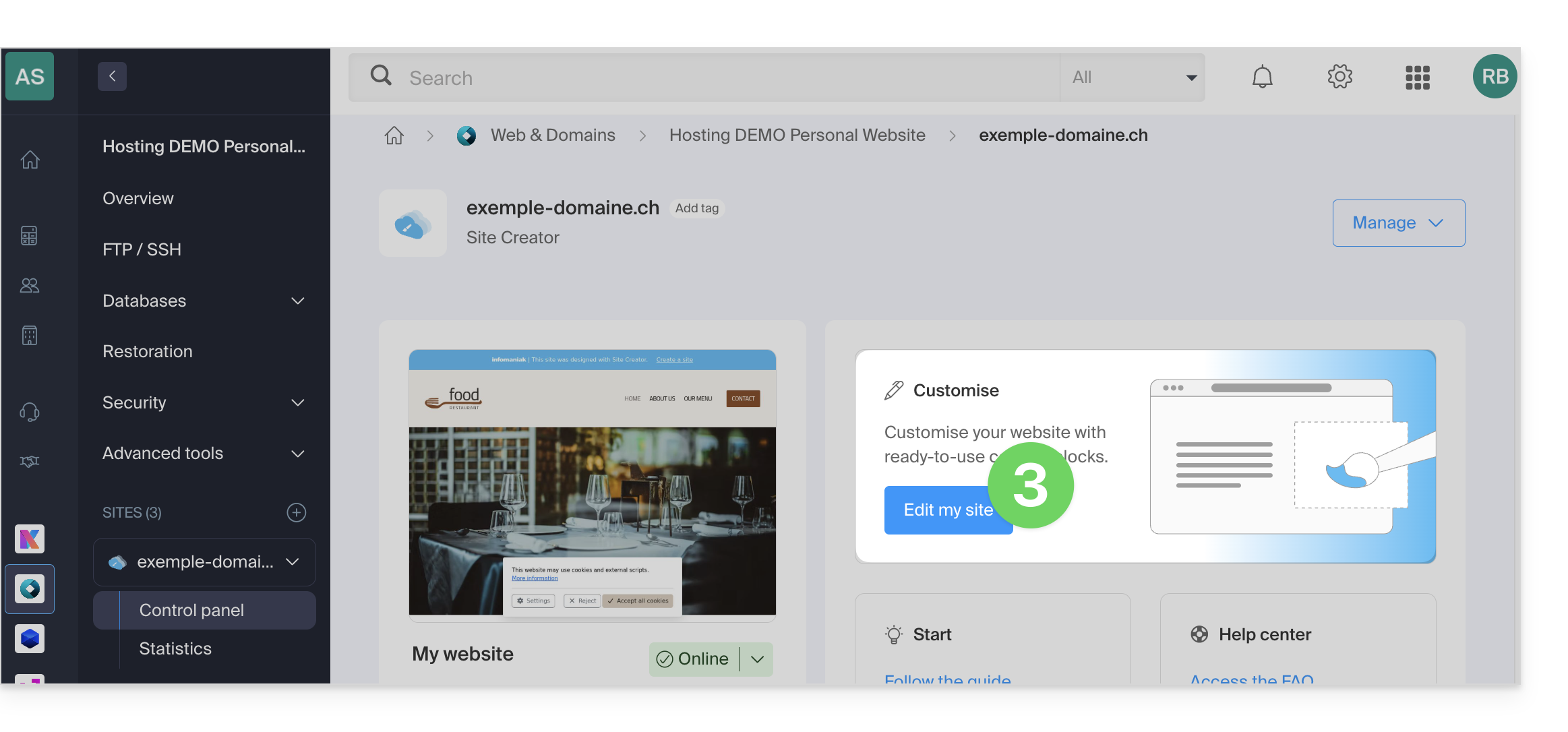
Once in Site Creator, click on the Settings button in the left sidebar, then on Site Title: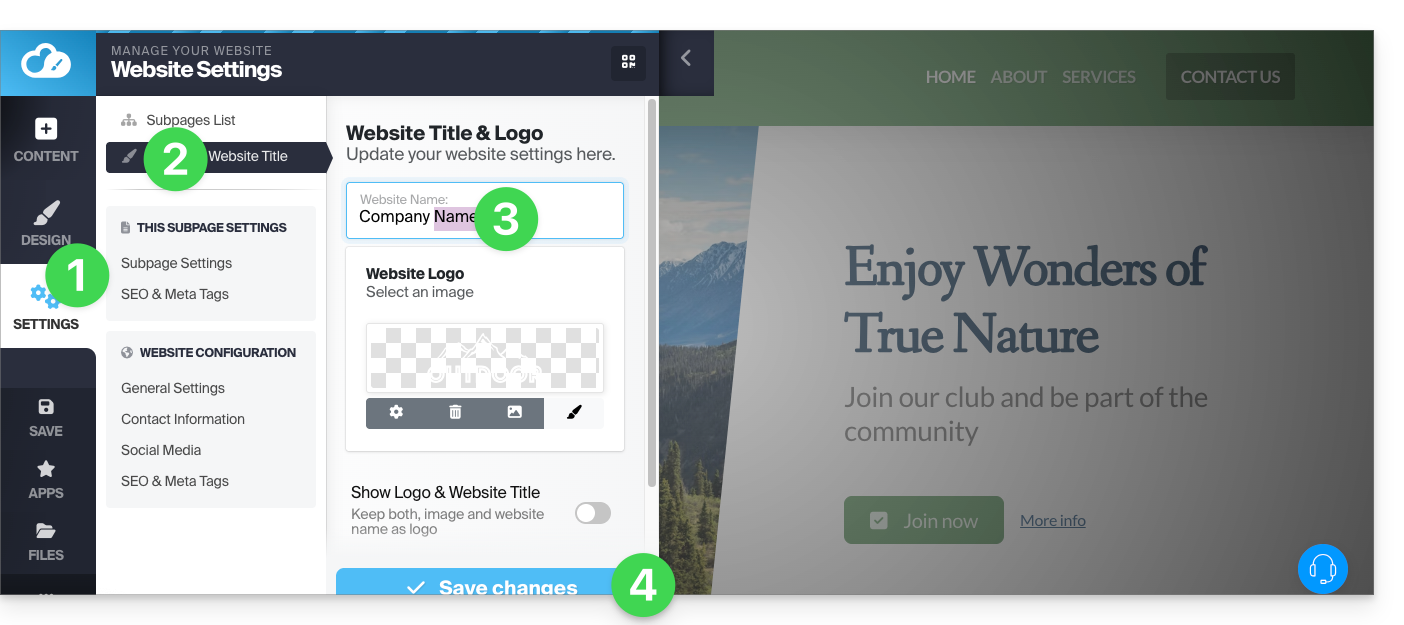
Company Information
Click on the Settings button in the left sidebar, then on Contact Information under Website Configuration: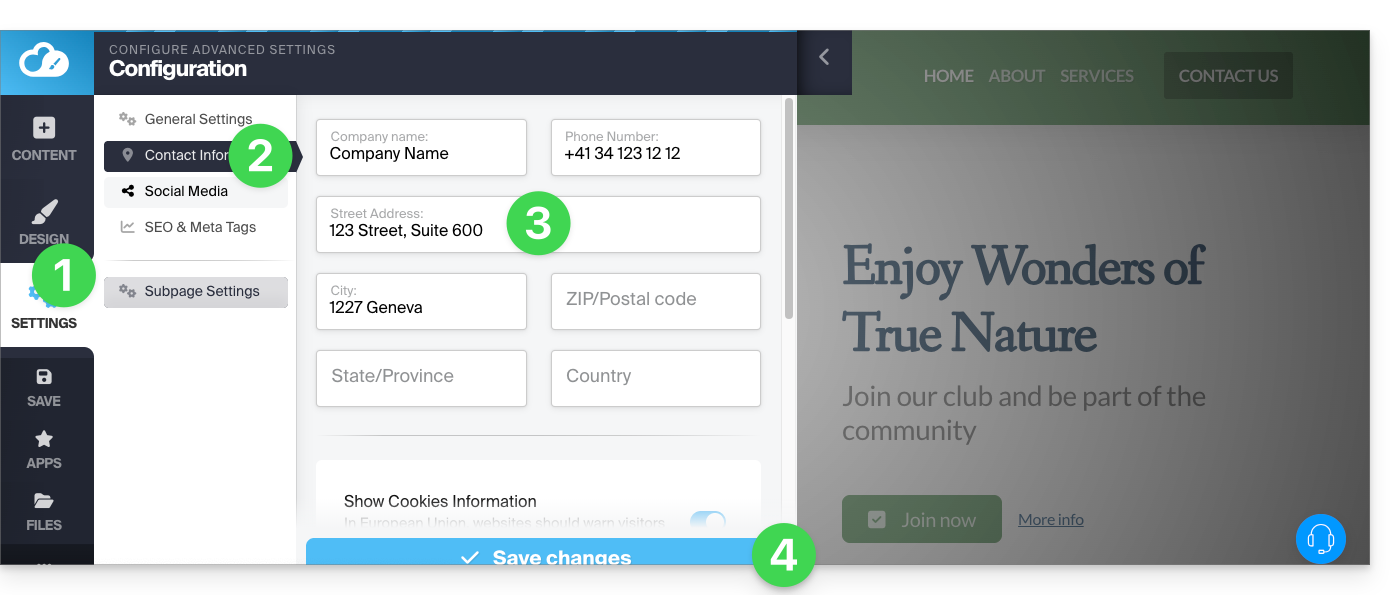
Link to this FAQ: https://faq.infomaniak.com/2721
Has this FAQ been helpful?