Knowledge base
1000 FAQs, 500 tutorials and instructional videos. Here, there are only solutions!
Use an Additional Site Creator App
This guide concerns the "Applications" (or "modules", “extensions”) available in Infomaniak Site Creator depending on the version you have, to create a showcase website, a blog, or a 100% customizable online store, without any technical knowledge.
Different Applications
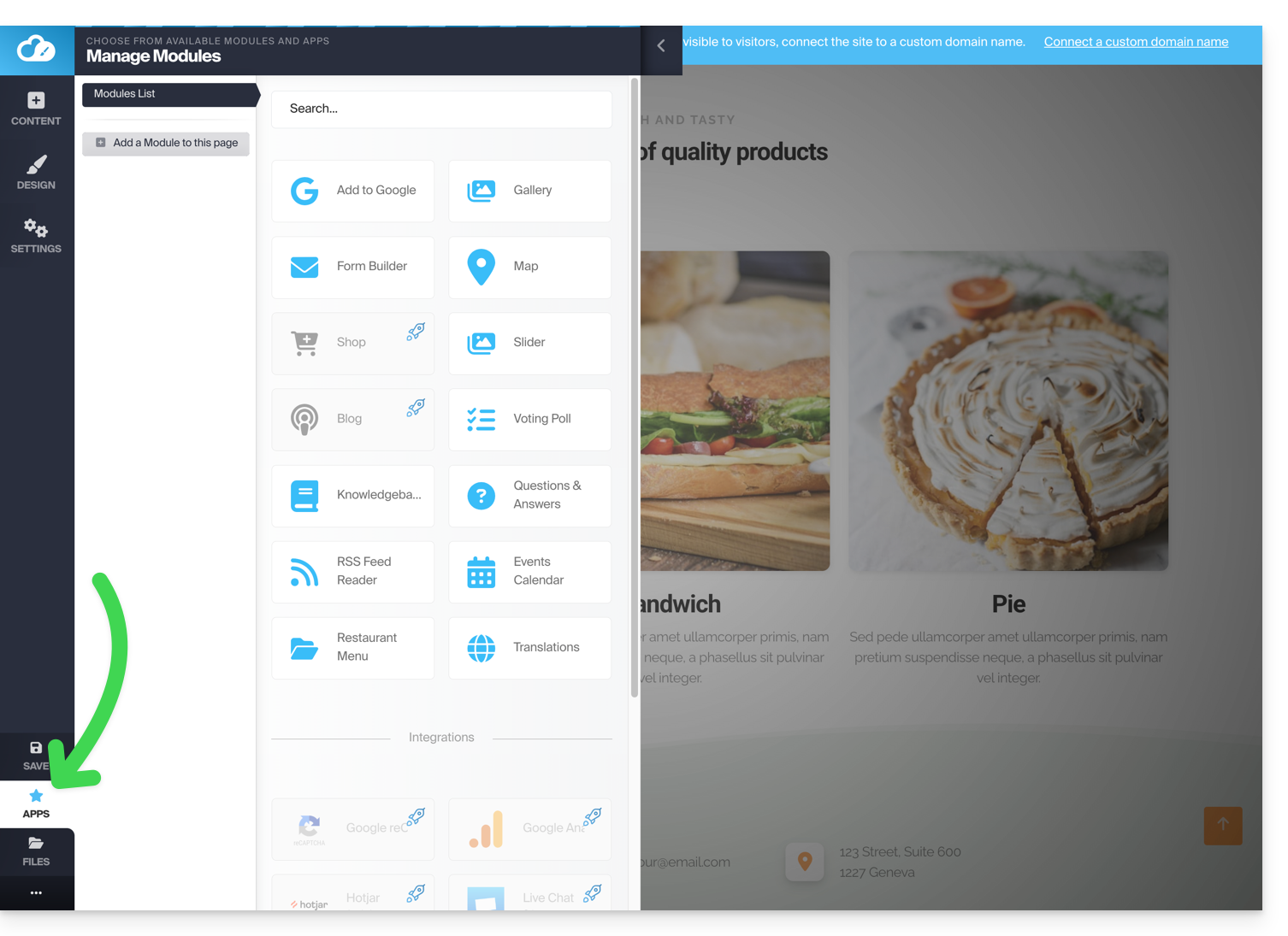
In addition to the content blocks offering different pre-formatted layouts, you can also insert blocks in the form of modules, each with a specific function:
- Video
- Audio player
- Image slider / slideshow
- File download
- Location on map
- Survey
- Knowledge base
- Questions and answers
- Calendar
- Calendly
- Subpage menu
- Sitemap
- Add to Google
- Custom HTML code
- Contact form
- Blog
- Shop
- RSS feed reader
- Restaurant menu
- Google Analytics
Insert a module on a page
Start by logging in to the Infomaniak Manager with your credentials (user account with the necessary rights for the relevant product):
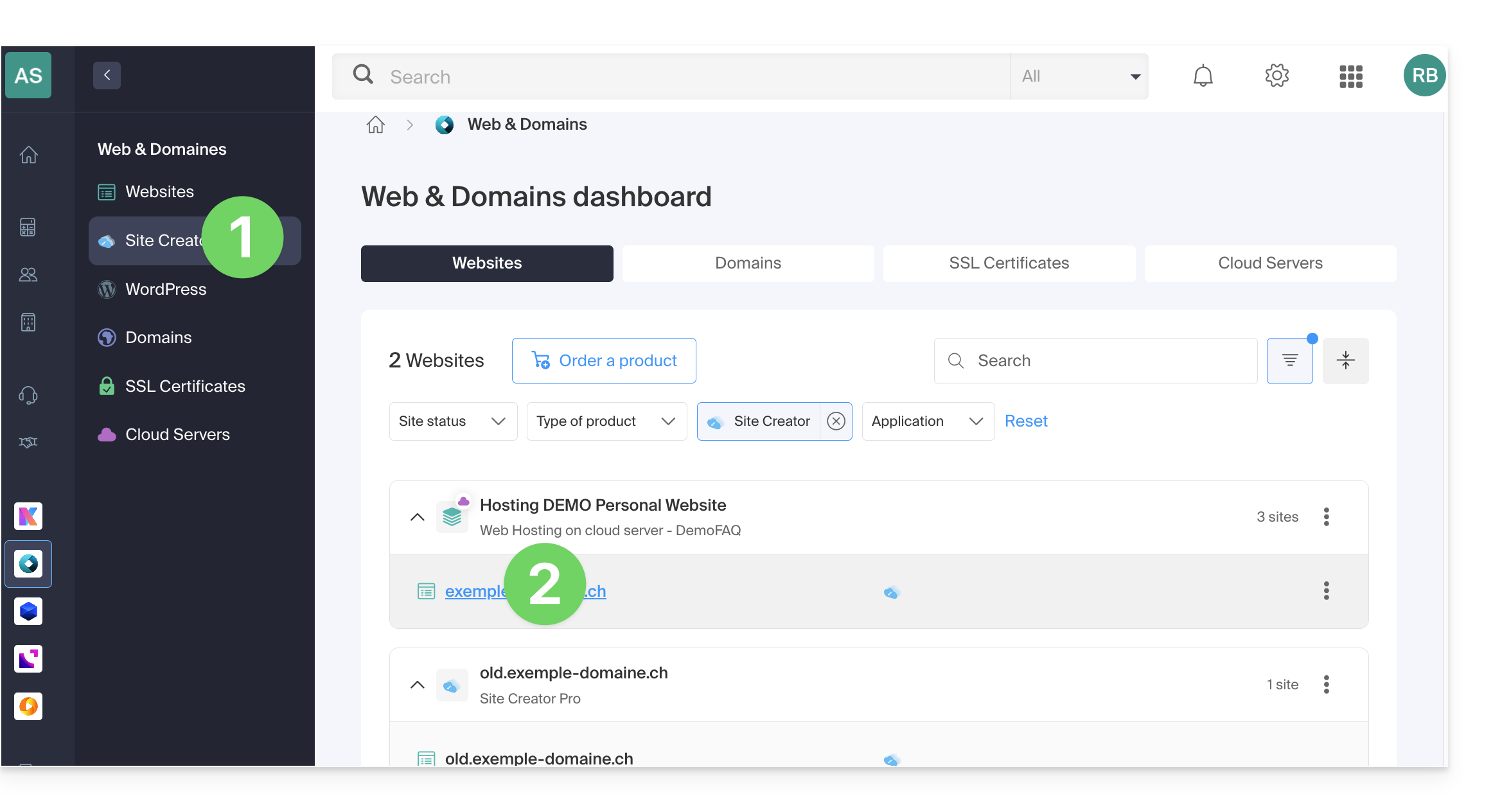
- Click here to access the hosting & site management interface (filtered to display only Site Creator).
- If nothing is displayed, you may not be in the Organization to which your site is linked (❓: help).
- Click on the name of the Site Creator in question:
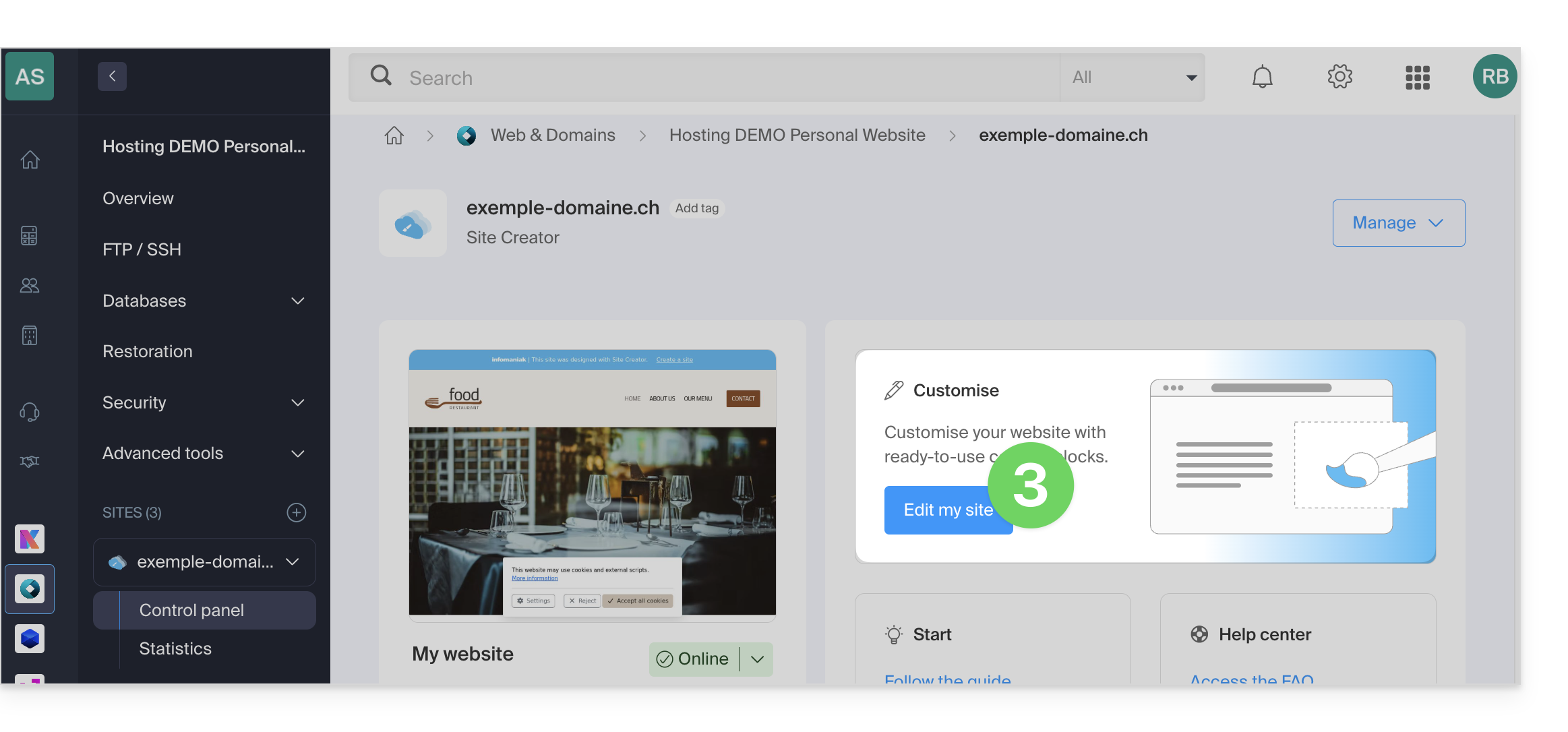
- Click on the button to edit your site:
Once in Site Creator:
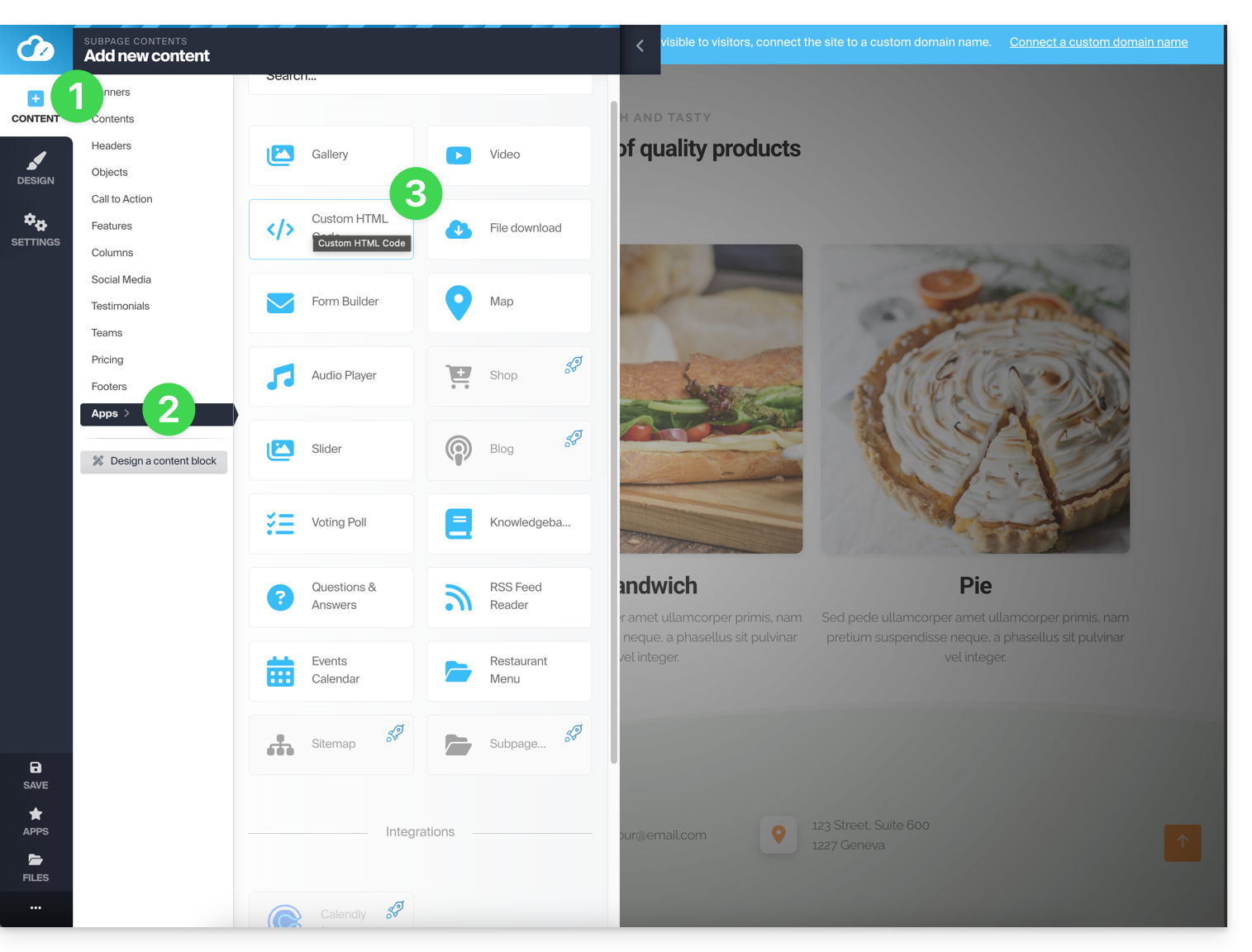
- Click on the Content button in the left-hand menu.
- Click on Applications at the bottom, and the available content will be displayed on the right.
- Click on one of these applications to insert it into the page:
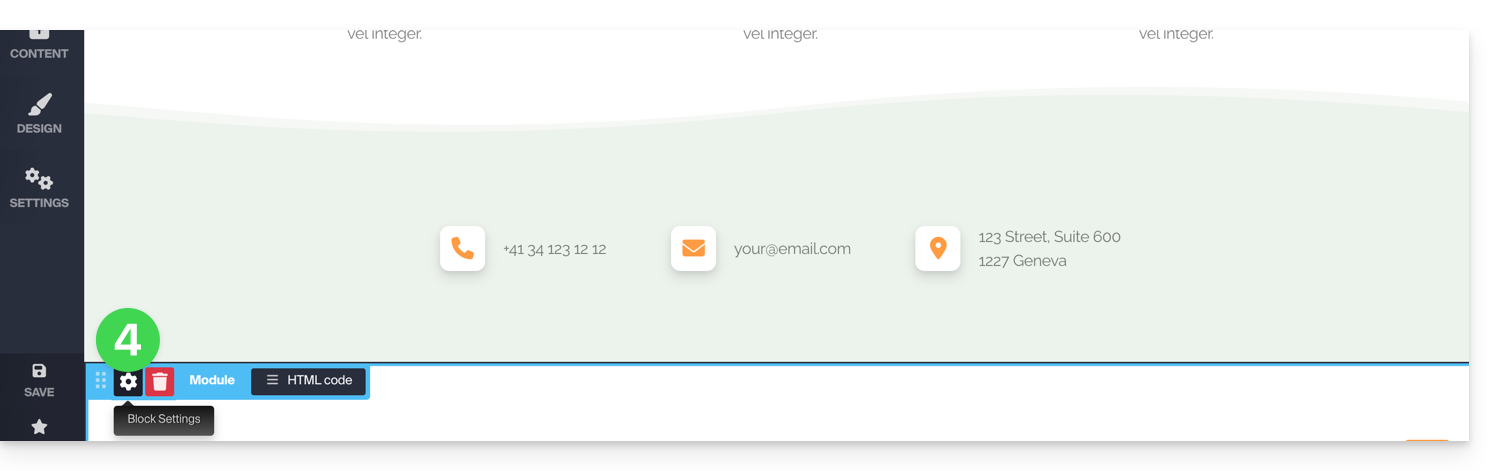
- Once inserted, hover over the module (or the block itself, depending on the module) to access its settings:
Multiple modules or missing module
If you delete one of your modules (such as the one for creating a survey) that you have already configured and want to revert the changes, click Cancel immediately:
or
You can also reinsert the module, which should revert to its previous settings.
You cannot insert multiple modules of the same type to customize them independently.
Other integrations & widgets
Click on the APPLICATIONS button in the left sidebar of Site Creator:
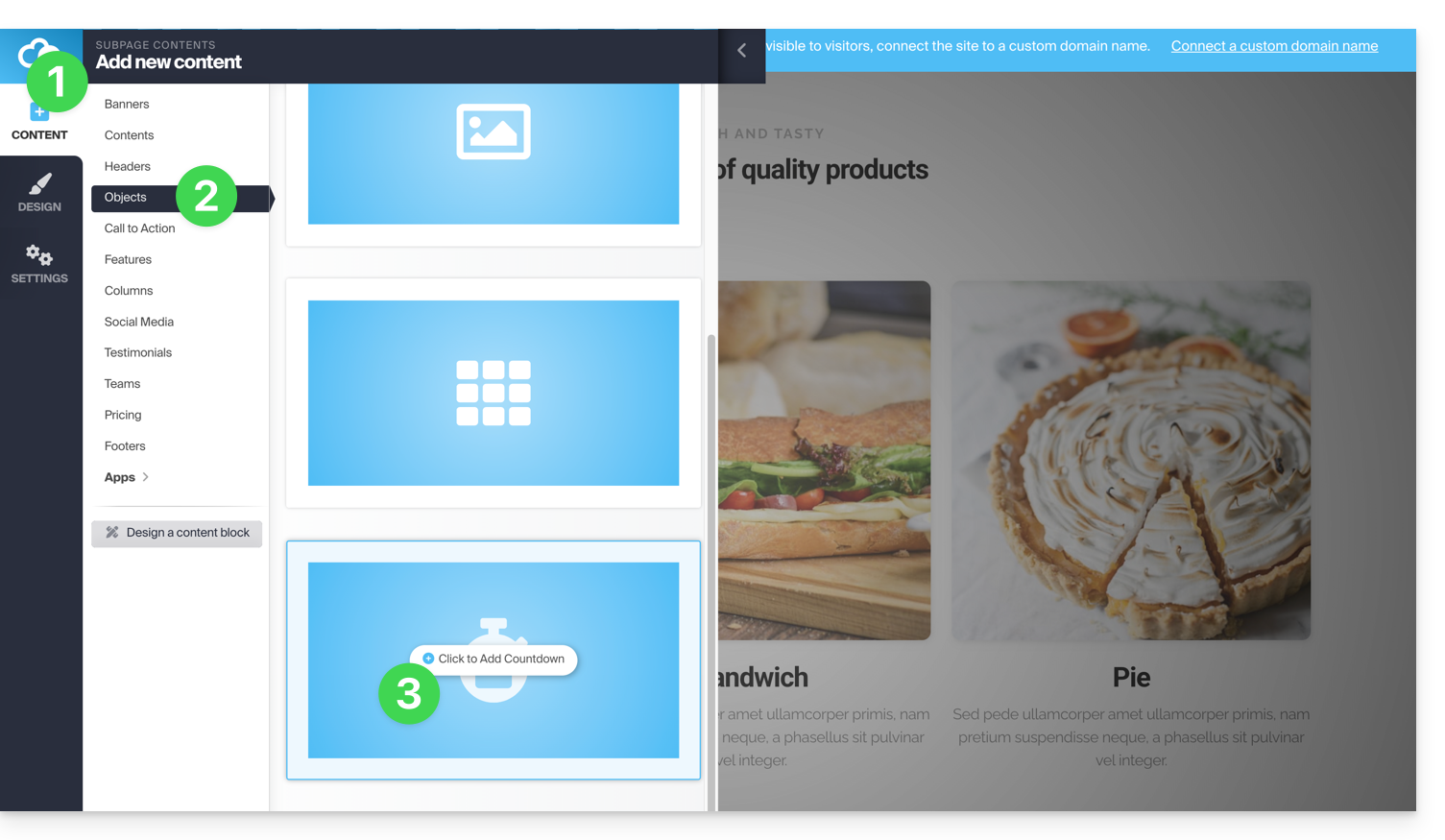
To add a counter to display a countdown:
- In the left-hand menu, click on the Content button.
- Click on Objects in the list, and the available content will be displayed on the right.
- Click on one of these objects to insert it on the page:
- Once inserted, hover over the module to access its settings:

Link to this FAQ: https://faq.infomaniak.com/2717
Has this FAQ been helpful?