Knowledge base
1000 FAQs, 500 tutorials and instructional videos. Here, there are only solutions!
Add a search bar to Site Creator
This guide is intended for users of the Infomaniak Site Creator tool who wish to allow visitors to perform a text search within the site's content.
Prerequisites
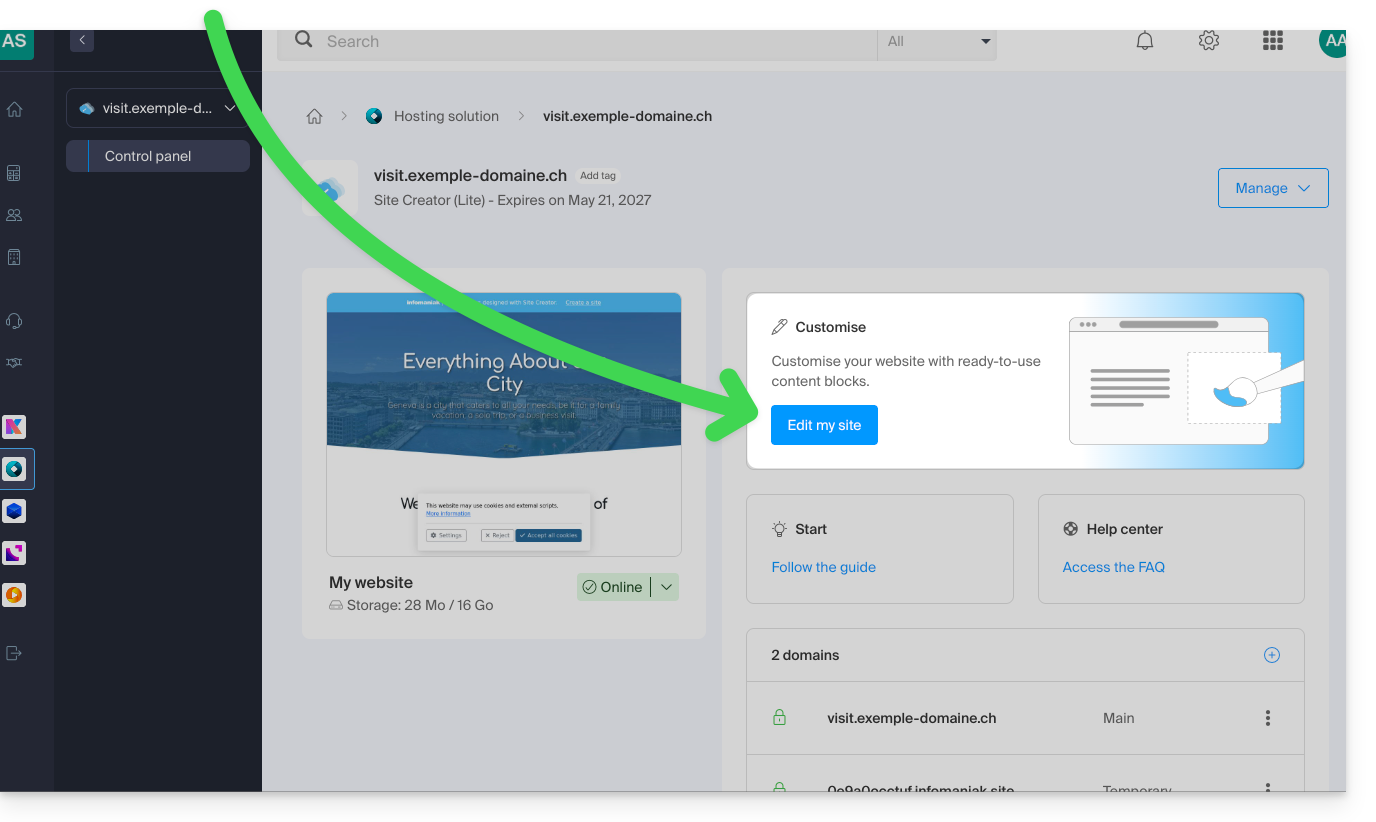
- Access Site Creator:
- Click here to access the management of your product on the Infomaniak Manager (need help?).
- Click directly on the name assigned to the Site Creator in question.
- Click on the Edit my site button to launch the editor:
Add a search bar to Site Creator
To allow visitors to search for content on your website created with Site Creator, you need to enable the search bar:
- Click on the Settings button in the left-hand menu.
- Click on General Settings.
- Enable the search option.
- Save the changes at the bottom of the page.
- View the new search location on your homepage:
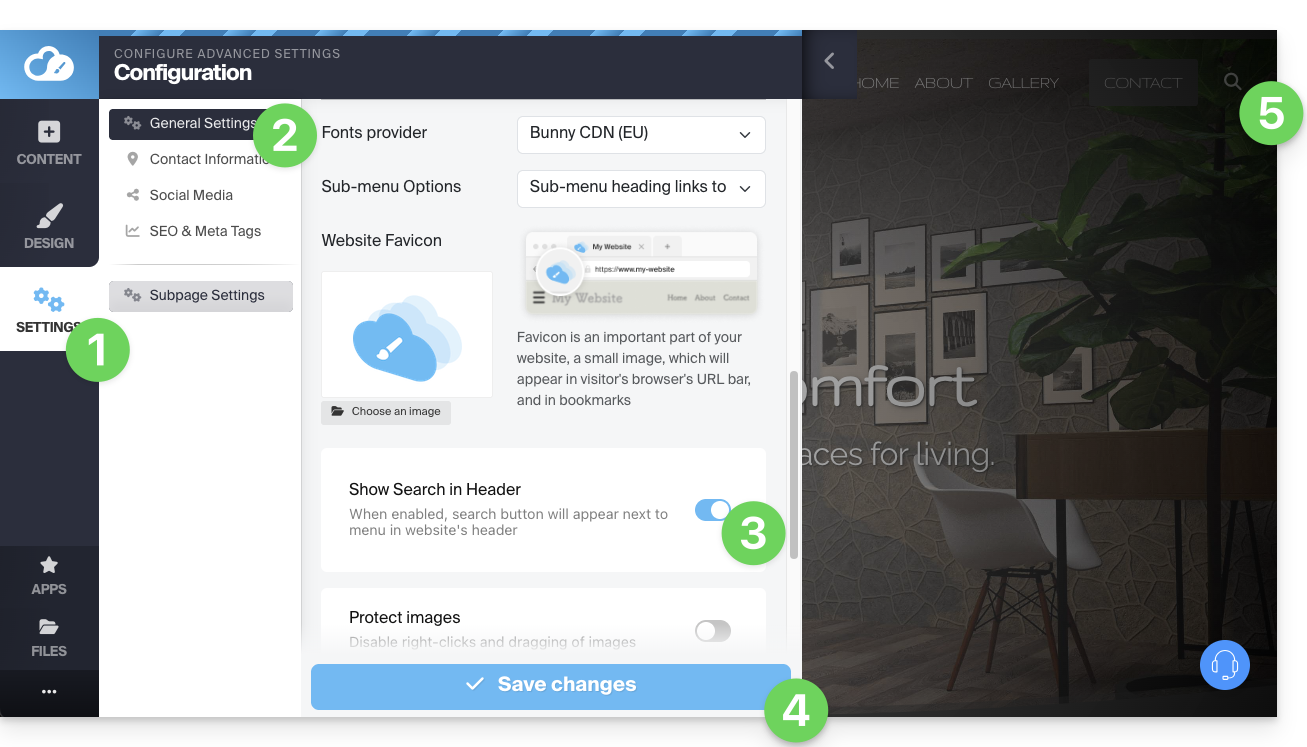
- A magnifying glass icon will be added to the header of your site, and the search bar will appear when you click on it:

- A magnifying glass icon will be added to the header of your site, and the search bar will appear when you click on it:
Link to this FAQ: https://faq.infomaniak.com/2714
Has this FAQ been helpful?