Knowledge base
1000 FAQs, 500 tutorials and instructional videos. Here, there are only solutions!
Add a search bar to Site Creator
Update 10/13/2026
This guide is intended for users of the Site Creator tool from Infomaniak who want to allow visitors to perform a text search within the site's content.
Add a search bar to Site Creator
Start by logging in to the Infomaniak Manager with your credentials (user account with the necessary permissions for the relevant product):
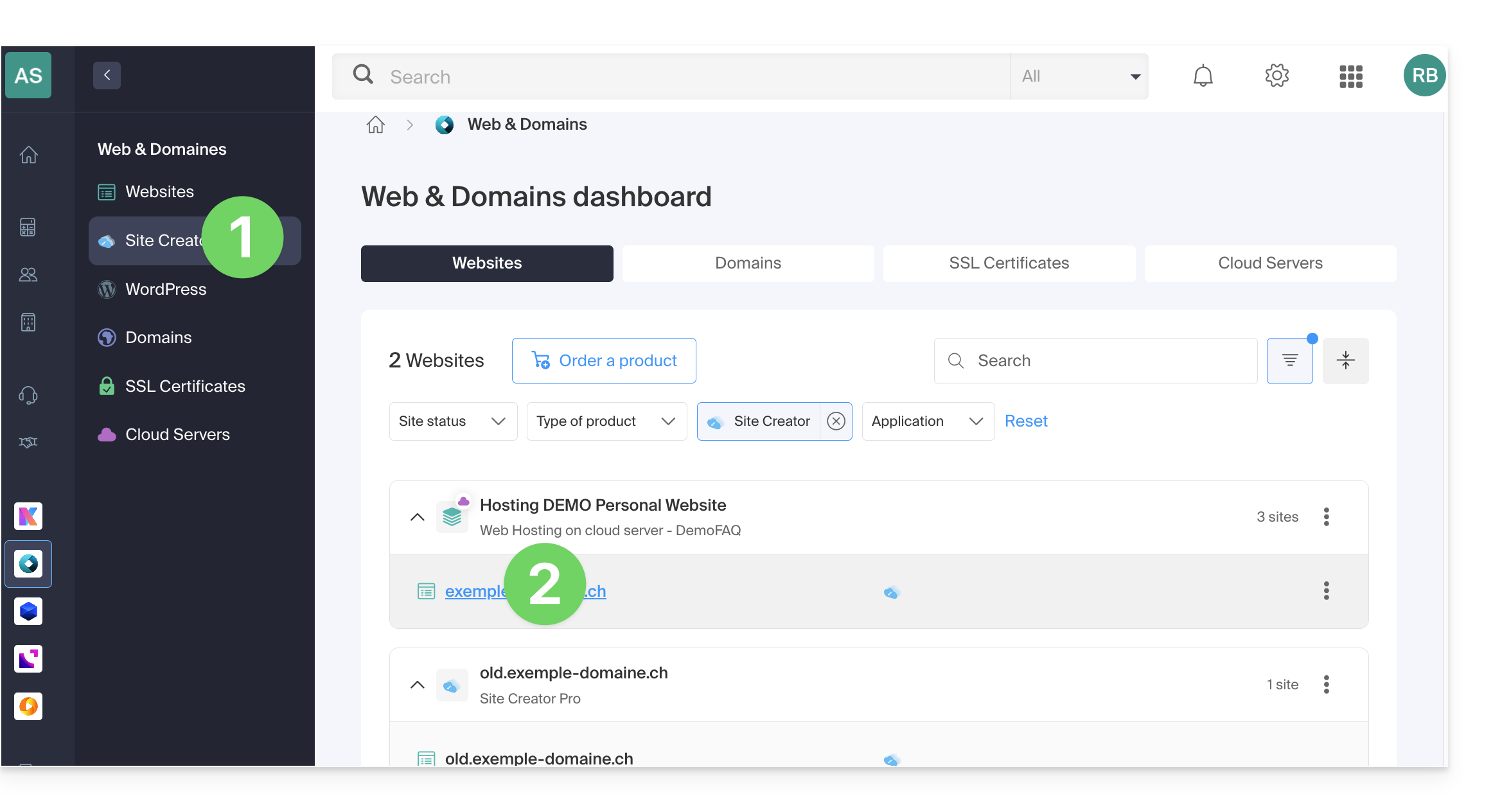
- Click here to access the hosting & site management interface (filtered to display only Site Creator).
- If nothing is displayed, you may not be in the Organization to which your site is linked (❓: help).
- Click on the name of the Site Creator in question:
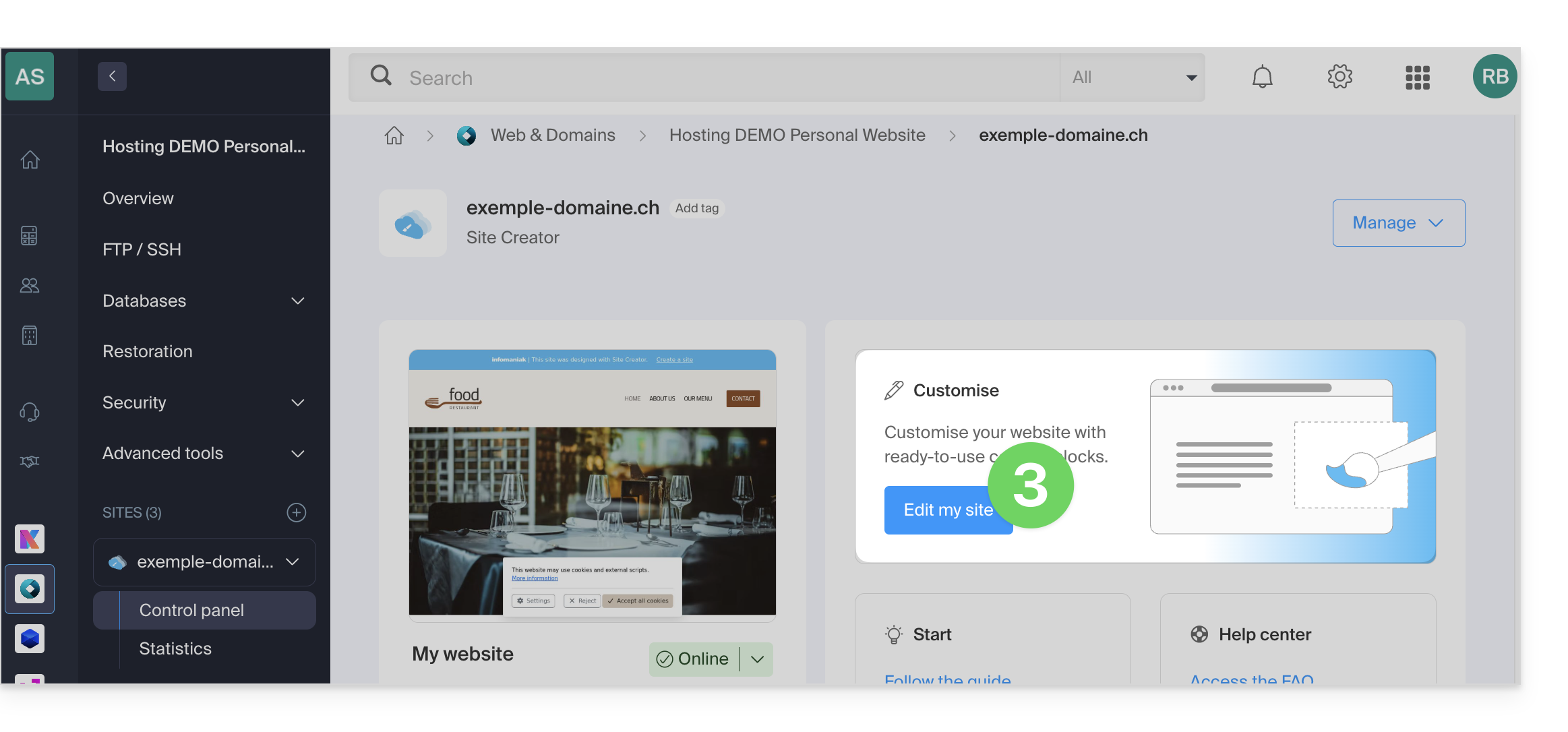
- Click on the button to edit your site:
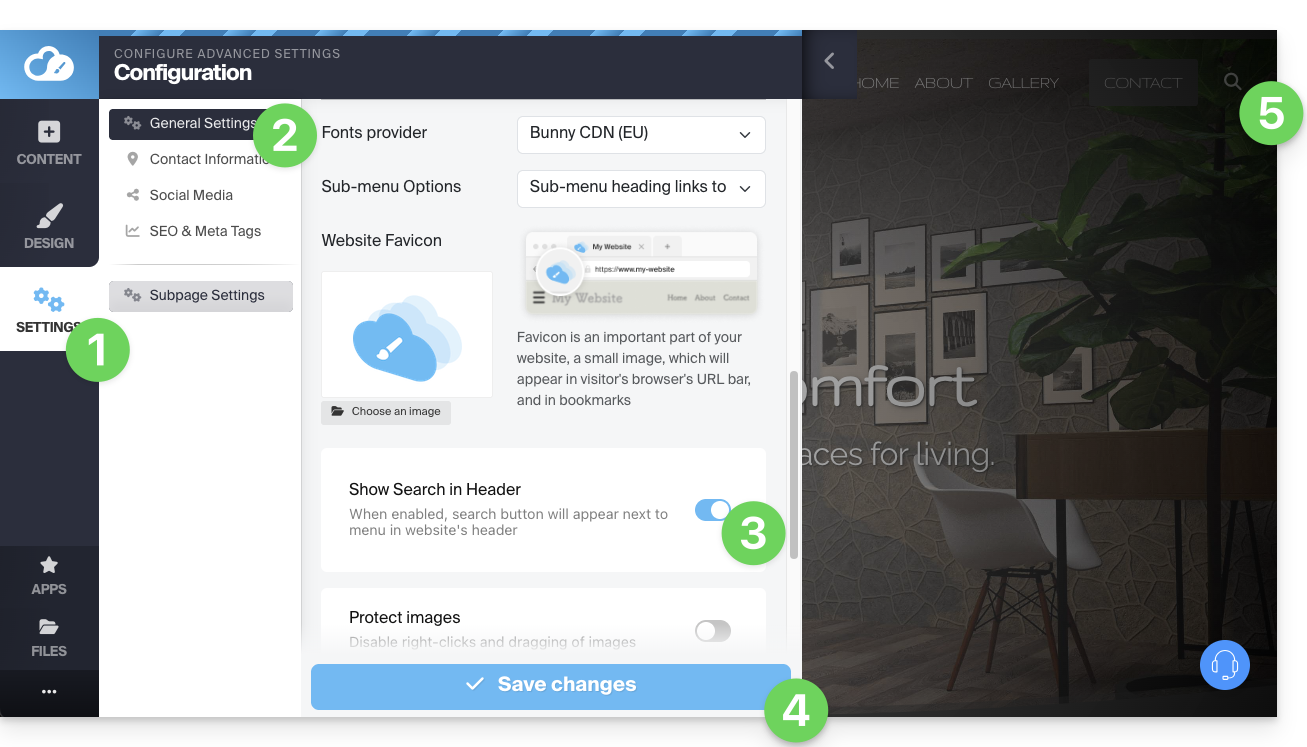
Once in Site Creator, to allow visitors to search for content on your site, you need to enable the search bar:
- Click on the Settings button in the left-hand menu.
- Click on General Settings.
- Enable the search option.
- Save the changes at the bottom of the page.
- View the new search location on your homepage:
- A magnifying glass icon will be added to the header of your site, and the search bar will appear when you click on it:
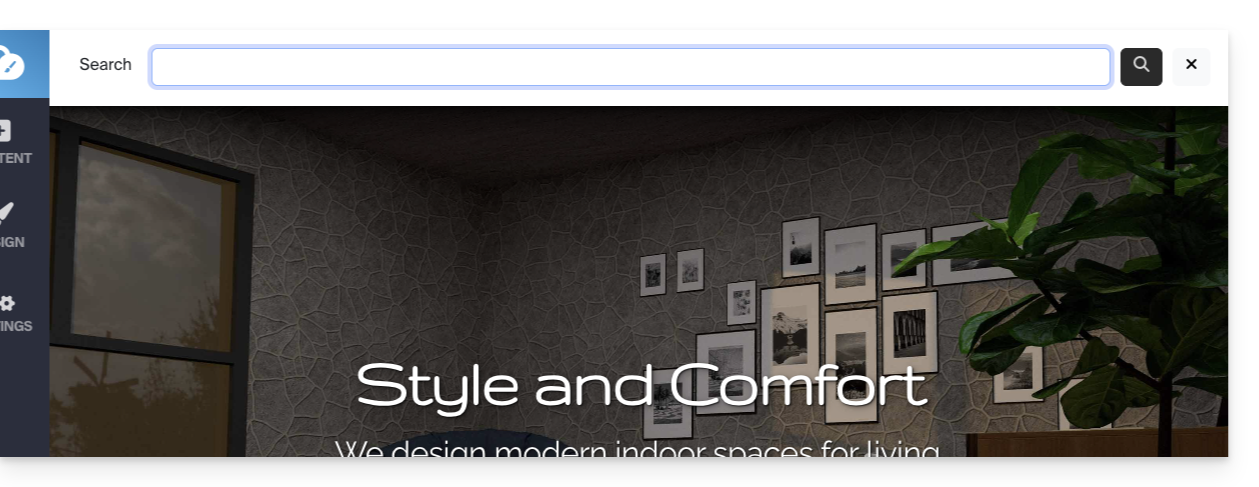
- A magnifying glass icon will be added to the header of your site, and the search bar will appear when you click on it:
Link to this FAQ: https://faq.infomaniak.com/2714
Has this FAQ been helpful?